1. Ifihan
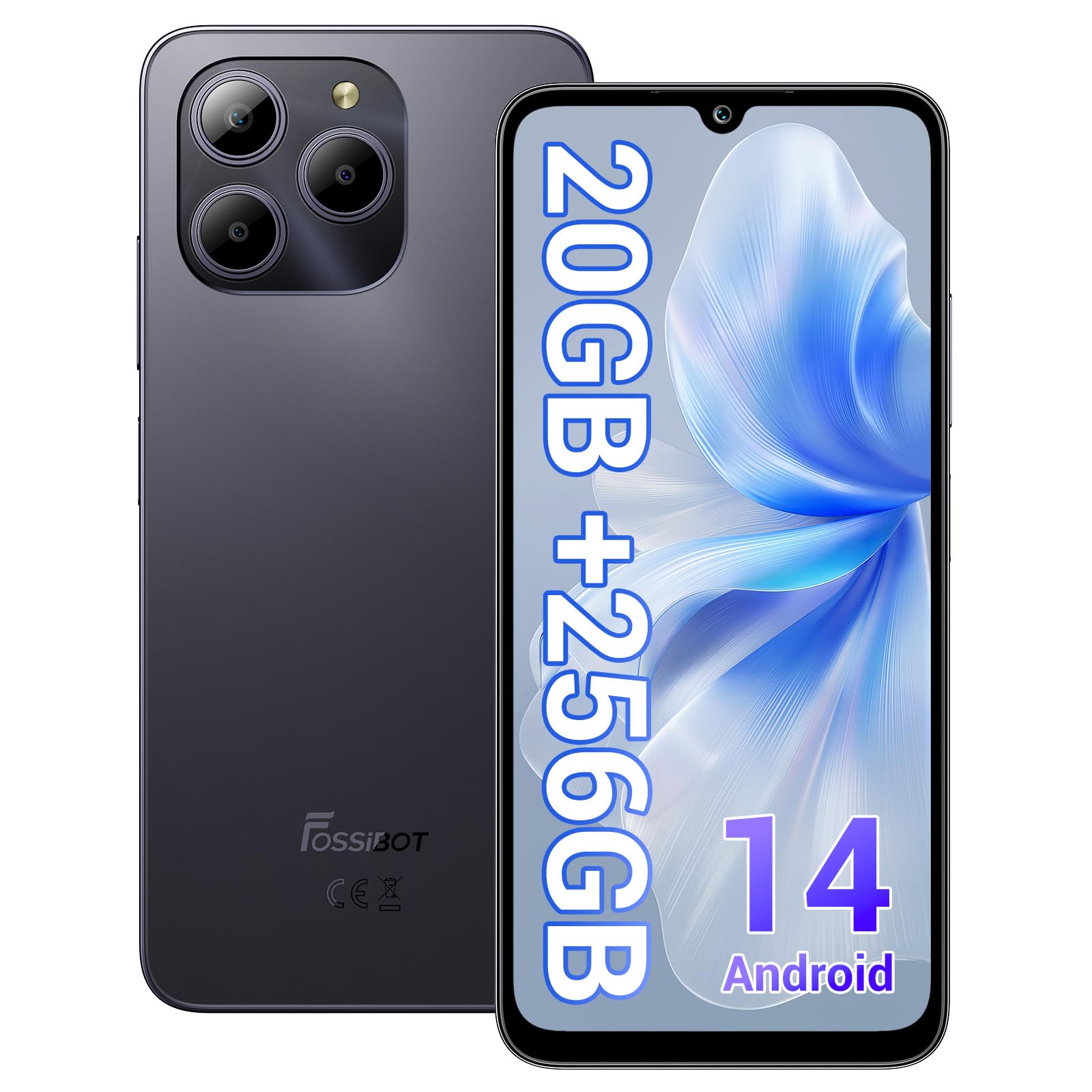
Welcome to the FOSSIBOT S2 Smartphone user manual. This guide provides essential information for setting up, operating, maintaining, and troubleshooting your new device. The FOSSIBOT S2 is an unlocked smartphone featuring Android 14, a 6.72-inch FHD+ display, a 50MP main camera, a 5000mAh battery, and advanced security features like Face ID and a fingerprint sensor.
2. Alaye Aabo
- Aabo Batiri: Do not attempt to replace the battery yourself. Use only FOSSIBOT-approved chargers and cables. Avoid exposing the device to extreme temperatures or direct sunlight.
- Omi Resistance: Ẹrọ yii kii ṣe mabomire. Yago fun ifihan si awọn olomi.
- Idaabobo igbọran: Yago fun gbigbọ gigun ni awọn ipele iwọn didun giga lati ṣe idiwọ ibajẹ igbọran.
- Aabo awakọ: Má ṣe lo fóònù rẹ nígbà tí o bá ń wakọ̀. Máa fi ààbò ojú ọ̀nà sí ipò àkọ́kọ́ nígbà gbogbo.
- Idasonu: Sọ ẹ̀rọ náà àti àwọn ohun èlò mìíràn rẹ̀ nù ní ìbámu pẹ̀lú òfin àdúgbò. Má ṣe fi ìdọ̀tí ilé pamọ́.
3. Package Awọn akoonu
Daju pe gbogbo awọn ohun kan wa ninu akopọ ọja rẹ:
- FOSSIBOT S2 Smartphone
- PIN kaadi SIM
- Iru-C Okun USB
- Ṣaja 18W
- Olumulo Afowoyi/Kaadi atilẹyin ọja
- Ọran TPU

4. Ẹrọ Loriview
Familiarize yourself with the physical components of your FOSSIBOT S2 smartphone.

- Iwaju: 6.72-inch FHD+ display, 16MP front camera, earpiece.
- Ẹyìn: 50MP main camera, LED flash, fingerprint sensor (side-mounted).
- Awọn ẹgbẹ: Power button, volume buttons, SIM/SD card tray, USB Type-C port, 3.5mm audio jack.
5. Eto
5.1 Fifi SIM ati SD Kaadi sii
- Wa atẹ kaadi SIM ni ẹgbẹ ẹrọ rẹ.
- Insert the provided SIM ejector tool into the small hole next to the tray and press gently until the tray pops out.
- Place your Nano-SIM cards (up to two) and/or a microSD card (for storage expansion up to 1TB) into the designated slots on the tray. Ensure the gold contacts face downwards.
- Fi iṣọra tun fi atẹ sii sinu foonu titi ti o fi tẹ sinu aaye.

5.2 Agbara Titan ati Eto Ibẹrẹ
- Press and hold the Power button until the FOSSIBOT logo appears.
- Tẹle awọn itọnisọna loju iboju lati yan ede rẹ, sopọ si nẹtiwọki Wi-Fi, ki o si ṣeto akọọlẹ Google rẹ.
- You will be guided through setting up security features such as a PIN, pattern, fingerprint, and Face ID.
6. Ṣiṣẹ ẹrọ rẹ
6.1 Ifihan
The FOSSIBOT S2 features a 6.72-inch FHD+ In-cell display with a resolution of 1080 x 2400 pixels, providing clear and vibrant visuals.

6.2 išẹ
Powered by the MediaTek G85 Octa-Core processor and 20GB RAM (8GB physical + 12GB virtual), the FOSSIBOT S2 delivers smooth performance for multitasking, gaming, and streaming. It includes 256GB of internal storage, expandable up to 1TB with a TF card.

6.3 Kamẹra
Capture high-quality photos and videos with the 50MP AI main camera and take clear selfies with the 16MP front camera. The camera system supports various modes for different shooting scenarios.

6.4 Batiri ati Ngba agbara
The FOSSIBOT S2 is equipped with a 5000mAh battery, providing extended usage time. It supports 18W fast charging via the Type-C port.
6.5 Awọn ẹya Aabo
Unlock your device securely using the side-mounted fingerprint sensor or Face ID recognition.

6.6 Asopọmọra
The FOSSIBOT S2 supports dual 4G SIM cards for reliable network coverage. It also includes NFC for contactless payments and GPS/GLONASS/Galileo/Beidou for accurate navigation.

6.7 Android 14 Eto iṣẹ
Experience the latest features and security enhancements with Android 14, offering improved privacy controls, smarter battery management, and a customizable user interface.

7. Itọju
- Awọn imudojuiwọn sọfitiwia: Ṣayẹwo nigbagbogbo fun ati fi awọn imudojuiwọn eto sori ẹrọ lati rii daju iṣẹ ṣiṣe ati aabo to dara julọ.
- Ninu: Lo aṣọ rirọ, ti ko ni awọ lati nu iboju ati ara foonu naa. Yẹra fun awọn kemikali lile.
- Itọju Batiri: To prolong battery life, avoid fully discharging the battery frequently. Charge the device before it drops below 20%.
- Isakoso Ibi ipamọ: Lokọọkan ko ṣe pataki files and apps to maintain device speed and free up storage.
8. Laasigbotitusita
If you encounter issues with your FOSSIBOT S2, refer to the following common solutions:
- Ẹrọ Ko Tii: Ensure the battery is charged. Connect the phone to the charger for at least 15 minutes, then try powering on again.
- Awọn ohun elo gbigbi / didi: Close background apps. Clear the cache of the problematic app or reinstall it. If the issue persists, perform a factory reset (back up data first).
- Ifihan Nẹtiwọọki Ti Ko Dara: Check if your SIM card is properly inserted. Ensure you are within network coverage. Restart the device.
- Sisun Batiri Ni kiakia: Reduce screen brightness, disable unused features like Wi-Fi, Bluetooth, and GPS when not needed. Check battery usage in settings to identify power-hungry apps.
- Fingerprint/Face ID Not Working: Ensure your fingers are clean and dry for fingerprint recognition. For Face ID, ensure your face is well-lit and unobstructed. Re-register your fingerprint or face if necessary.
For more complex issues, please contact FOSSIBOT customer support.
9. Awọn pato
| Ẹya ara ẹrọ | Sipesifikesonu |
|---|---|
| Orukọ awoṣe | S2 |
| Eto isesise | Android 14 |
| isise | MediaTek Helio G85 Octa-Core (2 GHz) |
| Àgbo | 20 GB (8GB ti ara + 12GB foju) |
| Ibi ipamọ inu | 256 GB |
| Expandable Ibi ipamọ | Titi di 1TB nipasẹ kaadi TF |
| Iwọn Ifihan | 6.72 Inches FHD+ In-cell |
| Ipinnu Ifihan | 1080 x 2400 awọn piksẹli |
| Kamẹra ẹhin | 50MP |
| Kamẹra iwaju | 16MP |
| Agbara Batiri | 5000mAh |
| Gbigba agbara | 18W Gbigba agbara Yara (Iru-C) |
| Asopọmọra | Dual 4G SIM, Wi-Fi, Bluetooth, NFC |
| Lilọ kiri | GPS, GLONASS, Galileo, Beidou |
| Aabo | Fingerprint Sensor, Face ID |
| Jack ohun | 3.5 mm |
| Awọn iwọn | 6.57 x 3.03 x 0.34 inches |
| Iwọn | 1.04 iwon |
10. Atilẹyin ọja ati Support
Your FOSSIBOT S2 smartphone comes with a standard manufacturer's warranty. Please refer to the included Warranty Card in your package for specific terms and conditions, including warranty duration and coverage details.
For technical support, service inquiries, or to access additional resources, please visit the official FOSSIBOT website or contact their customer service department. Contact information can typically be found on the Warranty Card or the FOSSIBOT brand store page.
Atilẹyin Ayelujara: Visit the FOSSIBOT Store on Amazon


