1. Ifihan
This manual provides detailed instructions for the installation, operation, maintenance, and troubleshooting of your podofo 4G+64G 8 Inch Car Radio Stereo. This unit features Wireless CarPlay, Android Auto, an IPS Touch Screen, Android 13 operating system, GPS, WiFi, USB/Type C connectivity, Bluetooth, and DSP Audio. Please read this manual thoroughly before using the product to ensure proper function and safety.
2. Awọn ẹya Ọja
- Eto isesise: Android 13.0 with Quad Core CPU, 4GB RAM, and 64GB ROM for smooth performance.
- Ifihan: 8-inch HD IPS Touch Screen with 1024*600 resolution, supporting split screen and multiple UI themes.
- Asopọmọra: Wireless CarPlay and Android Auto (wired and wireless), Bluetooth 5.0 for hands-free calls and music streaming, WiFi, USB, and Type C ports.
- Lilọ kiri: Built-in offline map app with support for worldwide offline map data download. Online maps are available when connected to WiFi or a hotspot.
- Ohun: DSP Audio with 32-band EQ for precise sound adjustments, subwoofer output.
- Multimedia: FM RDS radio, support for rear view camera, dual USB ports, dual microphone.
- Iṣakoso: Steering Wheel Control (SWC) compatibility.
3. Eto ati fifi sori
3.1 Package Awọn akoonu
Ṣaaju fifi sori ẹrọ, rii daju pe gbogbo awọn eroja wa:
- Car Radio Unit
- HD Kamẹra Afẹyinti
- Gbohungbohun ita
- Eriali GPS
- Okun agbara
- Okun RCA
- Awọn kebulu USB
- Eriali Redio
- Dókódì Canbus (tí ó bá wúlò)
- Itọsọna olumulo
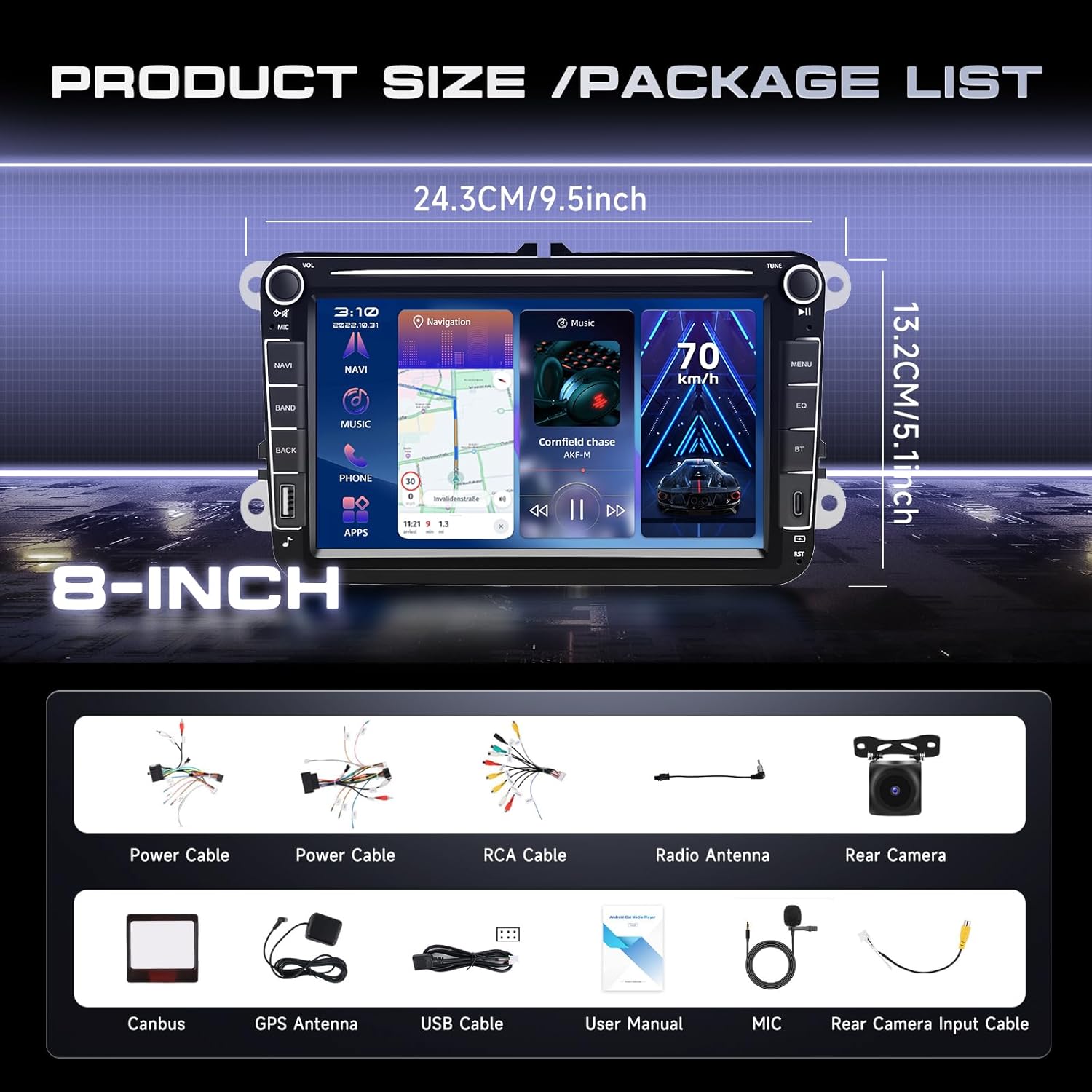
Image: Product dimensions and a visual representation of the included accessories in the package.
3.2 Ọkọ ibamu
This car head unit is compatible with various VW models, including Passat, Jetta, Tiguan, Golf MK5, MK6, T5, EOS, and Polo. It also supports certain Seat and Skoda models. A plug-and-play wiring harness is included for simplified installation.

Image: Diagram showing compatible car models for VW, Seat, and Skoda vehicles.
Ṣaaju riraasing and installing, it is crucial to check the shape of your vehicle's center console to ensure proper fitment. Some console designs may not be compatible.
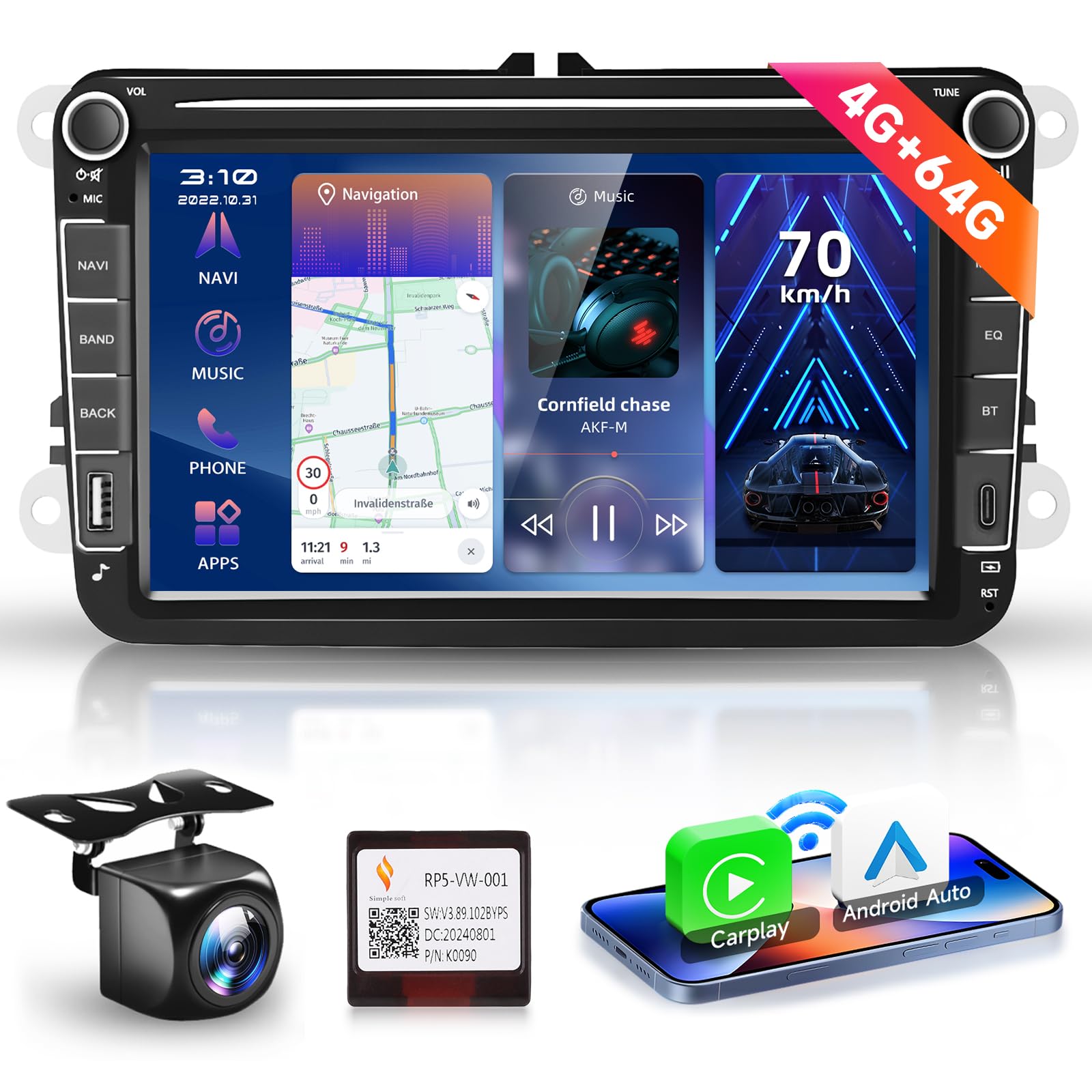
Image: Visual guide indicating compatible and incompatible car console shapes for installation.
3.3 Wiring aworan atọka
Refer to the following diagrams for correct wiring connections. Ensure all connections are secure before powering on the unit.

Image: Detailed diagram illustrating the main wiring harness connections for the car radio unit, including power, RCA, USB, and antenna ports.
3.3.1 Camera Wiring
Fun ẹhin view camera installation, follow these steps:
- Sopọ awọn Red Cable (1) ati (3) to the positive (+) terminal of the car's reverse light power supply.
- Sopọ awọn Black Cable (2) to the negative (-) terminal of the car's reverse light power supply.
- Sopọ awọn Black Cable (4) to the reverse trigger wire on the power harness of the car radio.

Image: Step-by-step diagram for connecting the rear view camera to the car radio system.
4. Awọn ilana Iṣiṣẹ
4.1 Alailowaya CarPlay / Android Auto
The unit supports both wired and wireless CarPlay and Android Auto. This feature allows seamless integration with your smartphone, providing access to navigation, music, calls, and voice control directly from the car radio display. This enhances driving safety and convenience.

Image: Display showing the user interface for Wireless CarPlay and Android Auto, highlighting voice control features.
4.2 Lilọ kiri GPS ati WiFi
Utilize the built-in GPS for navigation. The unit comes with an offline map app, allowing you to download worldwide map data for use without an internet connection. For real-time traffic and online map services, connect the unit to WiFi or a mobile hotspot. The Android operating system allows for installation and deletion of various Android applications from the Application Store, similar to a smartphone.

Image: Screen displaying GPS navigation and various applications accessible via WiFi connectivity.
4.3 Awọn iṣẹ Bluetooth
The integrated Bluetooth 5.0 chip enables wireless streaming of music and hands-free calling. Pair your smartphone to make and receive calls directly through the car radio and play audio from your device.

Image: User interface showing Bluetooth call management and music playback screens.
4.4 Multimedia Awọn iṣẹ
Enjoy various multimedia options including FM RDS radio with auto memory store/preset/scan functions. The unit supports USB and Type C ports for media playback. The 32-band EQ DSP allows for precise sound adjustments, providing a more realistic and immersive audio experience.

Image: Display of the 32-band DSP equalizer settings and an illustration of steering wheel control functionality.
4.5 Iṣakoso kẹkẹ idari (SWC)
The unit supports steering wheel controls, allowing you to easily answer/end calls, play music, switch modes, and adjust volume without taking your hands off the wheel. This feature enhances convenience and safety while driving.
4.6 Split Screen and UI Options
The 8-inch HD IPS touch screen supports split-screen functionality, enabling you to run two applications simultaneously, such as navigation and music. Multiple themed user interfaces (UIs) are available for selection, allowing for personalization of the display.

Image: Demonstration of the IPS HD screen quality and the split-screen feature displaying two applications concurrently.
4.7 Mirror Link
The Wireless Mirror Link feature allows you to sync your phone's screen to the car audio display. This provides clear navigation and media display directly on the unit's screen, supporting both Android and iOS devices.

Image: Illustration of the wireless mirror link function for Android and iOS devices, alongside various customizable user interface themes.
5. Itọju
To ensure the longevity and optimal performance of your car radio stereo, follow these maintenance guidelines:
- Ninu: Lo aṣọ rirọ ati gbigbẹ lati nu iboju ati ita. Fun awọn eeru lile, di diẹ.ampen awọn asọ pẹlu omi tabi a iboju-ailewu regede. Yago fun awọn ohun elo abrasive tabi awọn kemikali lile.
- Awọn imudojuiwọn sọfitiwia: Periodically check for software updates to ensure you have the latest features and bug fixes. Updates can typically be found through the unit's settings or the manufacturer's webojula.
- Iwọn otutu: Yago fun ṣiṣafihan ẹyọkan si awọn iwọn otutu to gaju, mejeeji gbona ati otutu, fun awọn akoko gigun.
- Awọn isopọ: Ensure all cables and connections remain secure. Loose connections can lead to intermittent issues.
- Isakoso Agbara: Always turn off your vehicle's ignition before disconnecting or connecting any components to prevent electrical damage.
6. Laasigbotitusita
If you encounter issues with your car radio stereo, refer to the following common problems and solutions:
| Isoro | Owun to le Fa | Ojutu |
|---|---|---|
| Unit ko ni agbara lori | Asopọ agbara alaimuṣinṣin, fiusi ti o fẹ, ọrọ batiri ọkọ. | Check power cable connections. Inspect vehicle fuses. Verify car battery voltage. |
| Ko si ohun jade | Volume too low, incorrect audio source, loose speaker wires, mute activated. | Increase volume. Select correct audio source. Check speaker wiring. Disable mute function. |
| Ifihan GPS sọnu tabi aiṣedeede | GPS antenna obstructed or disconnected, unit in an area with poor satellite reception. | Rii daju pe eriali GPS ti sopọ daradara ati pe o ni kedere view ti oju ọrun. Gbe ọkọ ayọkẹlẹ lọ si aaye ti o ṣii. |
| Awọn oran asopọ Bluetooth | Device not in pairing mode, unit not discoverable, interference. | Ensure Bluetooth is enabled on both devices and in pairing mode. Restart both devices. Clear previous pairings. |
| Iboju ifọwọkan ko dahun | Software glitch, screen dirty, physical damage. | Restart the unit. Clean the screen. If problem persists, contact support. |
Ti iṣoro naa ba wa lẹhin igbiyanju awọn iṣeduro wọnyi, jọwọ kan si atilẹyin alabara fun iranlọwọ siwaju sii.
7. Awọn pato
| Ẹya ara ẹrọ | Ẹ̀kúnrẹ́rẹ́ |
|---|---|
| Eto isesise | Android 13 |
| Àgbo / ROM | 4GB Ramu / 64GB ROM |
| Iwon iboju | 8 inches |
| Ipinnu Ifihan | 1024*600 |
| Asopọmọra | Bluetooth, USB, Wi-Fi |
| Pataki Awọn ẹya ara ẹrọ | Android Auto, CarPlay, DSP |
| Oriṣi maapu | Worldwide (offline map app included) |
| Iṣagbesori Iru | Dasibodu Oke |
| Iwọn Nkan | 2.2 iwon |
| Package Mefa | 10.63 x 8.27 x 3.94 inches |
8. Atilẹyin ọja ati Support
8.1 atilẹyin ọja Alaye
Ọja yi wa pẹlu kan 3-odun atilẹyin ọja Láti ọjọ́ tí o ti ra ọjà náà. Jọ̀wọ́ pa ẹ̀rí ìrajà rẹ mọ́ fún àwọn ẹ̀tọ́ àtìlẹ́yìn. Àtìlẹ́yìn náà bo àwọn àbùkù àti àìlera iṣẹ́-ọnà lábẹ́ lílo déédéé. Kò bo ìbàjẹ́ tí ó ṣẹlẹ̀ nípasẹ̀ ìlòkulò, ìjàǹbá, àwọn àtúnṣe tí a kò fún ní àṣẹ, tàbí fífi sori ẹrọ tí kò tọ́.
8.2 Imọ Support
For technical assistance, troubleshooting, or warranty inquiries, please contact podofo customer support. You can typically find support contact information through the seller's page on the platform where you purchased the product.

Image: Instructions on how to locate and contact Podofo technical support through the seller's page.
Our customer support team is available to assist you with any questions or issues you may have regarding your podofo car radio stereo.


