Ọrọ Iṣaaju
This manual provides essential information for the proper setup, operation, and maintenance of your Roland RD-2000 EX 88-key Digital Piano Essentials Bundle. Please read this manual thoroughly before using the product and keep it for future reference.
Alaye Aabo
Láti rí i dájú pé iṣẹ́ náà wà ní ààbò, máa kíyèsí àwọn ìlànà wọ̀nyí nígbà gbogbo:
- Ma ṣe fi ẹrọ naa han si awọn iwọn otutu to gaju, ọriniinitutu, tabi oorun taara.
- Yago fun gbigbe ẹrọ naa si nitosi awọn orisun ooru tabi ni awọn agbegbe ti o ni afẹfẹ ti ko dara.
- Do not place objects containing liquids on the unit.
- Lo oluyipada agbara pàtó kan.
- Pa ẹrọ kuro lati awọn ọmọde.
- Ge asopọ okun agbara nigba iji manamana tabi nigba lilo fun igba pipẹ.
Package Awọn akoonu
Daju pe gbogbo awọn nkan ti a ṣe akojọ rẹ si isalẹ wa ninu package rẹ:
- Roland RD-2000 EX 88-Key Digital Stage Piano
- Knox Gear Adjustable X-Style Keyboard Bench
- FocusProAudio Adjustable Double X Keyboard Stand
- Lori Stage KSP100 Keyboard Piano Style Sustain Pedal (Black)
- Adapter agbara
- Isinmi Orin
Ṣeto
1. Nto Iduro Keyboard
Unfold the FocusProAudio Adjustable Double X Keyboard Stand and adjust it to a comfortable playing height. Ensure all locking mechanisms are securely fastened to provide stable support for the digital piano.

Image: FocusProAudio Adjustable Double X Keyboard Stand, shown in its unfolded position.
2. Setting up the Keyboard Bench
Unfold the Knox Gear Adjustable X-Style Keyboard Bench. Adjust the bench height to your preference. The bench features a 2-inch padded cushion for comfort and rubber-tipped feet for stability.

Image: Knox Gear Adjustable X-Style Keyboard Bench, showing its X-frame design.

Image: Features of the Knox Gear Adjustable X-Style Keyboard Bench, highlighting its adjustability and X-style design.

Image: Close-up of the Knox Gear Adjustable X-Style Keyboard Bench's 2-inch padded cushion.
3. Placing the Digital Piano
Carefully place the Roland RD-2000 EX Digital Piano onto the assembled keyboard stand. Ensure it is centered and stable.

Image: Roland RD-2000 EX 88-key Digital Piano, showcasing its full keyboard and control panel.
4. Nsopọ efatelese Sustain
Connect the On Stage KSP100 Keyboard Piano Style Sustain Pedal to the designated pedal input on the rear panel of the RD-2000 EX. This pedal provides sustain control for your playing.
5. Agbara lori / Paa
Connect the power adapter to the DC IN jack on the rear panel of the digital piano, then plug the adapter into a power outlet. Press the power button located on the control panel to turn the unit ON or OFF.

Image: Rear panel of the Roland RD-2000 EX, showing various input/output connections including power, pedal, and audio outputs.
Awọn ilana Iṣiṣẹ
1. Awọn iṣakoso ipilẹ
The RD-2000 EX features a streamlined control panel for intuitive operation. Adjust the master volume using the dedicated slider. The power button controls the unit's on/off state.
2. Sound Engines and Keybed
The digital piano is equipped with dual sound engines and a PHA-50 Progressive Hammer-action Keybed, providing a realistic piano playing experience. The keybed offers a graded hammer feel, mimicking an acoustic grand piano.
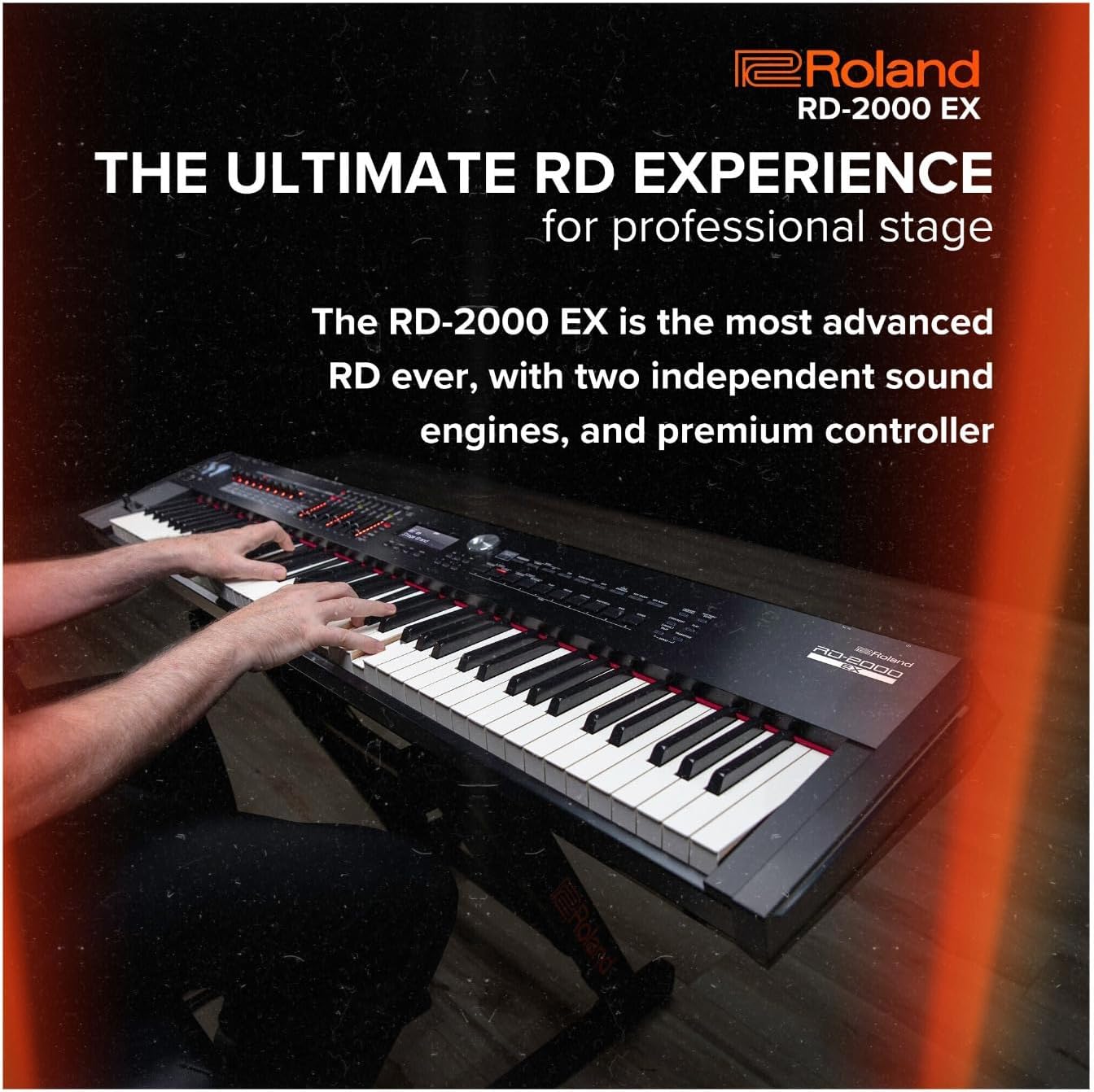
Image: A person playing the Roland RD-2000 EX Digital Piano, demonstrating its use in a performance setting.
3. Sound Selection
Access a variety of sounds, including advanced V-Piano modeling technology, for diverse musical expression. The intuitive interface allows for quick selection and customization of tones.
4. Controller Functionality
The RD-2000 EX includes advanced controller functionality, allowing seamless integration with external software and hardware. Utilize the onboard controls for real-time sound manipulation and performance adjustments.
5. USB Audio/MIDI Interface
The piano features an onboard 24-bit/192kHz USB Audio/MIDI Interface. Connect the piano to a computer via USB to record audio and MIDI data, or to use the piano as a MIDI controller for software instruments.
Official ọja Video
Watch this official product video from Roland US for a detailed overview of the RD-2000 EX Digital Stage Piano.
Video: Roland Premium Digital Stage Piano RD-2000 EX. This video provides an in-depth look at the features and capabilities of the digital piano.
Awọn pato
| Ẹya ara ẹrọ | Ẹ̀kúnrẹ́rẹ́ |
|---|---|
| Brand | Roland |
| Orukọ awoṣe | RD-2000 EX |
| Nọmba ti Awọn bọtini | 88 |
| Irú Kọ́kọ́rọ́bù | PHA-50 Progressive Hammer-action |
| Awọn ẹrọ ohun | Dual Sound Engines, V-Piano Modeling |
| Asopọmọra | USB Audio/MIDI Interface (24-bit/192kHz) |
| Àwọ̀ | Dudu |
| Iwọn Nkan | 16 ounces (0.45 kg) - Note: Product description states 1 pound, specification states 16 ounces. |
| Ọja Mefa | 9.1 x 9.1 x 9.1 inches (23.1 x 23.1 x 23.1 cm) |
Itoju
To maintain your Roland RD-2000 EX Digital Piano and accessories in optimal condition:
- Ninu: Use a soft, dry cloth to wipe the surface of the piano and accessories. For stubborn dirt, slightly dampen awọn asọ pẹlu omi ati ki o kan ìwọnba detergent, ki o si mu ese gbẹ lẹsẹkẹsẹ. Yago fun abrasive ose tabi epo.
- Ibi ipamọ: When not in use, cover the piano with a dust cover to protect it from dust and debris. Store in a stable environment away from direct sunlight and extreme temperature changes.
- Gbigbe: When moving the piano, ensure it is properly secured in a protective case to prevent damage. Disassemble the stand and bench for easier and safer transport.
Laasigbotitusita
If you encounter issues with your Roland RD-2000 EX, refer to the following common solutions:
- Ko si Ohun: Check if the power is on, the volume is turned up, and headphones are not plugged in (unless intended). Ensure all cables (audio, pedal) are securely connected.
- Awọn bọtini Ko Dahun: Verify the unit is powered on. If specific keys are unresponsive, contact customer support.
- Ohun Yiyi: Check the volume levels of the piano and any connected audio equipment. Ensure cables are not damaged and connections are secure.
- Pedal Not Working: Confirm the sustain pedal is correctly plugged into the designated jack on the rear panel.
Atilẹyin ọja & Atilẹyin
For warranty information and technical support, please refer to the official Roland website or contact your authorized Roland dealer. Keep your purchase receipt as proof of purchase for warranty claims.
Online resources, including FAQs and additional documentation, may be available on the Roland support page.


