1. Ifihan
O ṣeun fun riraasing the ZEBRONICS PROTONE ONE Portable Bluetooth Speaker. This powerful and versatile speaker is designed to deliver an immersive audio experience with its 120W output, dual full-range drivers, and dual tweeters. It features multiple connectivity options, including Bluetooth v5.0, USB, mSD, and AUX, along with dedicated inputs for a microphone and guitar. The PROTONE ONE also includes a wireless UHF microphone for karaoke and recording functions, making it ideal for various entertainment needs. Please read this manual carefully before using the product to ensure proper operation and to maximize its lifespan.
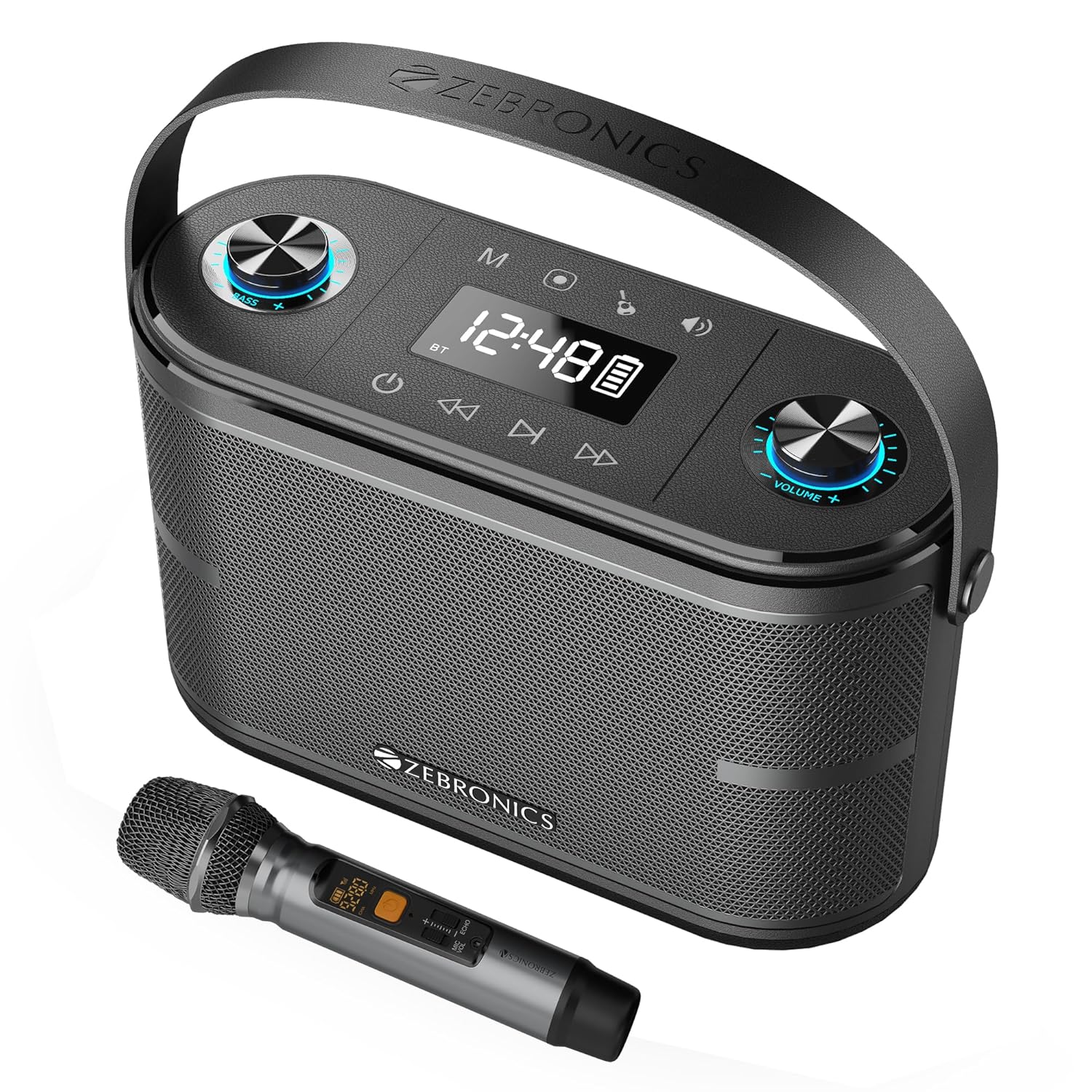
Image: The ZEBRONICS PROTONE ONE speaker shown with its accompanying wireless microphone, highlighting its portable design and integrated handle.
2. Awọn ilana aabo
Lati rii daju iṣẹ ailewu ati yago fun ibajẹ, jọwọ ṣe akiyesi awọn iṣọra wọnyi:
- Má ṣe fi agbọ́rọ̀sọ náà sí omi, ọrinrin tàbí ooru tó le koko.
- Yẹra fún gbígbé agbọ́hùnsọ̀ sí ẹ̀gbẹ́ àwọn orísun ooru bíi radiators, stovu, tàbí àwọn ohun èlò míràn tí ń mú ooru jáde.
- Má ṣe dí àwọn ihò afẹ́fẹ́ kankan. Rí i dájú pé afẹ́fẹ́ tó yẹ ń tàn káàkiri agbọ́hùnsọ̀ náà.
- Lo awọn asomọ/awọn ẹya ara ẹrọ ti a sọ pato nipasẹ olupese.
- Yọọ agbohunsoke nigba iji manamana tabi nigba lilo fun igba pipẹ.
- Tọkasi gbogbo iṣẹ si awọn oṣiṣẹ iṣẹ ti o peye. Iṣẹ nilo nigbati ohun elo ba ti bajẹ ni ọna eyikeyi, gẹgẹbi okun ipese agbara tabi plug ti bajẹ, omi ti ta silẹ tabi awọn nkan ti ṣubu sinu ẹrọ, ohun elo naa ti farahan si ojo tabi ọrinrin, ko ṣiṣẹ deede. , tabi ti lọ silẹ.
- Do not disassemble the unit. This will void the warranty.
3. Package Awọn akoonu
Jọwọ ṣayẹwo awọn akoonu ti package lori unboxing:
- ZEBRONICS PROTONE ONE Portable Bluetooth Speaker: 1 Unit
- Wireless UHF Microphone: 1 Unit
- Charging Adapter: 1 Unit
- AUX Cable: 1 Unit
- Afowoyi olumulo: 1 Unit
4. Product Layout and Controls
Familiarize yourself with the various parts and controls of your PROTONE ONE speaker.
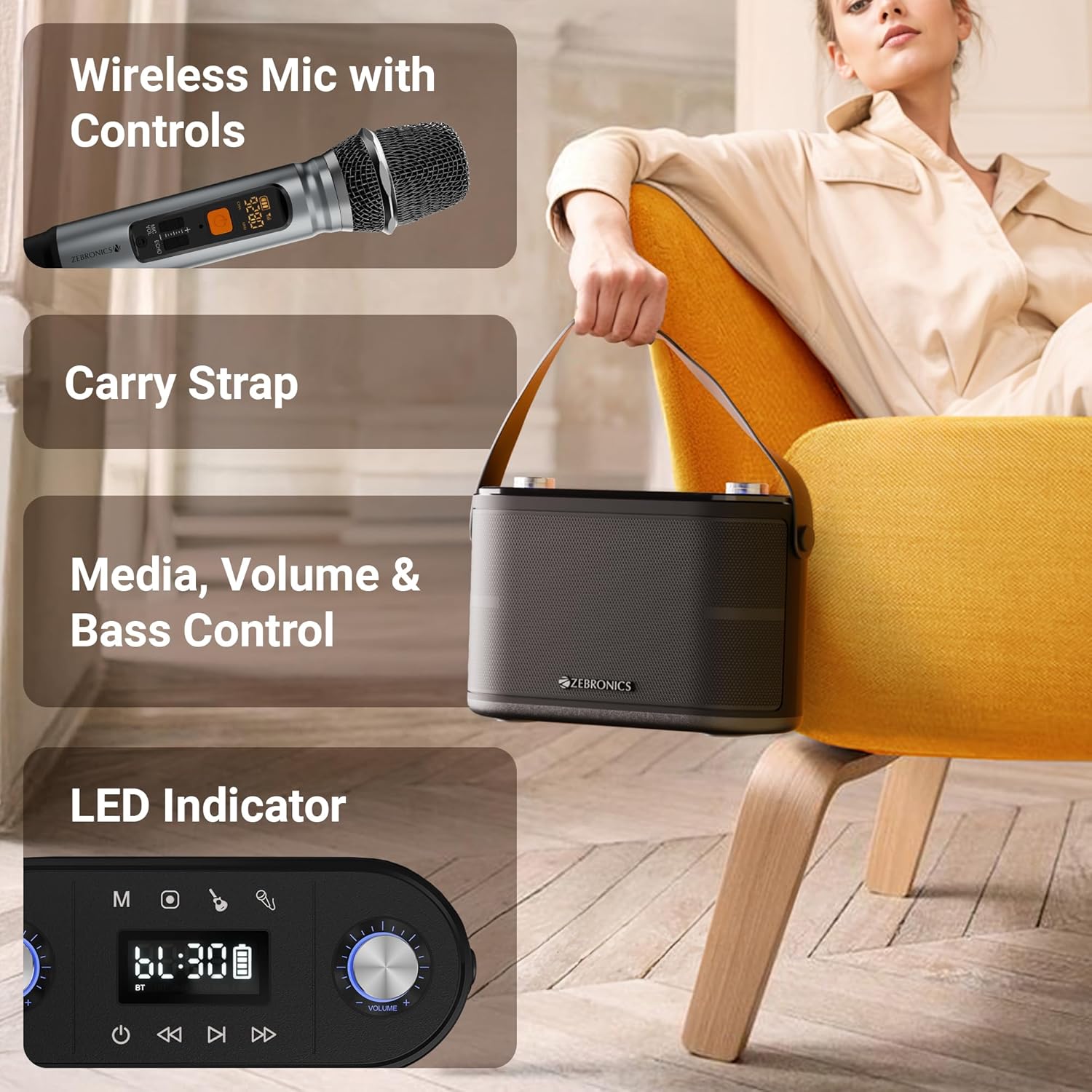
Aworan: Alaye view of the speaker's top panel showing control knobs, LED display, and media controls, alongside the wireless microphone with its own display.
Awọn iṣakoso igbimọ ti o ga julọ:
- Bọtini agbara: Tẹ mọlẹ lati tan agbọrọsọ TAN/PA.
- Bọtini Ipo (M): Press to switch between Bluetooth, USB, mSD, and AUX modes.
- Bọ́tìnnì Ṣíṣe/Sánu duro: Tẹ lati mu ṣiṣẹ tabi da ohun duro duro.
- Bọtini orin ti tẹlẹ: Tẹ lati lọ si orin išaaju.
- Bọtini Orin atẹle: Tẹ lati lọ si orin atẹle.
- Bọtini Iwọn didun: Rotate to adjust the main speaker volume.
- Echo Knob: Rotate to adjust the echo effect for the microphone.
- Knob Iwọn didun Gbohungbo: Rotate to adjust the microphone volume.
- Knob Bass: Yiyi lati ṣatunṣe ipele baasi.
- Ifihan LED: Ó ń fi ipò ìsinsìnyí hàn, ìwífún nípa ipasẹ̀ orin, àti ipò bátírì.
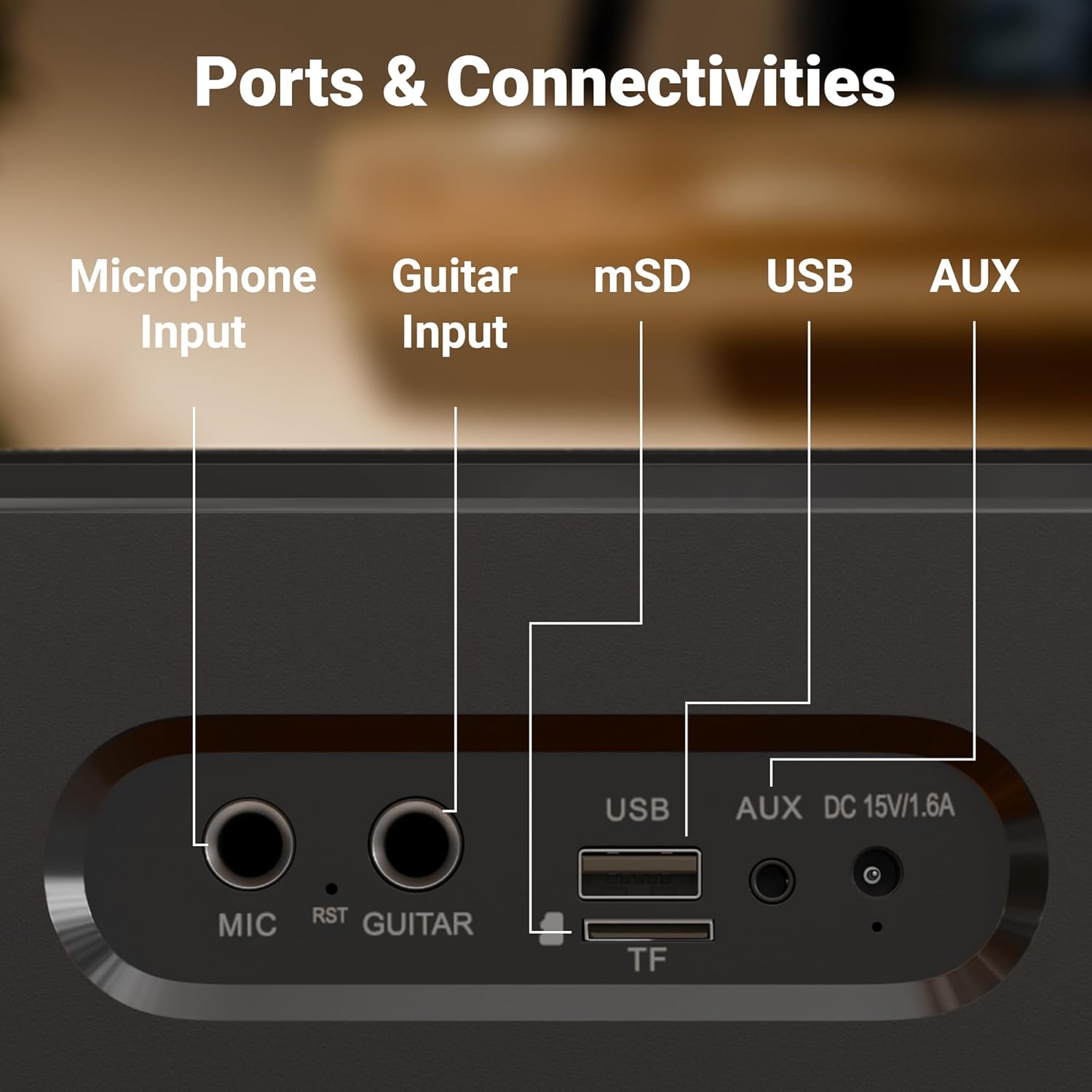
Aworan: Isunmọ view of the rear panel of the speaker, clearly labeling the Microphone Input, Guitar Input, mSD card slot, USB port, AUX input, and DC 15V/1.6A charging port.
Awọn Ibudo Panel Tẹhin:
- MIC Input (6.3mm): For connecting an external wired microphone.
- GUITAR Input (6.3mm): Fun pọ a gita.
- mSD Card Slot (TF): For playing audio from a microSD card.
- Ibudo USB: Fun ohun orin lati inu kọnputa filasi USB kan.
- Iṣawọle AUX: Fun sisopọ awọn ẹrọ ohun afetigbọ ita nipasẹ okun 3.5mm kan.
- DC 15V/1.6A Input: Fun gbigba agbara si agbọrọsọ.
5. Eto
Gbigba agbara akọkọ:
Before first use, fully charge the speaker. Connect the provided charging adapter to the DC 15V/1.6A input port on the speaker and plug it into a power outlet. The LED display will indicate charging status. Once fully charged, the charging indicator will change or turn off. A full charge provides up to 8 hours of playtime at 50% volume.
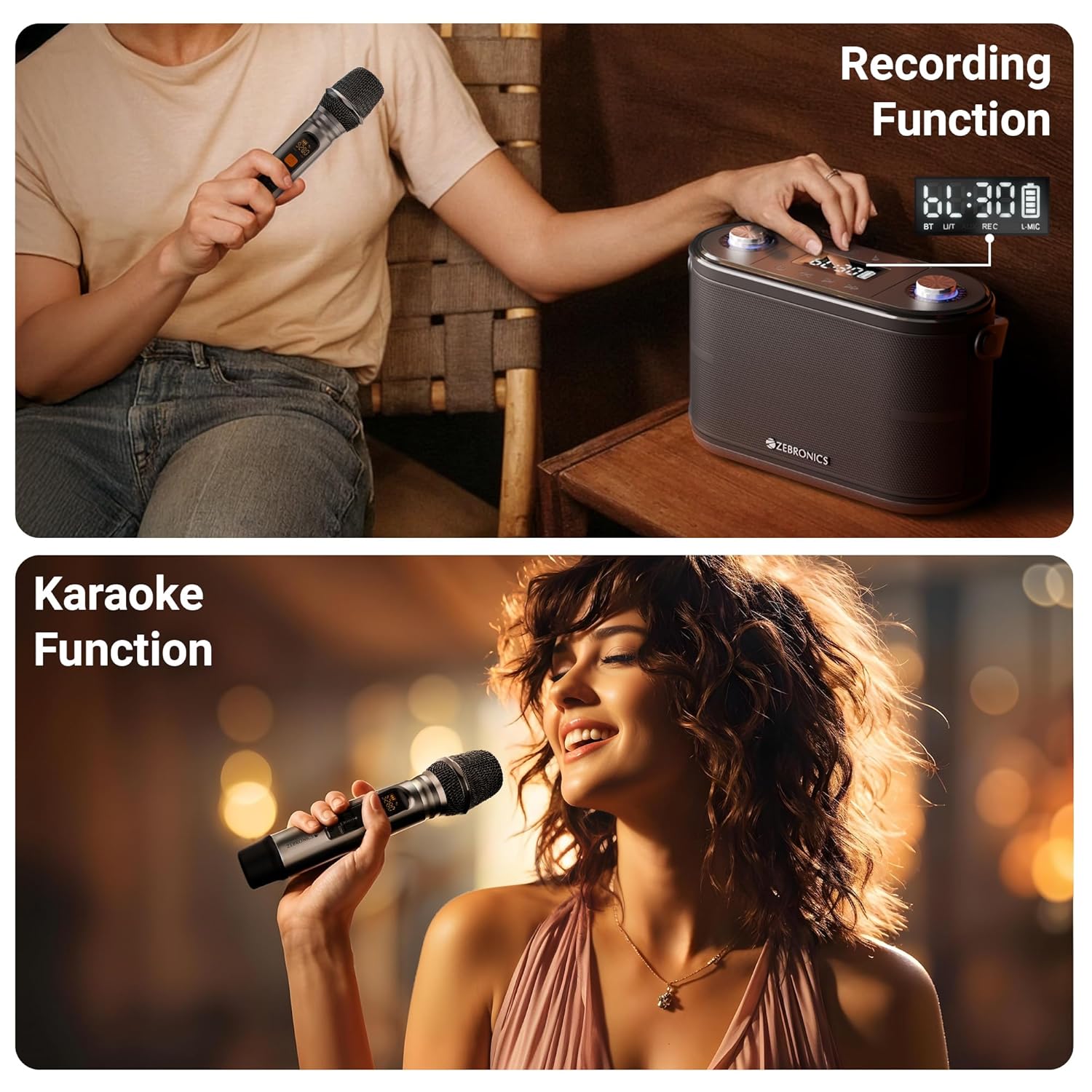
Image: The speaker is shown with an overlay indicating "Built-in Rechargeable Battery" and "Up to 8h* Backup", illustrating its portability and battery life.
Wireless Microphone Setup:
The wireless UHF microphone is pre-paired with the speaker. Simply insert batteries into the microphone (not included) and turn it on. The microphone will automatically connect to the speaker. Ensure the microphone's display shows a stable connection.
6. Awọn ilana Iṣiṣẹ
Titan/Apapa:
Press and hold the Power button on the top panel to turn the speaker ON or OFF.
Aṣayan Ipo:
Press the "M" (Mode) button repeatedly to cycle through available input modes: Bluetooth, USB, mSD, and AUX.
Bluetooth Mode (BT v5.0):
- Turn on the speaker and switch to Bluetooth mode. The LED display will show "BT" and a blinking Bluetooth icon, indicating it's in pairing mode.
- Mu Bluetooth ṣiṣẹ lori ẹrọ alagbeka tabi kọmputa rẹ.
- Wa fun "ZEB-PROTONE ONE" in the list of available devices and select it to connect.
- Once connected, the Bluetooth icon on the speaker's display will stop blinking, and you will hear a confirmation tone.
- O le mu ohun ṣiṣẹ bayi lati ẹrọ rẹ nipasẹ agbọrọsọ.
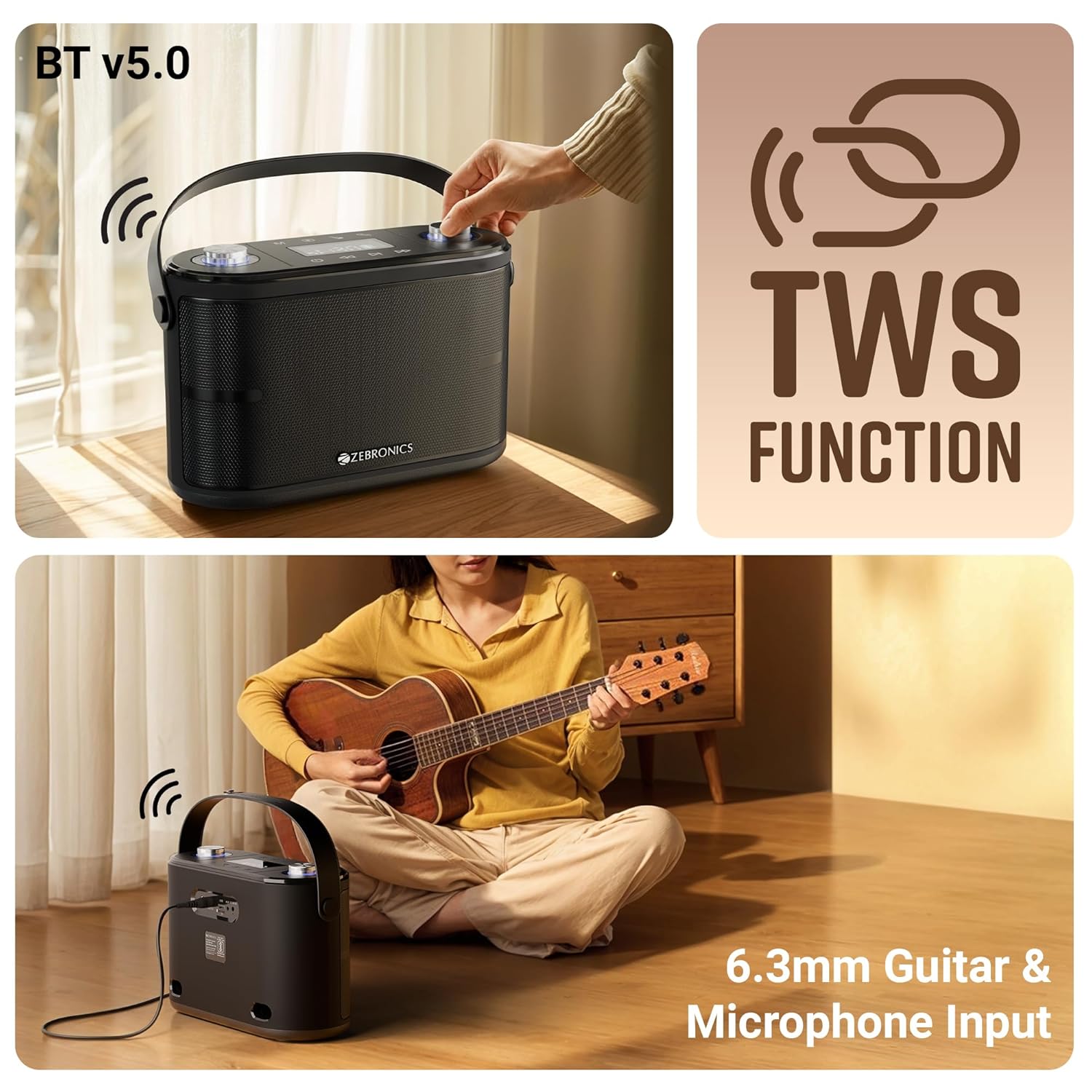
Image: This composite image illustrates the speaker's Bluetooth v5.0 connectivity, the TWS (True Wireless Stereo) function, and the 6.3mm Guitar & Microphone Input ports.
USB / mSD Mode:
Insert a USB flash drive or a microSD card (with pre-loaded MP3/WAV files) into the respective port. The speaker will automatically switch to USB or mSD mode and begin playing audio. Use the Play/Pause, Previous, and Next buttons to control playback.
Ipo AUX:
Connect an external audio device (e.g., smartphone, MP3 player) to the AUX input port using the provided 3.5mm AUX cable. Switch the speaker to AUX mode using the Mode button. Audio will now play from your connected device.
Microphone Usage (Wireless & Wired):
- Gbohungbohun Alailowaya: Ensure the wireless microphone is powered on. It will automatically connect. Adjust microphone volume using the "Mic Vol" knob and echo effect using the "Echo" knob on the speaker.
- Gbohungbohun ti a firanṣẹ: Plug a 6.3mm wired microphone (not included) into the "MIC" input port. Adjust volume and echo as with the wireless mic.
Iṣawọle Gita:
Connect your guitar to the "GUITAR" input port using a 6.3mm cable. You can play your guitar along with music from other input sources.
TWS (Stẹrio Alailowaya Alailowaya) Iṣẹ:
To experience true stereo sound, you can connect two ZEB-PROTONE ONE speakers together:
- Rii daju pe awọn agbohunsoke mejeeji ti tan ati ni ipo Bluetooth.
- On one of the speakers (this will be the primary unit), press and hold the "Play/Pause" button for a few seconds until you hear a confirmation tone, indicating TWS pairing mode.
- Agbọrọsọ akọkọ yoo wa laifọwọyi ati sopọ si agbọrọsọ keji.
- Once connected, both speakers will play audio in stereo. You can control playback and volume from either speaker or your connected Bluetooth device.
Išẹ Gbigbasilẹ:
The speaker supports recording your microphone input directly to a USB drive or mSD card.
- Insert a USB drive or mSD card into the respective slot.
- Ensure the microphone is connected and working.
- Press the "REC" button (if available, or a combination of buttons as per specific model, typically Play/Pause or Mode button long press in recording mode) to start recording. The display may show "REC".
- Press the "REC" button again to stop recording. The recorded file will be saved on your USB drive or mSD card.

Image: This image demonstrates the speaker's recording capability, showing the display indicating recording status, and also illustrates the karaoke function with a person singing into the microphone.
Iṣẹ Karaoke:
To use the karaoke function, simply play music from any source (Bluetooth, USB, mSD, AUX) and use the connected microphone to sing along. Adjust the music volume, microphone volume, and echo effect to your preference for the best karaoke experience.
7. Gbigba agbara
The ZEBRONICS PROTONE ONE speaker features a built-in rechargeable battery. When the battery is low, the speaker will indicate this via the LED display or an audible prompt. To charge the speaker:
- Connect the provided charging adapter to the DC 15V/1.6A input port on the rear of the speaker.
- Plug the adapter into a standard wall power outlet.
- The LED display will show a charging indicator.
- Once fully charged, the indicator will change or turn off. Disconnect the charger to preserve battery life.
Akiyesi: Do not use any charger other than the one provided by the manufacturer. Overcharging or using an incompatible charger may damage the battery and void the warranty.
8. Itọju
Proper care and maintenance will ensure the longevity of your speaker:
- Ninu: Lo asọ rirọ, ti o gbẹ lati nu ode ti agbọrọsọ. Ma ṣe lo awọn afọmọ abrasive, waxes, tabi awọn nkanmimu.
- Ibi ipamọ: Nigbati o ko ba wa ni lilo fun awọn akoko ti o gbooro sii, tọju agbohunsoke si tutu, ibi gbigbẹ, kuro lati orun taara ati awọn iwọn otutu to gaju.
- Itọju Batiri: Lati pẹ aye batiri, yago fun gbigba agbara si batiri ni kikun nigbagbogbo. Gba agbara si agbọrọsọ nigbagbogbo, paapaa ti ko ba si ni lilo, lati ṣetọju ilera batiri.
- Mimu: Mu agbohunsoke pẹlu iṣọra. Yẹra fun sisọ silẹ tabi tẹriba si awọn ipa to lagbara.
9. Laasigbotitusita
If you encounter any issues with your ZEBRONICS PROTONE ONE speaker, please refer to the following common problems and solutions:
| Isoro | Owun to le Fa | Ojutu |
|---|---|---|
| Agbọrọsọ ko ni tan. | Batiri ti dinku. | Gba agbara si agbọrọsọ ni kikun. |
| Ko si ohun lati agbọrọsọ. | Iwọn didun ti lọ silẹ tabi dakẹ. Ipo ti ko tọ ti yan. Ẹrọ ko ni asopọ daradara. | Increase volume. Ensure correct input mode (BT, USB, AUX). Reconnect device. |
| Asopọ Bluetooth kuna. | Agbọrọsọ kò sí ní ipò ìsopọ̀. Ẹ̀rọ Bluetooth ti pa. Ó jìnnà jù sí agbọrọsọ. | Ensure speaker is in BT pairing mode. Turn on device Bluetooth. Move device closer (within 10m). Forget device and re-pair. |
| Gbohungbohun ko ṣiṣẹ. | Microphone not powered on. Batteries low/dead. Not connected properly. | Ensure mic is ON. Replace mic batteries. Check mic connection (for wired mic). Adjust mic volume. |
| Dídára ohùn/ìyípadà ohùn kò dára. | Volume too high. Source audio quality poor. Interference. | Reduce volume. Try different audio source. Move away from other electronic devices. |
| USB/mSD not playing. | Ti ko ni atilẹyin file format. Corrupted files. Drive/card not inserted correctly. | Rii daju files are MP3/WAV. Reinsert drive/card. Try different drive/card. |
Tí ìṣòro náà bá ń bá a lọ lẹ́yìn tí a bá ti gbìyànjú àwọn ìdáhùn wọ̀nyí, jọ̀wọ́ kan sí ìrànlọ́wọ́ oníbàárà ZEBRONICS fún ìrànlọ́wọ́ síwájú sí i.
10. Awọn pato
| Ẹya ara ẹrọ | Sipesifikesonu |
|---|---|
| Brand | SEBRRONNÌSÌ |
| Orukọ awoṣe | PROTONE |
| Agbọrọsọ Agbara Ijade ti o pọju | 120 Wattis |
| Asopọmọra Technology | Bluetooth v5.0, Auxiliary, USB, mSD |
| Ipo Ijade Ohun | Sitẹrio |
| Iṣagbesori Iru | Iduro Floor |
| Awọn awakọ | Dual 9.3 cm full-range drivers, Dual 3.1 cm tweeters |
| Akoko Sisisẹsẹhin | Up to 8 hours (@ 50% volume) |
| Gbohungbohun | Wireless UHF Microphone included |
| Awọn igbewọle | 6.3mm Mic Input, 6.3mm Guitar Input |
| Pataki Awọn ẹya ara ẹrọ | TWS Function, Karaoke, Recording Function, Carry Strap, LED Display, Control Knobs |
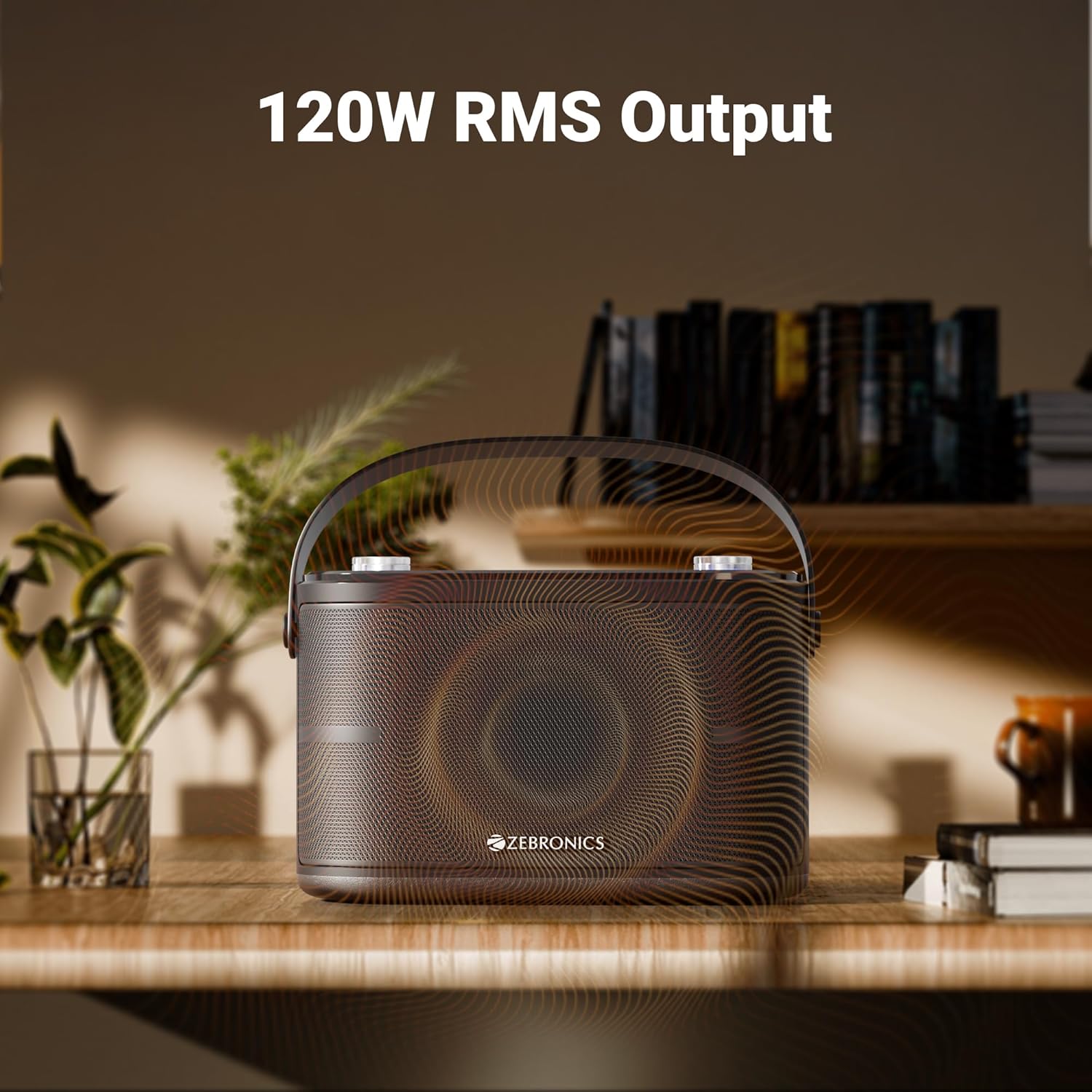
Image: The speaker is depicted with an overlay highlighting its "120W RMS Output", emphasizing its powerful audio capabilities.
11. Atilẹyin ọja ati Support
For warranty information and customer support, please refer to the warranty card included in your package or visit the official ZEBRONICS webojula. Tọju iwe-ẹri rira rẹ bi ẹri rira fun awọn iṣeduro atilẹyin ọja.
ZEBRONICS Customer Service:
- Webojula: www.zebronics.com
- Imeeli: Tọkasi si webojú-òpó wẹ́ẹ̀bù fún ìfiranṣẹ́ ìrànlọ́wọ́.
- Foonu: Tọkasi si website for customer care numbers.


