Ọrọ Iṣaaju
This manual provides detailed instructions for the setup, operation, and maintenance of your Noble Audio FoKus Mystique True Wireless Stereo in-ear headphones. Please read this manual thoroughly before using your device to ensure optimal performance and longevity.

Image: The Noble FoKus Mystique True Wireless Earbuds, showcasing their design and compact form factor.
Fidio: Oṣiṣẹ kan ti pariview of the Noble FoKus Mystique True Wireless Stereo earbuds, highlighting key features and design elements.
Package Awọn akoonu
Daju pe gbogbo awọn nkan ti a ṣe akojọ rẹ si isalẹ wa ninu apoti ọja rẹ:
- Noble Audio FoKus Mystique Earphones (1 pair)
- Ọran gbigba agbara (ẹyọkan 1)
- Okun Ngba agbara USB (ẹyọkan 1)
- Ear Tips (6 pairs)
- Pouch (1 unit)
- Ilana itọnisọna (ẹyọkan 1)
Ṣeto
1. Ngba agbara ẹrọ
Before initial use, fully charge the FoKus Mystique earbuds and their charging case. The charging case has a 500mAh battery, providing approximately 4 additional charges for the earbuds.
- Gbe awọn afikọti sinu apoti gbigba agbara, ni idaniloju pe wọn joko ni deede.
- Connect the USB charging cable to the charging case and a compatible USB power source.
- Awọn afihan LED lori ọran gbigba agbara yoo tan imọlẹ lati ṣafihan ipo gbigba agbara. A gba agbara ni kikun ti wa ni itọkasi nigbati gbogbo awọn LED jẹ ri to.
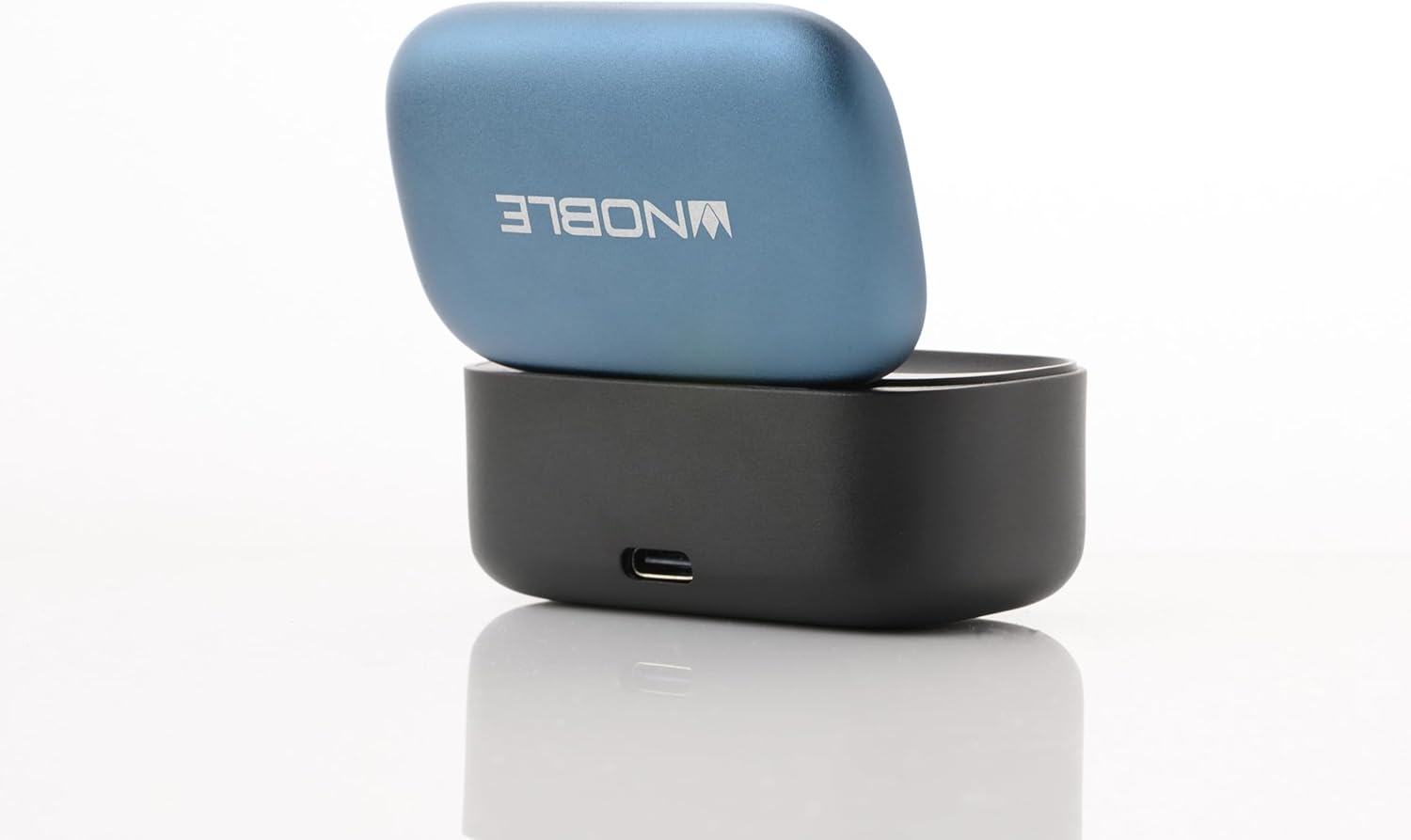
Image: The Noble FoKus Mystique charging case with the lid open, showing the earbuds inside and LED indicators.
2. Sisopọ pọ pẹlu Ẹrọ Bluetooth kan
The FoKus Mystique earbuds utilize Bluetooth 5.2 for stable wireless connectivity.
- Rii daju pe awọn agbekọri ti gba agbara ati gbe sinu apoti gbigba agbara.
- Open the lid of the charging case. The earbuds will automatically enter pairing mode, indicated by flashing LED lights on the earbuds.
- On your Bluetooth-enabled device (smartphone, tablet, etc.), navigate to the Bluetooth settings.
- Wa fun available devices and select "Noble FoKus Mystique" from the list.
- Once connected, the LED indicators on the earbuds will stop flashing or change to a solid color, depending on the model.
Awọn ilana Iṣiṣẹ
1. Basic Controls (Touch Sensor)
The FoKus Mystique earbuds feature an embedded touch sensor on the faceplate for various functions:

Aworan: A sunmọ-soke view of a Noble FoKus Mystique earbud, highlighting the touch-sensitive faceplate.
- Tẹ ni kia kia Mu ohun ṣiṣẹ/Daduro ohun, Dahun/Pari ipe.
- Tẹ ni kia kia lẹẹmeji (Ẹkọ Atẹti ọtun): Itele orin.
- Tẹ ni kia kia lẹẹmeji (Agbohun Akọkọ osi): Ti tẹlẹ orin.
- Meteta Tẹ ni kia kia: Activate voice assistant (Siri, Google Assistant).
- Long Tẹ: Kọ ipe ti nwọle.
2. Ipo Ibaramu
The Ambient Mode allows you to hear your surroundings without removing the earbuds. This feature is enabled by the improved microphone placement on the faceplate.
- To activate Ambient Mode, perform a specific touch gesture (refer to the app or quick start guide for exact gesture, typically a long press or specific tap sequence).
- Repeat the gesture to deactivate Ambient Mode.
3. Noble FoKus App
Enhance your listening experience with the FREE "Noble FoKus" app, available on Google Play and Apple's App Store.
- 10-Band oluṣeto: Ṣe akanṣe ọjọgbọn ohun rẹfile with various presets or create your own.
- Hearing Test Function: Personalize EQ settings based on your individual hearing profile for an optimized audio experience.
Itoju
1. Ninu
Mimọ deede ṣe iranlọwọ lati ṣetọju didara ohun ati imototo.
- Rọra nu awọn afikọti ati apoti gbigba agbara pẹlu asọ, gbẹ, asọ ti ko ni lint.
- Remove ear tips and clean them separately with mild soap and water, then dry thoroughly before reattaching.
- Maṣe lo awọn afọmọ abrasive, ọti-lile, tabi awọn nkan ti kemikali.
2. Ibi ipamọ
Nigbati ko ba si ni lilo, tọju awọn afikọti sinu apoti gbigba agbara wọn lati daabobo wọn ati rii daju pe wọn wa ni idiyele.
- Yago fun ṣiṣafihan ẹrọ naa si awọn iwọn otutu to gaju, ọriniinitutu, tabi oorun taara.
- Jeki kuro ni arọwọto awọn ọmọde ati awọn ohun ọsin.
Laasigbotitusita
If you encounter issues with your FoKus Mystique earbuds, refer to the common solutions below:
| Isoro | Ojutu |
|---|---|
| Earbuds ko ni agbara lori. | Ensure the earbuds and charging case are fully charged. Place earbuds in the case and close the lid, then open again. |
| Ko le so pọ pẹlu ẹrọ kan. |
|
| Kò sí ohùn tàbí ohùn tí ó ń dún lẹ́ẹ̀kọ̀ọ̀kan. |
|
| Ngba agbara ko gba agbara. |
|
Awọn pato
| Ẹya ara ẹrọ | Ẹ̀kúnrẹ́rẹ́ |
|---|---|
| Orukọ awoṣe | FoKus Mystique |
| Asopọmọra Technology | Ailokun (Bluetooth) |
| Ẹya Bluetooth | 5.2 |
| Awọn Codecs Audio Ṣe atilẹyin | SBC, AAC, APTX, APTX adaptive |
| Audio Driver Type | Hybrid Driver (8.2mm dynamic + 2 Knowles balanced armature) |
| Ariwo Iṣakoso | Iyasọtọ ohun |
| Pataki Awọn ẹya ara ẹrọ | Ambient Mode, Personalized EQ via Hearing Test (via app) |
| Ọna Iṣakoso | Fọwọkan |
| Igbesi aye batiri (Earbuds) | Isunmọ. Awọn wakati 7.5 (ni iwọn 50%) |
| Gbigba agbara Case Batiri | 500mAh (provides 4 extra charges) |
| Ohun elo | Irin, Ṣiṣu |
| Iwọn Nkan | 8.3 iwon |
| Omi Resistance Ipele | Ko Omi Resistant |
| Awọn ẹrọ ibaramu | Smartphones, Tablets, Laptops, Desktops, Smart Speakers, Telephones |
Atilẹyin ọja ati Support
Noble Audio products are manufactured with high-quality standards. For information regarding warranty coverage, please refer to the warranty card included in your product packaging or visit the official Noble Audio webojula.
For technical support, troubleshooting assistance beyond this manual, or service inquiries, please contact Noble Audio customer support through their official channels.


