1. Ifihan
The ZEBRONICS Pixigo A16 is a 15.6-inch portable monitor designed for enhanced productivity and entertainment on the go. Featuring a Full HD 1080p resolution, anti-glare screen, and versatile connectivity options, it serves as an ideal secondary display for laptops, smartphones, and gaming consoles. Its lightweight design and 180° adjustable stand ensure flexibility and ease of use in various environments.
2. Package Awọn akoonu
Daju pe gbogbo awọn nkan ti a ṣe akojọ rẹ si isalẹ wa ninu package rẹ:
- Monitor - 1 unit
- Mini HDMI Cable - 1 unit
- Type C DP Cable - 1 unit
- Adapta Agbara - ẹyọ kan
- Ìwé Ìtọ́sọ́nà Olùlò - Ẹyọ kan
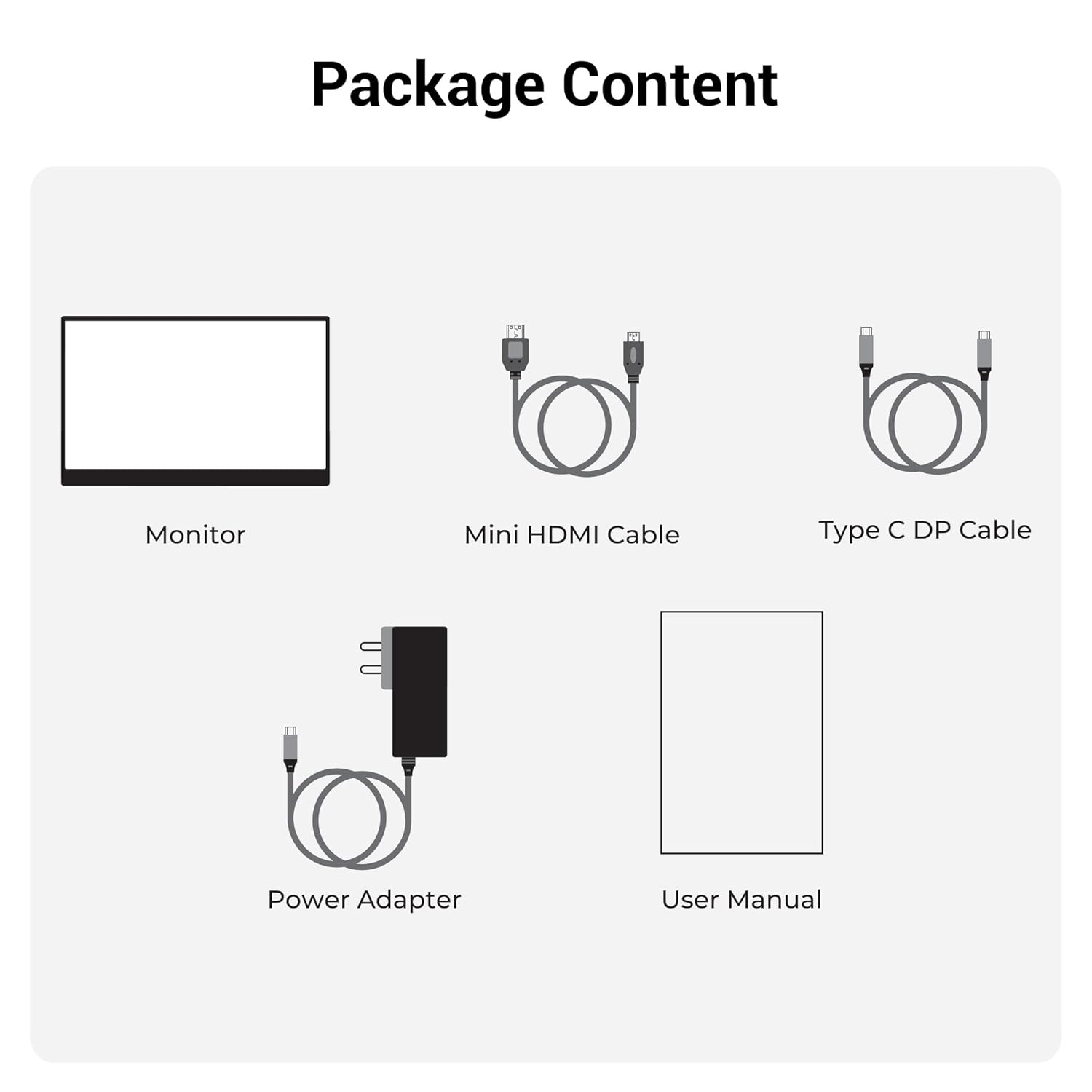
Nọmba 2.1: Awọn akoonu Package
3. Ọja Ipariview
3.1 Awọn ibudo ati Awọn iṣakoso
Familiarize yourself with the various ports and control buttons on your Pixigo A16 monitor:
- Ibudo HDMI Mini: For video input from devices with HDMI output.
- Type C Port 2 (Power + Display): Supports both power delivery and display signal via a single Type-C cable.
- Type C Port 1 (Only Power): Dedicated for power input to the monitor.
- Power / Return Button: Used to power the monitor on/off and navigate back in the OSD menu.
- Atọka LED: Shows the power status of the monitor.
- Roller Key / Menu: Used to access and navigate the On-Screen Display (OSD) menu and adjust settings.
- Jack agbekari: Fun sisopọ awọn ohun elo ita gbangba.

Figure 3.1: Monitor Ports and Controls
3.2 Key Awọn ẹya ara ẹrọ
- 15.6-inch FHD 1080p Display: Delivers sharp and vivid visuals with a resolution of 1920x1080.
- Anti-glare Screen: Minimizes reflections and eye strain for comfortable viewing.
- 180° Adjustable Stand: Offers flexible positioning to achieve the optimal viewigun igun.
- Igbewọle Meji: Features 1x Type-C DP port and 1x Mini HDMI port for broad compatibility.
- Awọn Agbọrọsọ ti A ṣe sinu: Pese ifihan ohun ti a ṣepọ.
- Fúyẹ́ àti Agbégbé: Compact design for easy transport and use in various locations.
- 300 Nits Imọlẹ: Ensures a bright and vibrant screen, even in well-lit environments.
- 16.7 Milionu awọn awọ: Supports accurate color reproduction.
- Ìpíndọ́gba Apá 16:9: Ideal for media consumption and multitasking.
- Wall-mountable: Supports wall mounting for a clutter-free setup.

Àwòrán 3.2: Àwọn Ẹ̀yà Ìfihàn
4. Eto
Follow these steps to set up your ZEBRONICS Pixigo A16 portable monitor:
- Yọ Atẹle naa kuro: Farabalẹ yọ atẹle ati gbogbo awọn ẹya ẹrọ kuro ninu apoti.
- Gbe Iduro naa si: Adjust the integrated 180° stand to your desired viewigun igun.
- So agbara: Connect the provided Power Adapter to the Type C Port 1 (Power Only) on the monitor and plug it into a power outlet.
- Sopọ si Ẹrọ:
- For Type-C Devices (with DisplayPort Alt Mode): Use the Type C DP Cable to connect your device (laptop, smartphone) to Type C Port 2 (Power + Display) on the monitor. This single cable can provide both power and display signal.
- For HDMI Devices: Use the Mini HDMI Cable to connect your device (laptop, gaming console) to the Mini HDMI Port on the monitor. Ensure the monitor is also powered via Type C Port 1.
- Agbara Tan: Press the Power / Return Button to turn on the monitor.

Figure 4.1: Wide Compatibility with PC, Laptop, Mobile, and Gaming Console
5. Awọn ilana Iṣiṣẹ
5.1 Ipilẹ isẹ
- Titan/Apapa: Press and hold the Power / Return Button for a few seconds.
- Aṣayan Orisun Iṣawọle: The monitor should automatically detect the input source. If not, access the OSD menu using the Roller Key and manually select the input.
- Atunse iwọn didun: Use the Roller Key to adjust the volume of the built-in speakers or connected headphones.
5.2 Lori-iboju Ifihan (OSD) Akojọ aṣyn
The OSD menu allows you to customize various display settings:
- Press the Roller Key to open the OSD menu.
- Roll the Roller Key up or down to navigate through menu options.
- Press the Roller Key to select an option or confirm a setting.
- Press the Power / Return Button to go back to the previous menu or exit the OSD.
5.3 Ṣíṣe àtúnṣe Iduro naa
The integrated stand can be adjusted up to 180 degrees to find the most comfortable viewing angle for your needs. Simply pivot the monitor on its stand to tilt it forward or backward.

Figure 5.1: 180° Adjustable Stand
6. Itọju
Lati rii daju igbesi aye gigun ati iṣẹ to dara julọ ti atẹle rẹ, tẹle awọn itọnisọna itọju wọnyi:
- Ninu iboju: Lo asọ asọ, ti ko ni lint die-die dampened with water or a non-abrasive screen cleaner. Avoid harsh chemicals or abrasive materials.
- Ninu ile Casing: Pa atẹle naa nu casing pẹlu asọ ti o gbẹ.
- Ibi ipamọ: Nigbati o ko ba wa ni lilo, tọju atẹle naa ni itura, aye gbigbẹ, kuro lati oorun taara ati awọn iwọn otutu to gaju.
- Mimu: Handle the monitor with care, especially when transporting it. Its lightweight design makes it portable, but it should still be protected from impacts.
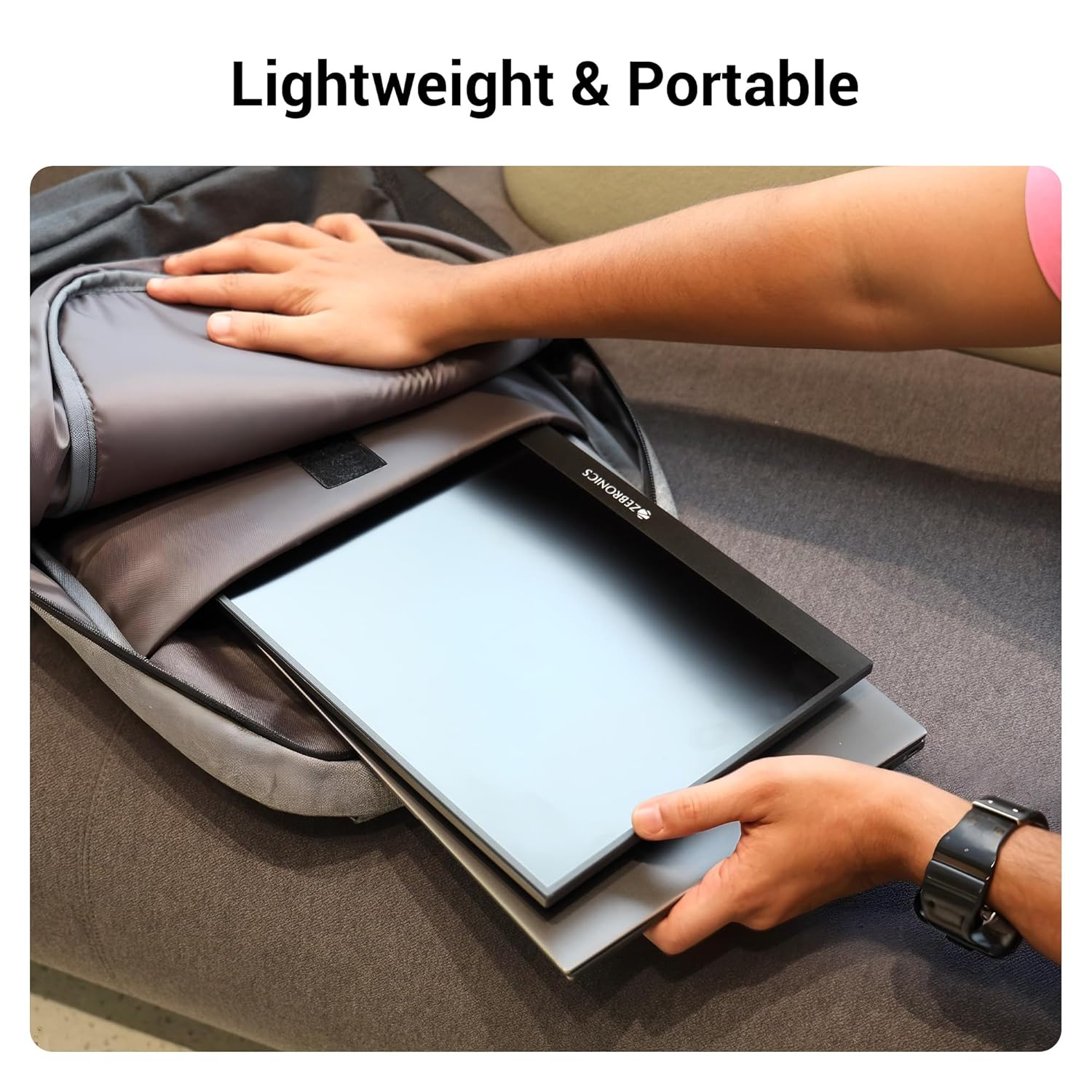
Figure 6.1: Lightweight and Portable Design
7. Laasigbotitusita
Ti o ba pade awọn ọran pẹlu atẹle rẹ, tọka si awọn iṣoro ti o wọpọ ati awọn ojutu wọnyi:
| Isoro | Owun to le Fa | Ojutu |
|---|---|---|
| Kò sí ìfihàn/Kò sí ìfihàn | Incorrect input source selected; Loose cable connection; Insufficient power. | Check cable connections (HDMI/Type-C). Ensure the monitor is powered. Select the correct input source via the OSD menu. For Type-C, ensure your device supports DisplayPort Alt Mode. |
| Iboju ti n tan imọlẹ | Faulty cable; Incompatible resolution/refresh rate; Power fluctuations. | Try a different cable. Adjust the resolution or refresh rate on your connected device. Ensure stable power supply. |
| Ko si ohun | Volume too low/muted; Incorrect audio output selected on device. | Increase monitor volume using the Roller Key. Check audio settings on your connected device to ensure audio is routed to the monitor. |
| Atẹle ko titan | No power; Power adapter issue. | Ensure the power adapter is securely connected to the monitor (Type C Port 1) and a working power outlet. |
8. Awọn pato
Detailed technical specifications for the ZEBRONICS Pixigo A16 portable monitor:
- Brand: SEBRRONNÌSÌ
- Awoṣe: Zeb-Pixigo A16
- Iwọn iboju: 15.6 inches (39.6 cm)
- Ipinnu iboju: Awọn piksẹli 1920 x 1080 (FHD 1080p)
- Ipin Ipin: 16:9
- Imọlẹ: 300 Awọn owo
- Atilẹyin awọ: Awọn awọ Milionu 16.7
- Apejuwe Oju Iboju: Matte (Anti-glare)
- Asopọmọra: 1x Mini HDMI Port, 2x Type C Ports (1x Power + Display, 1x Power Only), Headphone Jack
- Awọn Agbọrọsọ ti A ṣe sinu: Bẹẹni
- Ìwọ̀n Nkan: 804 g
- Awọn iwọn Ọja (LxWxH): 1.7 x 35.5 x 22.2 cm
9. Atilẹyin ọja ati Support
For warranty information, technical support, or service inquiries, please refer to the warranty card included in your package or visit the official ZEBRONICS webojula. Tọju iwe-ẹri rira rẹ bi ẹri rira fun awọn iṣeduro atilẹyin ọja.


