Ọrọ Iṣaaju
O ṣeun fun riraasing the ZEBRONICS Sound Feast 800 Portable Bluetooth Speaker. This manual provides essential information for the safe and efficient operation of your device. Please read it thoroughly before use and retain it for future reference.
Awọn Itọsọna Aabo pataki
- Ma ṣe fi agbọrọsọ si awọn iwọn otutu to gaju, imọlẹ orun taara, tabi ọriniinitutu giga.
- Yago fun sisọ tabi tẹriba agbọrọsọ si awọn ipa to lagbara.
- Keep the speaker away from water and other liquids. While it is splash-proof, it is not fully waterproof and should not be submerged.
- Ma ṣe gbiyanju lati ṣajọ, tunṣe, tabi tun agbọrọsọ naa ṣe funrararẹ. Tọkasi gbogbo iṣẹ si oṣiṣẹ oṣiṣẹ.
- Lo okun gbigba agbara nikan ti a pese tabi iwe-ẹri deede.
- Rii daju pe fentilesonu to dara nigbati o nṣiṣẹ agbọrọsọ.
- Sọ agbọrọsọ mọ pẹlu asọ asọ ti o gbẹ. Ma ṣe lo abrasive ose tabi epo.
- Jeki kuro ni arọwọto awọn ọmọde.
Package Awọn akoonu
Jọwọ ṣayẹwo apoti fun awọn nkan wọnyi:
- Agbọrọsọ Zebronics Sound Festival 800 - ẹyọ kan
- Wireless Microphone - 1 unit
- Okùn gbigba agbara (Iru-C) - ẹyọ kan
- Okùn AUX - ẹyọ kan
- Ìtọ́sọ́nà Kóòdù QR - Ẹyọ kan

Image: The ZEBRONICS Sound Feast 800 speaker in black with a purple-lit grille, accompanied by its wireless microphone.
Ọja Pariview
Key Awọn ẹya ara ẹrọ
- Agbara Yiyi: 55 Watts output for robust sound.
- Powerful Driver: Equipped with a 16.51 cm (6.5 inch) driver for enhanced audio.
- Multi-Connectivity: Supports Bluetooth v5.3, USB, mSD, AUX, and FM radio.
- Akoko Idaraya: Up to 6 hours of playback on a single charge (at 50% volume with LED off).
- Awọn imọlẹ LED RGB: Multiple light modes to enhance ambiance.
- Iṣẹ TWS: Connect two Sound Feast 800 speakers for a stereo experience.
- Ṣetan Karaoke: Includes a 6.3mm mic input and a wireless microphone.
- Convenient Mobile Holder: Integrated holder for smartphones.
- Asesejade-Imudaniloju Apẹrẹ: Offers protection against splashes.
Awọn iṣakoso ati awọn ibudo
Familiarize yourself with the control panel and connectivity ports for optimal use.

Aworan: Alaye view of the speaker's control buttons (Power, Mode, Play/Pause, Volume/Track, RGB light control, Bass) and connectivity ports (6.3mm Mic In, USB, mSD, AUX In, Type-C Charging).
- Bọtini agbara: Tẹ mọlẹ lati tan/pa a.
- Bọtini Ipo (M): Short press to switch between Bluetooth, USB, mSD, AUX, and FM modes.
- Bọ́tìnnì Ṣíṣe/Sánu duro: Tẹ kukuru lati mu ṣiṣẹ tabi da ohun duro duro.
- Iwọn didun isalẹ / Orin ti tẹlẹ: Tẹ kukuru fun orin iṣaaju, tẹ gun lati dinku iwọn didun.
- Iwọn didun Up / Orin atẹle: Tẹ kukuru fun orin atẹle, tẹ gun lati mu iwọn didun pọ si.
- Iṣakoso Imọlẹ RGB: Button to cycle through different RGB light modes.
- Bọtini Bass: Activates or deactivates bass boost.
- Bọtini TWS: Ó bẹ̀rẹ̀ sí í sopọ̀ mọ́ ẹ̀rọ aláilowaya True Wireless.
- 6.3mm Mic Input: Fun pọ a ti firanṣẹ gbohungbohun.
- Ibudo USB: Fun ṣiṣiṣẹsẹhin drive USB.
- mSD Card Slot: For mSD card playback.
- Iṣawọle AUX: For connecting external audio devices via AUX cable.
- Ibudo Ngba agbara Iru-C: Fun gbigba agbara si agbọrọsọ.
Eto Itọsọna
Gbigba agbara ni ibẹrẹ
- Before first use, fully charge the speaker. Connect the provided Type-C charging cable to the speaker's charging port and the other end to a USB power adapter (not included).
- The charging indicator will illuminate during charging and turn off once fully charged. A full charge takes approximately 4 hours.
Titan / Pipa agbara
- Lati tan -an, tẹ mọlẹ Bọtini agbara until the speaker activates.
- Lati fi agbara si pipa, tẹ mọlẹ Bọtini agbara lẹẹkansi titi ti agbọrọsọ tiipa.
Awọn ilana Iṣiṣẹ
Ipo Bluetooth
- Turn on the speaker. It will automatically enter Bluetooth mode, indicated by a prompt sound.
- Enable Bluetooth on your mobile device and search for "ZEB-SOUND FEAST 800" in the list of available devices.
- Yan agbọrọsọ tí o fẹ́ so pọ̀. Nígbà tí o bá so pọ̀, o máa gbọ́ ohùn ìjẹ́rìísí kan.
- O le mu ohun ṣiṣẹ bayi lati ẹrọ rẹ nipasẹ agbọrọsọ.
USB / mSD Card Mode
- Insert a USB drive or mSD card (with audio files) sinu awọn oniwun ibudo lori agbọrọsọ.
- The speaker will automatically detect the storage device and begin playback. If not, press the Bọtini ipo (M) to switch to USB or mSD mode.
- Lo awọn Ti tẹlẹ/Orin atẹle buttons to navigate songs and Ṣiṣẹ / Sinmi for playback control.
Ipo AUX
- Connect one end of the provided AUX cable to the speaker's AUX input and the other end to the audio output of your external device (e.g., smartphone, MP3 player).
- Tẹ awọn Bọtini ipo (M) lati yipada si AUX mode.
- Ṣakoso ṣiṣiṣẹsẹhin ati iwọn didun lati ẹrọ ti a ti sopọ.
Ipo Redio FM
- Tẹ awọn Bọtini ipo (M) lati yipada si FM redio mode.
- Gun tẹ awọn Bọtini ṣiṣẹ/Sinmi to automatically scan and save available FM channels.
- Lo awọn Ti tẹlẹ/Orin atẹle buttons to switch between saved channels.
Iṣẹ Sitẹrio Alailowaya Otitọ (TWS)
The TWS function allows you to connect two ZEB-SOUND FEAST 800 speakers wirelessly for a stereo sound experience.
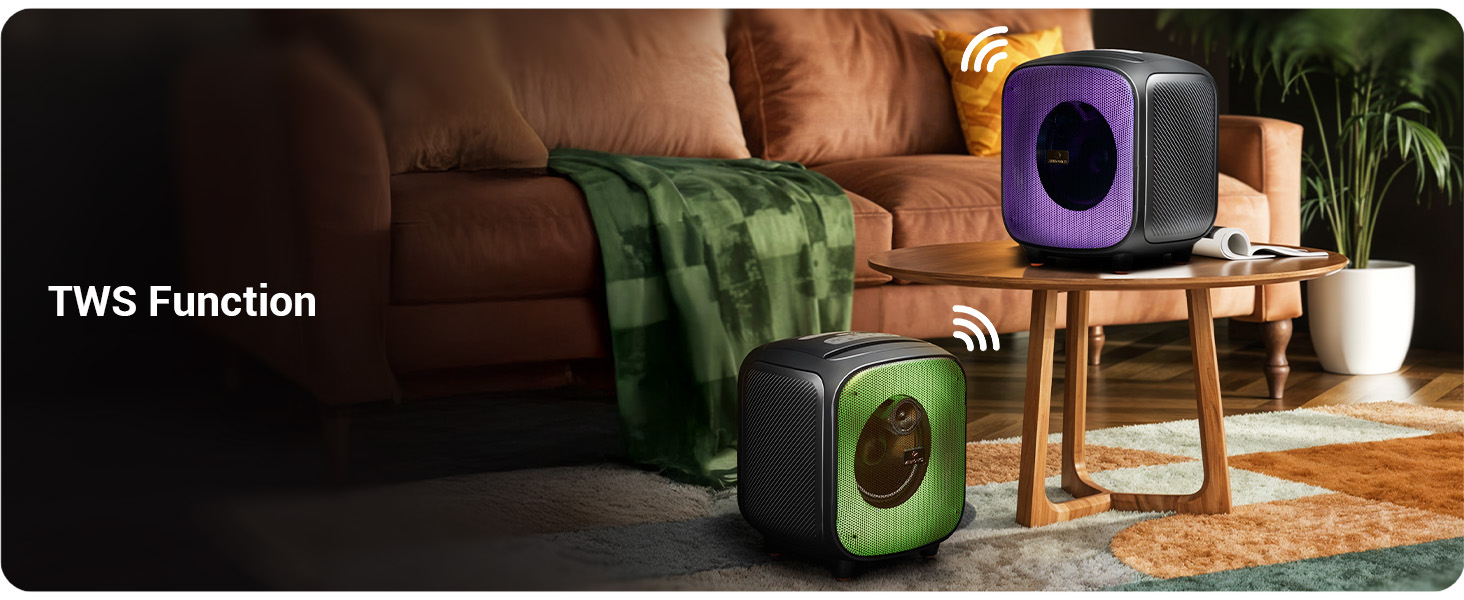
Image: Two Sound Feast 800 speakers positioned in a living room, illustrating the TWS connection.
- Ensure both ZEB-SOUND FEAST 800 speakers are powered on and in Bluetooth mode, but not connected to any device.
- On one of the speakers (this will be the primary speaker), short press the TWS bọtini. It will search for the secondary speaker.
- Once connected, you will hear a confirmation sound. The primary speaker's Bluetooth indicator will flash, and the secondary speaker's indicator will be solid.
- Now, connect your mobile device to the primary speaker via Bluetooth as described in the Bluetooth Mode section.
- Audio will play in stereo through both speakers.
Iṣẹ Karaoke

Image: A woman holding the wireless microphone, demonstrating the karaoke function.
- Ensure the speaker is powered on and playing music (e.g., via Bluetooth, USB, or AUX).
- Turn on the provided wireless microphone. It will automatically connect to the speaker.
- Alternatively, connect a wired microphone to the 6.3mm Mic Input port.
- Adjust the microphone volume and echo effect (if available on the mic) for your desired karaoke experience.
Awọn imọlẹ LED RGB
The speaker features dynamic RGB LED lights with various modes.
- Kukuru tẹ awọn RGB Light Control button to cycle through different light modes.
- Press and hold the button to turn the RGB lights off or on.
Itoju
- Ninu: Lo aṣọ rirọ, gbẹ, tí kò ní àwọ̀ láti fi nu ìta agbọrọsọ naa. Má ṣe lo àwọn ohun ìfọṣọ omi, aerosols, tàbí àwọn ohun èlò ìfọṣọ.
- Ibi ipamọ: Nigbati o ko ba wa ni lilo fun awọn akoko ti o gbooro sii, tọju agbohunsoke si tutu, ibi gbigbẹ, kuro lati orun taara ati awọn iwọn otutu to gaju.
- Itọju Batiri: To prolong battery life, avoid fully discharging the speaker frequently. Charge the speaker regularly, even if not in use, to maintain battery health.
- Ifihan omi: While splash-proof, avoid direct exposure to heavy rain or submersion in water. Ensure all ports are dry before charging.
Laasigbotitusita
| Isoro | Owun to le Fa | Ojutu |
|---|---|---|
| Agbọrọsọ ko ni tan. | Batiri kekere. | Gba agbara si agbọrọsọ ni kikun nipa lilo okun Iru-C ti a pese. |
| Ko si ohun. | Iwọn didun kere ju; ipo ti ko tọ; ẹrọ ko sopọ mọ. | Increase speaker and source device volume. Ensure correct input mode (BT, AUX, USB, mSD). Re-pair Bluetooth device. |
| Asopọ Bluetooth kuna. | Agbọrọsọ kii ṣe ni ipo sisopọ; ẹrọ jina ju; kikọlu. | Ensure speaker is in Bluetooth mode and discoverable. Move device closer to speaker. Turn off other Bluetooth devices. |
| Gbohungbohun ko ṣiṣẹ. | Microphone off; battery low (wireless mic); incorrect connection. | Ensure wireless mic is powered on and charged. For wired mic, ensure it's fully inserted into the 6.3mm port. |
| Asopọ TWS kuna. | Speakers already paired to a device; speakers too far apart. | Ensure both speakers are disconnected from other devices. Place speakers within close proximity (e.g., 5 meters). |
| Speaker turns off frequently. | Low battery; overheating; unstable power supply. | Charge the speaker. Ensure adequate ventilation. If problem persists, contact customer support. |
Awọn pato

Image: Diagram showing the dimensions of the ZEBRONICS Sound Feast 800 speaker: 25.5cm Depth, 26.4cm Width, 30.2cm Height.
| Ẹya ara ẹrọ | Ẹ̀kúnrẹ́rẹ́ |
|---|---|
| Orukọ awoṣe | Àsè-Ohùn ZEB 800 |
| Agbọrọsọ Iru | Agbọrọsọ Gbigbe |
| Agbara Ijade | 55 Wattis |
| Awakọ Iwon | 16.51 cm (6.5 inches) |
| Asopọmọra | Bluetooth v5.3, USB, mSD, AUX, FM Radio |
| Imọ-ẹrọ Ibaraẹnisọrọ Alailowaya | Bluetooth |
| Orisun agbara | Agbara Batiri |
| Batiri Apapọ Life | Up to 6 Hours (at 50% volume, LED off) |
| Akoko gbigba agbara | O fẹrẹ to awọn wakati 4 |
| Ọna Iṣakoso | Titari Bọtini |
| Ifihan Ibuwọlu-si-Noise | 65 dB |
| Idahun Igbohunsafẹfẹ | 60 Hz |
| Awọn iwọn Ọja (D x W x H) | 25.5 x 26.4 x 30.2 centimeters |
| Iwọn Nkan | 3.65 kg |
| Àwọ̀ | Dudu |
| Pataki Awọn ẹya ara ẹrọ | Wireless MIC, Karaoke Function, RGB LED Lights, TWS Function, Mobile Holder, Splash-proof |
Atilẹyin ọja ati Support
The ZEBRONICS Sound Feast 800 comes with a Atilẹyin ọja to lopin. For detailed warranty terms and conditions, please refer to the QR Code Guide included in your package or visit the official ZEBRONICS webojula.
For technical support, service, or any queries regarding your product, please contact ZEBRONICS customer service. Contact information can typically be found on the official ZEBRONICS webaaye tabi lori apoti ọja.
Manufacturer: Zebronics India Private Limited, No.13/7, Smith Road, Royapettah, Chennai - 600 002.


