Ọrọ Iṣaaju
The BACKBONE Pro Mobile Gaming Controller transforms your smartphone into a portable gaming console, offering precision controls and broad compatibility. This manual provides essential information for setup, operation, maintenance, and troubleshooting to ensure an optimal gaming experience.
Package Awọn akoonu
- BACKBONE Pro Mobile Gaming Controller
- Magnetic Adapters (for case support)
- Itọsọna Ibẹrẹ iyara (ko si ninu iwe afọwọkọ oni-nọmba yii)
Ṣeto
1. Ibamu ẹrọ
The BACKBONE Pro is compatible with:
- iPhone 15, 16, 17 (and newer models with USB-C)
- Android phones with USB-C port
- Other devices via Bluetooth: iPads, Steam Deck, Smart TVs, PCs, and VR headsets.

Image: The Backbone Pro controller highlighting its compatibility with iPhone (15 and above), Android, USB-C, and Bluetooth devices.
2. Connecting Your Smartphone (Handheld Mode)
- Gently pull apart the two halves of the Backbone Pro controller.
- Insert your USB-C smartphone into the USB-C connector on the right side of the controller.
- Carefully release the controller halves, allowing them to securely grip your phone.
- If your phone has a case, use the included magnetic adapters to ensure a secure fit.

Image: A smartphone connected to the Backbone Pro controller, ready for gaming.
3. Initial App Download and Setup
- Download the official Backbone App from your device's app store (Apple App Store or Google Play Store).
- Ṣí àpù náà kí o sì tẹ̀lé àwọn ìlànà ojú-ìwòran láti ṣẹ̀dá àkọọ́lẹ̀ tàbí wọlé.
- The app will guide you through any necessary firmware updates for your controller.
4. Ìsopọ̀ Bluetooth (Ipò Aláìlágbára)
To use the Backbone Pro wirelessly with other compatible devices:
- Ensure the Backbone Pro is charged.
- Activate Bluetooth pairing mode on the Backbone Pro (refer to the device's specific button combination, usually holding down a specific button).
- On your target device (iPad, PC, etc.), go to Bluetooth settings and select "Backbone Pro" from the list of available devices.
- Jẹrisi sisopọ.
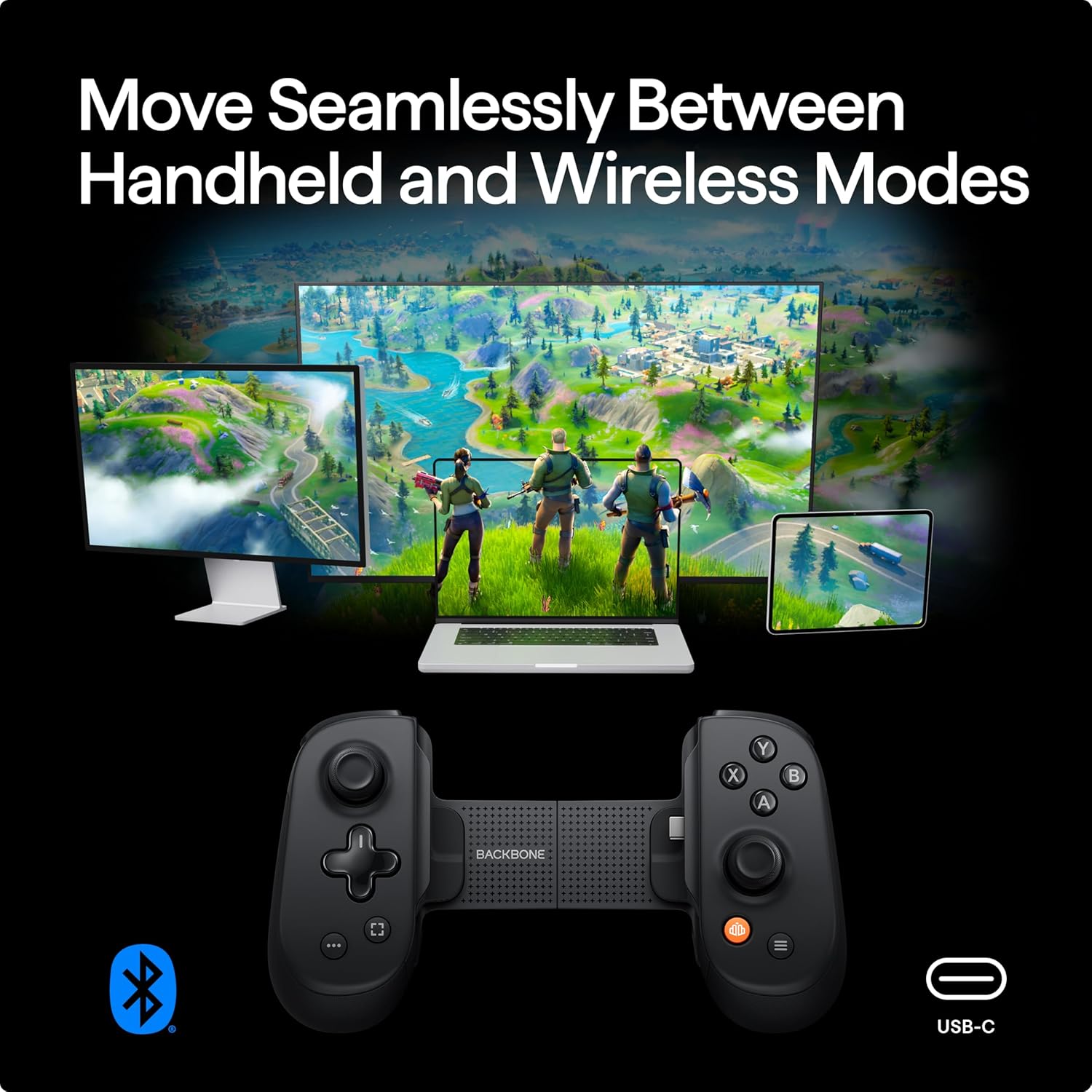
Image: The Backbone Pro demonstrating seamless switching between handheld and wireless modes across various devices.
Awọn ilana Iṣiṣẹ
1. Controller Layout and Functions
The Backbone Pro features a standard controller layout with enhanced precision components:
- Full-size ALPS Analog Joysticks: Fun iṣipopada deede ati iṣakoso kamẹra.
- Precision D-pad: Fun titẹ sii itọsọna.
- Tactile Face Buttons (A, B, X, Y): Responsive buttons for in-game actions.
- Shoulder Buttons and Triggers: L1/R1 (digital), L2/R2 (analog) for various game inputs.
- Remappable Rear Buttons: Two customizable buttons on the back for advanced control.
- Ergonomic Grips: Designed for comfortable extended play sessions.

Aworan: Alaye view of the Backbone Pro's full-size thumbsticks and customizable rear buttons, emphasizing precision.

Aworan: Alaye view of the Backbone Pro's ergonomic design, grip texture, and textured triggers for enhanced comfort.
2. Using the Backbone App
The Backbone App serves as your central hub for mobile gaming:
- Game Discovery: Browse and launch compatible games from various platforms (App Store, Xbox Game Pass, PlayStation Remote Play, etc.).
- Social Features: Chat with friends and share gameplay moments.
- Gameplay Recording: Capture and share your gaming highlights.
- Ẹrọ Yipada: Seamlessly transition your gaming experience between different compatible devices.
- Emulator Support (iOS only): For iOS users (version 18.4 or higher), the app supports in-app emulators for playing classic titles with imported ROMs. Android version is under development. A Backbone+ subscription is required for this feature.

Image: The Backbone Pro controller enabling play across PlayStation, Xbox, and mobile app store games via the Backbone App.
3. Pass-Through Charging and Audio
The Backbone Pro includes a USB-C port for pass-through charging, allowing you to charge your phone while playing. It also features a 3.5mm headphone jack for wired audio connectivity.
Itoju
- Ninu: Lo aṣọ rírọrùn tí ó gbẹ láti nu olùdarí náà. Yẹra fún àwọn ohun ìfọṣọ tàbí àwọn ohun èlò ìfọ́mọ́ra.
- Ibi ipamọ: Store the controller in a cool, dry place away from direct sunlight when not in use. Consider a protective case for travel.
- Itọju Batiri: To prolong battery life, avoid fully discharging the controller frequently. Charge it regularly, especially if storing for extended periods.
Laasigbotitusita
- Alakoso Ko Dahun:
- Ensure your phone is securely connected to the USB-C port.
- Verify the controller has sufficient battery charge if using wirelessly.
- Restart the Backbone App and/or your smartphone.
- Awọn oran Asopọ Bluetooth:
- Rii daju pe Bluetooth ti ṣiṣẹ lori ẹrọ rẹ.
- Unpair and re-pair the Backbone Pro in your device's Bluetooth settings.
- Rí i dájú pé kò sí ẹ̀rọ míì tó ń dí àmì Bluetooth lọ́wọ́.
- App Not Recognizing Controller:
- Ensure the Backbone App is updated to the latest version.
- Check for any available firmware updates for the controller within the app.
- Try reinstalling the Backbone App.
- Bibajẹ ti ara: Avoid dropping or applying excessive force to the controller. Physical damage is typically not covered under warranty.
For further assistance, please visit the official BACKBONE support webojula.
Awọn pato
| Nọmba awoṣe | BB-02-P-BR |
| Asopọmọra | USB-C (direct connection), Bluetooth (wireless) |
| Ibamu | iPhone (USB-C models), Android (USB-C models), iPad, Steam Deck, Smart TVs, PCs, VR headsets |
| Awọn iṣakoso | Full-size ALPS analog joysticks, precision D-pad, tactile face buttons, remappable rear buttons, L1/R1, L2/R2 |
| Igbesi aye batiri | Up to 40 hours (internal testing, actual results may vary) |
| Iwọn | Isunmọ 1.14 poun (0.52 kg) |
| Awọn iwọn | 8.35 x 4.92 x 2.6 inches (21.2 x 12.5 x 6.6 cm) |
| Olupese | Egungun ẹhin |
| UPC | 0850041963174 |

Image: Product packaging displaying the model number and UPC for the Backbone Pro.
Atilẹyin ọja ati Support
For detailed warranty information and to access customer support, please visit the official Backbone website. Warranty terms and conditions may vary and are subject to the manufacturer's policy. Some features, such as the in-app emulator and potential lifetime warranty, may require a Backbone+ subscription.
Osise Webojula: playbackbone.com


