1. Ifihan
O ṣeun fun riraasing the ZEBRONICS Sound Feast 55 Portable Bluetooth Speaker. This manual provides detailed instructions for the proper use, setup, and maintenance of your device. Please read this manual carefully before operation to ensure optimal performance and longevity of your speaker.
The Sound Feast 55 is designed to deliver powerful audio with its 14W RMS output, dual 5.7cm drivers, and dual passive radiators for enhanced bass. It features multiple connectivity options including Bluetooth v5.3, USB, microSD, AUX, and a built-in FM radio. Enjoy hands-free calls, vibrant RGB lighting, and up to 10 hours of playback on a single charge. The TWS function allows for pairing two speakers for a true stereo experience.

Aworan 1.1: The speaker on a wooden surface, illustrating its dual 5.7cm drivers and 14W RMS output for dynamic sound.

Aworan 1.2: The speaker near water, highlighting its deep bass capabilities and dual passive radiators.
2. Package Awọn akoonu
- Agbọrọsọ Zebronics Sound Festival 55 - ẹyọ kan
- Charging cable (Type-C) - 1 unit
- Ìtọ́sọ́nà Kóòdù QR - Ẹyọ kan
3. Ọja Ipariview
Mọ ararẹ pẹlu awọn paati ati awọn idari ti agbọrọsọ.

Aworan 3.1: Iwaju view ti Zebronics Sound Festival 55 agbọrọsọ, showcasing its cylindrical design and control panel.
Igbimọ Iṣakoso ati Awọn ibudo:

Aworan 3.2: Top panel showing media and volume controls, and an end view highlighting the RGB light mode and fabric finish.

Aworan 3.3: Ẹyìn view displaying the multi-connectivity ports: TF (microSD) card slot, USB port, AUX input, and Type-C charging port.
- Bọtini agbara: Tẹ mọlẹ lati fi agbara tan/pa a.
- Bọ́tìnnì Ṣíṣe/Sánu duro: Tẹ lati mu ṣiṣẹ tabi daduro orin duro.
- Iwọn didun Up/Orin atẹle: Tẹ kukuru fun iwọn didun soke, tẹ gun fun orin atẹle.
- Iwọn didun isalẹ/Orin ti tẹlẹ: Tẹ kukuru fun iwọn didun isalẹ, gun tẹ fun orin iṣaaju.
- Bọtini Ipo (M): Press to switch between Bluetooth, USB, MicroSD, AUX, and FM radio modes.
- Bọtini Imọlẹ RGB: Press to cycle through RGB light modes or turn them off.
- Gbohungbohun: Fun ipe ti ko ni ọwọ.
- Iho Kaadi TF: Fun MicroSD kaadi šišẹsẹhin.
- Ibudo USB: Fun ṣiṣiṣẹsẹhin drive USB.
- Ibudo AUX: Fun titẹ sii ohun afetigbọ.
- Ibudo Ngba agbara Iru-C: Fun gbigba agbara si agbọrọsọ.
4. Eto
4.1 Gbigba agbara si Agbọrọsọ
Ṣaaju lilo akọkọ, gba agbara si agbọrọsọ ni kikun. Lo okun gbigba agbara Iru-C ti a pese.
- Connect the Type-C end of the charging cable to the speaker's charging port.
- Connect the USB-A end of the cable to a 5V DC power adapter (not included) or a computer's USB port.
- Ina Atọka gbigba agbara yoo tan imọlẹ lakoko gbigba agbara ati pipa ni kete ti o ti gba agbara ni kikun.
Charging time is approximately 2.5 hours. A full charge provides up to 10 hours of playback at 50% volume with LED lights off.
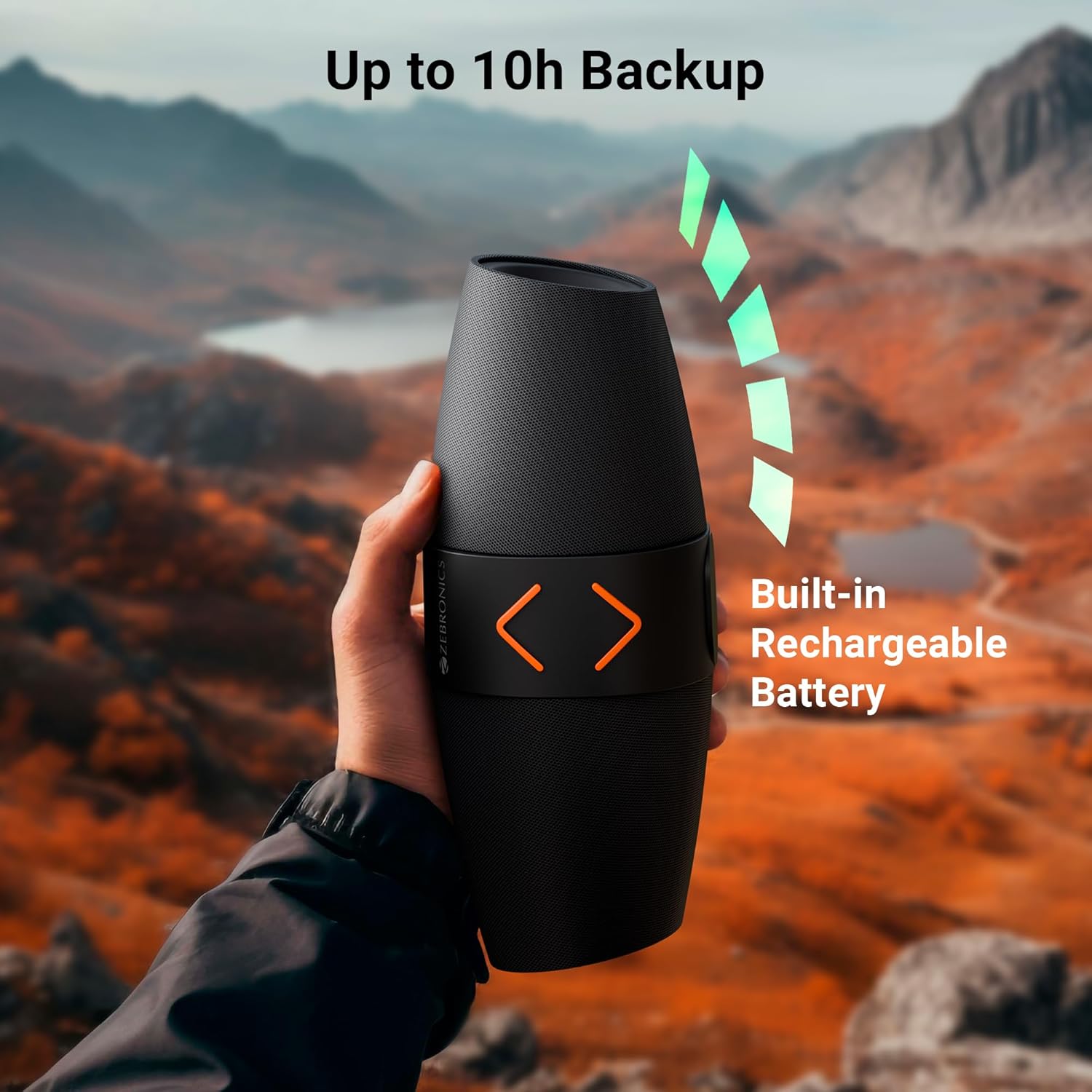
Aworan 4.1: The speaker being held outdoors, illustrating its portability and highlighting the built-in rechargeable battery and up to 10 hours of backup.
4.2 Agbara Tan / Pa
- Lati tan-an, tẹ mọlẹ Bọtini Agbara titi ti o fi gbọ ohun ti o gbọ.
- To power off, press and hold the Power button again until you hear an audible prompt.
4.3 Sisopọ Bluetooth
- Agbara lori agbọrọsọ. Yoo tẹ ipo sisopọ pọ si Bluetooth laifọwọyi, ti a fihan nipasẹ ina LED didan.
- Lori ẹrọ alagbeka rẹ, mu Bluetooth ṣiṣẹ ki o wa awọn ẹrọ to wa.
- Select "ZEB-SOUND FEAST 55" from the list of devices.
- Once paired, you will hear a confirmation tone, and the LED light will stop flashing.
The speaker will automatically reconnect to the last paired device if it is within range and Bluetooth is enabled.
4.4 Otitọ Sitẹrio Alailowaya (TWS) Sisọpọ
TWS allows you to connect two ZEB-SOUND FEAST 55 speakers for a stereo audio experience.
- Ensure both ZEB-SOUND FEAST 55 speakers are powered on and in Bluetooth mode, but not connected to any device.
- On one of the speakers (this will be the primary speaker), press and hold the Play/Pause button for a few seconds. You will hear a prompt indicating TWS pairing mode.
- Awọn agbohunsoke meji yoo sopọ laifọwọyi si ara wọn. Ni kete ti o ti sopọ, iwọ yoo gbọ ohun orin idaniloju kan.
- Bayi, so ẹrọ alagbeka rẹ pọ si agbọrọsọ akọkọ nipasẹ Bluetooth gẹgẹbi a ti ṣalaye ni apakan 4.3.
- Audio yoo mu ṣiṣẹ ni sitẹrio nipasẹ awọn agbohunsoke mejeeji.

Aworan 4.2: Top image shows the speaker on a desk with a phone displaying a call, indicating the call function. Bottom image shows two speakers paired, illustrating the TWS function for stereo sound.
5. Awọn ilana Iṣiṣẹ
5.1 Aṣayan ipo
Tẹ awọn Ipo (M) button to cycle through available input modes: Bluetooth, USB, MicroSD, AUX, and FM Radio.
5.2 Ipo Bluetooth
- Ensure the speaker is paired with your device (refer to section 4.3).
- Mu ohun ṣiṣẹ lati ẹrọ ti o sopọ.
- Use the speaker's Play/Pause, Volume Up/Next Track, and Volume Down/Previous Track buttons to control playback.
5.3 USB/MicroSD Mode
- Insert a USB drive or MicroSD card into the respective port.
- Agbọrọsọ yoo yipada laifọwọyi si ipo USB tabi MicroSD yoo bẹrẹ si dun ohun files. Tí kò bá rí bẹ́ẹ̀, tẹ Ipo (M) bọtini lati yan awọn ti o tọ mode.
- Use the speaker's Play/Pause, Volume Up/Next Track, and Volume Down/Previous Track buttons to control playback.
5.4 AUX Ipo
- Connect an audio device (e.g., smartphone, MP3 player) to the speaker's AUX port using a 3.5mm audio cable (not included).
- Tẹ awọn Ipo (M) bọtini lati yan ipo AUX.
- Control playback from your connected audio device. Volume can be adjusted on both the speaker and the connected device.
5.5 FM Redio Ipo
- Tẹ awọn Ipo (M) bọtini lati yan ipo redio FM.
- To auto-scan and save available FM channels, press the Play/Pause button once. The speaker will scan and store channels.
- Use the Volume Up/Next Track and Volume Down/Previous Track buttons to navigate between saved channels.
5.6 Ipe Išė
- When a call comes in during Bluetooth mode, press the Play/Pause button to answer the call.
- Tẹ bọtini Play/Duro lẹẹkansi lati pari ipe naa.
- Tẹ mọlẹ Bọtini Dun/Daduro lati kọ ipe ti nwọle.
5.7 Awọn ọna Imọlẹ RGB
- Press the RGB Light button to cycle through different light modes.
- Continue pressing the button to turn the RGB lights off.
6. Itọju
- Ninu: Use a soft, dry cloth to clean the speaker. Do not use harsh chemicals or abrasive cleaners.
- Ibi ipamọ: Tọju agbohunsoke ni itura, aye gbigbẹ kuro lati orun taara ati awọn iwọn otutu to gaju.
- Itọju Batiri: Lati pẹ aye batiri, yago fun gbigba agbara ni kikun agbọrọsọ nigbagbogbo. Gba agbara rẹ nigbagbogbo, paapaa ti kii ba lo fun awọn akoko gigun.
- Ifihan omi: Agbọrọsọ yii kii ṣe omi ti o n da omi duro. Yẹra fun fifi omi si tabi ọrinrin ti o pọ ju.
- Mimu: Do not drop, disassemble, or attempt to repair the speaker yourself. This may void the warranty and cause damage.
7. Laasigbotitusita
| Isoro | Owun to le Fa | Ojutu |
|---|---|---|
| Agbọrọsọ ko ni agbara lori. | Batiri kekere. | Gba agbara si agbọrọsọ ni kikun. |
| Ko le so pọ nipasẹ Bluetooth. | A kò ṣiṣẹ́ Bluetooth lórí ẹ̀rọ náà; agbọ́hùnsọ̀ kò sí ní ipò ìsopọ̀; ó jìnnà jù sí ẹ̀rọ náà. | Ensure Bluetooth is enabled. Put speaker in pairing mode. Move device closer to speaker (within 10 meters). |
| Ko si ohun. | Ohùn tó lọ sílẹ̀ jù; ipò tí kò tọ́ ni a ti yàn; ẹ̀rọ náà kò gbọ́ ohùn. | Increase speaker and device volume. Ensure correct input mode (BT, USB, mSD, AUX, FM) is selected. Verify audio is playing on the source device. |
| Gbigba FM ti ko dara. | Ifihan agbara. | Move the speaker to a location with better signal reception. Re-scan channels. |
| TWS sisopọ kuna. | Speakers already connected to a device; incorrect pairing procedure. | Ensure both speakers are disconnected from other devices. Follow TWS pairing steps precisely (section 4.4). |
8. Awọn pato
| Orukọ awoṣe | Àsè-Ohùn ZEB 55 |
| Agbara Ijade (RMS) | 14 Wattis |
| Awakọ Iwon | Dual 5.7 cm |
| Ẹya Bluetooth | v5.3 |
| Awọn aṣayan Asopọmọra | Bluetooth, USB, MicroSD, AUX, FM Radio |
| Akoko Sisisẹsẹhin | Up to 10 hours (at 50% volume, LED off) |
| Akoko gbigba agbara | O fẹrẹ to awọn wakati 2.5 |
| Gbigba agbara Iru | Iru-C |
| Idahun Igbohunsafẹfẹ | 18 kHz |
| Awọn iwọn Ọja (D x W x H) | 13.7D x 29.2W x 19H |
| Iwọn Nkan | 678 giramu |
| Awọn ẹya ara ẹrọ | Dual Passive Radiators, Call Function, RGB Light Modes, TWS Function |
9. Alaye Aabo
- Má ṣe fi agbọ́rọ̀sọ náà sí ojú otútù tó le koko, oòrùn tààrà tàbí iná tó ṣí sílẹ̀.
- Yago fun sisọ tabi tẹriba agbọrọsọ si awọn ipa to lagbara.
- Do not immerse the speaker in water or expose it to rain or excessive moisture.
- Jeki agbọrọsọ kuro lọdọ awọn ọmọde ati awọn ohun ọsin.
- Lo okun gbigba agbara ti a pese nikan tabi iwe-ẹri deede.
- Do not attempt to disassemble, repair, or modify the speaker. This may result in electric shock, fire, or product damage.
- Sọ ọjà náà nù ní ọ̀nà tó tọ́ gẹ́gẹ́ bí òfin àdúgbò. Má ṣe fi ìdọ̀tí ilé pamọ́.
10. Atilẹyin ọja ati Support
The ZEBRONICS Sound Feast 55 comes with a limited warranty. Please refer to the warranty card included in your package or visit the official ZEBRONICS webAaye fun alaye atilẹyin ọja ofin ati ipo.
For technical support, service, or inquiries, please contact ZEBRONICS customer service through their official webaaye tabi alaye olubasọrọ ti a pese ninu iwe ọja rẹ.
Olupese: AJZ Industries Pvt. Ltd.
Olukowọle: AJZ Industries Pvt. Ltd. Survey No 508/2, Door No 50/2, Inner Ring Road, Madhavaram, Chennai - 600060


