Ọrọ Iṣaaju
This manual provides detailed instructions for the assembly, operation, and maintenance of your HOMCOM Lateral File Cabinet, Model B0DRV2SK2R. This cabinet features two spacious drawers designed for organizing letter, A4, and legal-sized documents, a lockable top drawer for security, and a sturdy top surface suitable for use as a printer stand. Please read all instructions carefully before assembly and use to ensure safe and proper functionality.
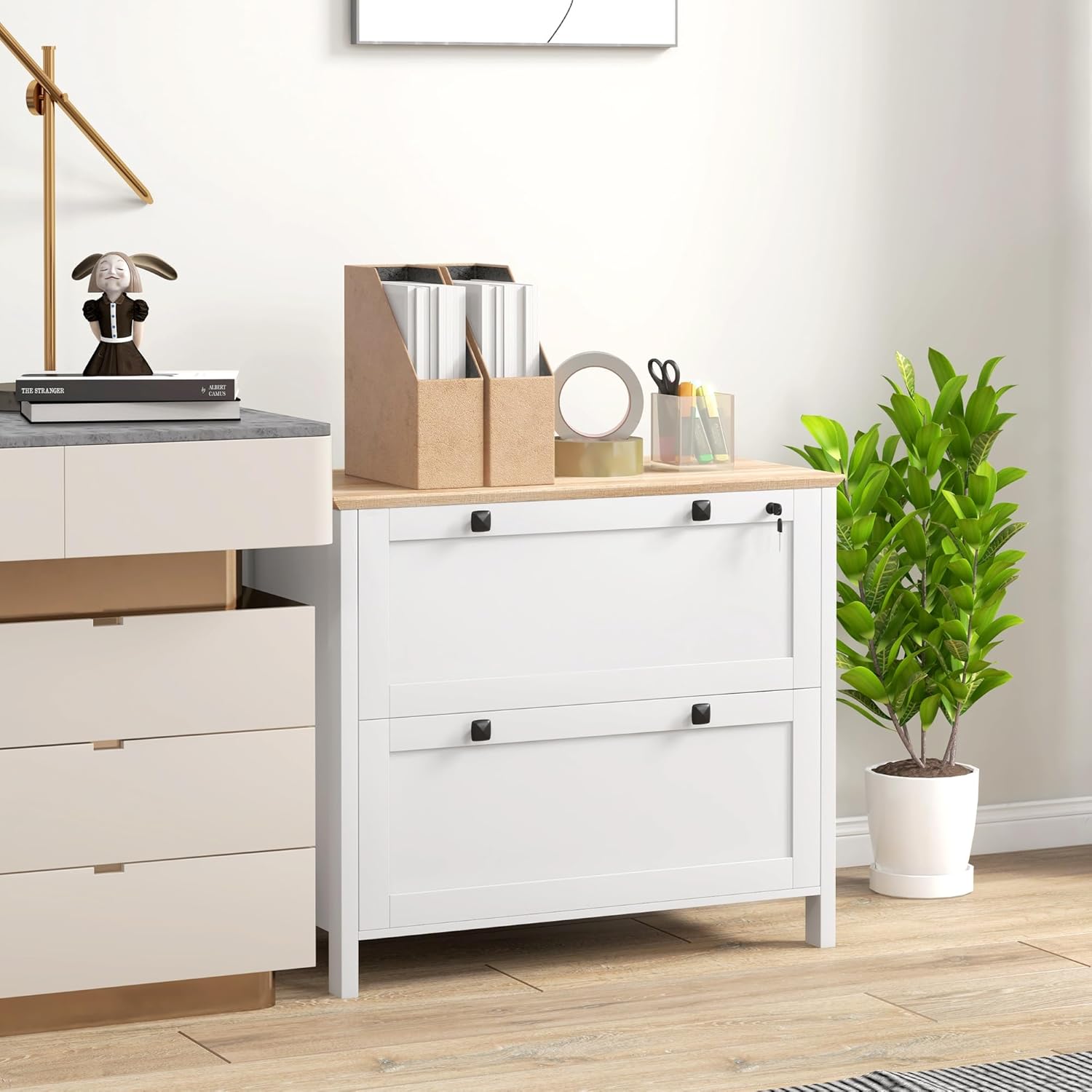
Image: The HOMCOM Lateral File Cabinet in a typical office environment, showcasing its design and potential use.
Alaye Aabo
- Always lift with your knees, not your back, when moving the cabinet or heavy components.
- Do not overload the cabinet drawers. Distribute weight evenly.
- Keep fingers away from closing drawers to prevent pinching.
- Assemble the cabinet strictly according to the provided instructions to ensure stability and safety.
- For enhanced stability and to prevent tipping, especially when both drawers are open, secure the cabinet to a wall using the included anti-tip straps.
Package Awọn akoonu
Ṣaaju ki o to bẹrẹ apejọ, rii daju pe gbogbo awọn paati wa ati pe ko bajẹ. Ti eyikeyi awọn ẹya ba sonu tabi bajẹ, jọwọ kan si atilẹyin alabara.
- Cabinet panels (various sizes)
- Two drawers
- Two keys for the lockable drawer
- Ohun elo apejọ (awọn skru, dowels, awọn titiipa kamẹra, ati bẹbẹ lọ)
- Adjustable hanging bars for file ajo
- Anti-tip straps for wall securing

Image: Representation of the product packaging.
Eto ati Apejọ
Assembly of this lateral file cabinet is designed to be straightforward with clearly labeled parts and comprehensive instructions. Please follow the step-by-step guide provided in your product packaging. It is recommended to assemble the unit on a soft, clean surface to prevent scratches.
Awọn Igbesẹ Apejọ bọtini:
- Ṣe idanimọ gbogbo awọn ẹya ati hardware nipa lilo atokọ ti a pese.
- Kó gbogbo fireemu akọkọ ti minisita jọ.
- Construct the two drawers, ensuring smooth operation of the three-section alloy rails.
- Install the adjustable hanging bars within each drawer according to your filing needs (Letter, A4, or Legal size).
- Attach the square alloy handles to the drawer fronts.
- Secure the cabinet to a wall using the anti-tip straps for safety.

Àwòrán: Àwọn ìwọ̀n ọjà fún gbígbé ètò kalẹ̀.

Image: Detail of the cabinet's base and feet.
Awọn ilana Iṣiṣẹ
Ise Drawer:
The cabinet features two drawers with fully extending, three-section alloy rails for smooth opening and closing. Pull the black square handles to open the drawers. Ensure drawers are fully closed when not in use.

Image: Cabinet with drawers open, illustrating storage capacity.
File Eto:
Each drawer is equipped with an adjustable bar to accommodate various file titobi:
- Letter Size: Position the bar to support letter-sized hanging folders.
- Iwọn A4: Adjust the bar for A4-sized hanging folders.
- Legal Size: Configure the bar to hold legal-sized hanging folders.
The adjustable bar allows for flexible organization, including combinations of file sizes within a single drawer.

Image: Detail of the adjustable hanging bar and supported file awọn iwọn.
Ilana Titiipa:
The top drawer features a lockable design for securing confidential documents. Insert one of the provided keys into the lock on the top drawer and turn to lock or unlock. Ensure the drawer is fully closed before attempting to lock it.

Image: Illustration of the lockable top drawer feature.
Printer Stand Functionality:
The sturdy top surface of the cabinet is designed to function as a printer stand, providing convenient placement for your office equipment.

Image: The cabinet serving as a printer stand.
Itoju
The HOMCOM Lateral File Cabinet is constructed from melamine-coated particleboard, making it robust and easy to maintain.
- Ninu: Simply wipe the surfaces clean with a dry, soft cloth. For stubborn marks, a slightly damp cloth followed by a dry cloth can be used. Avoid abrasive cleaners or harsh chemicals, as these can damage the finish.
- Gbogbogbo Itọju: Avoid placing hot items directly on the surface. Protect the cabinet from excessive moisture and direct sunlight to prevent warping or fading.
Laasigbotitusita
If you encounter any issues with your lateral file minisita, jọwọ wo awọn solusan ti o wọpọ wọnyi:
- Drawers not opening/closing smoothly:
- Check for obstructions in the drawer slides.
- Rii daju pe minisita wa lori ipele ipele kan.
- Verify that the drawer rails were installed correctly during assembly.
- Má ṣe fi àpò ìdọ̀tí kún ún jù; tún pín àwọn ohun tó wà nínú rẹ̀ bí ó bá pọndandan.
- Cabinet instability:
- Confirm all assembly hardware is tightened securely.
- Ensure the cabinet is placed on a flat, stable floor.
- Utilize the anti-tip straps to secure the cabinet to a wall.
- Lock not functioning:
- Ensure the top drawer is fully closed before attempting to lock it.
- Check if the key is fully inserted and turned correctly.
- Avoid forcing the lock mechanism.
Ti awọn iṣoro ba wa, jọwọ kan si atilẹyin alabara fun iranlọwọ siwaju.
Awọn pato
| Ẹya ara ẹrọ | Ẹ̀kúnrẹ́rẹ́ |
|---|---|
| Brand | HOMCOM |
| Nọmba awoṣe | B0DRV2SK2R |
| Àwọ̀ | Funfun |
| Ohun elo | Engineered Wood (Melamine Coated Particleboard) |
| Awọn iwọn Ọja (L x W x H) | 79 cm x 40 cm x 72 cm (31.1" x 15.7" x 28.3") |
| Iwọn Nkan | 26.99 kg |
| Nọmba ti Drawers | 2 |
| Titiipa | Yes (Top Drawer) |
| File Sizes Supported | Letter, A4, Legal |
| Apejọ ti a beere | Bẹẹni |
| Pataki Awọn ẹya ara ẹrọ | Fade Resistant, Lockable, Scratch Resistant, Stain Resistant |
| Awọn irinše to wa | Drawers, Keys |
Alaye atilẹyin ọja
This HOMCOM Lateral File Awọn minisita wa pẹlu kan Atilẹyin ọja 90 Ọjọ Lodi si Awọn abawọn OlupeseÀtìlẹ́yìn yìí bo àwọn àbùkù nínú àwọn ohun èlò àti iṣẹ́ ọwọ́ lábẹ́ lílò déédéé. Kò bo ìbàjẹ́ tí ó jẹyọ láti inú ìlòkulò, jàǹbá, àtúnṣe tí a kò fún ní àṣẹ, tàbí ìbàjẹ́ déédé. Jọ̀wọ́ pa ẹ̀rí ríra rẹ mọ́ fún àwọn ẹ̀tọ́ àtìlẹ́yìn.
Onibara Support
For any questions, assistance with assembly, or to report missing/damaged parts, please contact Aosom Canada, the manufacturer of your HOMCOM product.
- Olupese: Aosom Canada
- Ibi Iṣowo: Markham, Ontario, CA
- Tẹlifoonu: 1-416-792-6088
Please have your model number (B0DRV2SK2R) and proof of purchase ready when contacting support.
Awọn fidio ọja
The following videos provide additional visual guidance and information about the HOMCOM Lateral File Minisita.
Ọja Pariview (0:32)
Fidio: A finifini loriview demonstrating the key features and design of the lateral file minisita.
Storage Capacity Demonstration (0:47)
Video: This video illustrates the internal storage space and how different file sizes (Letter, A4, Legal) can be organized within the drawers.
Locking Feature Showcase (0:17)
Video: A demonstration of the lockable top drawer, showing how to secure your documents.
Drawer Smoothness and Extension (0:22)
Video: This clip highlights the smooth operation and full extension of the cabinet's drawers.
Ọja Awọn ẹya ara ẹrọ Loriview (0:15)
Video: A quick visual summary of the cabinet's main features.
Inaro View of Cabinet (0:15)
Video: A vertical perspective showcasing the cabinet's design and proportions.
Cabinet in Use (0:26)
Video: Demonstrates the cabinet in an active office setting, highlighting its practical application.
Detailed Product View (0:43)
Video: A comprehensive look at the cabinet, detailing its construction and features from various angles.


