Ọrọ Iṣaaju
Thank you for choosing Raycon Bone Conduction Headphones. This manual provides essential information for the proper use, setup, and maintenance of your device. Please read it thoroughly before use.
These headphones utilize bone conduction technology, allowing you to hear audio while keeping your ears open to your surroundings. They are designed for active lifestyles, featuring a lightweight, water-resistant build and a secure fit.
Package Awọn akoonu
- Raycon Bone Conduction Headphones
- Oofa Ngba agbara USB
- Afowoyi Olumulo (iwe-ipamọ yii)
Ọja Pariview
Familiarize yourself with the components of your Raycon Bone Conduction Headphones.

olusin 1: Iwaju view of the Raycon Bone Conduction Headphones. The image shows the purple headphones with the Raycon logo visible on the left side, highlighting the open-ear design and the flexible band connecting the two ear pieces.

olusin 2: Apa view of the Raycon Bone Conduction Headphones. This image displays the control buttons located on the right ear piece, along with the charging port area. The overall lightweight and ergonomic design is visible.
Awọn ẹya pataki:
- Apẹrẹ Eti-Ṣi: Allows situational awareness.
- Imọ-ẹrọ Iwa Egungun: Delivers audio through cheekbones.
- IP68 Idaabobo Omi: Protection against sweat, rain, and spills.
- Ìtumọ̀ Ìwúwo: Itura fun o gbooro sii yiya.
- Adjustable Conduction Buds: For personalized sound and awareness balance.
- Bluetooth 5.3: Stable wireless connectivity.
- Akoko ere 13-wakati: Extended battery life.
Ṣeto
1. Ngba agbara si awọn Agbekọri
Ṣaaju lilo akọkọ, gba agbara si awọn agbekọri rẹ ni kikun.
- Connect the magnetic charging cable to the charging port on your headphones.
- So opin okun miiran pọ si ohun ti nmu badọgba agbara USB (kii ṣe pẹlu) tabi ibudo USB ti kọnputa kan.
- Atọka LED yoo ṣe afihan ipo gbigba agbara (fun apẹẹrẹ, pupa fun gbigba agbara, buluu fun gbigba agbara ni kikun).
- Gbigba agbara ni kikun maa n gba to awọn wakati 1.5-2.
2. Agbara lori / Paa
- Lati Fi agbara: Press and hold the Power button for 3 seconds until the LED indicator flashes blue and you hear a power-on prompt.
- Lati Paarẹ: Press and hold the Power button for 5 seconds until the LED indicator flashes red and you hear a power-off prompt.
3. Sisopọ Bluetooth
Pair your headphones with your Bluetooth-enabled device (smartphone, tablet, laptop).
- Rii daju pe awọn agbekọri ti wa ni pipa.
- Tẹ bọtini agbara ki o si di mu fun awọn aaya 5-7 titi ti ifihan LED yoo fi tan pupa ati buluu ni ọna miiran, ti o fihan ipo isopọmọ.
- Lori ẹrọ rẹ, lọ si awọn eto Bluetooth ki o mu Bluetooth ṣiṣẹ.
- Wa fun available devices and select "Raycon Bone Conduction" (or similar name).
- Once connected, the LED indicator will flash blue slowly, and you will hear a connection confirmation.
- Àwọn agbekọri náà yóò tún so pọ̀ mọ́ ẹ̀rọ tí a so pọ̀ kẹ́yìn nígbà tí a bá tan án, tí ó bá wà ní àárín gbùngbùn.
Awọn ilana Iṣiṣẹ
Wọ Awọn Agbekọri
Place the headphones with the transducers resting on your cheekbones, just in front of your ears. The band should wrap around the back of your head.
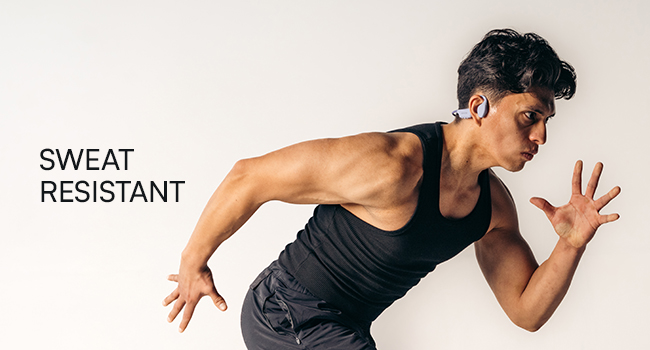
Figure 3: Illustration demonstrating the correct placement of the bone conduction headphones on the head, with the transducers positioned on the cheekbones near the ears. This image emphasizes the open-ear design.
The adjustable conduction buds allow you to slide them closer to your ear for louder sound or pull them back for increased environmental awareness. Experiment to find your preferred balance.
Awọn iṣẹ bọtini
| Bọtini / Action | Išẹ |
|---|---|
| Bọtini Agbara (Tẹ & Mu 3s) | Agbara Tan |
| Bọtini Agbara (Tẹ & Mu 5s) | Power Off / Enter Pairing Mode |
| Bọtini iṣẹ-ọpọlọpọ (Tẹ ẹyọkan) | Mu orin ṣiṣẹ/Danuduro, Dahun/Pari ipe |
| Bọtini iṣẹ-ọpọlọpọ (Tẹ Meji) | Next Track |
| Bọtini iṣẹ-ọpọlọpọ (Tẹ Mẹta) | Ti tẹlẹ Track |
| Volume Up (+) Button (Single Press) | Mu iwọn didun pọ si |
| Volume Down (-) Button (Single Press) | Din iwọn didun silẹ |
| Volume Up (+) Button (Press & Hold) | Mu Oluranlọwọ Ohun ṣiṣẹ |
Ṣiṣe ati Gbigba Awọn ipe
- Idahun Ipe: Tẹ Bọtini iṣẹ-ọpọlọpọ lẹẹkan.
- Ipe Ipari: Tẹ bọtini Iṣẹ-pupọ lẹẹkan lakoko ipe kan.
- Kọ Ipe: Tẹ mọlẹ Bọtini Olona-iṣẹ fun awọn aaya 2.
- Oluranlọwọ ohun: Press and hold the Volume Up (+) button to activate your device's voice assistant (Siri, Google Assistant, etc.).
Itọju ati Itọju
- Ninu: Mu awọn agbekọri nu pẹlu asọ, damp asọ. Maṣe lo awọn kẹmika ti o lewu tabi awọn afọmọ abrasive.
- Omi Resistance (IP68): These headphones are IP68 rated, meaning they are protected against dust and can withstand immersion in water up to 1.5 meters for up to 30 minutes. However, they are not designed for swimming or prolonged underwater use. Ensure the charging port is dry before charging.
- Ibi ipamọ: Tọju awọn agbekọri naa ni itura, aye gbigbẹ kuro lati orun taara ati awọn iwọn otutu to gaju.
- Itọju Batiri: Lati pẹ aye batiri, yago fun gbigba agbara ni kikun awọn agbekọri nigbagbogbo. Gba agbara si wọn nigbagbogbo, paapaa ti kii ba lo fun awọn akoko gigun.
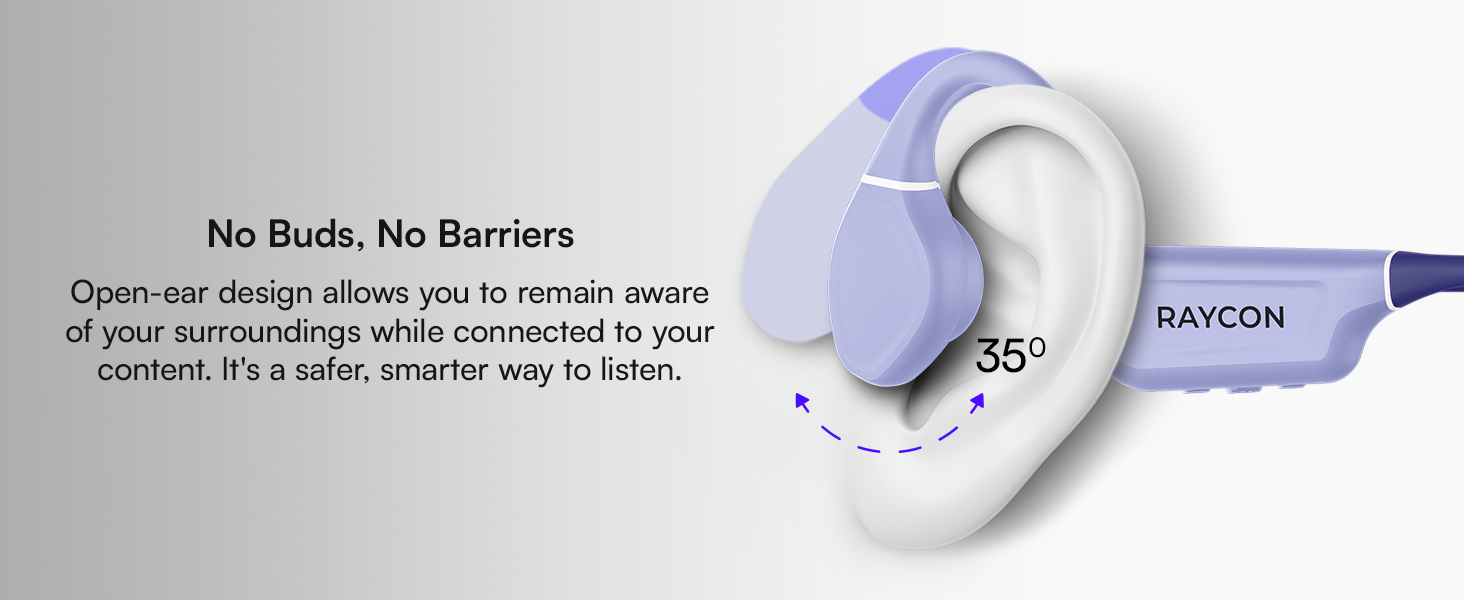
Figure 4: Image illustrating the water-resistant feature of the Raycon Bone Conduction Headphones, with water droplets splashing around them. This visually confirms their suitability for use in various weather conditions or during workouts.
Laasigbotitusita
| Isoro | Owun to le Solusan |
|---|---|
| Awọn agbekọri ko ṣiṣẹ. | Ensure the headphones are charged. Connect to the charging cable and check the LED indicator. |
| Ko le so pọ pẹlu ẹrọ. |
|
| Ko si ohun tabi iwọn kekere. |
|
| Didara ipe ti ko dara. |
|
Awọn pato
| Ẹya ara ẹrọ | Ẹ̀kúnrẹ́rẹ́ |
|---|---|
| Orukọ awoṣe | Awọn agbekọri Iṣeduro Egungun |
| Nọmba awoṣe | RBB842-24E |
| Asopọmọra Technology | Ailokun (Bluetooth 5.3) |
| Bluetooth Ibiti | Titi de 33 ẹsẹ (10 mita) |
| Audio Driver Type | Awakọ Itọsọna Egungun |
| Audio Driver Iwon | 16 millimeters |
| Iwọn Igbohunsafẹfẹ | 20 Hz - 20 kHz |
| Ifamọ | 91 dB |
| Ipalara | 8 ohm |
| Igbesi aye batiri | Titi di wakati 13 |
| Omi Resistance Ipele | IP68 |
| Ohun elo | Acrylonitrile Butadiene Styrene (ABS), Silikoni |
| Iwọn Nkan | 5.6 iwon |
| Awọn irinše to wa | Oofa Ngba agbara USB |
| UPC | 811162032804 |
Atilẹyin ọja ati Support
For warranty information and customer support, please refer to the official Raycon webojula tabi kan si wọn onibara iṣẹ taara. Jeki ẹri rira rẹ fun awọn iṣeduro atilẹyin ọja.
Atilẹyin Ayelujara: Ṣabẹwo Raycon Global Support fún àwọn ìbéèrè tó ń fa ìbéèrè, àwọn ìtọ́sọ́nà ìṣòro, àti àwọn àṣàyàn ìfọwọ́sowọ́pọ̀.
Alaye Aabo
- Ma ṣe tuka, tunṣe, tabi tun ọja naa pada.
- Do not expose the product to fire or extreme heat.
- Yago fun gbigbọ ni iwọn giga fun awọn akoko gigun lati dena ibajẹ igbọran.
- Use caution when using headphones in situations requiring awareness of your surroundings.
- Jeki kuro ni arọwọto awọn ọmọde.


