Ọrọ Iṣaaju
This manual provides essential information for the proper use, setup, operation, and maintenance of your Mares Quad 2 Smart Wrist Underwater Scuba Dive Computer. Please read this manual thoroughly before using the device to ensure safe and optimal performance.
The Mares Quad 2 is a sophisticated wrist-mounted dive computer designed for recreational and technical divers. It offers advanced features for precise dive planning and real-time data display during your underwater adventures.
Ọja Pariview

Nọmba 1: Igun view of the Mares Quad 2 Dive Computer, showcasing its large, clear display and ergonomic design. The aqua-colored casing and black strap are visible.
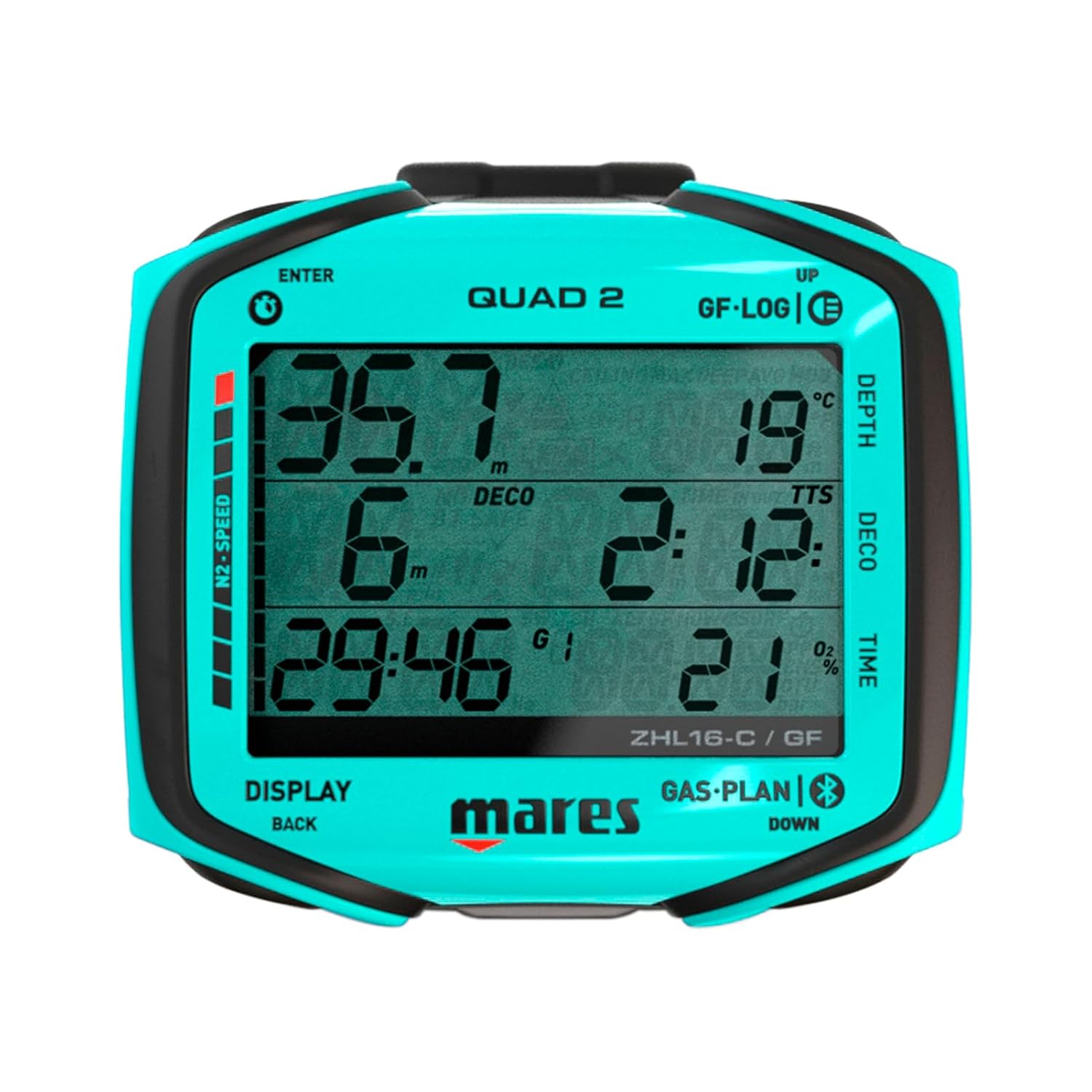
Nọmba 2: Iwaju view of the Mares Quad 2 Dive Computer display, showing depth, decompression limits, and time. The segmented display ensures high readability underwater.
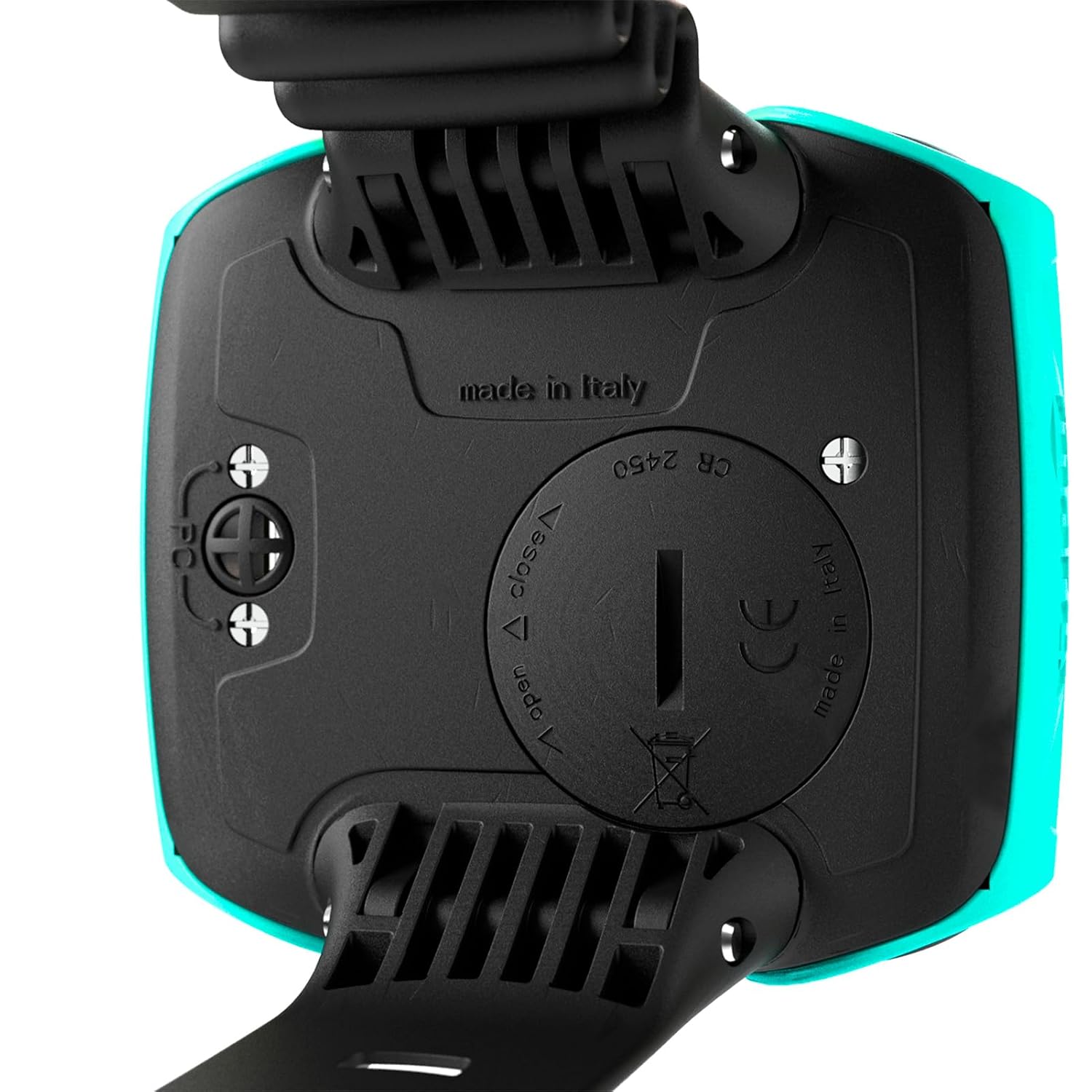
Nọmba 3: Ẹyìn view of the Mares Quad 2 Dive Computer, highlighting the battery compartment and "made in italy" inscription. The battery cover is designed for secure sealing.
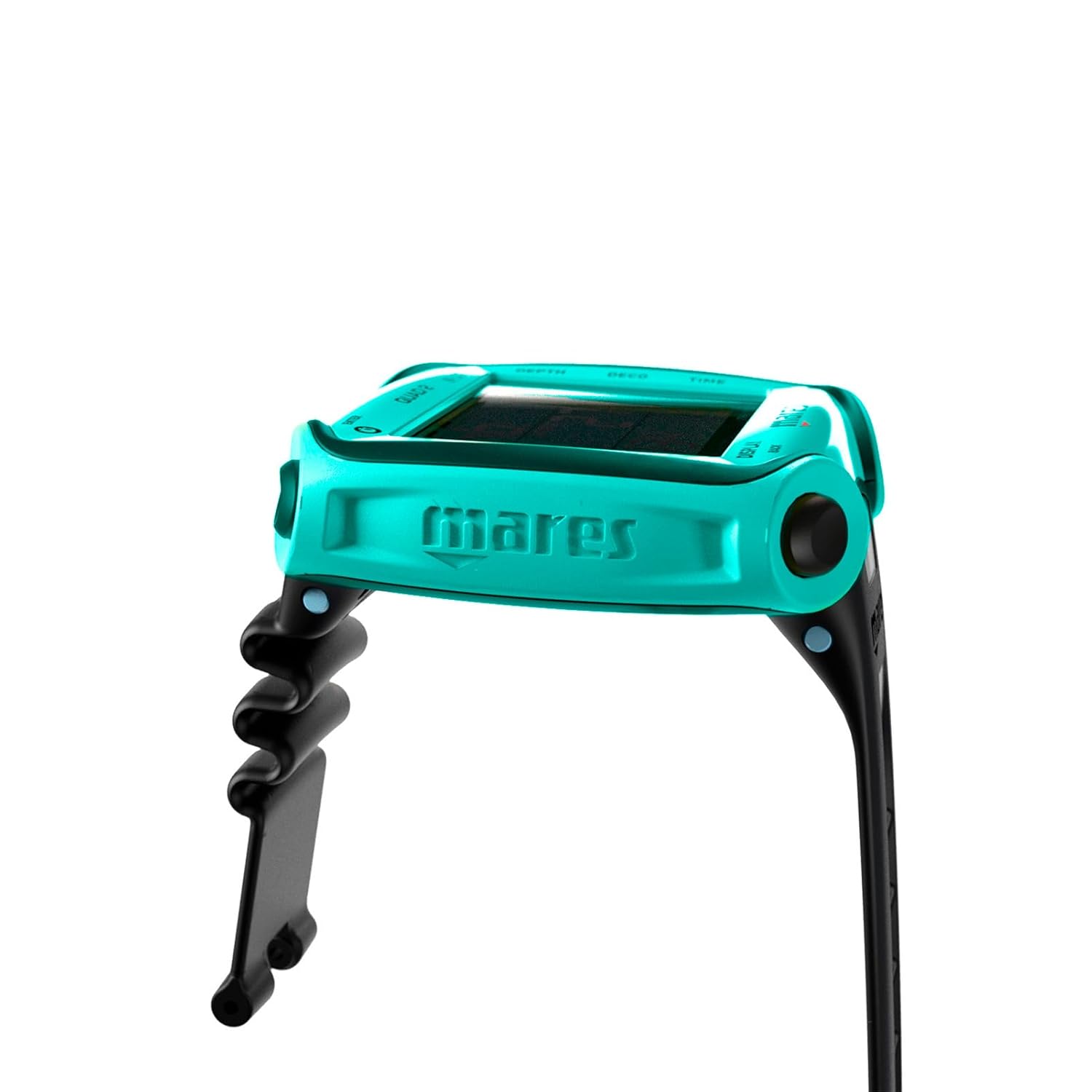
Nọmba 4: Apa view of the Mares Quad 2 Dive Computer, showing the robust wrist strap attachment points and the overall slim profile ti ẹrọ.
Ṣeto
Fifi sori batiri
The Mares Quad 2 requires one CR2430 battery. Ensure the battery is installed correctly, observing polarity, and that the battery compartment is securely sealed to maintain water integrity.
- Locate the battery compartment on the back of the dive computer (refer to Figure 3).
- Using a suitable tool, carefully open the battery cover by rotating it counter-clockwise to the "open" position.
- Fi batiri CR2430 sii pẹlu ẹgbẹ rere (+) ti nkọju si oke.
- Align the battery cover and rotate it clockwise to the "close" position, ensuring a tight seal. Verify the O-ring is clean and properly seated before closing.
Iṣeto ni ibẹrẹ
Upon first power-on or after a battery change, the device will prompt you to set initial parameters.
- Awọn ẹya: Select between metric (meters, Celsius) or imperial (feet, Fahrenheit) units.
- Akoko ati Ọjọ: Ṣeto akoko ati ọjọ lọwọlọwọ.
- Gas Settings: Configure your primary gas (e.g., Air, Nitrox percentagati).
- Eto ti ara ẹni: Adjust conservatism levels and gradient factors according to your diving experience and training.
Refer to the "Display & Interface" section for details on navigating the menu using the four-button interface.
Awọn ilana Iṣiṣẹ
Ifihan & Ni wiwo
The Mares Quad 2 features a clear segmented display utilizing chip-on-glass technology for optimal readability. Navigation is performed using the four-button interface.
- Top Left Button (ENTER): Confirms selections and enters menus.
- Bottom Left Button (DISPLAY/BACK): Cycles through display screens or returns to the previous menu.
- Top Right Button (UP/GF-LOG): Scrolls up through options or accesses Gradient Factor log.
- Bottom Right Button (DOWN/GAS-PLAN): Scrolls down through options or accesses Gas Plan.
An Underwater Menu allows for certain setting modifications during a dive, enhancing operational flexibility.
Awọn ọna Dive
The Mares Quad 2 supports various dive modes to accommodate different diving profiles:
- Ipo afẹfẹ: Standard air diving.
- Ipo Nitrox: For diving with enriched air nitrox. Allows setting of O2 percentage.
- Trimix Mode: For advanced technical diving with helium-based gas mixtures.
- Bottom Timer Mode: Functions as a digital depth gauge and timer with a resettable average depth and stopwatch. Ideal for divers who prefer to manage decompression manually.
Dive Planning and Data Management
The computer integrates advanced planning features and data logging capabilities:
- Bühlmann ZH-L16C Algorithm: Customizable with personalized gradient factors and ceil-con decompression for enhanced safety.
- Time To Reserve (TTR): Tracks remaining time at current depth before reaching tank reserve.
- Decompression Dive Planner: Includes user-adjustable surface intervals for repetitive dives.
- Iwe akọọlẹ: Stores up to 100 hours of dive profiles, accessible for review post-dive.
Asopọmọra
Integrated Bluetooth allows direct connectivity to smart devices for data transfer and analysis. Firmware updates can also be applied via the Mares app.
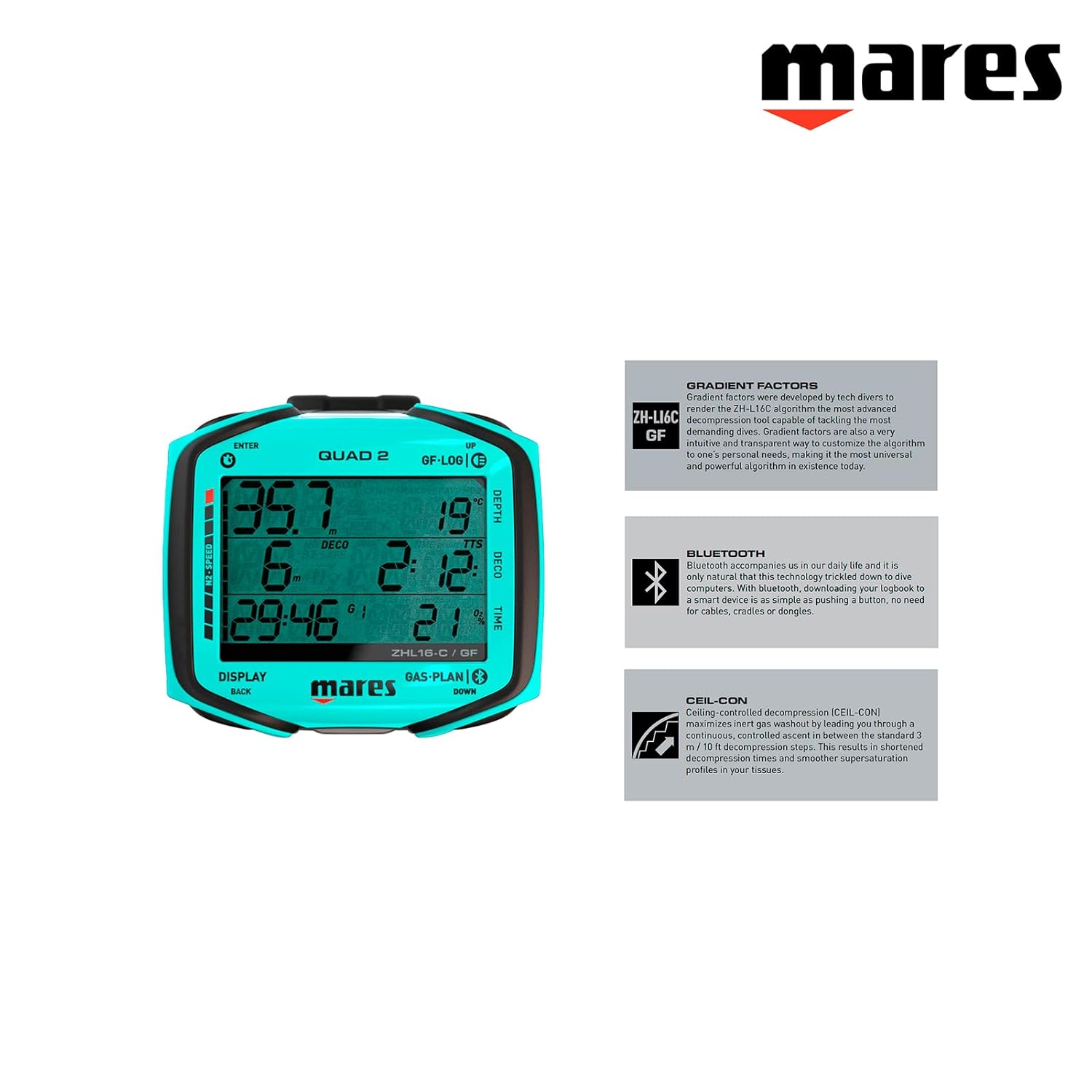
Nọmba 5: Mares Quad 2 highlighting key features: Gradient Factors for customizable decompression, Bluetooth for smart device connectivity, and Ceil-Con for controlled decompression.
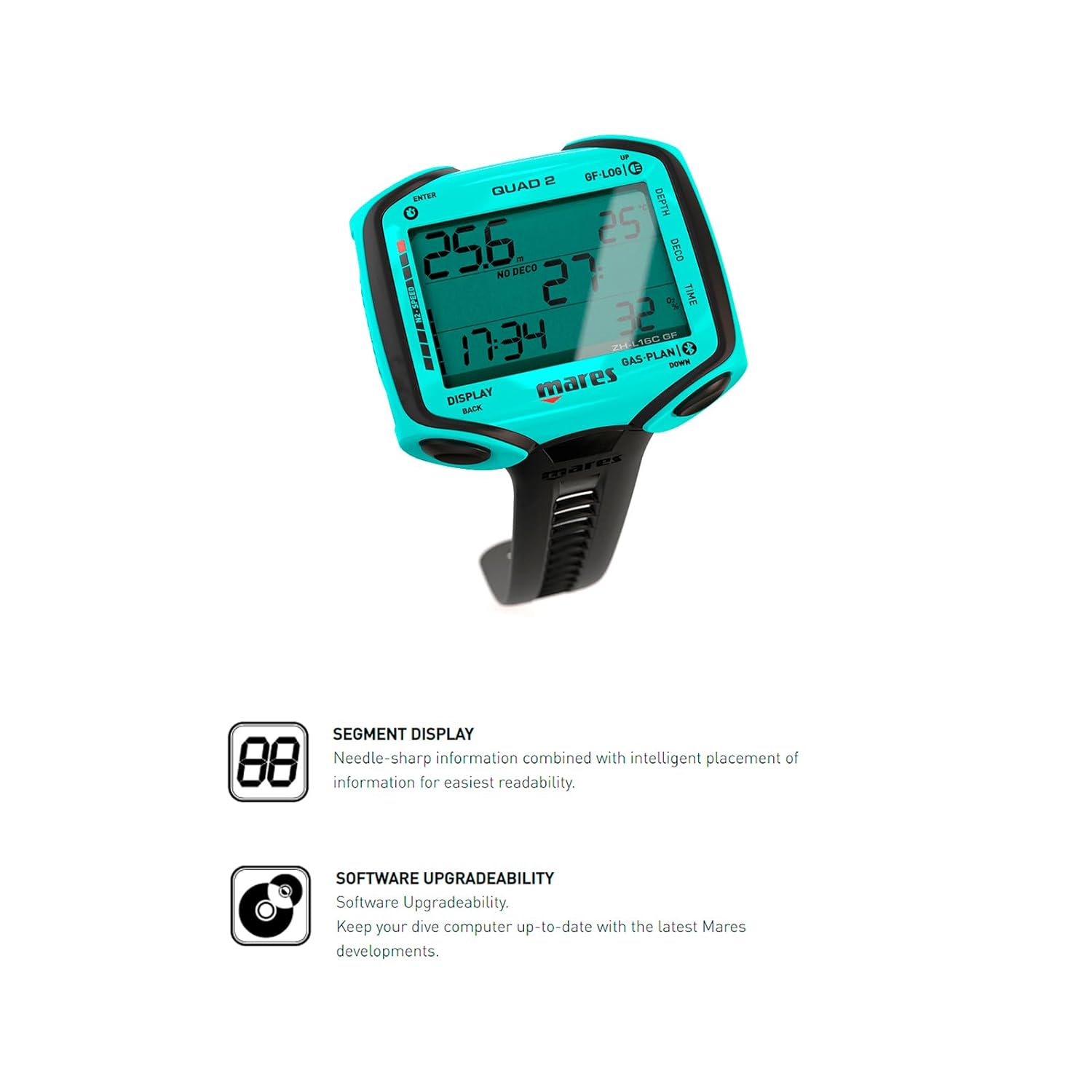
Nọmba 6: Mares Quad 2 highlighting its Segment Display for clear information and Software Upgradeability, allowing for future updates via the Mares app.
Itoju
Post-Dive Care
- Rinse the dive computer thoroughly with fresh water after each dive.
- Allow the device to air dry completely before storage.
- Avoid exposing the computer to direct sunlight or extreme temperatures for prolonged periods.
Batiri Rirọpo
Replace the CR2430 battery when the low battery indicator appears on the display. Always use a new, high-quality battery and ensure the O-ring is clean and lubricated before sealing the compartment. If you are unsure, consult a certified Mares service center.
Ibi ipamọ
Store the Mares Quad 2 in a cool, dry place away from direct sunlight and chemicals. If storing for an extended period, consider removing the battery to prevent leakage.
Laasigbotitusita
| Isoro | Owun to le Fa | Ojutu |
|---|---|---|
| Ifihan ti ṣofo tabi baibai. | Low battery or battery incorrectly installed. | Replace battery (CR2430) and ensure correct polarity and secure closure. |
| Awọn bọtini ko dahun. | Buttons may be stuck or unit requires reset. | Ensure no debris is lodged around buttons. Try a soft reset (refer to full manual for specific procedure if available). If issue persists, contact service. |
| Inaccurate depth or time readings. | Sensor malfunction or unit calibration issue. | Do not use for diving. Contact a certified Mares service center for inspection and calibration. |
| Bluetooth Asopọmọra oran. | Device not discoverable, app issues, or interference. | Ensure Bluetooth is enabled on both devices. Restart the Mares app and the dive computer. Check for app updates. |
For issues not listed here or if solutions do not resolve the problem, please contact Mares customer support or an authorized service center.
Awọn pato
| Ẹya ara ẹrọ | Ẹ̀kúnrẹ́rẹ́ |
|---|---|
| Nọmba awoṣe | 414152-AQ |
| Ifihan Iru | Segmented Display with Chip-on-Glass Technology |
| Awọn Gas atilẹyin | Air, Nitrox, Trimix |
| Awọn ọna ṣiṣe | Dive (Air, Nitrox, Trimix), Bottom Timer |
| Algoridimu | Bühlmann ZH-L16C (customizable Gradient Factors) |
| Logbook Memory | Up to 100 hours of dive profiles |
| Asopọmọra | Ese Bluetooth |
| Batiri Iru | CR2430 (user-replaceable) |
| Awọn iwọn (L x W x H) | 5.25 x 5.25 x 6.75 inches |
| Iwọn | 1 iwon |
| UPC | 194151130409 |
Atilẹyin ọja ati Support
Information regarding the specific warranty terms for the Mares Quad 2 Smart Wrist Underwater Scuba Dive Computer was not available in the provided product data. Please refer to the official Mares website or contact Mares customer service for detailed warranty information and support options.
For technical assistance, service, or to purchase accessories, please visit the official Mares website or contact an authorized Mares dealer.
Note: Always ensure that any service or repairs are performed by authorized Mares technicians to maintain product integrity and warranty validity.


