Ọrọ Iṣaaju
This manual provides instructions for the setup, operation, and maintenance of your Paladone PlayStation DualSense Controller Digital Alarm Clock. This device combines a digital alarm clock with a night light function, designed for ease of use and to complement gaming-themed environments.
Ohun ti o wa ninu Apoti
- Paladone PlayStation DualSense Controller Digital Alarm Clock
- Ilana Afowoyi (iwe yii)
Note: 3x AA batteries are required and not included.
Ṣeto
1. Fifi sori batiri
- Locate the battery compartment on the underside of the alarm clock.
- Ṣii ideri iyẹwu batiri naa.
- Insert 3x AA batteries, ensuring correct polarity (+/-).
- Pa ideri batiri naa ni aabo.
2. Eto Aago Ibẹrẹ
Upon battery installation, the display will illuminate. Follow the operating instructions to set the current time.

Image: The PlayStation DualSense Controller Digital Alarm Clock displaying the time.
Awọn ilana Iṣiṣẹ
Ṣiṣeto Akoko naa
- Tẹ mọlẹ Akoko SET button (usually marked with a clock icon) until the hour digits begin to flash.
- Lo awọn + ati - buttons to adjust the hour. Pay attention to AM/PM indicators if present.
- Tẹ awọn Akoko SET button again to move to the minute digits.
- Lo awọn + ati - awọn bọtini lati ṣatunṣe awọn iṣẹju.
- Tẹ awọn Akoko SET button one last time to confirm and exit time setting mode.
Ṣiṣeto Itaniji naa
- Tẹ mọlẹ ALAGBARA SET button (usually marked with an alarm icon) until the alarm hour digits begin to flash.
- Lo awọn + ati - awọn bọtini lati ṣatunṣe aago itaniji.
- Tẹ awọn ALAGBARA SET button again to move to the alarm minute digits.
- Lo awọn + ati - awọn bọtini lati ṣatunṣe awọn iṣẹju itaniji.
- Tẹ awọn ALAGBARA SET button one last time to confirm and exit alarm setting mode.
- Lati muu ṣiṣẹ tabi mu maṣiṣẹ itaniji, tẹ awọn IKỌ NIPA / PA button (may be the same as ALARM SET or a separate button). An alarm icon will appear on the display when active.
Using the Night Light Function
The PlayStation DualSense controller replica on top of the clock functions as a night light.
- To activate the night light, gently tap the controller.
- To deactivate the night light, tap the controller again.
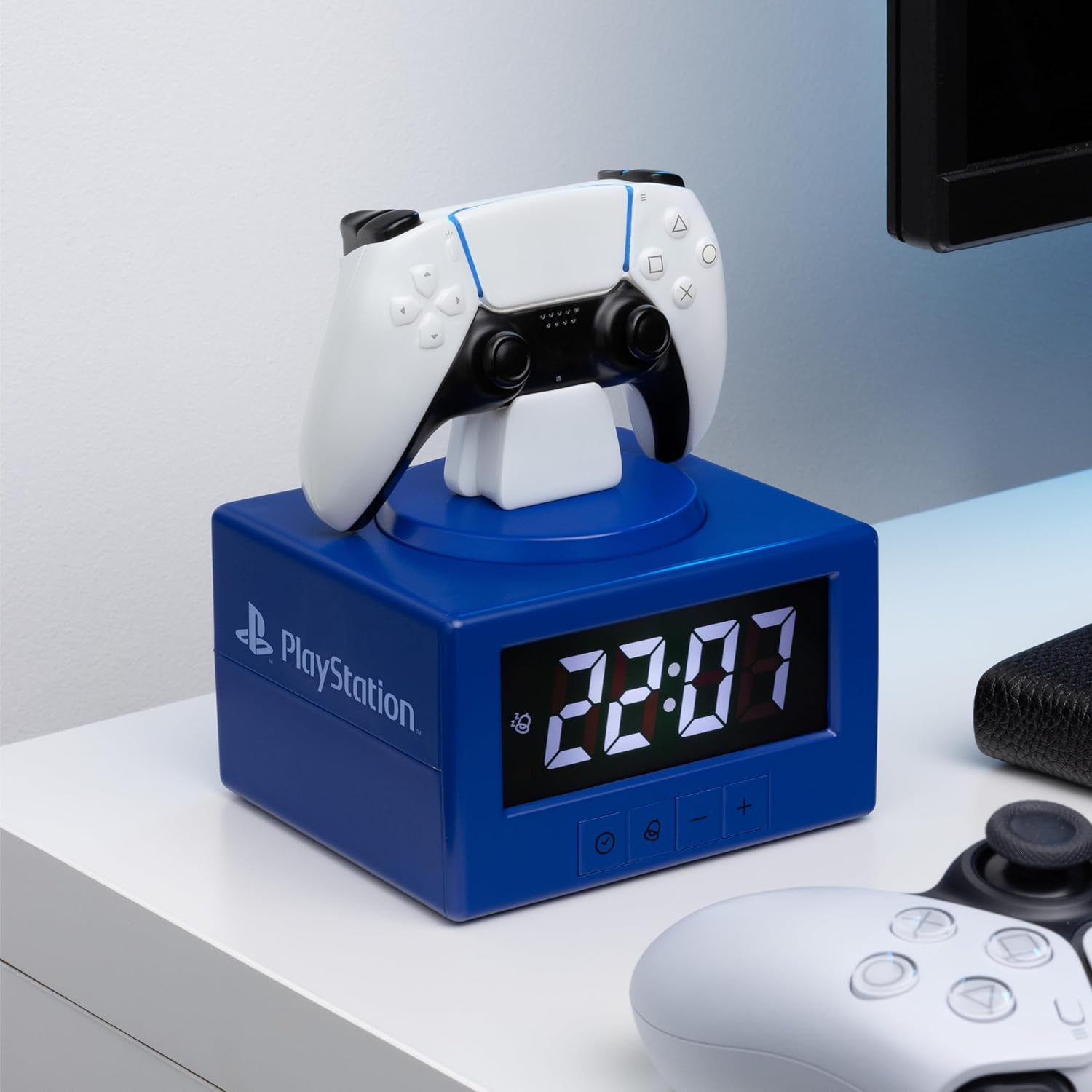
Image: The alarm clock with the DualSense controller glowing as a night light.
Itoju
- Ninu: Mu aago naa nu pẹlu asọ ti o tutu, ti o gbẹ. Ma ṣe lo abrasive ose tabi epo.
- Rirọpo Batiri: Replace batteries when the display dims or functions become unreliable. Always replace all three AA batteries at the same time.
- Ibi ipamọ: Tí o bá ń tọ́jú rẹ̀ fún ìgbà pípẹ́, yọ àwọn bátìrì náà kúrò kí ó má baà jò.
Laasigbotitusita
| Isoro | Ojutu |
|---|---|
| Clock display is dim or blank. | Replace the 3x AA batteries. Ensure batteries are inserted with correct polarity. |
| Itaniji ko dun. | Ensure the alarm is activated (alarm icon visible on display). Verify the alarm time is set correctly. |
| Ìmọ́lẹ̀ òru kì í tan. | Ensure batteries are fresh. Gently tap the controller to activate. |
| Time or alarm settings reset unexpectedly. | Èyí lè fi hàn pé agbára bátírì kò pọ̀. Rọ́pò àwọn bátírì. |
Awọn pato
- Brand: Paladone
- Nọmba awoṣe: PP13475PS
- Iru ifihan: Oni-nọmba
- Awọn ẹya pataki: Alarm, Night Mode
- Awọn iwọn ọja: 4.92"W x 7.09"H
- Orisun Agbara: Agbara Batiri (awọn batiri AA 3, ko si)
- Ohun elo: Ṣiṣu
- Ìwọ̀n Nkan: 8.8 iwon (0.25 kilo)
- Lilo inu ile/ita gbangba: Ninu ile
Atilẹyin ọja ati Support
For warranty information and customer support, please refer to the official Paladone webojula tabi kan si alagbata rẹ. Jeki ẹri rira rẹ fun eyikeyi awọn ibeere atilẹyin ọja.
Fun afikun iranlọwọ, ṣabẹwo si Paladone Store on Amazon.


