Ọrọ Iṣaaju
This manual provides essential information for the safe and efficient operation of your Telefunken Full HD 43-Inch DLED Television (Model TLEDD-43FHDC). Please read it thoroughly before using the product and retain it for future reference.
Your Telefunken 43-Inch Full HD DLED Television delivers vibrant colors and sharp images, making it suitable for various entertainment needs. It features multiple connectivity options, including HDMI and USB ports, and an energy-efficient design for an immersive viewiriri iriri.
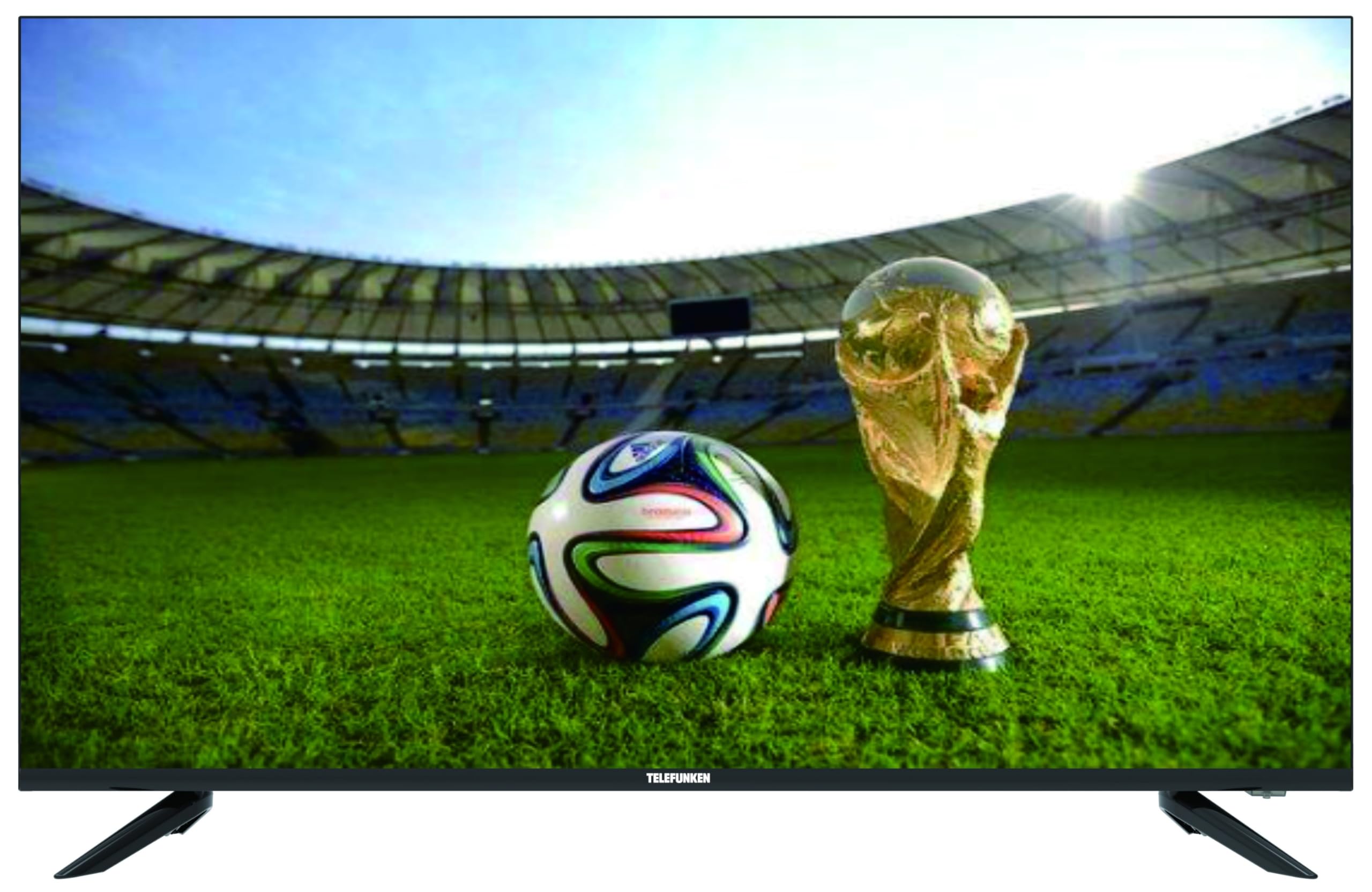
olusin 1: Iwaju view of the Telefunken 43-Inch Full HD DLED Television.
Awọn Itọsọna Aabo pataki
Nigbagbogbo tẹle awọn iṣọra aabo ipilẹ nigba lilo tẹlifisiọnu yii lati dinku eewu ina, mọnamọna, ati ipalara.
- Orisun Agbara: Rii daju pe ipese agbara voltage matches the rating label on the TV.
- Afẹfẹ: Ma ṣe dina awọn ṣiṣi atẹgun. Gba aaye to peye ni ayika TV fun ṣiṣan afẹfẹ to dara.
- Omi ati Ọrinrin: Ma ṣe fi TV han si ojo tabi ọrinrin. Ma ṣe gbe awọn nkan ti o kun fun awọn olomi, gẹgẹbi awọn ikoko, lori TV.
- Ooru: Keep the TV away from heat sources like radiators, heat registers, stoves, or other apparatus that produce heat.
- Ninu: Yọ TV kuro lati inu iṣan ogiri ṣaaju ṣiṣe mimọ. Lo asọ asọ ti o gbẹ. Maṣe lo awọn olutọpa olomi tabi awọn ẹrọ aerosol.
- Ibi: Gbé TV sori oju ilẹ ti o duro ṣinṣin, ti o si dada. Maṣe gbe e si aaye oorun taara tabi nitosi awọn aaye agbara ti o lagbara.
- Ṣiṣẹ: Maṣe gbiyanju lati ṣiṣẹ ọja yi funrararẹ. Tọkasi gbogbo iṣẹ si oṣiṣẹ oṣiṣẹ ti o peye.
Package Awọn akoonu
Ṣọra tu tẹlifisiọnu rẹ silẹ ki o ṣayẹwo pe gbogbo awọn nkan wọnyi wa ninu:
- 1 x Telefunken Full HD 43-Inch DLED Television
- 1 x Isakoṣo latọna jijin
- 1 x Okun Agbara
- 2 x TV Stands (Left and Right)
- Awọn skru fun Awọn iduro TV
- 1 x Itọsọna olumulo (iwe yii)
Eto Itọsọna
1. So awọn TV Imurasilẹ
- Fi iṣọra gbe TV ni oju-isalẹ lori rirọ, dada mimọ lati ṣe idiwọ ibajẹ iboju.
- Sopọ kọọkan imurasilẹ pẹlu awọn ti o baamu dabaru ihò lori isalẹ ti TV.
- Ṣe aabo iduro kọọkan nipa lilo awọn skru ti a pese. Rii daju pe wọn ti di ṣinṣin.
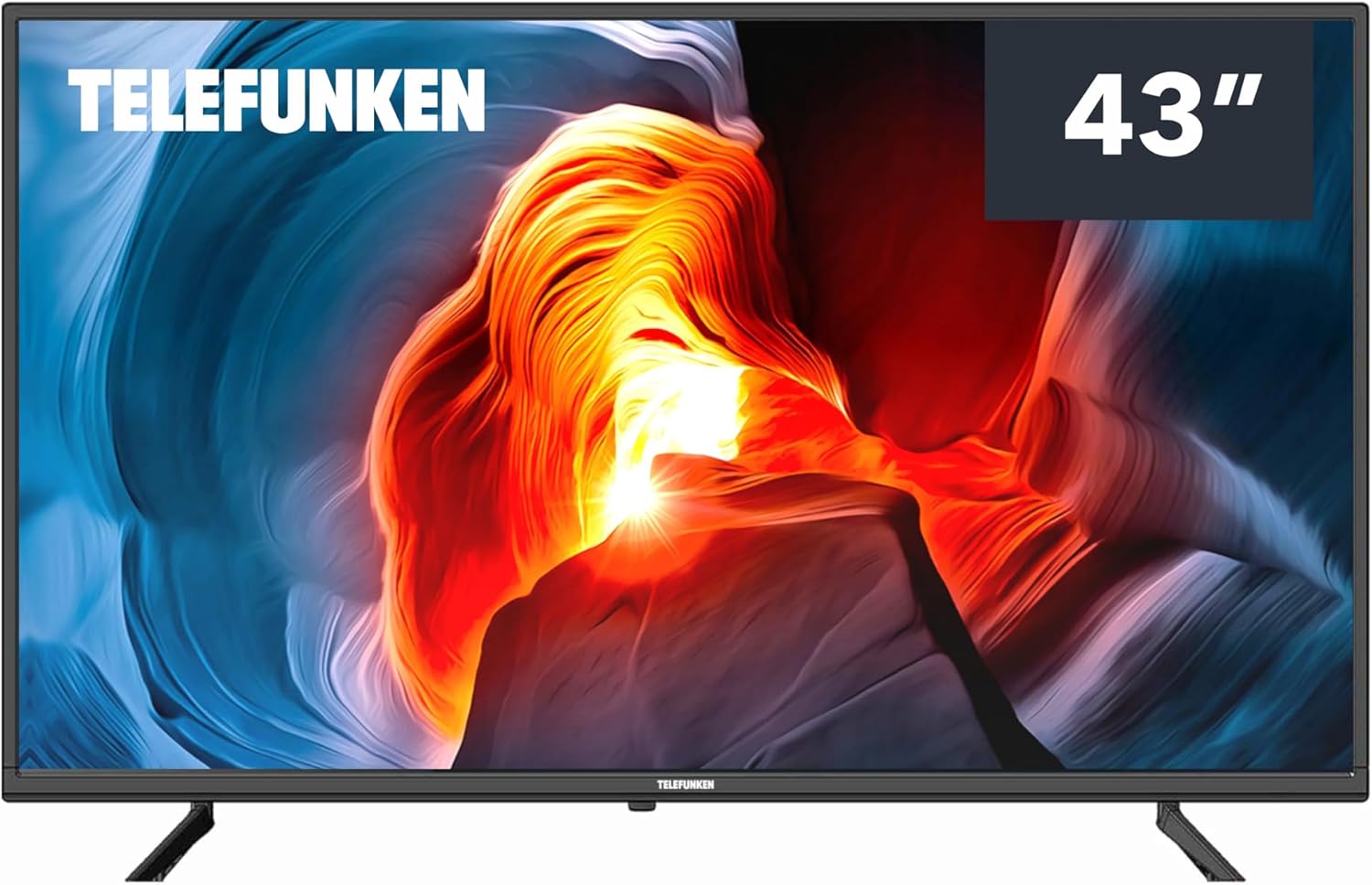
olusin 2: Iwaju view of the television, showing the location for stand attachment.
2. Nsopọ Ita Awọn ẹrọ
Your television is equipped with multiple ports for connecting various devices.
- Awọn ibudo HDMI: Connect Blu-ray players, game consoles, or set-top boxes. (Connections: HDMI)
- Awọn ibudo USB: Connect USB storage devices for media playback. (Total USB Ports: 2)
- Wi-Fi: Sopọ̀ mọ́ nẹ́tíwọ́ọ̀kì ilé rẹ fún àwọn iṣẹ́ TV ọlọ́gbọ́n àti wíwọlé sí ìkànnì ayélujára.
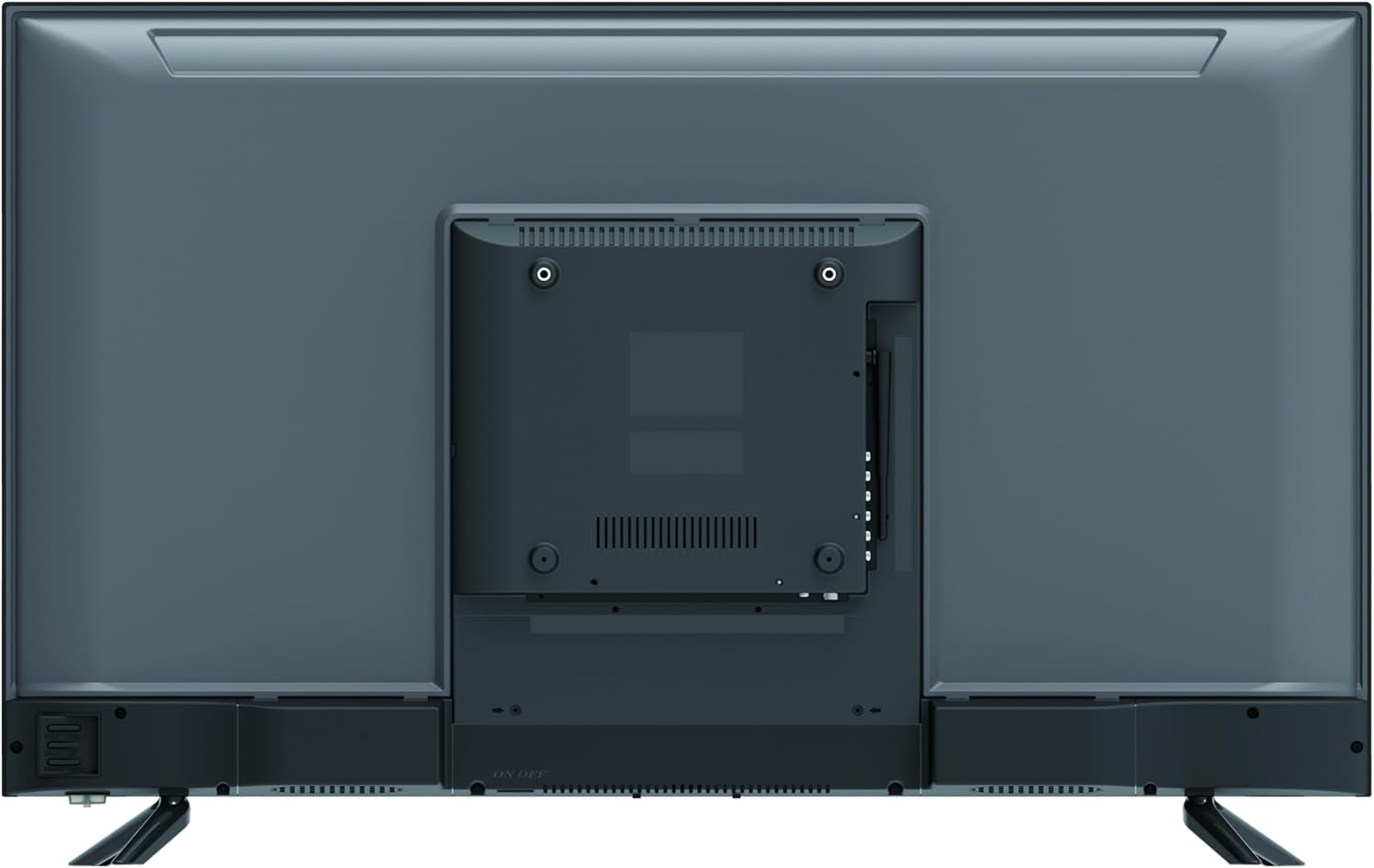
olusin 3: Ẹyìn view of the television, highlighting the input/output ports.
3. Ṣiṣẹ́ fún ìgbà àkọ́kọ́
- So okun agbara pọ si TV ati lẹhinna si iṣan ogiri.
- Tẹ bọtini agbara lori isakoṣo latọna jijin tabi lori TV funrararẹ.
- Tẹle awọn ilana loju iboju lati pari iṣeto akọkọ, pẹlu yiyan ede, asopọ nẹtiwọọki, ati ọlọjẹ ikanni.
Operating Your Television
Awọn iṣẹ iṣakoso latọna jijin
The remote control allows you to access all the television's features. Familiarize yourself with the main buttons:
- Agbara: Tan TV si tan tabi paa.
- Iṣawọle: Yan orisun titẹ sii (HDMI 1, HDMI 2, USB, ati bẹbẹ lọ).
- Iwọn didun (+/-): Ṣe atunṣe ipele iwọn didun.
- Ikanni (CH +/-): Ayipada awọn ikanni.
- Akojọ: Nwọle si akojọ aṣayan akọkọ fun awọn atunṣe eto.
- Awọn bọtini lilọ kiri (Soke/isalẹ/osi/ọtun): Lilọ kiri nipasẹ awọn akojọ aṣayan.
- O DARA/Tẹ sii: Jẹrisi awọn aṣayan.
- Pada/Jade: Returns to the previous screen or exits the menu.
Awọn iṣẹ ipilẹ
- Awọn ikanni Iyipada: Use the CH +/- buttons or enter the channel number directly.
- Iṣatunṣe Iwọn didun: Lo awọn bọtini VOL +/-.
- Yiyan Orisun Iṣawọle: Press the Input button and select the desired source from the list.
- Iwọle si Awọn ẹya Smart TV: As this TV runs on Android, connect to Wi-Fi to access streaming apps and other smart functionalities.
Itoju ati Itọju
- Ninu iboju: Rọra nu iboju naa pẹlu asọ ti ko ni lint. Fun awọn ami alagidi, dampen the cloth slightly with water or a specialized screen cleaner (do not spray directly onto the screen).
- Ninu ile Casing: Lo asọ asọ ti o gbẹ lati nu TV casing. Yago fun lilo abrasive ose tabi epo.
- Agbara Pa: Nigbati o ko ba wa ni lilo fun awọn akoko ti o gbooro sii, yọọ TV kuro ni iṣan agbara.
- Afẹfẹ: Rii daju pe awọn ṣiṣi atẹgun lori ẹhin TV ko ni idinamọ lati ṣe idiwọ igbona.
Laasigbotitusita
Ṣaaju ki o to kan si iṣẹ alabara, jọwọ tọka si tabili atẹle fun awọn ọran ti o wọpọ ati awọn ojutu wọn.
| Isoro | Owun to le Fa | Ojutu |
|---|---|---|
| Ko si agbara | Okun agbara ko sopọ; Agbara agbara ko ṣiṣẹ. | Check power cable connection; Try another outlet; Press power button on TV. |
| Ko si aworan, ṣugbọn ohun wa | A ti yan orisun titẹ sii ti ko tọ; Okun HDMI/AV ti ko ni wahala. | Tẹ awọn Iṣawọle button on the remote to select the correct source; Check cable connections. |
| Ko si ohun, ṣugbọn aworan wa | Volume is muted or too low; Audio settings incorrect. | Tẹ awọn Iwọn didun + button; Check audio settings in the TV menu. |
| Isakoṣo latọna jijin ko ṣiṣẹ | Batteries are depleted or inserted incorrectly; Obstruction between remote and TV. | Replace batteries; Ensure clear line of sight to the TV's IR sensor. |
| Awọn oran asopọ Wi-Fi | Ọ̀rọ̀ ìpamọ́ tí kò tọ́; Àwọn ìṣòro rédíò; TV ti jìnnà jù sí rédíò. | Verify Wi-Fi password; Restart your router; Move TV closer to router or use a Wi-Fi extender. |
Imọ ni pato
| Ẹya ara ẹrọ | Sipesifikesonu |
|---|---|
| Brand | Telefunken |
| Nọmba awoṣe | TLEDD-43FHDC |
| Iwon iboju | 43 inches |
| Ifihan ọna ẹrọ | DLED |
| Ipinnu | 1080p HD ni kikun (awọn piksẹli 1920 x 1080) |
| Oṣuwọn sọtun | 60 Hz |
| Eto isesise | Android |
| Asopọmọra | HDMI, USB, Wi-Fi |
| Lapapọ Awọn ibudo USB | 2 |
| Apakan Ipin | 16:9 |
| Awọn iwọn Ọja (D x W x H) | 19.5D x 96W x 60.7H sẹntimita |
| Àwọ̀ | Dudu |
Atilẹyin ọja ati Support
This Telefunken Full HD 43-Inch DLED Television comes with a 2-odun olupese ká atilẹyin ọja lati ọjọ ti o ra.
For technical assistance, troubleshooting beyond this manual, or to make a warranty claim, please contact your authorized Telefunken retailer or the Telefunken customer service department. Please have your model number (TLEDD-43FHDC) and proof of purchase ready when contacting support.


