1. Ifihan
Thank you for choosing the ILIFE A30 Pro Robot Vacuum Cleaner. This manual provides essential information for the safe and efficient operation, maintenance, and troubleshooting of your device. Please read it thoroughly before first use and retain it for future reference.

Image: The ILIFE A30 Pro robot vacuum, its self-emptying base, a remote control, and various cleaning accessories including brushes and dust bags.
2. Awọn Ilana Aabo pataki
To reduce the risk of injury or damage, read these safety instructions carefully and keep them accessible during the product's lifespan.
- Ohun elo yii le ṣee lo nipasẹ awọn ọmọde ti o jẹ ọdun 8 ati ju bẹẹ lọ ati awọn eniyan ti o dinku ti ara, ifarako tabi awọn agbara ọpọlọ tabi aini iriri ati imọ ti wọn ba ti fun wọn ni abojuto tabi itọnisọna nipa lilo ohun elo ni ọna ailewu ati loye awọn eewu ti o kan. .
- Awọn ọmọde yẹ ki o wa ni abojuto lati rii daju pe wọn ko ṣere pẹlu ohun elo naa.
- Ninu ati itọju olumulo ko le ṣe nipasẹ awọn ọmọde laisi abojuto.
- Lo oluyipada agbara atilẹba nikan ti olupese pese.
- Má ṣe lo robot náà ní àwọn ibi tí iná bá ṣí sílẹ̀ tàbí àwọn nǹkan tí ó jẹ́ ẹlẹ́gẹ́.
- Ensure the charging dock is placed against a wall on a level surface, with adequate clear space around it.
- Before cleaning, remove loose cables, small objects, and any items that could entangle the robot.
- Do not expose the robot or charging dock to water or moisture.
3. Eto Itọsọna
3.1 Unboxing ati Ibi Ibẹrẹ
Carefully remove all components from the packaging. Place the self-emptying station against a wall in an open area, ensuring there are no obstacles within 1 meter (3 feet) to the front and 0.5 meters (1.5 feet) to the sides. Connect the power adapter to the station and plug it into a wall outlet.

Image: The ILIFE A30 Pro self-emptying station with its lid open, showing a full dust bag inside and a stack of new dust bags next to it.
3.2 Ngba agbara si Robot
Place the robot onto the charging contacts of the self-emptying station. Ensure the contacts align. The robot will begin charging automatically. For first use, fully charge the robot, which may take several hours.
3.3 App Connection (ILIFEClean App)
- Download the 'ILIFEClean' app from your mobile device's app store.
- Forukọsilẹ iroyin ati ki o wọle.
- Follow the in-app instructions to add your ILIFE A30 Pro. Ensure your Wi-Fi network is 2.4GHz, as the robot is only compatible with this frequency.

Image: A person sitting on a couch, controlling the ILIFE A30 Pro robot vacuum and its self-emptying station using the ILIFEClean mobile application.
4. Awọn ilana Iṣiṣẹ
4.1 Initial Mapping and Navigation
The ILIFE A30 Pro utilizes LiDAR navigation and SLAM algorithms to create a detailed map of your home. For the first cleaning cycle, allow the robot to complete a full scan of your home without interruption to ensure accurate mapping and optimal cleaning routes.

Image: The ILIFE A30 Pro robot vacuum operating in a living room, with blue laser lines illustrating its LiDAR navigation and mapping capabilities.
4.2 Àwọn Ọ̀nà Ìmọ́tótó àti Agbára Fífàmọ́
The robot offers four adaptable cleaning modes:
- Dakẹ: 500 Pa suction for quiet operation.
- Iwọnwọn: 1000 Pa suction for daily cleaning.
- Lagbara: 1800 Pa suction for more demanding tasks.
- O pọju: 5000 Pa suction for deep cleaning, especially on carpets.
These modes can be selected via the ILIFEClean app or the remote control.

Image: The ILIFE A30 Pro robot vacuum cleaning a carpet, illustrating its powerful 5000 Pa suction capability with a rotating brush.
4.3 3-in-1 Functionality: Vacuum, Sweep, and Mop
The ILIFE A30 Pro features a 2-in-1 tank (200ml for dust, 200ml for water) allowing it to vacuum, sweep, and mop simultaneously. To use the mopping function, fill the water tank and attach the mop pad. If you only wish to vacuum, remove the mop pad holder.

Image: The ILIFE A30 Pro robot vacuum next to its self-emptying station, with an exploded view of its 2-in-1 dust and water tank and mop attachment, illustrating its 3-in-1 cleaning capability.
4.4 Awọn ẹya Iṣakoso Ọlọgbọn
Using the ILIFEClean app, you can:
- Set forbidden zones and virtual walls to restrict cleaning areas.
- Schedule cleaning times.
- Select specific rooms for cleaning.
- Adjust suction power and water level for mopping.
The robot also supports voice control via Amazon Alexa and Google Home, and can be operated with the included remote control.

Image: The ILIFE A30 Pro robot vacuum operating near a cat tree, with a visual representation of a 'forbidden zone' (red shaded area) and a 'virtual wall' (blue shaded area) to restrict its movement.
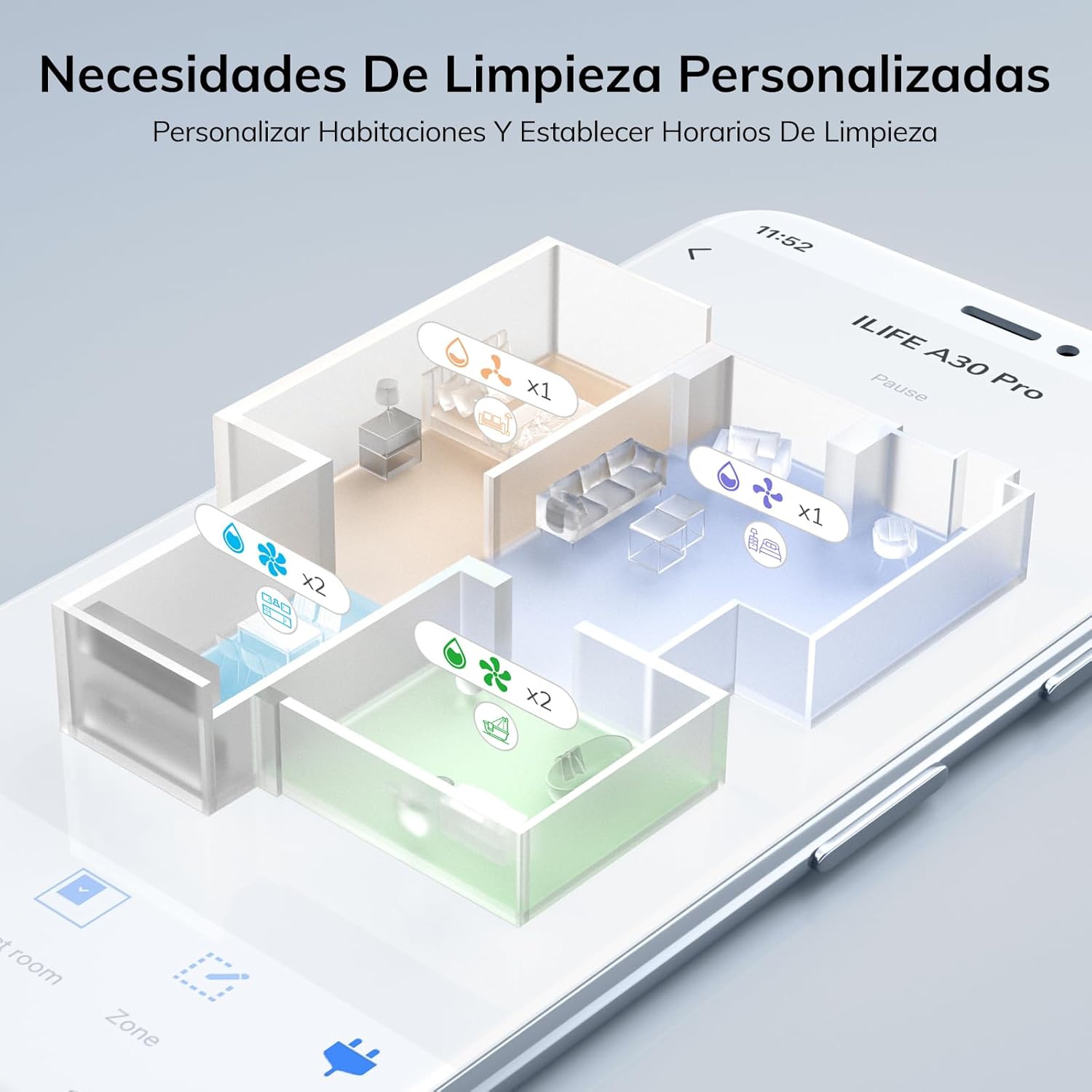
Image: A smartphone screen displaying the ILIFEClean app interface, showing a detailed map of a house with different rooms highlighted for personalized cleaning settings, including suction and water levels.

Image: The ILIFE A30 Pro robot vacuum, its self-emptying station, a smartphone displaying the control app, a remote control, and a smart speaker, illustrating multiple control options including app, voice, and remote.
5. Itọju
Regular maintenance ensures optimal performance and extends the lifespan of your ILIFE A30 Pro.
5.1 Self-Emptying Station and Dust Bag
The self-emptying station automatically transfers dust from the robot's dustbin into a larger 2.5L dust bag. Each dust bag can hold up to 8 weeks of debris, providing up to 280 days of hands-free cleaning with the included 5 bags. Replace the dust bag when the indicator light on the station signals it is full.
5.2 Ninu Fẹlẹ akọkọ ati Awọn gbọnnu ẹgbẹ
- Yí robot náà padà kí o sì yọ ìbòrí búrọ́ọ̀ṣì àkọ́kọ́ kúrò.
- Lift out the main brush and use the cleaning tool to remove hair and debris.
- Carefully pull off the side brushes and clean any entangled hair or dust. Reattach them securely.
5.3 Cleaning the 2-in-1 Dust/Water Tank
- Yọ ojò 2-in-1 kuro ninu robot naa.
- Empty the dust compartment and rinse it with water. Ensure it is completely dry before reinserting.
- Empty any remaining water from the water tank and rinse. Allow it to air dry.
- Clean the filter inside the dust compartment regularly.
5.4 Awọn sensọ mimọ ati Awọn olubasọrọ gbigba agbara
Wipe the cliff sensors, wall sensors, and charging contacts on both the robot and the charging station with a clean, dry cloth to ensure proper function.
6. Laasigbotitusita
If you encounter issues with your ILIFE A30 Pro, refer to the following common problems and solutions:
- Robot does not charge: Ensure the charging contacts on both the robot and the station are clean and free of debris. Verify the power adapter is securely plugged into the wall outlet and the station.
- Rọ́bọ́ọ̀tì máa ń di mọ́lẹ̀ nígbà gbogbo: Clear obstacles, loose cables, and thick rugs from the cleaning path. Use the app to set forbidden zones for problematic areas.
- Iṣe mimọ ti ko dara: Check if the dustbin is full or the dust bag in the station needs replacement. Clean the main brush, side brushes, and filters. Increase suction power via the app.
- Awọn iṣoro asopọ ohun elo: Ensure your Wi-Fi network is 2.4GHz. Restart your router, the robot, and your mobile device. Try re-pairing the robot with the app.
- Robot makes unusual noises: Check for foreign objects or entangled hair in the main brush, side brushes, or wheels.
Ti iṣoro naa ba wa, jọwọ kan si atilẹyin alabara.
7. Awọn pato
| Ẹya ara ẹrọ | Sipesifikesonu |
|---|---|
| Brand | iLife |
| Orukọ awoṣe | A30 Pro |
| Agbara afamora | Up to 5000 Pa (Max Mode) |
| Lilọ kiri Iru | LiDAR Precision Navigation |
| Batiri Runtime | Titi di wakati 2 iṣẹju 30 |
| Dust Bin Capacity (Robot) | 200 ml (integrated with water tank) |
| Water Tank Capacity (Robot) | 200 ml (integrated with dust bin) |
| Agbara Apọju Eruku Ti O N Fun Ara Rẹ | 2.5 L |
| Asopọmọra | 2.4GHz WiFi, ILIFEClean App, Remote Control, Alexa, Google Home |
| Niyanju Awọn ipele | Wood, Tile, Laminate, Vinyl, Concrete, Marble |
| Iwọn | 6.7 kg (approximate product weight) |
8. atilẹyin ọja Information
For detailed warranty information, please refer to the warranty card included with your product packaging or contact your point of purchase. Warranty terms and conditions may vary by region and retailer.
9. Onibara Support
If you have any questions or require further assistance with your ILIFE A30 Pro, please contact ILIFE customer support through the official webaaye tabi alaye olubasọrọ ti a pese ninu iwe ọja rẹ.


