1. Ifihan
Thank you for choosing the Philips Pure Protect Mini 900 Air Purifier, model AC0921/14. This device is designed to provide you with cleaner, healthier air by effectively removing pollutants, allergens, viruses, and bacteria from your indoor environment. Its compact and elegant design makes it a perfect addition to any space, offering powerful purification with quiet operation and energy efficiency.
To ensure optimal performance and safe operation, please read this user manual thoroughly before using the appliance. Keep this manual for future reference.
2. Alaye Aabo pataki
Always follow basic safety precautions when using electrical appliances to reduce the risk of fire, electric shock, and injury. This section outlines critical safety guidelines for the Philips Pure Protect Mini 900 Air Purifier.
Gbogbogbo Abo
- Rii daju voltage itọkasi lori ohun elo ibaamu agbara agbegbe voltage ṣaaju ki o to sopọ.
- Ma ṣe ṣiṣẹ ohun elo ti plug, okun agbara, tabi ohun elo funrararẹ ba bajẹ.
- Keep the appliance away from water, moisture, and flammable substances.
- Ohun elo yii kii ṣe ipinnu fun lilo nipasẹ awọn eniyan (pẹlu awọn ọmọde) pẹlu idinku ti ara, imọlara, tabi awọn agbara ọpọlọ, tabi aini iriri ati imọ, ayafi ti wọn ba ti fun wọn ni abojuto tabi itọnisọna nipa lilo ohun elo nipasẹ eniyan ti o ni iduro fun aabo wọn. .
- Awọn ọmọde yẹ ki o wa ni abojuto lati rii daju pe wọn ko ṣere pẹlu ohun elo naa.
- Yọọ ohun elo ṣaaju ṣiṣe mimọ tabi ṣiṣe itọju eyikeyi.
Ibi ati Lilo
- Place the air purifier on a stable, flat, and horizontal surface.
- Maintain at least 20 cm (8 inches) clearance from walls or other objects to ensure proper airflow.
- Ma ṣe dina ẹnu-ọna afẹfẹ tabi iṣan.
- Do not use the appliance in rooms with large temperature changes, as this may cause condensation.
- Ma ṣe fi awọn ika ọwọ tabi awọn nkan miiran sinu iṣan afẹfẹ.
3. Ọja Ipariview
The Philips Pure Protect Mini 900 Air Purifier is designed for efficient air purification in rooms up to 65 square meters, delivering a Clean Air Delivery Rate (CADR) of 250 m³/h. It features a multi-layer filtration system and smart sensing technology.
Ẹgbẹ akọkọ
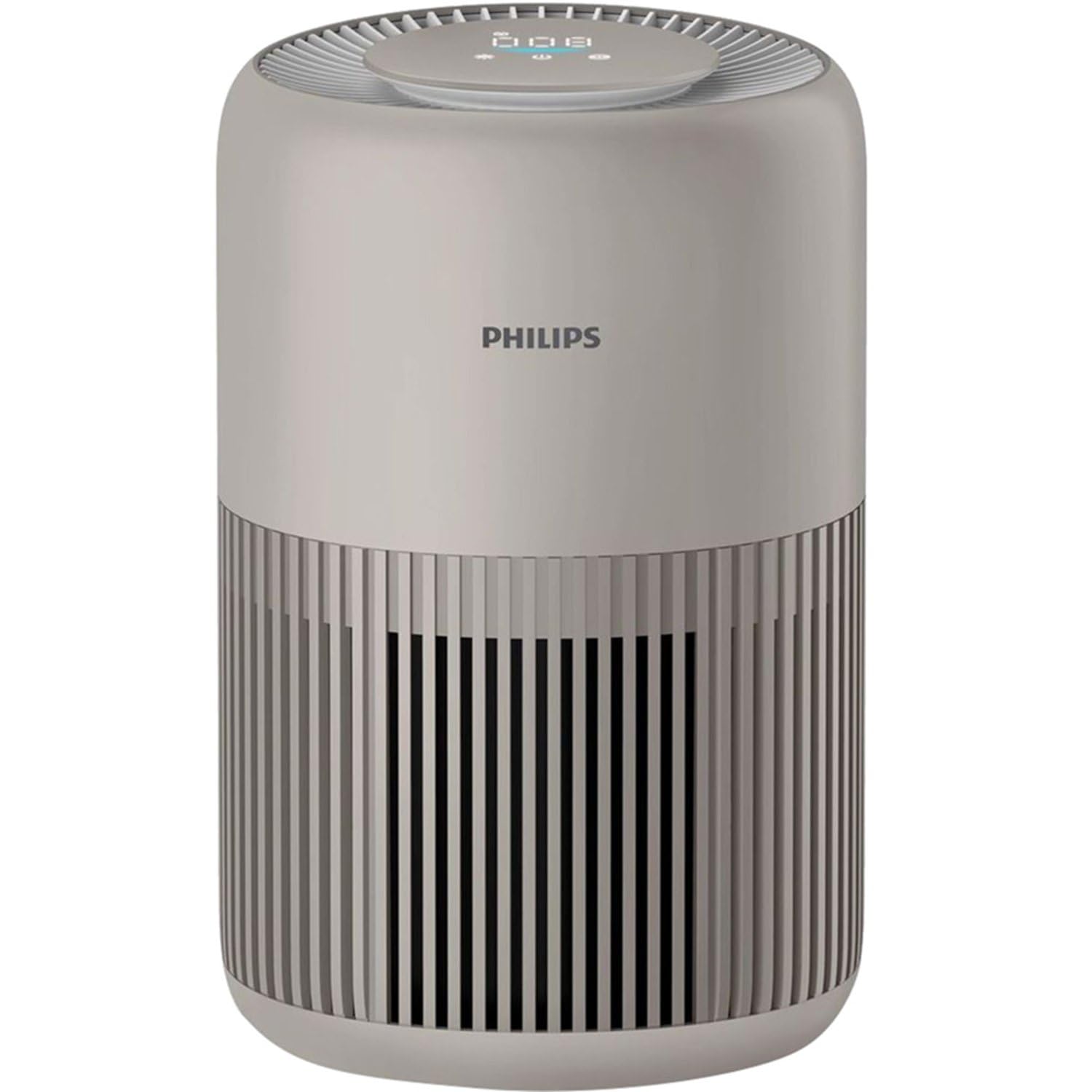
The Philips Pure Protect Mini 900 Air Purifier, showcasing its compact design and air intake grille.

This image illustrates the side of the air purifier, highlighting the removable panel for filter access and replacement.
Ibi iwaju alabujuto
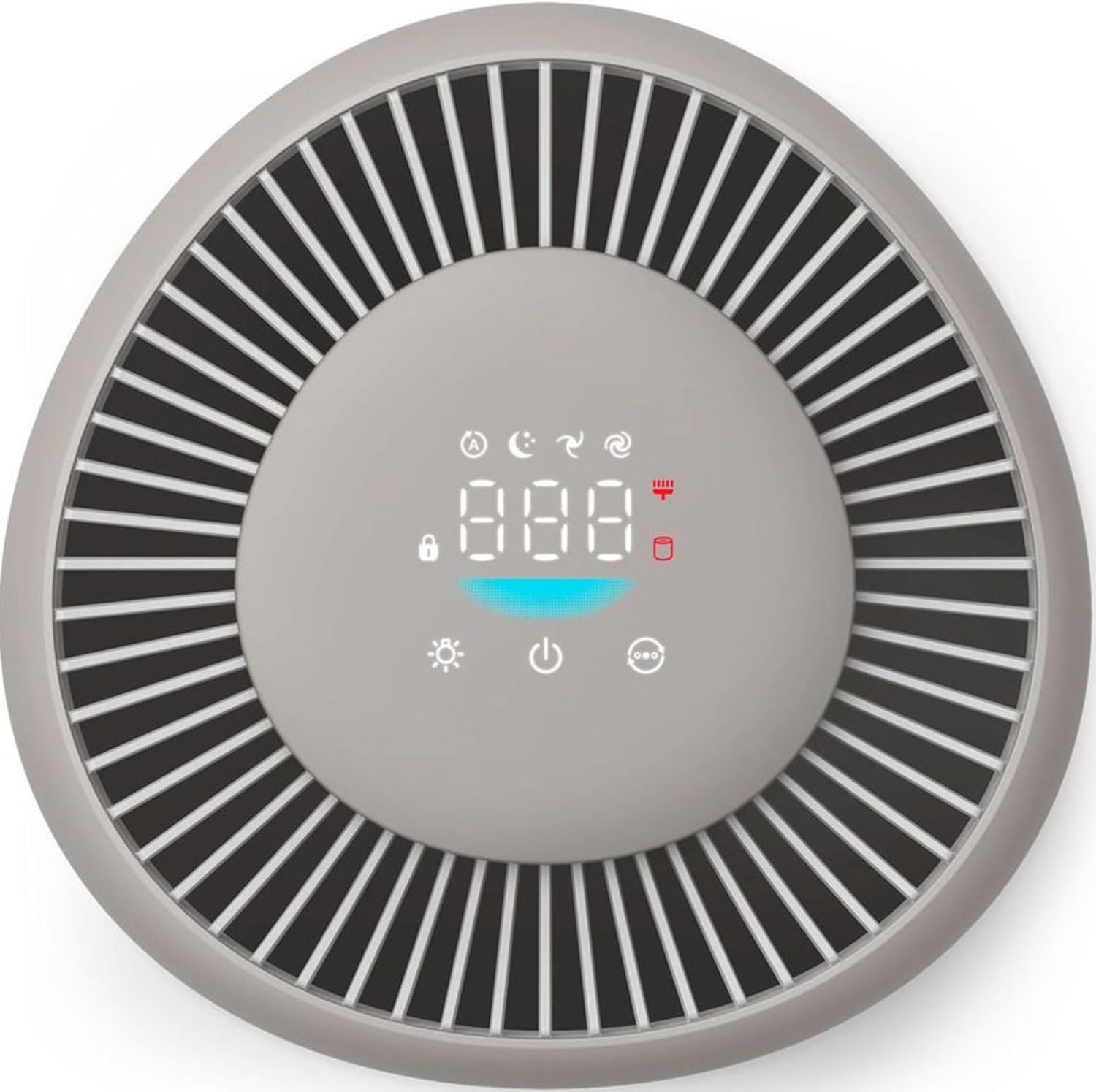
The top control panel features a digital display for air quality and various touch controls for operating modes and settings.
Sisẹ System

An illustration detailing the two-layer filtration system, including the pre-filter for larger particles and the HEPA NanoProtect filter for ultrafine particles.
The air purifier uses a two-layer HEPA filtration system that captures 99.97% of particles as small as 0.003 microns, including dust, pollen, pet dander, mold spores, viruses (like H1N1 and Hcov-E229), and bacteria.
4. Eto
Tẹ̀lé àwọn ìgbésẹ̀ wọ̀nyí láti ṣètò ẹ̀rọ ìwẹ̀nùmọ́ afẹ́fẹ́ rẹ fún ìgbà àkọ́kọ́.
Ṣiṣi silẹ
- Yọ afẹfẹ purifier kuro ninu apoti rẹ.
- Yọ gbogbo ohun èlò ìdìpọ̀ kúrò, títí kan fíìmù ààbò tàbí teepu èyíkéyìí.
Fi sori ẹrọ Ajọ
- Open the filter access panel on the side of the appliance.
- Remove the filter from its protective plastic packaging.
- Insert the filter into the appliance, ensuring it is seated correctly.
- Pa nronu wiwọle àlẹmọ ni aabo.
Ipo
For optimal performance, place the air purifier in a location where air can circulate freely.
- Gbe ẹyọ naa sori ilẹ ti o duro, ipele ipele.
- Ensure there is at least 20 cm (8 inches) of clear space around the air inlet and outlet.
- Avoid placing it directly against a wall or under a shelf that might obstruct airflow.

The compact air purifier placed safely near a baby's crib, illustrating its use in sensitive environments.

The air purifier positioned in a bedroom, emphasizing its suitability for allergy sufferers and its certified performance.
Asopọ agbara
So okùn iná mọ́ ibi tí iná ti lè jáde. Ohun èlò náà ti ṣetán láti ṣiṣẹ́ báyìí.
5. Awọn ilana Iṣiṣẹ
Learn how to use the various functions of your Philips Pure Protect Mini 900 Air Purifier.
Titan / Paa
- To turn on the appliance, touch the power button on the control panel.
- To turn off the appliance, touch and hold the power button for 3 seconds.
Aṣayan Ipo
The air purifier offers several operating modes:
- Ipo Aifọwọyi: The appliance intelligently adjusts its fan speed based on real-time air quality detected by the Air Sense technology.
- Ipo orun: Operates at an ultra-low noise level (20.5 dB) with dimmed display lights for undisturbed sleep.
- Iyara Afowoyi: Gba ọ laaye lati yan iyara afẹfẹ ti o fẹ pẹlu ọwọ.

This graphic demonstrates the ultra-quiet operation of the air purifier in sleep mode, operating at just 20.5 dB, quieter than a whisper.
Air Didara Ifihan
The digital display on the control panel shows real-time air quality information, including PM2.5 levels. The Air Sense technology scans the air 1000 times per second to detect pollutants and gases.
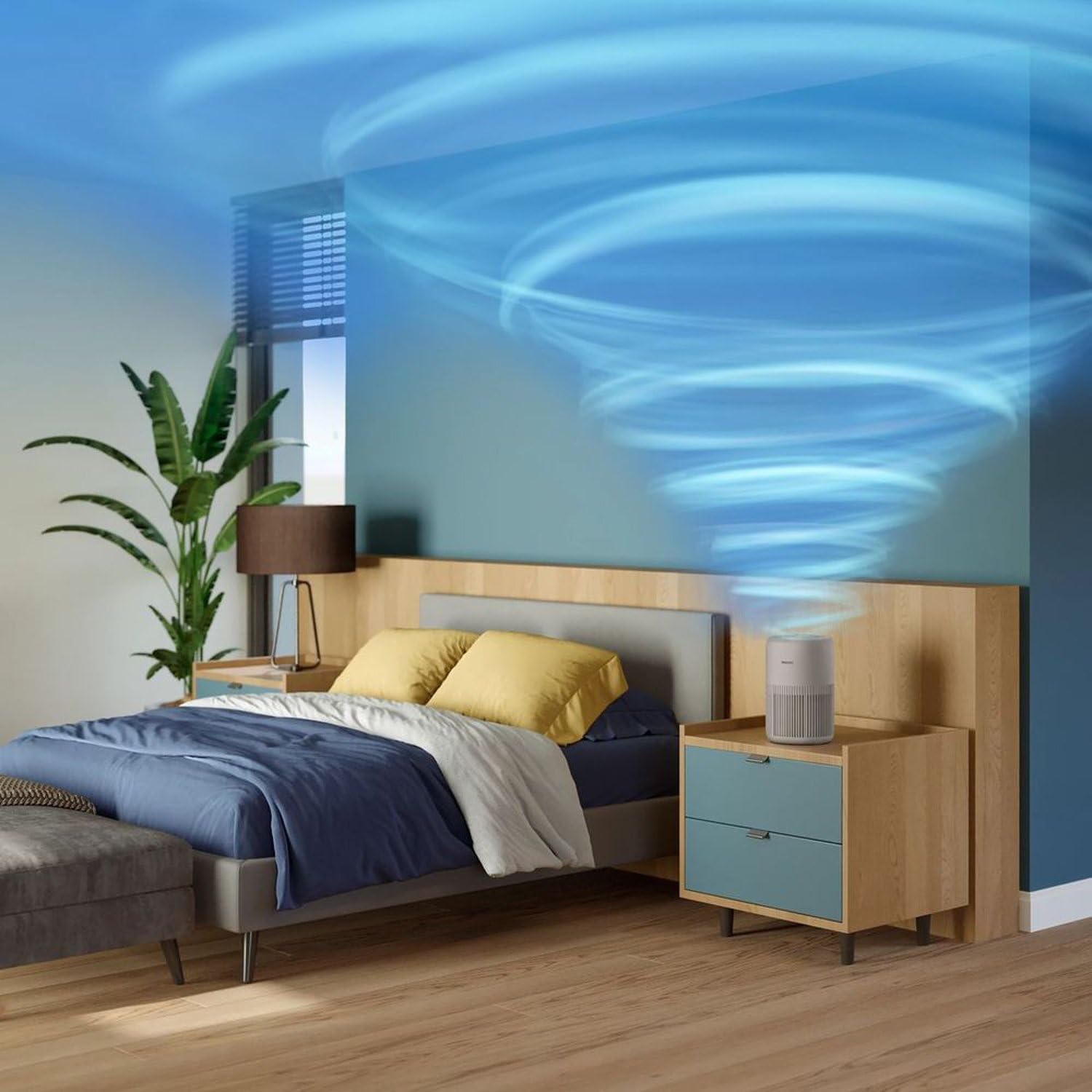
An animated representation showing how the air purifier effectively circulates and cleans air throughout a room.

This image visualizes the air intake process from the bottom and sides, and the release of purified air from the top of the device.
Iṣakoso ina
The digital display light can be dimmed or turned off, especially useful during nighttime operation in Sleep Mode, to minimize light disturbance.
6. Itọju
Regular maintenance ensures your air purifier continues to operate efficiently and effectively.
Àlẹmọ Rirọpo
The air purifier calculates filter life and will alert you when replacement is needed. Original Philips filters ensure optimal performance for up to one year.
- Paa ati yọọ ohun elo naa kuro.
- Open the filter access panel.
- Yọ àlẹmọ ti a lo kuro ki o si sọ ọ daradara.
- Unpack the new filter and insert it into the appliance.
- Pa nronu wiwọle àlẹmọ.
- Plug in and turn on the appliance. Reset the filter lifetime indicator as per the instructions in the full manual (if applicable).
Ninu Ode
Wipe the exterior of the appliance with a soft, dry cloth regularly. Do not use abrasive cleaners or solvents.
Mimọ Sensọ Didara Air
The air quality sensor should be cleaned every two months for accurate readings. Use a soft brush or cotton swab to gently clean the sensor lens and dust inlet/outlet.
7. Laasigbotitusita
This section addresses common issues you might encounter with your air purifier.
| Isoro | Owun to le Fa | Ojutu |
|---|---|---|
| Ohun elo ko tan. | Kò sí okùn agbára tó wà níbẹ̀ dáadáa. Kò sí agbára láti inú ihò ìtajà. | Ṣàyẹ̀wò ìsopọ̀ okùn agbára. Ṣe ìdánwò ibi ìjáde pẹ̀lú ẹ̀rọ mìíràn. |
| Air quality reading seems incorrect. | Air quality sensor is dirty. | Clean the air quality sensor as described in the Maintenance section. |
| Ariwo dani nigbati isẹ. | Filter not installed correctly. Obstruction in the fan. | Check filter installation. Turn off and unplug, then inspect for obstructions. |
| Afẹfẹ ko lagbara. | Filter is clogged or needs replacement. Air inlets/outlets are blocked. | Check filter status and replace if necessary. Ensure no obstructions around the appliance. |
Ti iṣoro naa ba wa lẹhin igbiyanju awọn ojutu wọnyi, jọwọ kan si atilẹyin alabara Philips.
8. Awọn pato
Technical details for the Philips Pure Protect Mini 900 Air Purifier (AC0921/14).
| Ẹya ara ẹrọ | Ẹ̀kúnrẹ́rẹ́ |
|---|---|
| Brand | Philips |
| Nọmba awoṣe | AC0921 |
| Àwọ̀ | Alagara |
| Awọn iwọn Ọja (D x W x H) | 24 x 36.4 x 23.8 cm |
| Iwọn Nkan | 2.5 kilo |
| Orisun agbara | Okun Itanna |
| Ọna Iṣakoso | Fọwọkan |
| Àlẹmọ Iru | HEPA |
| Oṣuwọn Ifijiṣẹ Afẹfẹ (CADR) | 250 m³/wakati |
| Munadoko Yara Iwon | Ti o to 65 m² |
| Ipele Ariwo (Ipo Orun) | 20.5 dB |
| Lilo Agbara (O pọju) | 21 Wattis |
9. Atilẹyin ọja ati Support
Philips products are designed for durability and sustainability, undergoing rigorous testing to ensure continuous operation. This product comes with a standard manufacturer's warranty.
Alaye atilẹyin ọja
Please refer to the warranty card included with your product for detailed terms and conditions. Keep your purchase receipt as proof of purchase for warranty claims.
Onibara Support
For technical assistance, product registration, or to find replacement parts and filters, please visit the official Philips support website or contact your local Philips customer service center. Contact details can typically be found in the warranty booklet or on the Philips webojula.