1. Ọja Ipariview
The Godox ML100R is a compact and powerful RGB LED video light designed for various photography and videography applications. It features full-color output, a wide color temperature range, and app control capabilities.

Image 1.1: Godox ML100R RGB LED Video Light with its standard reflector.
Awọn ẹya pataki:
- Full Color and Wide Compatibility: Innovative mixing technology for even lighting, GM adjustability for precise color correction, and a wide color temperature range from 1800K to 10000K.
- 110W Powerful Light Source: Provides 110W continuous output with CRI 95+ / TLCI 95+ for accurate color reproduction.
- Fúyẹ́ àti Agbégbé: Compact design (122x110x46mm / 4.8x4.3x1.8 inches) and lightweight (487g) for easy transport and setup.
- Awọn aṣayan Agbara to pọ: Supports AC power supply (via included DC adapter) and various portable battery solutions, including the Battery Grip BG02 (not included).
- Fun-packed Accessories: Equipped with Godox Mount for compatibility with a range of compact modifiers.
- APP Control, 14 FX Light Effects: Adjust HSI or CCT, control multiple lights simultaneously via the Godox Light App. Includes 14 pre-programmed special effects.
2. Ohun ti o wa ninu Apoti
Daju pe gbogbo awọn ohun ti a ṣe akojọ rẹ si isalẹ wa ninu package rẹ. Ti awọn ohun kan ba nsọnu tabi bajẹ, jọwọ kan si alagbata rẹ.

Image 2.1: All components included in the Godox ML100R package.
| Nkan | Opoiye |
|---|---|
| Ara Imọlẹ | 1 |
| Lẹnsi Reflector ML-L15 | 1 |
| Adapter | 1 |
| Lamp Ori Idaabobo Ideri | 1 |
| AC Agbara okun | 1 |
| Holder AD-E2 | 1 |
| Apo ipamọ | 1 |
3. Eto
3.1 Attaching the Reflector and Protective Cover
- Align the Lens Reflector ML-L15 or the Lamp Head Protective Cover with the front of the light body.
- Twist clockwise until it locks securely into place.
3.2 Iṣagbesori Light
- Attach the Holder AD-E2 to the bottom of the ML100R light body.
- Mount the assembled light onto a light stand or tripod using the holder.
- Adjust the angle as needed and tighten the locking knob on the holder.
3.3 Agbara Imọlẹ
The ML100R offers multiple power options:

Image 3.1: Different power supply methods for the ML100R.
- Ipese Agbara AC: Connect the included DC adapter to the light's power input and then to a wall outlet using the AC power cord.
- Portable Battery Solutions: The light supports various portable battery options for mobile use. These include the Battery Grip BG02, AK-B02 V-mount battery supply, AK-B01 NPF battery supply, and USB-C power banks. (Batteries and specific grips/cables may be sold separately).
4. Awọn ilana Iṣiṣẹ
4.1 Agbara Tan / Pa
Press and hold the power button located on the side of the light to turn it on or off.
4.2 Adjusting Color Temperature (CCT Mode)
In CCT mode, you can adjust the color temperature from 1800K (warm) to 10000K (cool) to match ambient light or achieve desired creative effects.
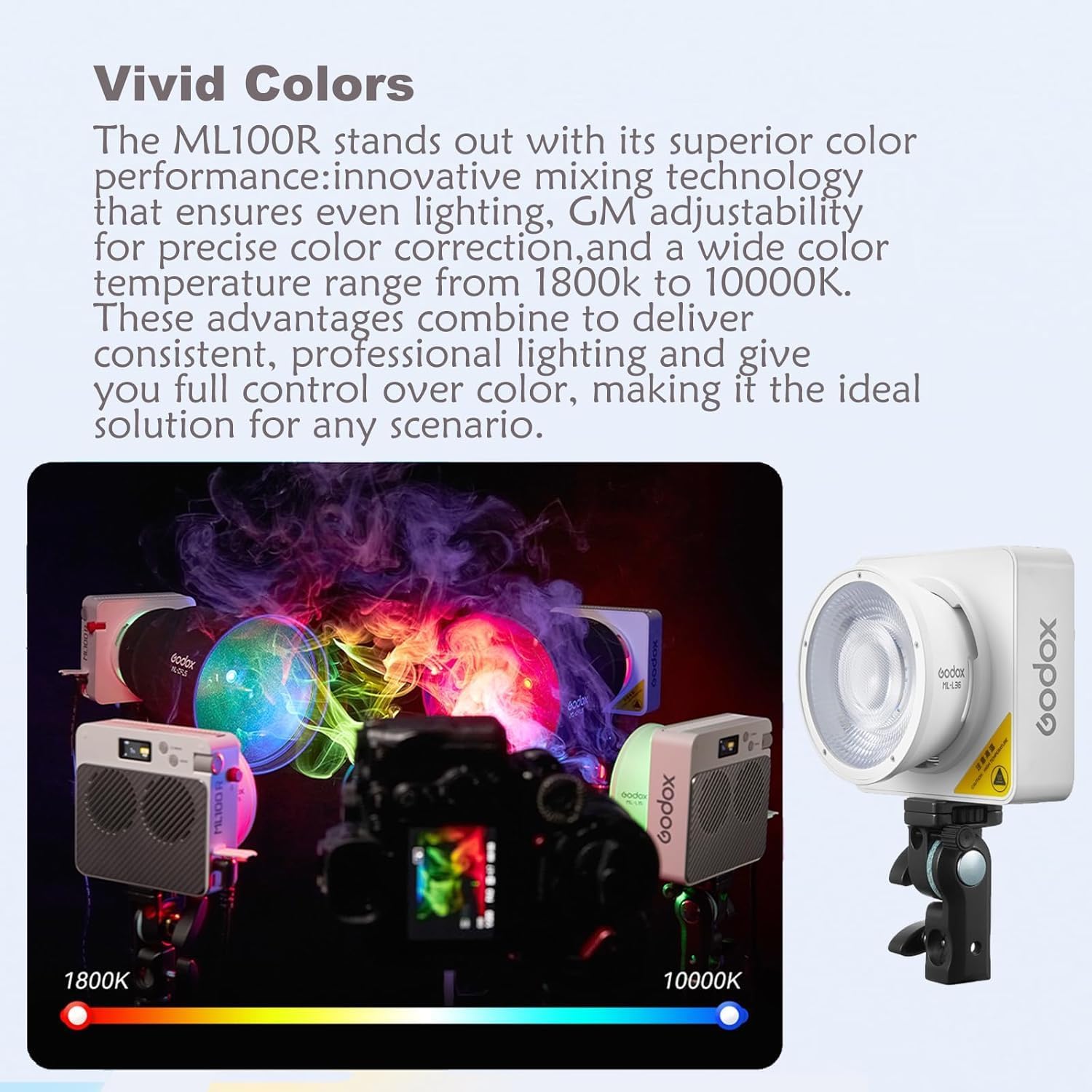
Image 4.1: Visual representation of the ML100R's color temperature range.
4.3 Adjusting RGB Colors (HSI Mode)
The ML100R offers full RGB color control, allowing you to select any color from the spectrum. Adjust Hue, Saturation, and Intensity (HSI) to achieve precise color output.
4.4 FX Light Effects
The ML100R includes 14 pre-programmed special effects to simulate various scenarios:
- Ayika RGB
- Party
- Filaṣi
- Monomono
- Bugbamu
- TV
- Candle
- Ina
- Ise ina
- Alurinmorin
- Olopa Car
- SOS
- Awọsanma
- Bọlubu Baje
4.5 App Control (Godox Light App)
Download the "Godox Light" app from your device's app store to control the ML100R wirelessly via Bluetooth. The app allows for precise adjustments of HSI, CCT, and FX modes, and can control multiple lights simultaneously.
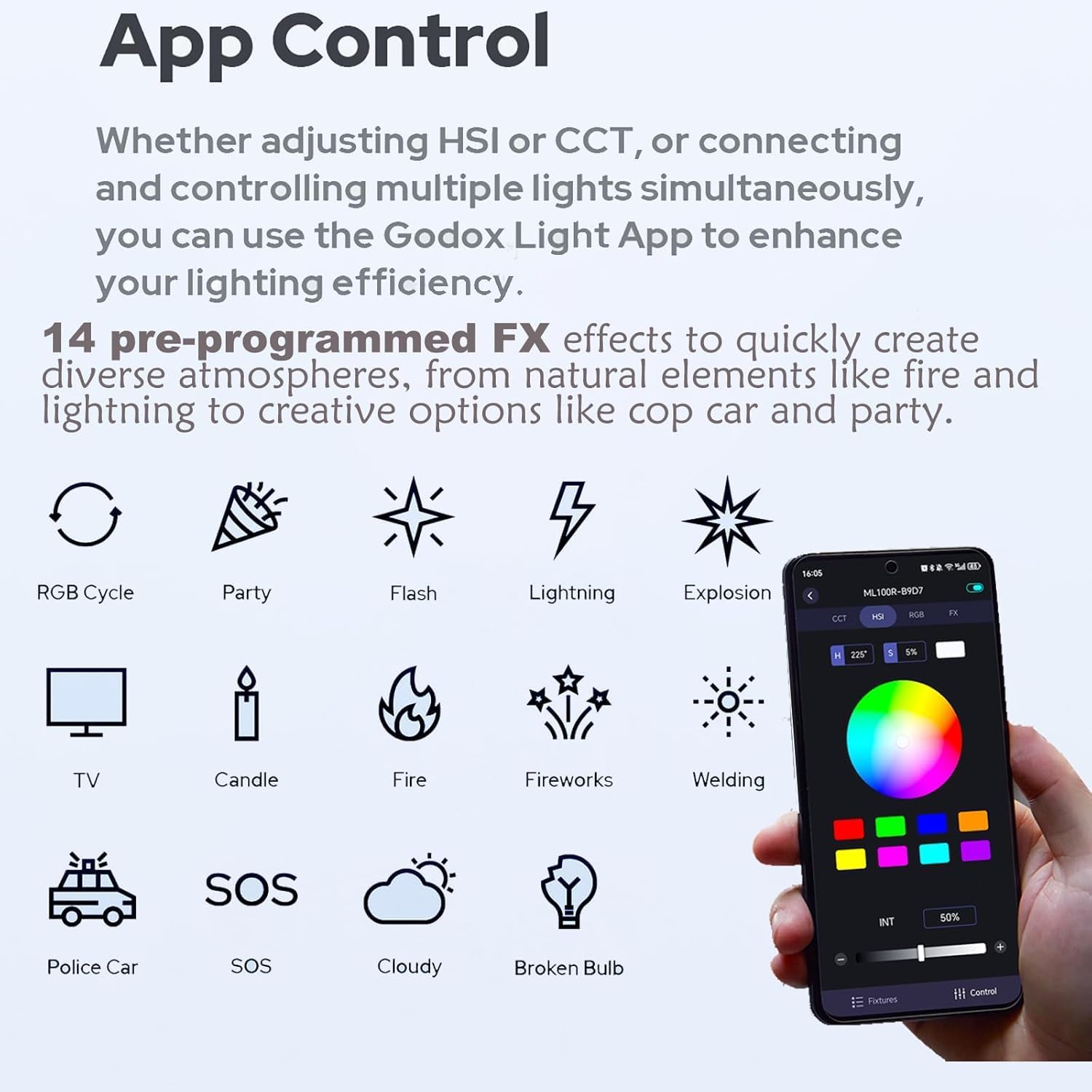
Image 4.2: Godox Light App interface for remote control.
4.6 Lilo Awọn ẹya ẹrọ
The Godox Mount allows for attachment of various compact modifiers to expand creative lighting possibilities. Examples include the Mini Projection Attachment ML-SP, Collapsible Fresnel Attachment ML-CFL5, and Air Soft Tube ML-S1A (accessories sold separately).
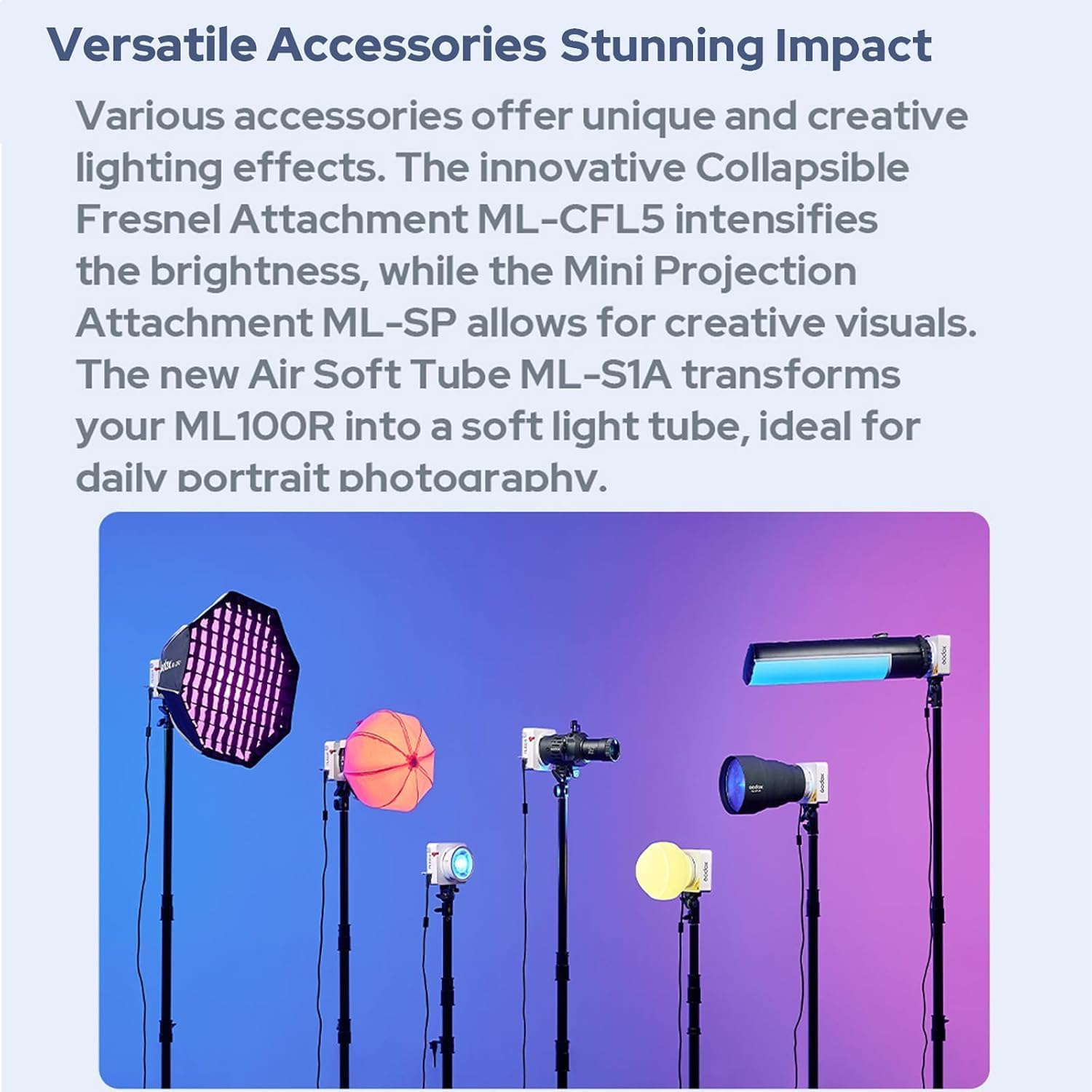
Image 4.3: ML100R with various compatible accessories.
5. Itọju
- Ninu: Use a soft, dry cloth to clean the light body. Do not use harsh chemicals or abrasive materials.
- Ibi ipamọ: Store the light in its protective storage bag in a cool, dry place when not in use. Avoid extreme temperatures and humidity.
- Mimu: Handle the light with care. Avoid dropping or subjecting it to strong impacts.
- Afẹfẹ: Ensure the ventilation grilles are clear of obstructions during operation to prevent overheating.
6. Laasigbotitusita
- Imọlẹ ko tan:
- Check power connection: Ensure the AC adapter is properly connected to the light and a power source, or that the battery is charged and correctly installed.
- Verify power button: Ensure the power button is pressed and held sufficiently to activate the unit.
- Ìjáde ìmọ́lẹ̀ kò dúró ṣinṣin tàbí ó ń tàn yòò:
- Check power source: Ensure a stable power supply. If using batteries, check battery level.
- Environmental factors: Avoid operating in extremely hot or cold conditions.
- Iṣakoso ohun elo ko ṣiṣẹ:
- Bluetooth connection: Ensure Bluetooth is enabled on your mobile device and the light.
- App version: Update the Godox Light App to the latest version.
- Restart: Try restarting both the light and your mobile device.
- Ikilọ igbona pupọ:
- Check ventilation: Ensure no objects are blocking the air vents on the light.
- Reduce intensity: Lower the light intensity to reduce heat generation.
- Allow to cool: Turn off the light and allow it to cool down before resuming operation.
If problems persist, contact Godox customer support or your retailer for assistance.
7. Awọn pato

Image 7.1: Dimensions of the Godox ML100R.
| Sipesifikesonu | Iye |
|---|---|
| Nọmba awoṣe | ML100R |
| Ọja Mefa | 4.8 x 4.33 x 1.81 inches |
| Iwọn Nkan | 1.03 pounds (487g excluding lens reflector) |
| Iwọn Iwọn Awọ | 1800K-10000K |
| Ijade agbara | 110W |
| CRI / TLCI | 95+ / 95+ |
| Asopọmọra Technology | Bluetooth |
| Oke Iru | Godox òke |
| UPC | 850071741537 |
| ASIN | B0DZP3KT7F |
8. Atilẹyin ọja ati Support
This product is covered by a manufacturer's warranty. Please refer to the warranty card included in your package for specific terms and conditions. For technical support, service, or warranty claims, please contact your authorized Godox dealer or visit the official Godox webojula fun alaye olubasọrọ.
Tọju iwe-ẹri rira rẹ bi ẹri rira fun awọn idi atilẹyin ọja.


