1. Ifihan
Welcome to the DOOGEE Tab A9 Pro user manual. This guide provides essential information to help you set up, operate, and maintain your new Android tablet. Please read this manual thoroughly before using the device to ensure proper functionality and safety.
2. Ohun ti o wa ninu Apoti
The DOOGEE Tab A9 Pro package includes the following items:
- 1 x DOOGEE Tab A9 Pro Tablet
- 1 x Okun USB Iru-C
- 1 x Ṣaja
- 1 x SIM Ejector Pin
- 1 x Apoti apoti
- 1 x Itọsọna olumulo
- 1 x Kaadi atilẹyin ọja
- 1 x Oluboju iboju (ti a fi lo)
3. Ọja Ipariview
The DOOGEE Tab A9 Pro features a sleek design and powerful components for an optimal user experience.
Awọn ẹya pataki:
- Ifihan: 10.1-inch IPS HD Ultra-Clear Display (1280x800 pixels, 16.7 million colors, 16:10 aspect ratio, 1200:1 contrast, 2.5D cover glass).
- Olupilẹṣẹ: Unisoc T310 Quad-core, 2 GHz.
- Iranti & Ibi ipamọ: 20GB RAM (4GB base + 16GB virtual), 128GB ROM, expandable up to 2TB with microSD.
- Batiri: 6580 mAh Lithium battery for extended use.
- Awọn kamẹra: 8MP Rear Camera, 5MP Front Camera.
- Eto isesise: Android 15.
- Asopọmọra: Wi-Fi (2.4G/5G), Bluetooth 5.0.
- Ohun: Dual 1217 BOX Speakers, 3.5mm Audio Jack.
- Aabo: Ṣii silẹ oju.
- Awọn iwọn: 24.53 x 16.33 x 0.99 cm; 478 grams.
Awọn eroja ti ara:
Familiarize yourself with the tablet's physical layout.
Nọmba 3.1: Iwaju ati sẹhin view of the DOOGEE Tab A9 Pro Tablet.

olusin 3.2: Apa view showing power button, volume controls, and ports.

Figure 3.3: Available color options for the DOOGEE Tab A9 Pro Tablet.
4. Eto
4.1 Ibẹrẹ Agbara Lori
- Tẹ bọtini agbara ti o wa ni ẹgbẹ tabulẹti naa ki o si mu titi aami DOOGEE yoo fi han.
- Tẹle awọn itọnisọna loju iboju lati yan ede rẹ, sopọ si nẹtiwọki Wi-Fi, ki o si ṣeto akọọlẹ Google rẹ.
4.2 Ngba agbara si Batiri naa
Before first use, fully charge the tablet's battery.
- Connect the USB Type-C cable to the tablet's charging port.
- So opin miiran ti okun pọ mọ ṣaja ti a pese, lẹhinna pulọọgi ṣaja sinu iṣan agbara kan.
- Atọka gbigba agbara yoo han loju iboju.

Figure 4.1: Illustration of the 6580 mAh high-capacity battery.
4.3 Fi kaadi MicroSD sii
To expand storage, insert a microSD card (sold separately).
- Wa atẹ kaadi SIM/microSD ni ẹgbẹ ti tabulẹti.
- Fi PIN ejector SIM sinu iho kekere ti o wa nitosi atẹ naa lati ṣii rẹ.
- Gbe kaadi microSD sinu aaye ti a yan lori atẹ.
- Rọra Titari atẹ naa pada sinu tabulẹti titi ti o fi tẹ sinu aaye.

Figure 4.2: Storage capacity details, including expandable memory.
5. Awọn ilana Iṣiṣẹ
5.1 Lílọ kiri lórí Android 15
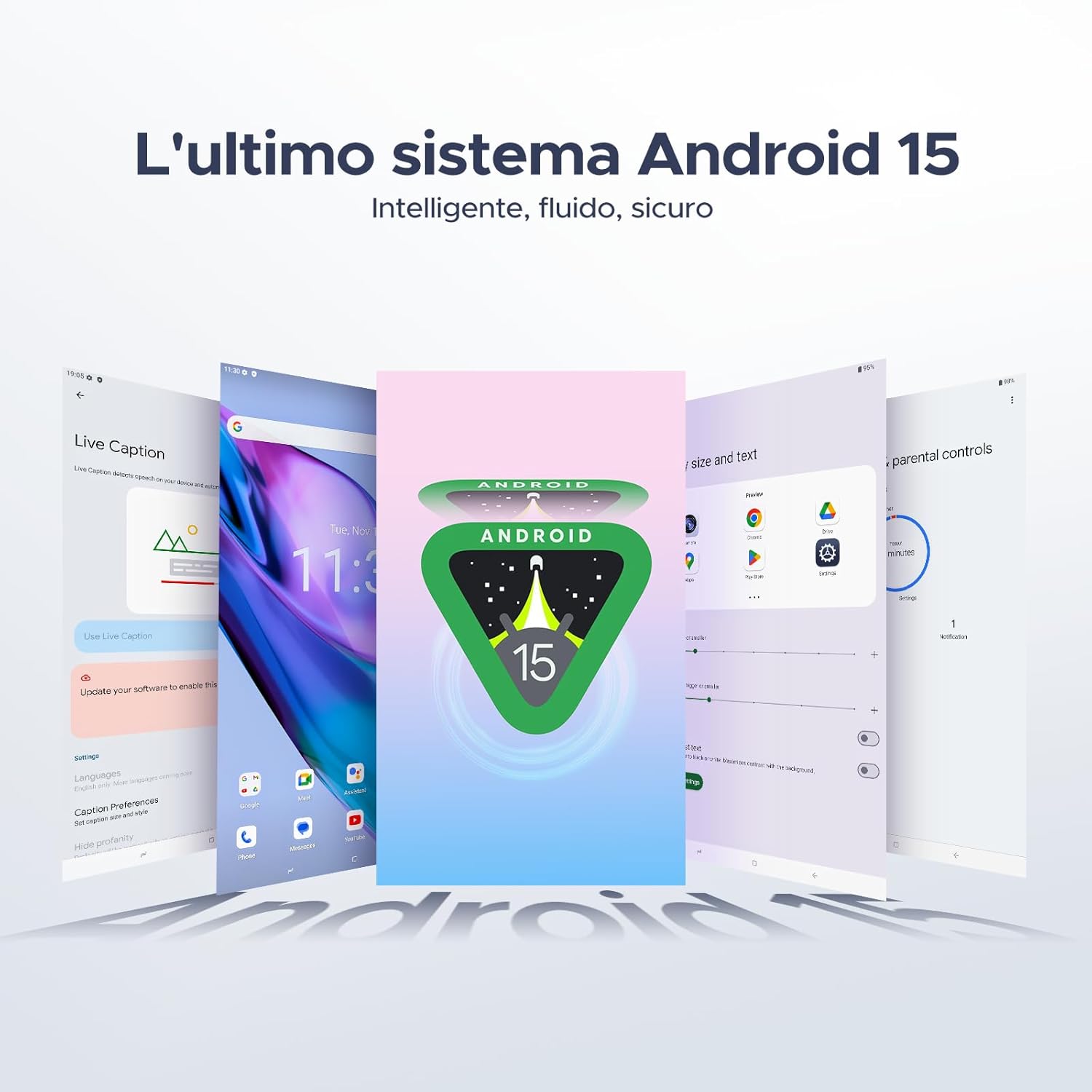
Your tablet runs on the latest Android 15 system, offering an intelligent, fluid, and secure experience.

Figure 5.1: The Android 15 operating system interface.
5.2 Ifihan Awọn ẹya ara ẹrọ
The 10.1-inch IPS HD display provides a wide visual field. Utilize features like Eye-Caring Mode and Dark Mode for enhanced viewinu itunu.

Figure 5.2: Details of the 10.1-inch IPS HD Ultra-Clear Display.

Figure 5.3: Eye-Caring Mode and Dark Mode for visual comfort.
5.3 kamẹra Lilo
Capture moments with the 8MP main camera and take clear selfies or video calls with the 5MP front camera. The tablet also supports Beauty Mode and Google Smart Camera features.

Figure 5.4: The 8MP main camera for clear photos.

Figure 5.5: The 5MP front camera for selfies and video calls.

Figure 5.6: Beauty Mode for enhancing photos.

Figure 5.7: Google Smart Camera features for enhanced photography.
5.4 Audio ati Asopọmọra
Enjoy clear audio through the dual 1217 BOX speakers or connect headphones via the 3.5mm audio jack. The tablet supports Wi-Fi 5 (2.4G/5G) for stable and fast internet access.

Figure 5.8: Dual 1217 BOX speakers for crystal clear audio.

Figure 5.9: Standard 3.5mm audio jack for stable, distortion-free transmission.

Figure 5.10: Wi-Fi 5 for seamless connectivity.
5.5 Aabo ati Asiri
Unlock your tablet effortlessly using Face Unlock. Android 15 also provides enhanced privacy features, including precise permission control, robust data encryption, and proactive app screening.

Figure 5.11: Face recognition unlock for easy access.

Figure 5.12: Enhanced privacy shield features of Android 15.
5.6 Awọn ẹya ara ẹrọ iṣelọpọ
The tablet supports efficient split-screen multitasking and comes with WPS Office integrated for productivity on the go.

Figure 5.13: Efficient split-screen multitasking.

Figure 5.14: WPS Office integrated for PC-level productivity.
5.7 Afikun Awọn ẹya ara ẹrọ
The tablet offers Sleep Mode, Multi-user System, and Parental Control features for a versatile user experience.

Figure 5.15: Discover more with Android 15 features.
5.8 ọja Awọn fidio
Watch these official videos for a visual guide to the DOOGEE Tab A9 Pro's features.
Video 5.1: DOOGEE Tab A9 Pro product overview (Ṣaajuview).
Video 5.2: DOOGEE Tab A9 Pro features highlight (Preview).
Video 5.3: DOOGEE Tab A9 Pro design and performance (Preview).
6. Itọju
6.1 Ninu tabulẹti
- Lo asọ ti ko ni lint lati nu iboju ati ara tabulẹti naa.
- Yẹra fun lilo awọn kẹmika lile tabi awọn ohun elo abrasive, nitori wọn le ba oju ilẹ jẹ.
6.2 batiri Itọju
- Yago fun ṣiṣafihan tabulẹti si awọn iwọn otutu to gaju.
- Fun igbesi aye batiri to dara julọ, yago fun gbigba agbara si batiri ni kikun nigbagbogbo.
6.3 Software imudojuiwọn
Regularly check for and install software updates to ensure your tablet has the latest features and security enhancements. Go to Eto> Eto> Imudojuiwọn eto lati ṣayẹwo fun awọn imudojuiwọn.
7. Laasigbotitusita
If you encounter issues with your DOOGEE Tab A9 Pro, refer to the following common solutions:
| Isoro | Ojutu |
|---|---|
| Tabulẹti ko ni tan-an | Ensure the battery is charged. Connect the charger and wait a few minutes before attempting to power on again. If it still doesn't turn on, press and hold the power button for 10-15 seconds to force a restart. |
| Iboju ko dahun | Tun tabulẹti bẹrẹ. Ti ọrọ naa ba tẹsiwaju, ṣe atunto ile-iṣẹ kan (akọsilẹ: eyi yoo nu gbogbo data rẹ). |
| Awọn oran asopọ Wi-Fi | Tun olulana Wi-Fi rẹ bẹrẹ ati tabulẹti. Gbagbe nẹtiwọki ni awọn eto tabulẹti ki o tun sopọ. Rii daju pe o wa laarin ifihan Wi-Fi. |
| Awọn ohun elo kọlu tabi didi | Clear the cache and data for the problematic app (Settings > Apps > [App Name] > Storage > Clear Cache/Clear Data). If the issue continues, uninstall and reinstall the app. Ensure your tablet's software is up to date. |
| Batiri n ṣan ni kiakia | Reduce screen brightness, close unused apps running in the background, disable Wi-Fi/Bluetooth when not in use, and check for power-intensive apps in battery usage settings. |
If these solutions do not resolve the issue, please contact customer support.
8. Awọn pato
Detailed technical specifications for the DOOGEE Tab A9 Pro:
| Ẹya ara ẹrọ | Sipesifikesonu |
|---|---|
| Brand | DOOGEE |
| Nọmba awoṣe | Tab A9 PRO |
| Eto isesise | Android 15 |
| isise | Unisoc T310 Quad-core, 2 GHz |
| Àgbo | 20 GB (4GB base + 16GB virtual) |
| Ibi ipamọ inu (ROM) | 128 GB |
| Expandable Ibi ipamọ | Titi di TB 2 nipasẹ kaadi microSD (ti a ta lọtọ) |
| Iwon iboju | 10.1 inches |
| Ipinnu iboju | 1280 x 800 awọn piksẹli |
| Kamẹra ẹhin | 8 MP |
| Kamẹra iwaju | 5 MP |
| Asopọmọra | Wi-Fi (802.11ac, 2.4G/5G), Bluetooth 5.0 |
| Agbara Batiri | 6580 Milionuampwakati-aaya (mAh) |
| Ọja Mefa | 24.53 x 16.33 x 0.99 cm |
| Iwọn Nkan | 478 giramu |
| Àwọ̀ | BLACK (also available in Glacier Blue, Meteorite Gray) |
9. Atilẹyin ọja ati Support
Your DOOGEE Tab A9 Pro comes with a manufacturer's warranty. Please refer to the included Warranty Card for details on coverage and terms. For technical support, troubleshooting assistance beyond this manual, or warranty claims, please contact DOOGEE customer service through their official webaaye tabi alagbata ti o ti ra ọja naa.
Fun alaye diẹ sii, ṣabẹwo si Ile itaja DOOGEE lori Amazon.