1. Ọja Ipariview
The ShanWan Q38 is a versatile wireless Bluetooth controller designed for a wide range of gaming platforms. It features advanced controls such as Hall Effect joysticks and micro-switch buttons for enhanced precision and responsiveness.

Aworan 1.1: Oke-isalẹ view of the ShanWan Q38 Wireless Bluetooth Controller, showcasing its compact design and button layout.
2. Package Awọn akoonu
Jọwọ rii daju pe gbogbo awọn nkan wa ninu package:
- ShanWan Q38 Wireless Bluetooth Controller
- Okun Ngba agbara USB
- Afowoyi Olumulo (iwe-ipamọ yii)
- Batiri AAA 1 (ti a ti fi sii tẹlẹ tabi ti a fi sinu rẹ lọtọ)
3. Eto ati Asopọmọra
3.1 Gbigba agbara Adarí
Before initial use, ensure the controller is sufficiently charged. Connect the provided USB charging cable to the controller's charging port and to a USB power source (e.g., computer, USB wall adapter). The LED indicator will show charging status.
3.2 Ibamu
The ShanWan Q38 controller is compatible with the following platforms:
- Nintendo Switch / Switch 2 (firmware upgrade may be required for Switch 2)
- Nya Dekini
- PC (Windows)
- Android devices (phones, tablets)
- iPhone
- iPad
- Awọn ẹrọ macOS
- PS4 (as indicated by mode switch, specific compatibility may vary)

Image 3.1: The ShanWan Q38 controller demonstrating compatibility with multiple gaming platforms.
3.3 Nsopọ nipasẹ Bluetooth
Lati so oluṣakoso pọ mọ ẹrọ rẹ:
- Agbara Tan: Press and hold the Home button on the controller until the indicator lights begin to flash.
- Yan Ipo: Use the mode switch located on the top edge of the controller to select the appropriate mode for your device:
- X Mode: For Mobile & Computer (Android, PC, macOS, iOS).
- S Ipo: For Nintendo Switch.
- Ipo P: For PS4 (if compatible).
- Pipọpọ: On your device, navigate to the Bluetooth settings and search for available devices. Select "ShanWan Q38" (or similar) from the list to pair.
- Ìmúdájú: Once successfully paired, the indicator light on the controller will become solid.
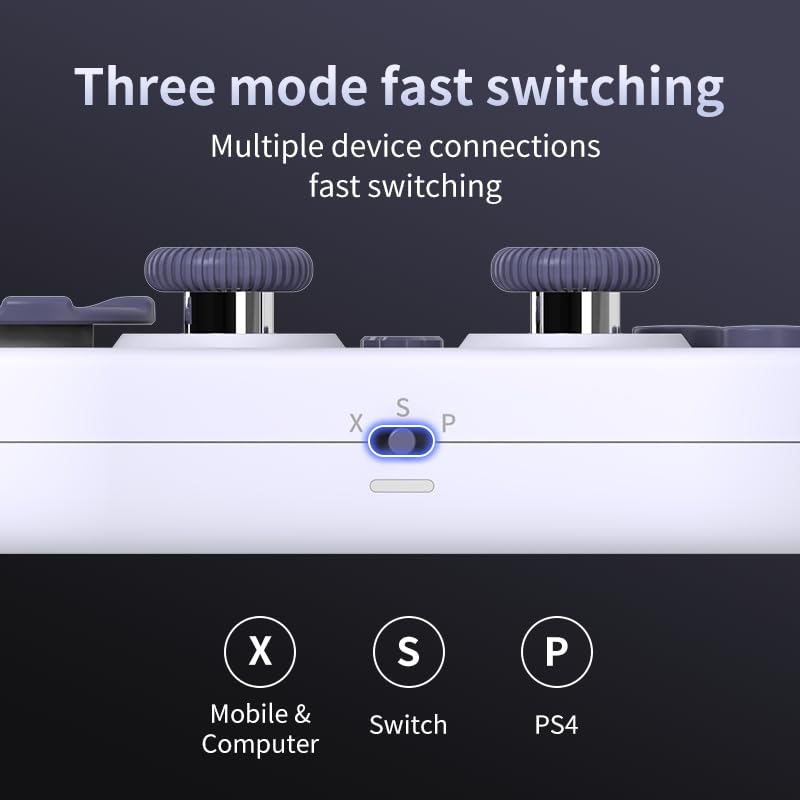
Image 3.2: Detail of the three-mode fast switching selector on the controller.
3.4 Customization and Calibration
For advanced customization, including button remapping and macro functions, download the official "gamepad space" application. This application also allows for controller calibration to ensure optimal performance.
4. Ṣiṣẹ Adarí
4.1 Key Awọn ẹya ara ẹrọ
- Awọn Joysticks Ipa Hall: Provides high precision and sensitivity. The joystick height is adjustable between 5mm and 8mm for personalized comfort.
- Composite Micro-Switch Buttons: These buttons offer a tactile response similar to mechanical keyboards, providing quick and precise input.
- Mechanical Triggers: Designed for fast response times.
- Dual Micro Motors: Provides dual vibration feedback for an immersive gaming experience.
- Somatosensory Gyroscope: Equipped with a 6-axis gyroscope for motion control in supported games.

Image 4.1: Detail of the adjustable Hall Effect joysticks.

Image 4.2: Close-up of the composite micro-switch action buttons.

Image 4.3: Diagram illustrating the internal components of the composite micro-keypad.
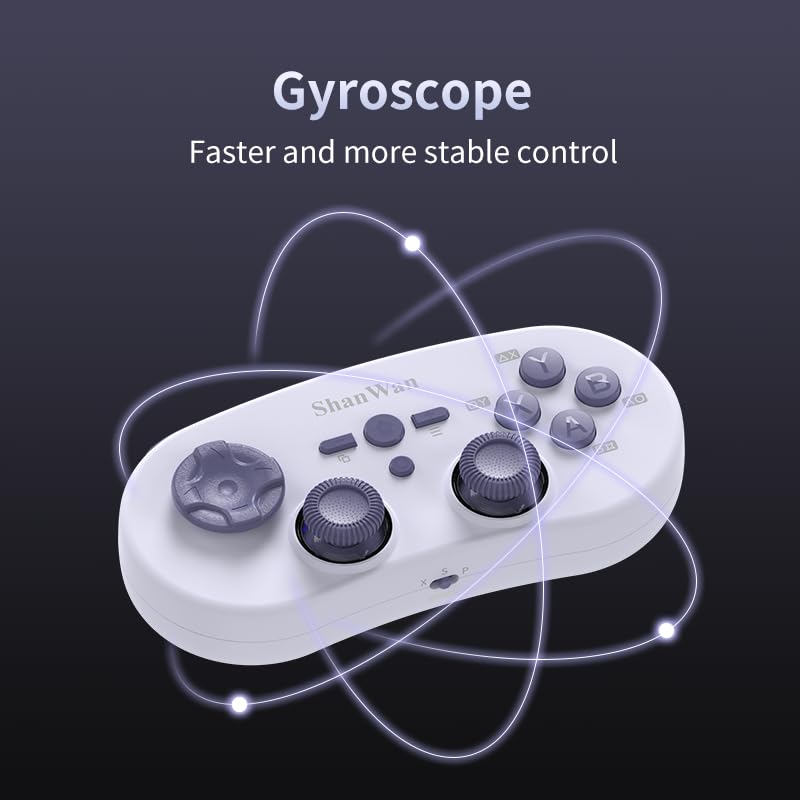
Image 4.4: Visual representation of the controller's gyroscope functionality.
4.2 Ìrírí eré
The compact design allows for portability, making it suitable for gaming on the go with devices like the Nintendo Switch or smartphones.

Image 4.5: Controller in use with a Nintendo Switch.

Image 4.6: Controller paired with a smartphone for mobile gaming.
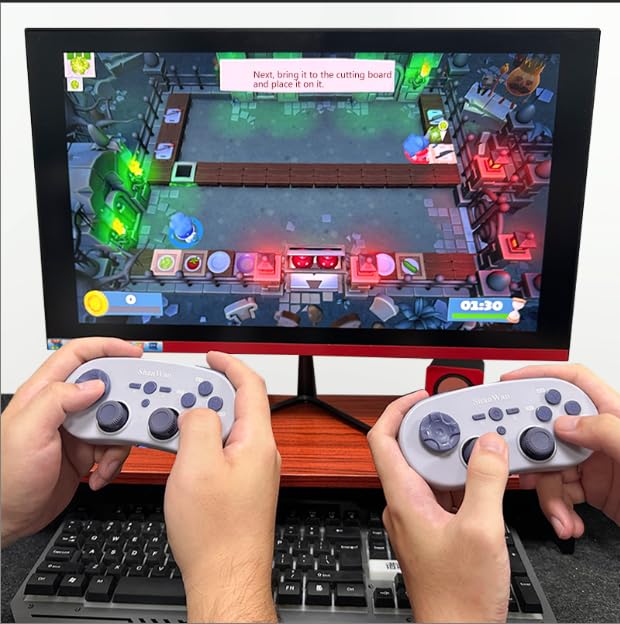
Image 4.7: Two controllers in use for multiplayer gaming on a PC.
5. Itọju
To ensure the longevity and optimal performance of your ShanWan Q38 controller, follow these maintenance guidelines:
- Ninu: Use a soft, dry cloth to wipe the controller. For stubborn dirt, a slightly damp A le lo aṣọ, ṣugbọn rii daju pe ọrinrin ko wọ inu ẹrọ naa. Yẹra fun awọn kemikali lile tabi awọn afọmọ fifọ.
- Ibi ipamọ: Tọju olutọju naa ni itura, aye gbigbẹ kuro lati orun taara ati awọn iwọn otutu to gaju.
- Itọju Batiri: If using replaceable AAA batteries, remove them if the controller will not be used for an extended period to prevent leakage.
- Yago fun awọn isọ silẹ: Protect the controller from physical impact and drops, which can damage internal components.
6. Laasigbotitusita
If you encounter issues with your ShanWan Q38 controller, refer to the following common problems and solutions:
- Controller Does Not Power On:
- Ensure the battery is correctly inserted and has sufficient charge. Replace AAA batteries if necessary.
- Connect the controller to a power source using the USB cable to confirm if it charges.
- Difficulty Connecting via Bluetooth:
- Ensure the controller is in the correct mode (X, S, or P) for your device.
- Paa ati tan Bluetooth ẹrọ rẹ.
- Gbagbe ẹrọ naa ninu eto Bluetooth rẹ ki o si gbiyanju lati tun so pọ mọ.
- Ensure the controller is within the effective range of your device.
- Buttons or Joysticks Not Responding Correctly:
- Calibrate the controller using the "gamepad space" application.
- Ṣàyẹ̀wò fún àwọn ìdènà tàbí ìdọ̀tí tí ó wà ní àyíká àwọn bọ́tìnì tàbí àwọn joysticks.
- Ensure the controller's firmware is up to date, especially for Switch 2 compatibility.
- Àwọn ìjápọ̀ àìròtẹ́lẹ̀:
- Rii daju pe ko si awọn kikọlu alailowaya ti o lagbara nitosi.
- Keep the controller close to the connected device.
- Re-pair the controller if disconnections are frequent.
7. Awọn pato
| Ẹya ara ẹrọ | Ẹ̀kúnrẹ́rẹ́ |
|---|---|
| Nọmba awoṣe | Q38 |
| Olupese | ShanWan |
| Asopọmọra | Alailowaya Bluetooth |
| Ibamu | Switch/Switch 2, Steam Deck, PC, Android, iPhone, iPad, macOS, PS4 |
| Irú Joystick | Hall Effect, Adjustable Height (5mm-8mm) |
| Bọtini Iru | Composite Micro-Switch |
| Gbigbọn | Dual Micro Motors |
| Iṣakoso išipopada | 6-apa Gyroscope |
| Package Mefa | 5.63 x 4.53 x 1.54 inches |
| Iwọn Nkan | 4.6 iwon |
| Awọn batiri | Batiri AAA 1 nilo (pẹlu) |

Image 7.1: Physical dimensions of the ShanWan Q38 controller.
8. Atilẹyin ọja ati Support
For warranty information and customer support, please refer to the official ShanWan webaaye tabi kan si alagbata lati ọdọ ẹniti o ra ọja naa. Jeki ẹri rira rẹ fun awọn iṣeduro atilẹyin ọja.


