1. Ọja Ipariview
The VIMTAG 847 is a versatile 2.5K 4MP Wi-Fi security camera designed for both indoor and outdoor surveillance. It features 360-degree motion tracking, AI detection, color night vision with spotlights, two-way audio, and flexible storage options. This manual provides essential information for setting up, operating, and maintaining your camera.

Image: VIMTAG 2.5K 4MP Wi-Fi Security Camera
2. Package Awọn akoonu
Daju pe gbogbo awọn nkan wa ninu apo rẹ:
- VIMTAG 2.5K 4MP Security Camera with Built-in 9.8ft Power Cable x 1
- Adapter agbara x 1
- Iṣagbesori akọmọ x 1
- Screw Pack x 2 (includes screws and wall anchors)
- Itọsọna iyara x 1
3. Eto ati fifi sori
3.1 Agbara kamẹra
The VIMTAG 847 camera uses a stable, plug-in power source for continuous 24/7 operation. Connect the provided power cable to the camera and then to the power adapter. Plug the adapter into a standard electrical outlet.

Image: Camera powered by continuous plug-in connection.
3.2 iṣagbesori Aw
The camera supports various installation methods including wall mount, ceiling mount, and tabletop placement. Choose a location that provides optimal viewing coverage and is within reach of a power source.

Image: Various installation options for the VIMTAG kamẹra.
3.3 Installation Steps (Wall/Ceiling Mount)
- Mura Ilẹ Iṣagbesori: Select a suitable location. Use the provided mounting sticker (if available) or the bracket itself to mark the drill holes.
- Awọn iho iho: Drill pilot holes at the marked positions. Insert the wall anchors if mounting on drywall or masonry.
- So akọmọ: Ṣe aabo akọmọ iṣagbesori si dada nipa lilo awọn skru ti a pese.
- So Kamẹra naa: Align the camera with the bracket. Place the camera into the bracket, ensuring the unlock icon on the camera aligns with the unlock icon on the bracket. Rotate the camera clockwise until it clicks into place, aligning the arrow icon on the bracket with the VIMTAG logo on the camera body, indicating it is locked.
- So agbara: Plug in the camera's power cable.
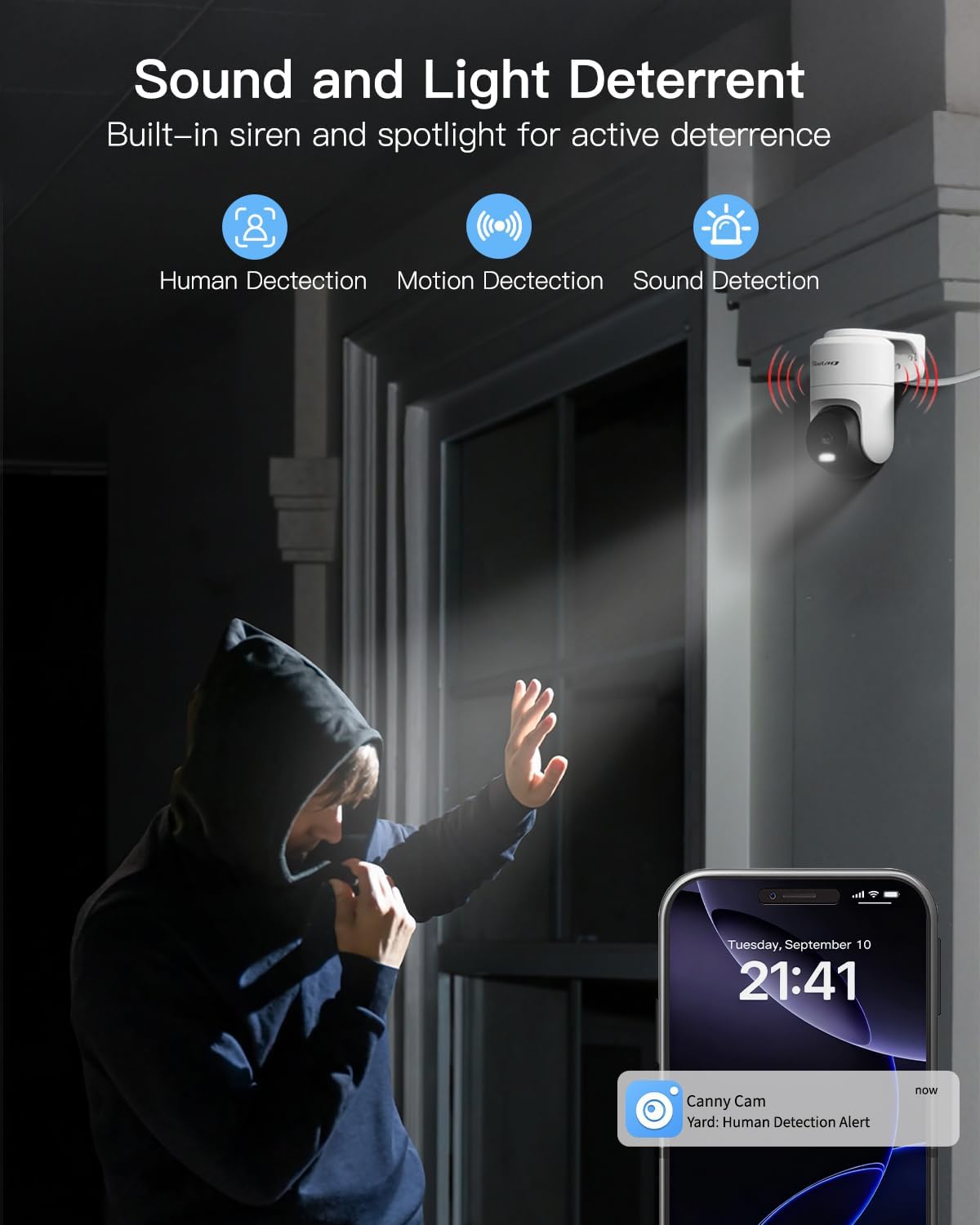
Image: Quick and easy camera installation onto the mounting bracket.
3.4 Wi-Fi Asopọ
The camera supports dual-band 2.4GHz and 5GHz Wi-Fi for stable and fast connectivity. Follow the instructions in the Quick Guide to connect your camera to your home Wi-Fi network using the VIMTAG app.

Image: Dual-band Wi-Fi connectivity for enhanced performance.
3.5 Video Installation Tips
Fun itọnisọna wiwo lori fifi sori ẹrọ, jọwọ tọka si fidio ni isalẹ:
Video: Installation tips for the VIMTAG security camera, demonstrating how to mount the bracket and attach the camera securely.
4. Ṣiṣẹ kamẹra
4.1 VIMTAG App Awọn ẹya ara ẹrọ
The VIMTAG camera is controlled via a dedicated mobile application. Key features available through the app include:
- Gbe View ati Sisisẹsẹhin
- 360° Pan and 90° Tilt Control
- Motion, Human, and Sound Detection
- Auto-Tracking of detected movement
- Ibaraẹnisọrọ Audio-Ona Meji
- Light and Sound Siren Activation
- App Notifications for alerts
- Ipo orun
- Pipin ẹrọ
All core features of the app are available without a monthly subscription fee.

Aworan: Pariview of free app features.
4.2 Pan, Tilt, and Motion Tracking
The camera offers 360° horizontal and 90° vertical rotation, providing comprehensive coverage. Its smart motion tracking feature automatically follows detected movement within its field of view.

Image: 360-degree pan and tilt with motion tracking.
4.3 Video Quality and Zoom
The camera records in 2.5K 4MP resolution, delivering clear video and detailed images. It also features 8x digital zoom to focus on specific areas.
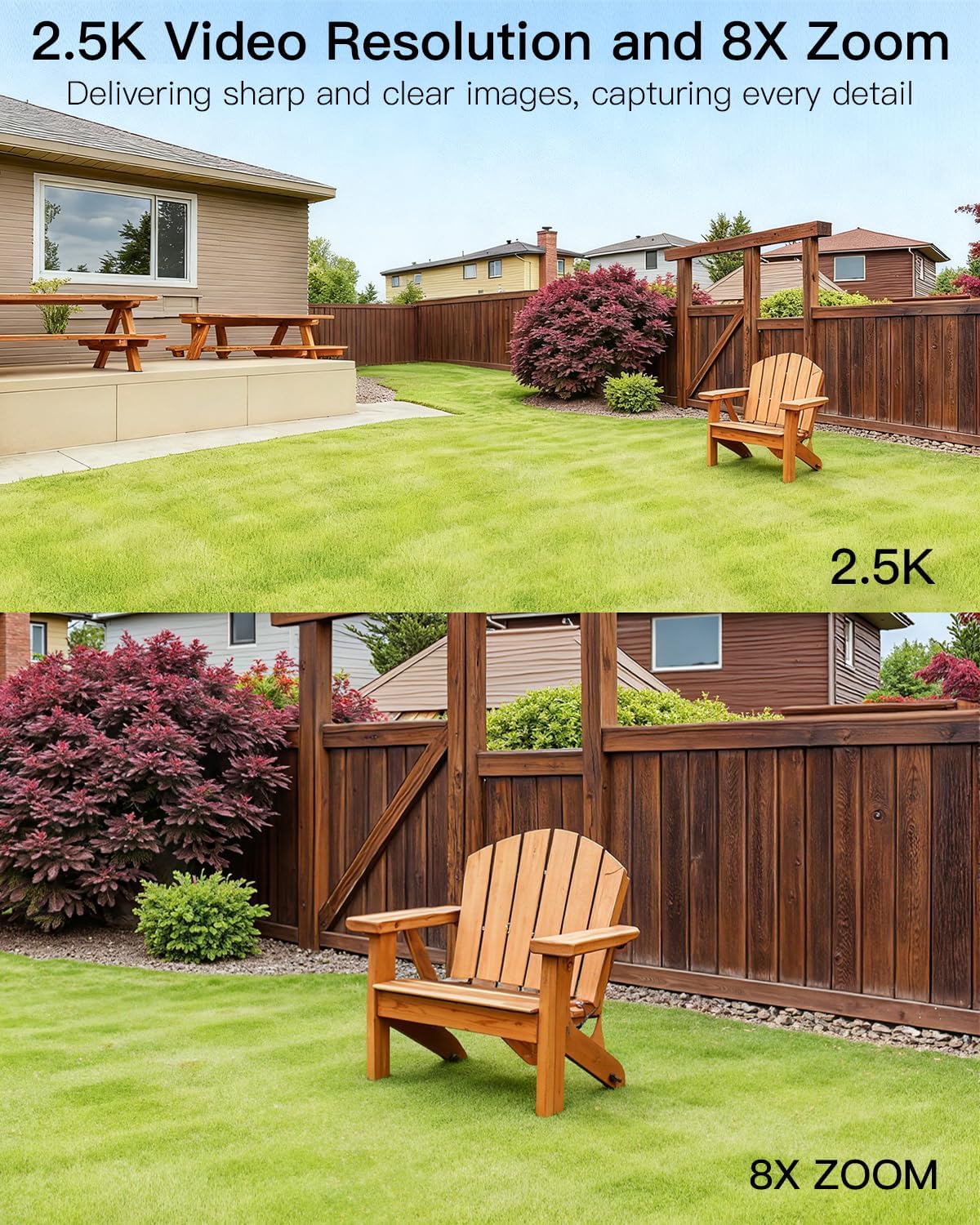
Image: 2.5K video resolution with 8x digital zoom capability.
4.4 Night Vision
The camera supports infrared night vision for standard low-light conditions and full-color night vision when its built-in LED spotlights are activated. This allows for clear identification of objects and individuals at night.

Image: Color night vision enabled by spotlights.
4.5 Detection and Alarms
The camera features smart detection capabilities for humans, general motion, and sound. Upon detecting suspicious activity, it sends app notifications and can automatically activate its 3 LED spotlights and sound siren to deter intruders.
Image: Sound and light deterrent in action.
4.6 Meji-Ona Audio
Utilize the built-in speaker and microphone for real-time two-way audio communication. This allows you to interact with visitors or delivery personnel directly through the app, whether you are home or away.

Image: Two-way audio communication with a delivery person.
4.7 Ibi ipamọ Aw
The VIMTAG 847 offers two storage methods for recorded footage:
- Kaadi MicroSD: Supports local storage on a microSD card up to 512GB (card not included).
- Ibi ipamọ awọsanma: Optional secure cloud storage is available, including a 1-month free trial for new users.

Image: MicroSD card slot and cloud storage options.
4.8 Alexa ibamu
The camera is compatible with Amazon Alexa devices, allowing for hands-free viewing of your camera feed. Simply use voice commands to access live video.

Image: Camera integration with Amazon Alexa.
5. Itọju
5.1 Oju ojo Resistance
The VIMTAG 847 camera has an IP66 waterproof rating, ensuring reliable operation in various weather conditions, including rain, snow, and dusty environments.

Image: IP66 waterproof design for all-weather performance.
5.2 Ninu
To maintain optimal image quality, periodically clean the camera lens with a soft, dry cloth. Avoid using harsh chemicals or abrasive materials that could damage the lens or housing.
5.3 famuwia imudojuiwọn
Ensure your camera's firmware is up to date for the best performance and security. Check for updates regularly through the VIMTAG mobile ohun elo.
6. Laasigbotitusita
6.1 Asopọmọra Oran
- Ko si Wi-Fi Asopọmọra: Ensure the camera is within range of your Wi-Fi router. Verify that your Wi-Fi network (2.4GHz or 5GHz) is active and the password is correct. Try restarting your router and the camera.
- Awọn Asopọmọra loorekoore: Check for Wi-Fi interference or weak signal strength. Consider repositioning the camera or router, or using a Wi-Fi extender.
6.2 Image/Video Quality Issues
- Aworan blurry: Nu lẹnsi kamẹra naa. Rí i dájú pé kò sí ohun ìdènà kankan níwájú lẹnsi naa.
- Iran Alẹ Ko dara: Ensure the spotlights are clean and unobstructed. Check app settings to confirm night vision mode is correctly configured.
6.3 Wiwa išipopada Ko Ṣiṣẹ
- Ko si Itaniji: Verify that motion detection is enabled in the app settings. Check the detection sensitivity and adjust as needed. Ensure app notifications are enabled on your phone.
- Awọn itaniji eke: Reduce the motion detection sensitivity in the app. Adjust the detection zones to exclude areas with frequent non-threatening movement (e.g., trees swaying).

Image: Customizing motion detection sensitivity.
6.4 SD Card Issues
- Kaadi SD Ko Wa: Ensure the microSD card is inserted correctly. Try reformatting the card through the app or using a different compatible microSD card.
7. Awọn pato
| Ẹya ara ẹrọ | Ẹ̀kúnrẹ́rẹ́ |
|---|---|
| Orukọ awoṣe | 847 |
| Nọmba Awoṣe Nkan | 847-5 |
| Ipinnu Yaworan fidio | 2.5K 4MP (1440p) |
| Ipinnu Iduro ti o munadoko | 4 MP |
| Asopọmọra Technology | Wi-Fi (2.4GHz & 5GHz Meji-Band) |
| Orisun agbara | Itanna Okun (5V, 5W) |
| inu ile / ita gbangba Lilo | Ninu ile, ita gbangba |
| International Idaabobo Rating | IP66 (Mabomire) |
| Viewigun igun | Awọn iwọn 360 (Pan/Tilt) |
| Ibiti Iran Night | 65 Ẹsẹ |
| Low Light Technology | IR Night Vision & Color Night Vision with Spotlights |
| Sun-un Iru | Sun-un oni nọmba (8x) |
| Iru Itaniji | Audio and Motion (Human/Motion/Sound Detection) |
| Ọna Iṣakoso | App, Amazon Alexa |
| Filaṣi Iranti Atilẹyin Iwon O pọju | 512 GB (Micro SD) |
| Ọja Mefa | 3.94 x 3.94 x 3.94 inches |
| Iwọn Nkan | 9.8 iwon |
8. Atilẹyin ọja ati Support
8.1 atilẹyin ọja Alaye
Please refer to the Quick Guide included in your package or the VIMTAG osise webaaye fun alaye atilẹyin ọja alaye.
8.2 Imọ Support
VIMTAG offers lifetime technical support for its products. If you encounter any issues or have questions, please contact our support team:
- Imeeli: onibara @ vimtag.com
8.3 Cloud Storage Trial
New users are eligible for a 1-month free trial of VIMTAG's cloud storage service. Details on how to activate and manage your cloud storage can be found within the VIMTAG mobile ohun elo.


