This manual provides detailed instructions for the installation, operation, and maintenance of your MOUNTUP Heavy Duty Single Monitor Arm. Designed for screens ranging from 22 to 42 inches and supporting weights from 4.4 to 33 lbs, this monitor arm offers superior stability and ergonomic adjustability to optimize your workspace. Please read this manual thoroughly before installation to ensure safe and correct usage.
Before beginning, ensure all parts are accounted for. The package typically includes:

Image: MOUNTUP Heavy Duty Single Monitor Arm, showcasing its main components including the adjustable arm, the C-clamp mounting option, and the grommet base option. A monitor is shown attached to the arm, illustrating its functionality.
The MOUNTUP monitor arm offers two versatile mounting methods:

Image: A detailed diagram illustrating the two available mounting options: the C-clamp for desk edges (0.39-2.76 inches thick) and the grommet hole mount for desks with existing holes (0.39-2.36 inches thick, 0.39-2.36 inches hole diameter).
The monitor arm is compatible with VESA patterns of 75x75mm and 100x100mm. Ensure your monitor has one of these patterns.

Image: This graphic details the monitor arm's adaptability, showing VESA compatibility (75x75mm, 100x100mm), load capacity (4.4-33 lbs), height range (9.3-22.1 inches), and maximum extension (23.8 inches).
The MOUNTUP monitor arm allows for a wide range of adjustments to achieve optimal ergonomic positioning:

Image: This image showcases the monitor arm's full range of motion, including tilt (+90°/-45°), swivel (±90°), and 360° rotation, allowing for optimal ergonomic positioning.
Video: This video demonstrates the various adjustments possible with the MOUNTUP Heavy Duty Monitor Arm, including height, tilt, swivel, and rotation, highlighting its ergonomic flexibility.
The monitor arm features an integrated cable management system to keep your workspace tidy and free from clutter. Route your monitor cables through the designated channels along the arm to maintain a clean aesthetic and prevent cable damage.

Image: An image demonstrating the integrated cable management system of the monitor arm, which helps organize wires and free up desktop space for a cleaner, more productive environment.

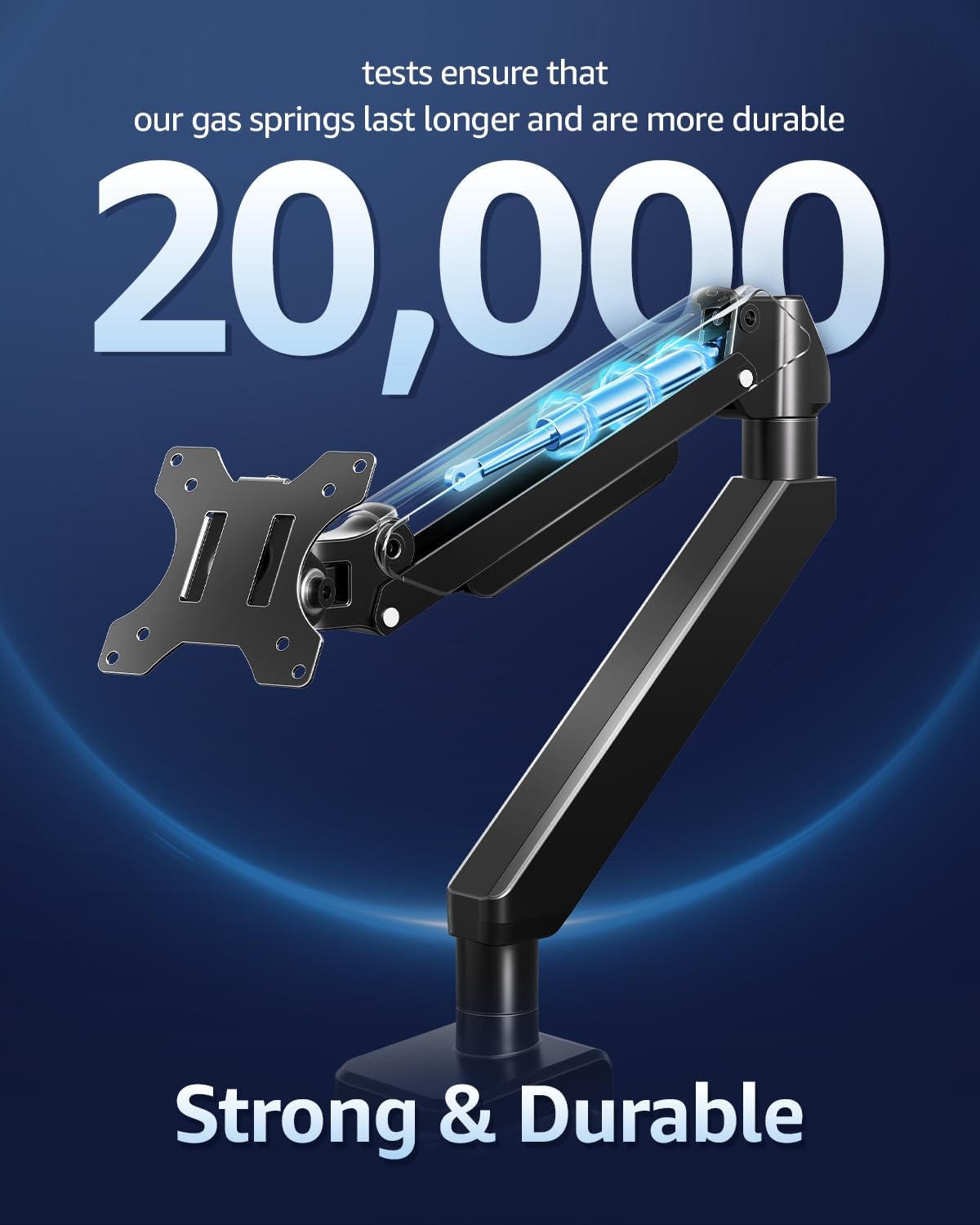
Aworan: A cutaway view highlighting the durable gas springs within the monitor arm, indicating their longevity and reliability, tested for over 20,000 cycles.
| Ẹya ara ẹrọ | Sipesifikesonu |
|---|---|
| Ibamu Monitor Iwon | 22-42 inches |
| Agbara fifuye | 4.4 - 33 lbs (2 - 15 kg) |
| VESA ibamu | 75x75mm, 100x100mm |
| Iṣagbesori Iru | Ìdúró Tábìlì (C-Cl)amp tabi ipilẹ Grommet) |
| C-Clamp Iduro Iduro | 0.39 - 2.76 inches |
| Grommet Desk Thickness | 0.39 - 2.36 inches |
| Grommet Iho opin | 0.39 - 2.36 inches |
| Iṣipopada Iru | Tilt, Rotate, Swivel, Height Adjust, Full Motion |
| Titẹ Igun | +90° / -45° |
| Igun Swivel | ±90° |
| Yiyi | 360° |
| Iga Max | 22.1 inches |
| Ifaagun ti o pọju | 23.8 inches |
| Ohun elo | Alloy Irin |
| Àwọ̀ | Dudu |

Image: An illustration highlighting the monitor arm's robust load capacity, capable of supporting up to 33 pounds, ensuring stability for various monitor sizes.

Image: An image illustrating the monitor arm's capability to support large ultrawide monitors up to 42 inches, providing an expansive viewiriri iriri.
For detailed warranty information regarding your MOUNTUP Heavy Duty Single Monitor Arm, please refer to the official MOUNTUP website or the warranty card included in your product packaging. Warranty terms and conditions may vary by region and retailer.
Should you require technical assistance, have questions about installation, or need further support for your MOUNTUP Heavy Duty Single Monitor Arm, please contact MOUNTUP customer service through their official website or the contact information provided in your product documentation. Please have your model number (Heavy Duty Single Monitor Arm) and purchase details ready when contacting support.
![]() |
MOUNTUP Single Monitor Desk Mount Instruction Manual Comprehensive instruction manual for the MOUNTUP Single Monitor Desk Mount, detailing assembly, installation, adjustments, and maintenance for VESA-compatible monitors. |
![]() |
MOUNTUP MU3003 Nikan Monitor Iduro Mount fifi sori Itọsọna Comprehensive installation instructions for the MOUNTUP MU3003 single monitor desk mount, covering clamp and grommet base installation, monitor attachment, tilting, and rotation adjustments. Includes product dimensions and hardware details. |
![]() |
MOUNTUP Ere Nikan Atẹle Iduro Oke fifi sori Afowoyi Fifi sori okeerẹ ati itọsọna atunṣe fun MOUNTUP Ere Nikan Iduro Iduro Iduro (Awoṣe AG9-21-US1.0). Awọn ẹya ibamu VESA (75x75mm, 100x100mm) ati atilẹyin awọn diigi lati 1kg si 17kg (2.2-37.5 lbs). Pẹlu clamp ati awọn aṣayan iṣagbesori grommet, atunṣe ẹdọfu orisun omi gaasi, ati iṣakoso okun. |
![]() |
MOUNTUP Nikan Monitor Iduro Oke Ilana Afowoyi YZ2216-US3.0 Ilana itọnisọna okeerẹ fun MOUNTUP YZ2216-US3.0 Single Monitor Desk Mount, apejọ apejọ, fifi sori ẹrọ, ati awọn ilana atunṣe fun awọn apa atẹle orisun omi gaasi. Pẹlu awọn iwọn ọja, awọn akoonu package, ati awọn itọsọna igbese-nipasẹ-igbesẹ. |
![]() |
MOUNTUP Meji Monitor Imurasilẹ fifi sori Itọsọna Awọn ilana fifi sori ẹrọ pipe fun MOUNTUP Dual Monitor Stand, ti o nfihan awọn apa atẹle pneumatic, awọn gbigbe VESA, ati giga adijositabulu. Pẹlu awọn alaye lori clamp ati fifi sori ipilẹ grommet, apejọ apa, ati iṣagbesori atẹle. |
![]() |
MOUNTUP Dual Monitor Desk Mount Instruction Manual Comprehensive instruction manual for the MOUNTUP Dual Monitor Desk Mount, detailing assembly, installation options (clamp and grommet), monitor attachment, adjustments, and maintenance for VESA-compatible monitors. |