1. Ifihan
The NOYAFA NF-488 POE Cable Tester is a versatile instrument designed for comprehensive testing of Power Over Ethernet (PoE) systems, network cables, and general Ethernet connectivity. It is an essential tool for professionals involved in the installation and maintenance of low-voltage systems, including security monitoring, communication lines, and structured cabling. This device helps to efficiently identify and troubleshoot network cable issues, reducing diagnostic time.
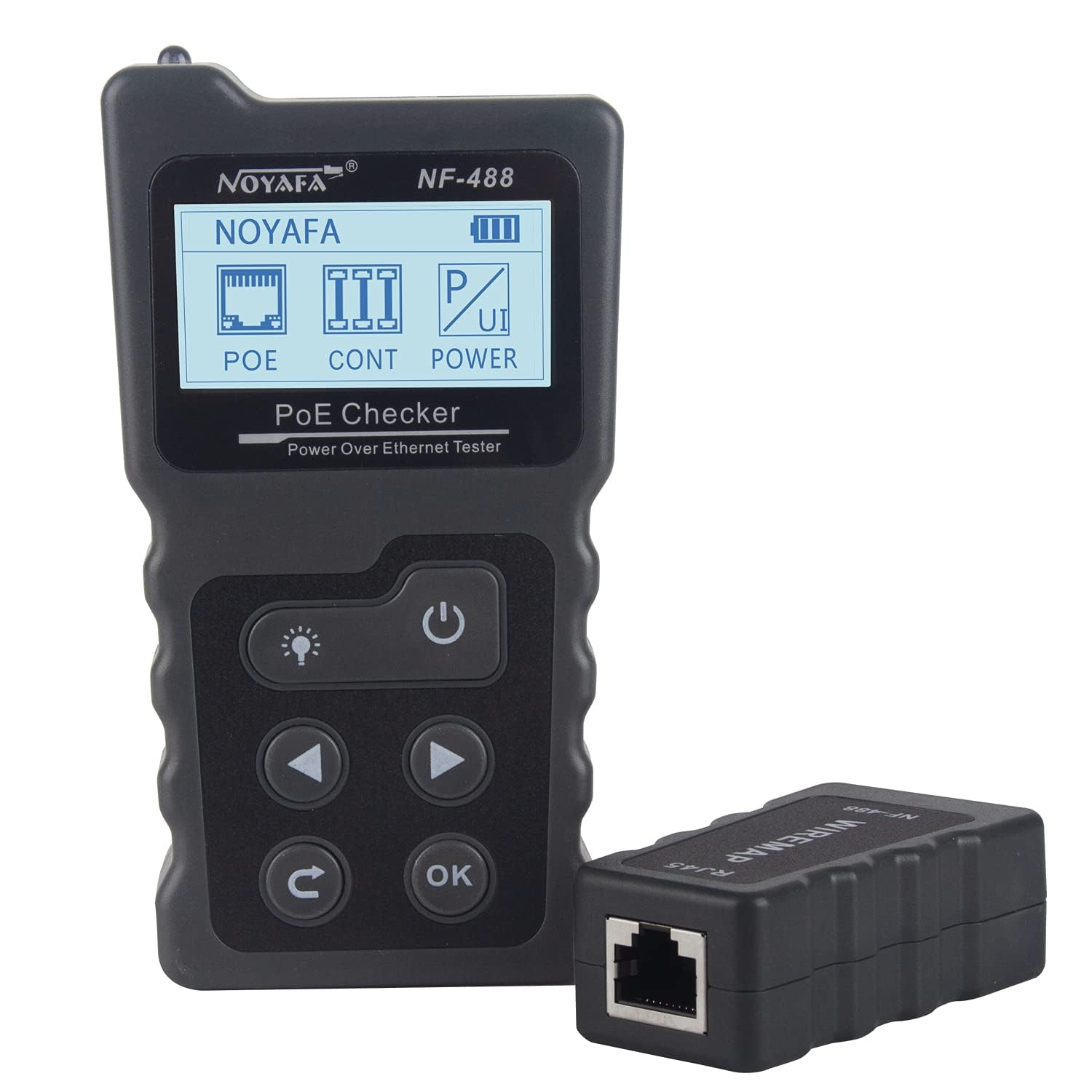
Figure 1: NOYAFA NF-488 POE Cable Tester main unit and remote wiremap module.
2. Package Awọn akoonu
Jẹrisi pe gbogbo awọn ohun kan wa ninu package:
- NOYAFA NF-488 Main Tester Unit
- Remote Wiremap Module (RJ45)
- Connecting Cables (RJ45 to RJ45, DC-DC cable)
- Apo ti n gbe
- AA Batteries (1 required, included)
- Afowoyi Olumulo (iwe-ipamọ yii)
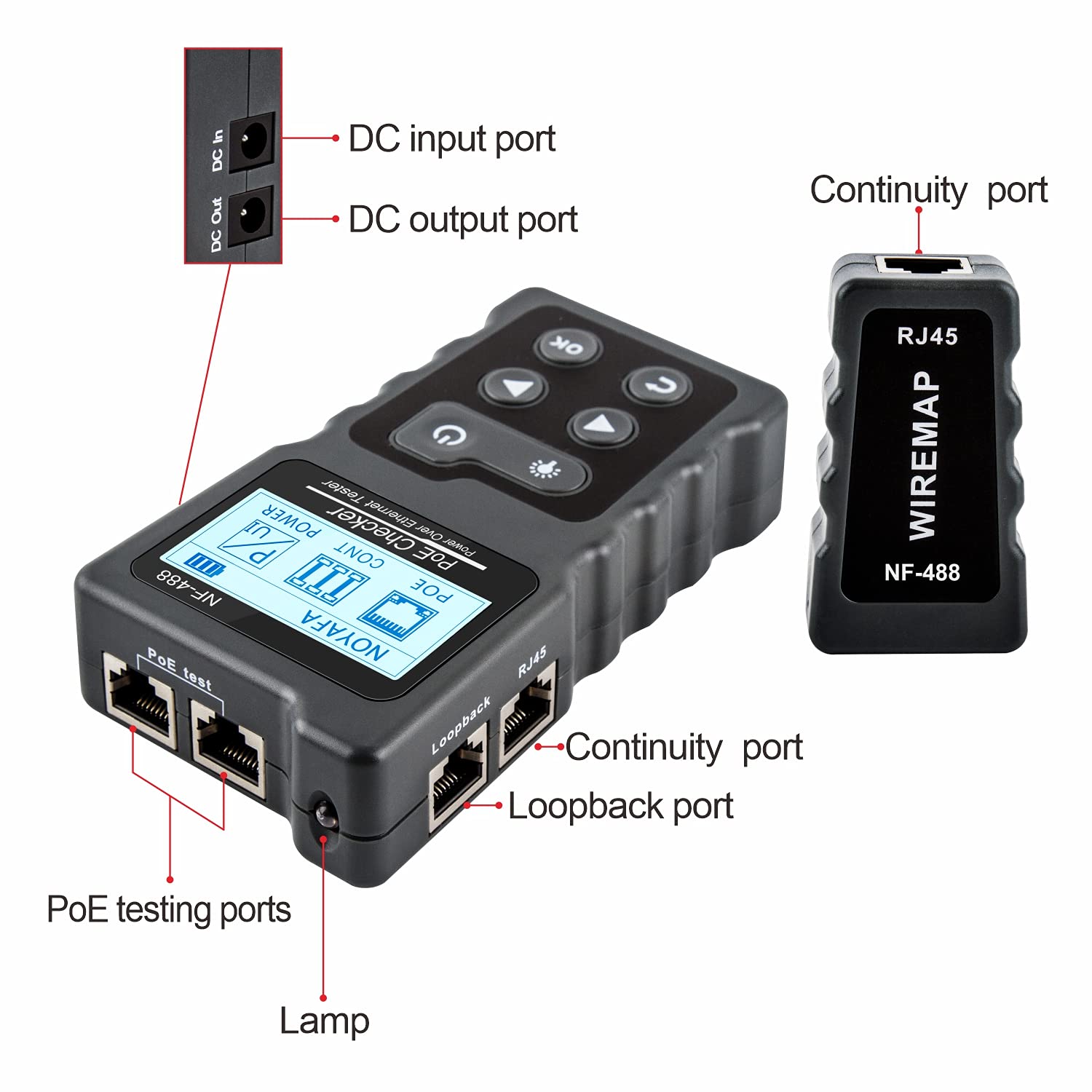
Figure 2: Contents of the NOYAFA NF-488 package.
3. Key Awọn ẹya ara ẹrọ
- Multifunctional Testing: Detects PoE information, performs network cable continuity checks, and tests Ethernet connectivity.
- PoE Test Capabilities: Automatically identifies standard/non-standard PoE information, including af/at voltage standards, power supply polarity, and jumper methods. Supports voltage testing from 0-60V.
- RJ45 Cable Testing: Features remote wiring function to test for open circuits, short circuits, and crossovers in network cables. Capable of measuring shielded wires.
- Power Test Function: Measures DC current, voltage, current, and power between a power supply and electrical equipment. Includes a circuit test function to verify network cable circuit functionality with a switch.
- Apẹrẹ Ọrẹ olumulo: Equipped with a large, backlit LCD screen for clear visibility. Features an anti-slip casing and illumination for use in dark environments.
4. Ẹrọ Loriview ati Ports
Familiarize yourself with the main unit's ports and controls:

Figure 3: NOYAFA NF-488 Main Unit Ports and Controls.
- DC ní Ibudo: For connecting an AC adapter to power the unit or test power input.
- Ibudo Jade DC: For connecting to a powered device to test power output.
- PoE Test Ports: RJ45 ports specifically for Power Over Ethernet testing.
- RJ45 (Continuity) Port: For network cable continuity testing.
- Ibudo Loopback: Used for loopback testing of network cables.
- Lamp: Integrated light for working in low-light conditions.
- Awọn bọtini: Power, Backlight, Navigation (Up, Down, Left, Right), OK, Return.

Figure 4: Physical dimensions of the NOYAFA NF-488 tester and wiremap module.
5. Eto ati Ipilẹ isẹ
Before using the NF-488, ensure batteries are installed. The device is powered by 1 AA battery (included). Press the power button to turn on the unit. Use the navigation buttons to select different test modes on the LCD screen.
6. Awọn ilana Iṣiṣẹ
6.1. Power / Voltage / Current Testing
This function allows you to measure the voltage, current, and power between a power source and a connected device.
- Connect the AC adapter (power source) to the "DC IN" port of the NF-488.
- Connect the DC-DC cable adapter into the "DC OUT" port of the NF-488.
- Connect the other end of the DC cable into the DC port of the device you wish to test (e.g., a camera).
- On the NF-488 menu, navigate to and select "POWER".
- Iboju yoo han voltage, lọwọlọwọ, ati awọn kika agbara.

Figure 5: Power testing setup with the NF-488.
Video 1: Demonstration of Power/Voltage/Current Testing (0:09 - 0:39 in video).
6.2. PoE Testing
This mode identifies PoE standards, power supply polarity, and jumper methods from a PoE switch.
- Connect one end of a LAN cable into the "PoE Test" port of the NF-488.
- Connect the other end of the LAN cable into a PoE switch.
- On the NF-488 menu, navigate to and select "PoE".
- Press "OK" to start testing. The device will display PoE details such as Endspan and voltage (e.g., IEEE 802.3at, 53.5VDC).
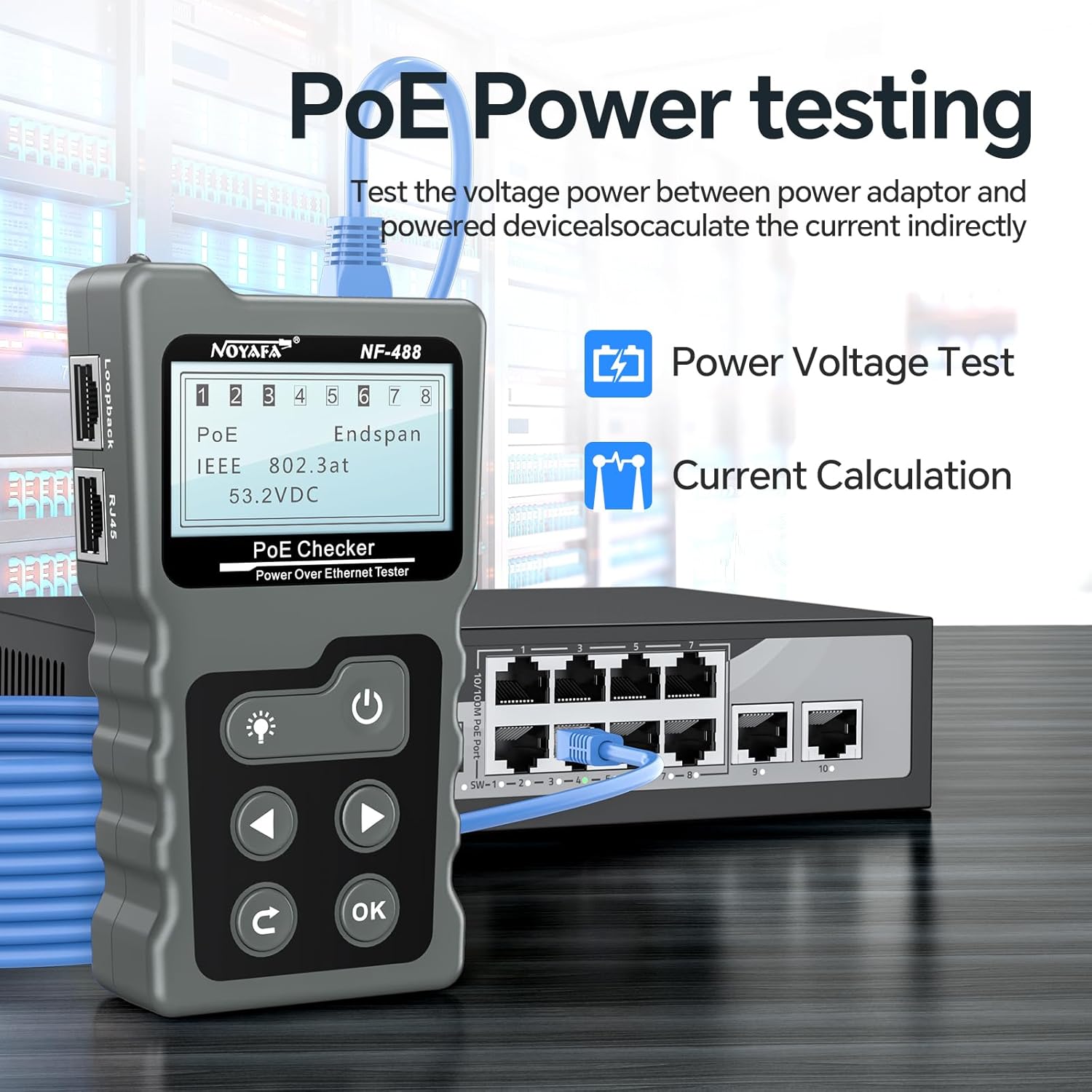
Figure 6: PoE testing setup with the NF-488 and a PoE switch.
Video 2: Demonstration of PoE Testing (0:39 - 0:54 in video).
6.3. RJ45 Cable Continuity Testing
This function checks for open circuits, short circuits, and crossovers in network cables, including shielded wires.
- Connect one end of the LAN cable into the "RJ45" port on the main NF-488 unit.
- Connect the other end of the LAN cable to the "WIREDMAP" remote module.
- On the NF-488 menu, navigate to and select "CONT" (Continuity).
- The LCD screen will display the wiring status, indicating any faults such as open, short, or cross connections.
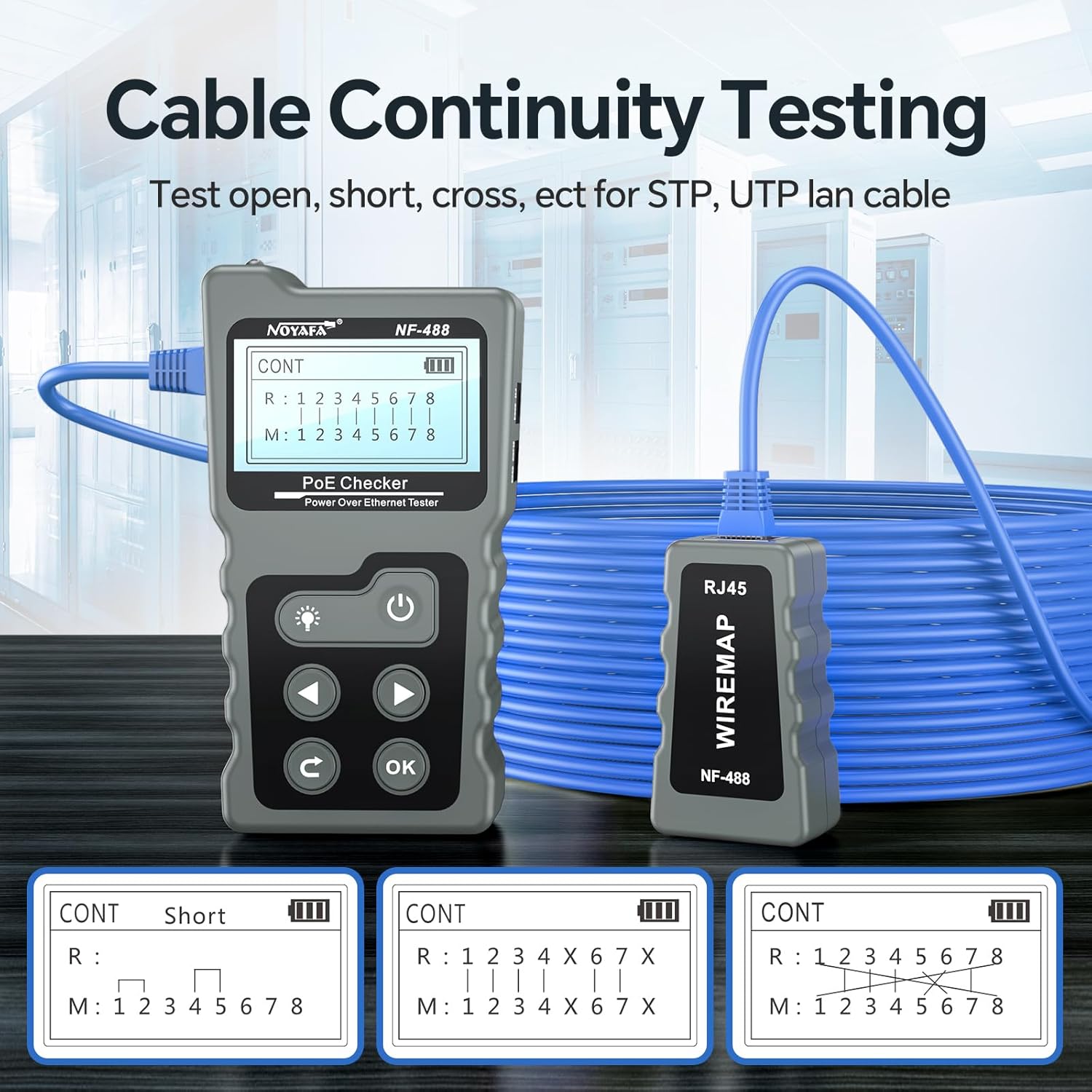
Figure 7: Cable Continuity Testing with the NF-488.

Figure 8: Remote detection capability for cable testing.
Video 3: Demonstration of Cable Faults Testing (0:54 - 0:59 in video).
7. Itọju
To ensure the longevity and accuracy of your NOYAFA NF-488 POE Cable Tester, follow these maintenance guidelines:
- Jeki ẹrọ naa di mimọ ati ofe kuro ninu eruku ati idoti. Lo asọ asọ ti o gbẹ fun mimọ.
- Yago fun ṣiṣafihan ẹrọ naa si awọn iwọn otutu to gaju, ọriniinitutu, tabi oorun taara.
- Store the device in its protective carrying pouch when not in use to prevent physical damage.
- Yọ awọn batiri kuro ti ẹrọ naa ko ba lo fun igba pipẹ lati dena jijo batiri.
- Má ṣe gbìyànjú láti tú tàbí tún ẹ̀rọ náà ṣe fúnra rẹ. Tọ́ka sí àwọn òṣìṣẹ́ iṣẹ́ tó péye fún àtúnṣe èyíkéyìí.
8. Laasigbotitusita
If you encounter issues with your NF-488, consider the following common troubleshooting steps:
- Ẹrọ ko ṣiṣẹ lori: Check battery installation and ensure batteries have sufficient charge. Replace if necessary.
- Awọn kika ti ko pe: Ensure all cable connections are secure and correctly inserted into the designated ports for the selected test mode. Verify that the cables themselves are not faulty.
- Iboju ko han: Check battery level. If the screen is dim, press the backlight button.
- No PoE detection: Confirm that the connected switch is indeed a PoE switch and that PoE is enabled on the port. Ensure the cable is correctly connected to the "PoE Test" port.
- Continuity test errors: Ensure the remote wiremap module is properly connected to the other end of the cable. Check for physical damage to the cable or RJ45 connectors.
For persistent issues, refer to the official NOYAFA support resources or contact customer service.
9. Awọn pato
| Ẹya ara ẹrọ | Ẹ̀kúnrẹ́rẹ́ |
|---|---|
| Nọmba awoṣe | NF-488 |
| Brand | NOYAFA |
| Orisun agbara | Agbara Batiri (batiri AA kan pẹlu) |
| Poe Voltage Igbeyewo Range | 0-60V |
| Cable Test Types | RJ45 (Ethernet), PoE |
| Cable Fault Detection | Open, Short, Cross, Crossover |
| Ifihan | LCD pẹlu Backlight |
| Awọn iwọn (Ẹka akọkọ) | Isunmọ. 123mm x 62mm x 23mm |
| Iwọn Nkan | 0.01 iwon (isunmọ 0.28 giramu) |
10. Atilẹyin ọja ati Support
NOYAFA provides a standard warranty for the NF-488 POE Cable Tester. For detailed warranty information, technical support, or service inquiries, please refer to the official NOYAFA webaaye tabi alaye olubasọrọ ti a pese ninu apoti ọja rẹ.
Additional resources, including a PDF version of the Instructions for Use, may be available online: NOYAFA NF-488 Instructions for Use (PDF).


