Ọja Pariview
The KAMABOKO LED Night Stand is a modern and stylish bedside table designed to enhance your living space with integrated smart features. It combines aesthetic appeal with practical functionality, offering customizable LED lighting, convenient charging solutions, and ample ipamọ.

Figure 1: KAMABOKO LED Night Stand in a bedroom setting.
This image displays the KAMABOKO LED Night Stand in a bedroom setting, showcasing its sleek black finish and vibrant blue LED illumination. The top surface features a lamp, smartphone, and other small items, highlighting the integrated charging capabilities.
Eto ati Apejọ
The KAMABOKO LED Night Stand is designed for straightforward assembly. All necessary parts are carefully labeled, and clear instructions are provided to guide you through the process. It is recommended to assemble the nightstand in the room where it will be used.
Awọn Igbesẹ Apejọ:
- Yọ awọn ohun elo kuro: Carefully remove all parts from the packaging and verify against the included parts list. Ensure no components are missing or damaged.
- Ṣe idanimọ Hardware: Separate and identify all screws, dowels, and other hardware using the provided labels.
- Apejọ fireemu: Follow the step-by-step diagrams in the assembly guide to connect the main frame components.
- Fi sori ẹrọ Drawers: Assemble the drawer components and install them into the designated slots within the nightstand frame.
- So Awọn Irinṣẹ Itanna: Securely connect the LED lighting and charging station wiring as instructed. Ensure all connections are firm before plugging into a power source.
- Ibi Ipari: Position the assembled nightstand in your desired location.
For detailed visual instructions, please refer to the assembly guide included in your package.
Awọn ilana Iṣiṣẹ
Eto Imọlẹ LED:
The nightstand features an RGB sensor light system with three lighting modes, allowing for a customized ambiance. The lights can be controlled via the integrated control panel or the included remote control.
- Aṣayan awọ: Use the remote control or the control panel to select from 24 available colors. Slide the button on the control panel to change the color.
- Atunse Imọlẹ: Long press the designated button on the control panel or remote to adjust the brightness of the LED lights.
- Awọn ọna itanna: Cycle through the three pre-set lighting modes to suit your preference.
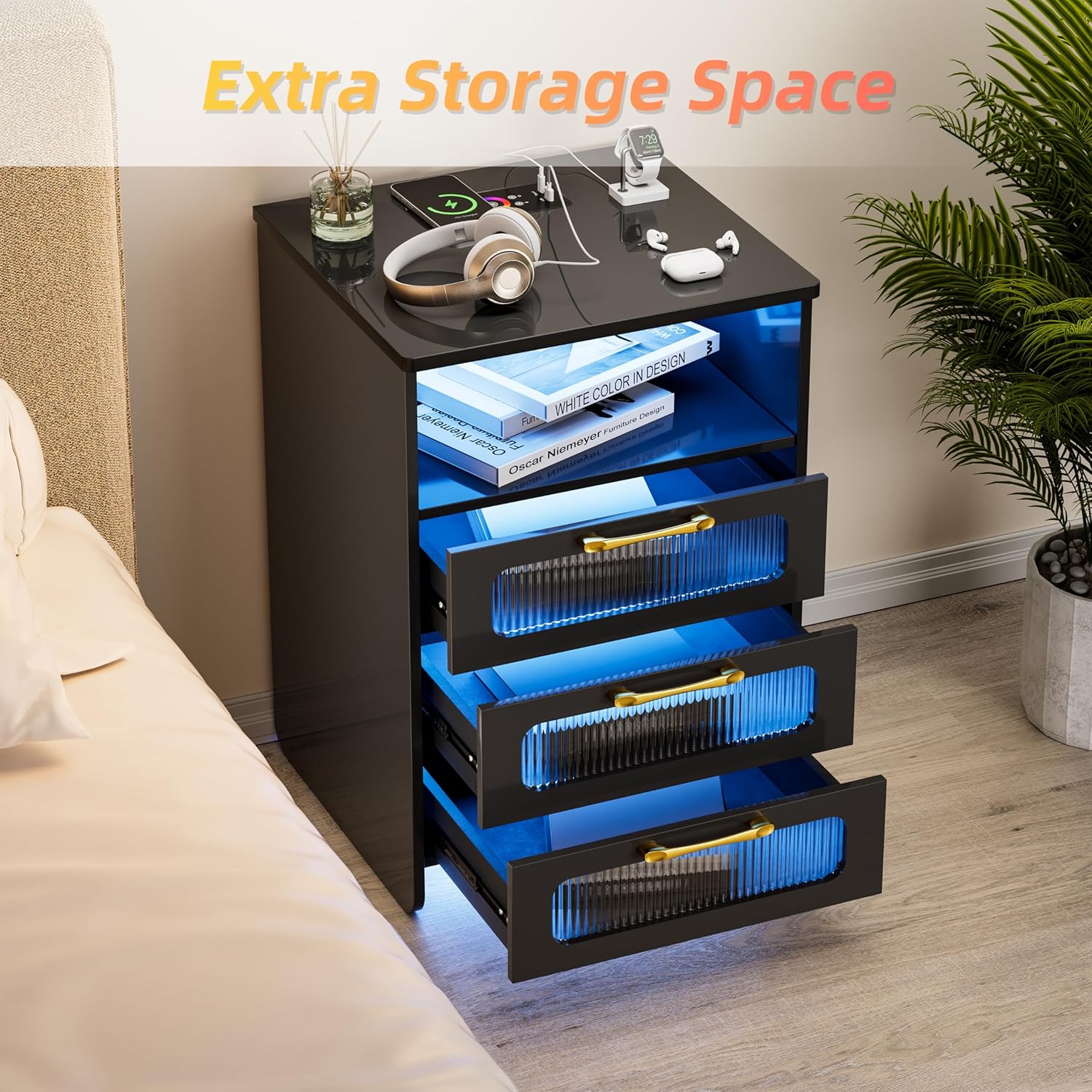
Figure 2: Remote control for LED lights.
This image illustrates the remote control functionality for the nightstand's LED lights, indicating a maximum range of 15 meters. A spectrum of 24 color dots is displayed, signifying the wide range of customizable lighting options available.
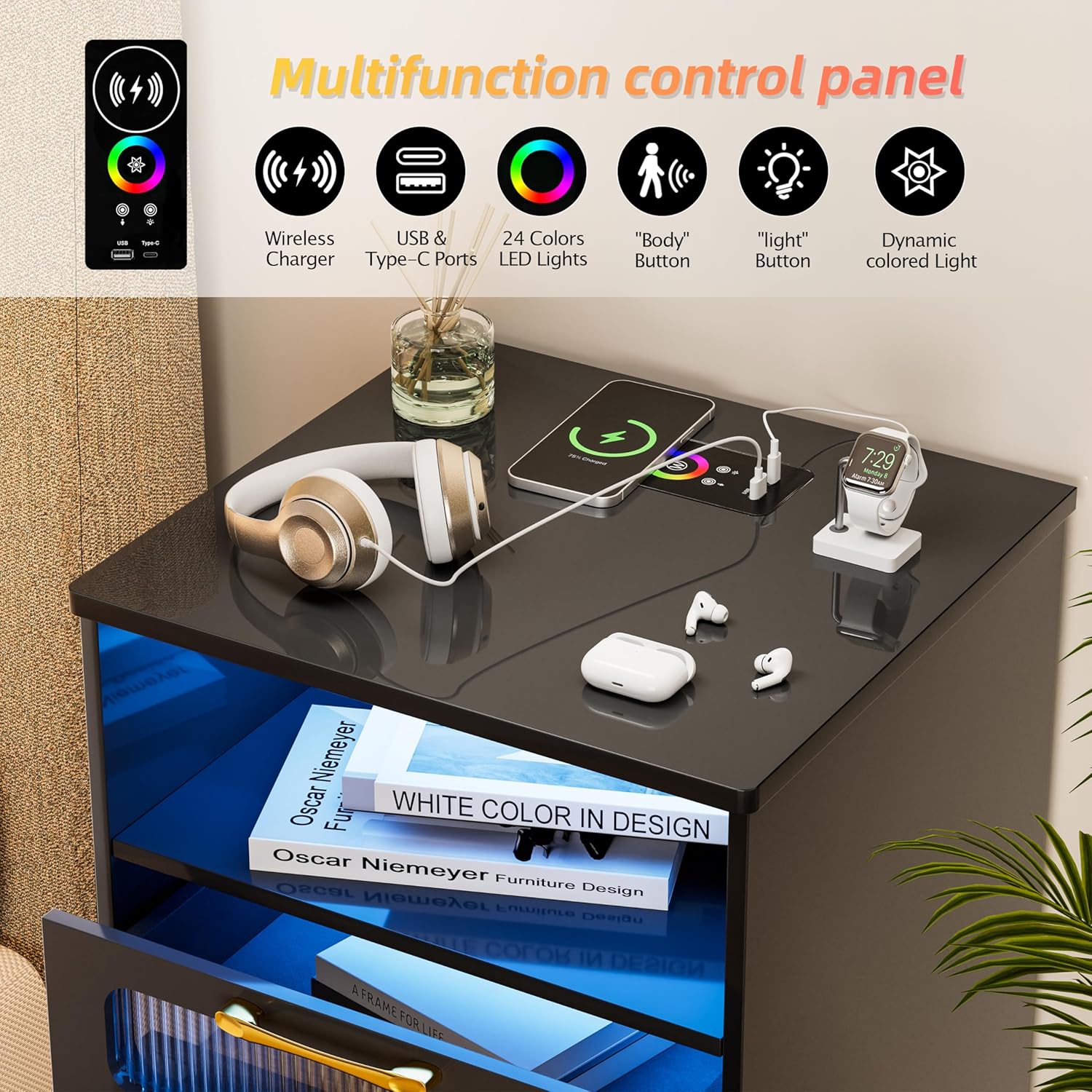
Figure 3: 24 LED Lights Mode and Brightness Adjustment.
This image demonstrates the nightstand's capability to display 24 different LED light colors and adjust brightness. It shows two nightstands, one with blue light and another with warm yellow light, highlighting the versatility of the lighting system.
Ibudo gbigba agbara:
The nightstand is equipped with a versatile charging station to power your electronic devices conveniently.
- Gbigba agbara Alailowaya: Place your compatible smartphone or device on the designated wireless charging pad on the top surface. Ensure the device is centered for optimal charging.
- Awọn ibudo USB: Utilize the standard USB port for charging various devices.
- Iru Ibudo-C: Use the Type-C port for faster charging of compatible devices.

Figure 4: Multifunction Control Panel.
Aworan yii pese alaye kan view of the nightstand's multifunction control panel located on its top surface. Icons represent features such as wireless charging, USB and Type-C ports, 24-color LED lights, a 'Body' button for human induction, a 'Light' button, and dynamic colored light settings.
Smart Human Induction:
The nightstand features a smart human induction sensor that automatically activates the LED lights when a person is detected within a certain range.
- Ibi imuṣiṣẹ: The lights will come on when a person is approximately 2-3 meters near the bedside table.
- Ibi sensọ: The sensor is strategically placed to detect movement in the vicinity of the nightstand.
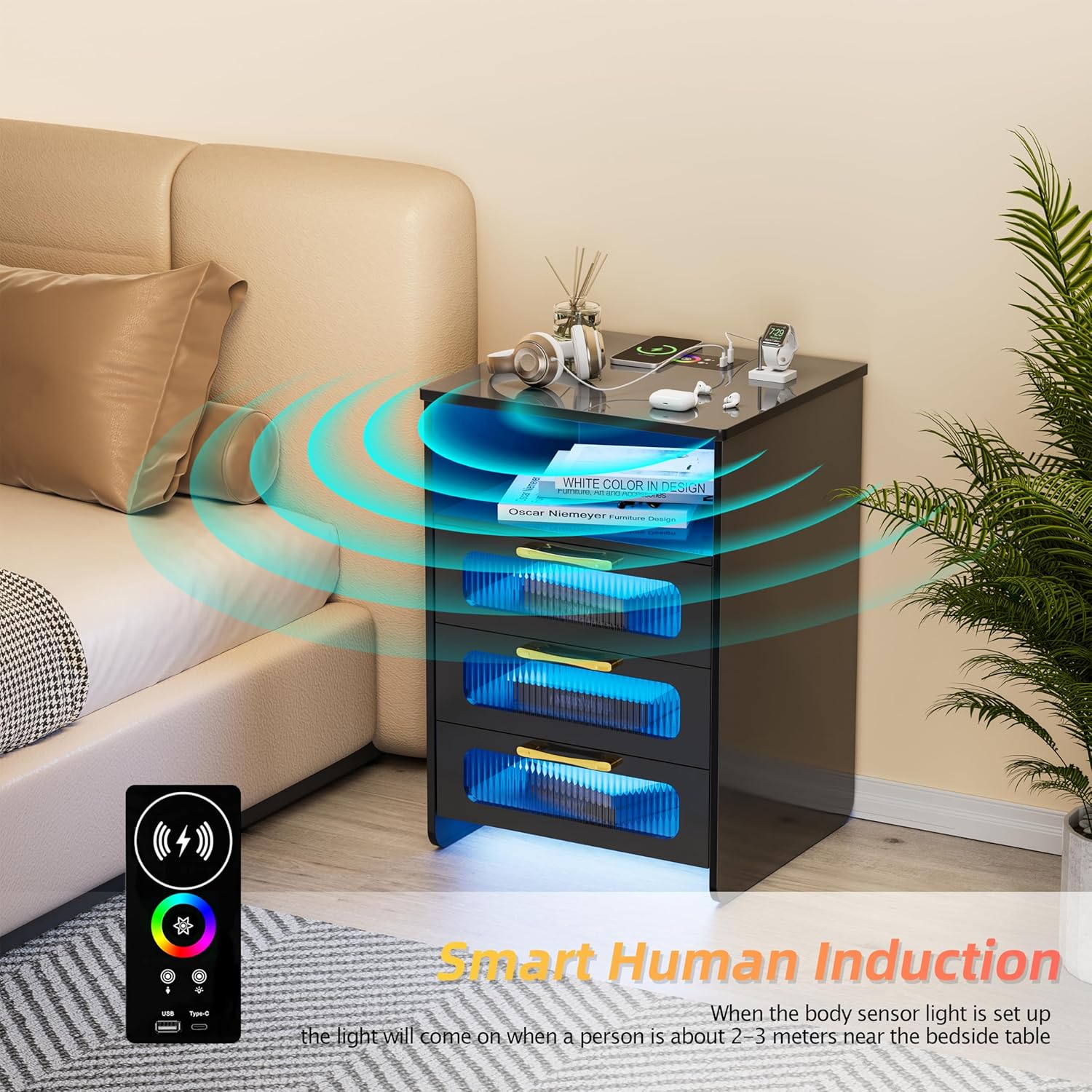
Figure 5: Smart Human Induction Feature.
This image demonstrates the smart human induction feature, where the nightstand's lights activate when a person is within 2-3 meters. Blue waves emanate from the nightstand, symbolizing the sensor's detection range, with a remote control shown in the foreground.
Agbara ipamọ
The KAMABOKO LED Night Stand offers ample storage solutions to keep your bedside organized and clutter-free.
- Ṣii aaye: One open compartment provides easy access for frequently used items like books or decorative pieces.
- Awọn ayaworan: Two large drawers offer concealed storage for personal items, including a dedicated space suitable for jewelry.

Figure 6: Extra Storage Space.
This image highlights the nightstand's storage capacity, showing its two large drawers partially open. The blue LED lighting inside the open compartment and drawers illuminates the interior, emphasizing the practical storage solutions for various items.
Itọju ati Itọju
Proper maintenance will ensure the longevity and appearance of your KAMABOKO LED Night Stand.
- Ninu: Mu awọn oju ilẹ pẹlu asọ, damp asọ. Yẹra fun awọn kẹmika lile tabi awọn afọmọ abrasive, eyiti o le ba ipari jẹ.
- Eruku: Regularly dust the nightstand with a dry, soft cloth to prevent buildup.
- Idasonu: Lẹ́sẹ̀kẹsẹ̀, nu gbogbo ìṣàn tí ó bá dà sílẹ̀ kí ó má ba àbàwọ́n tàbí kí ó ba ohun èlò igi náà jẹ́.
- Awọn ohun elo itanna: Ensure the charging station and LED lights are kept dry. Do not attempt to clean electrical components with liquids.
Laasigbotitusita
If you encounter any issues with your KAMABOKO LED Night Stand, please refer to the following common troubleshooting steps:
| Isoro | Owun to le Fa | Ojutu |
|---|---|---|
| Awọn imọlẹ LED ko tan. | Not plugged in; loose connection; remote battery low; sensor obstructed. | Ensure power cord is securely plugged in. Check all internal wiring connections. Replace remote control batteries. Clear any obstructions from the sensor. |
| Ibudo gbigba agbara ko ṣiṣẹ. | Device not compatible; device not properly aligned (wireless); cable faulty; power issue. | Verify device compatibility with wireless charging. Realign device on charging pad. Try a different USB/Type-C cable. Ensure nightstand is powered on. |
| Awọn oluyaworan jẹ lile tabi ko tilekun laisiyonu. | Overloaded drawer; debris in runners; misaligned runners. | Reduce contents in the drawer. Clean drawer runners. Re-check assembly of drawer slides. |
Ti iṣoro naa ba wa lẹhin igbiyanju awọn iṣeduro wọnyi, jọwọ kan si atilẹyin alabara.
Awọn pato
Detailed specifications for the KAMABOKO LED Night Stand (Model: Nightstand With Charging Station):
| Ẹya ara ẹrọ | Ẹ̀kúnrẹ́rẹ́ |
|---|---|
| Brand | KAMABOKO |
| Orukọ awoṣe | Nightstand With Led Lights |
| Nọmba awoṣe | Nightstand With Charging Station |
| Àwọ̀ | Bj028-bk |
| Awọn iwọn Ọja (D x W x H) | 14.5"D x 15.75"W x 22.8"H |
| Iwọn Nkan | 33.18 iwon |
| Fireemu elo Iru | Igi |
| Top elo Iru | Igi |
| Ipilẹ Iru | Ẹsẹ |
| Nọmba ti Awọn nkan | 1 |
| Awọn irinše to wa | Apejọ Itọsọna |
| Gbigba agbara Awọn ẹya ara ẹrọ | Wireless Charging, USB, Type-C |
| Ina Awọn ẹya ara ẹrọ | RGB Sensor Light, 3 Lighting Modes, 24 Colors, Brightness Adjustment, Human Induction |

Ṣe nọmba 7: Awọn Iwọn Ọja.
This image provides a visual representation of the nightstand's dimensions, indicating its height, width, and depth for accurate placement and planning.
Atilẹyin ọja ati Support
KAMABOKO is committed to providing high-quality products and customer satisfaction.
Alaye Atilẹyin ọja:
While specific warranty details are typically provided with your purchase documentation, general product warranties cover manufacturing defects for a limited period from the date of purchase. Please refer to the warranty card included in your product packaging for precise terms and conditions.
Atilẹyin Onibara:
For any questions, concerns, or assistance with your KAMABOKO LED Night Stand, please contact our customer support team. When contacting support, please have your model number (Nightstand With Charging Station) and purchase details ready.
You can typically find contact information for KAMABOKO customer service on the official brand website or through the retailer where you purchased the product. For purchases made on Amazon, you may contact the seller "KAMABOKO-US" directly through your order history.


