Ọrọ Iṣaaju
The Herdio Marine Bluetooth Receiver (Model HE-BT01-US1) provides superior wireless audio connectivity for various applications, including automotive, marine, powersport, and more. Featuring Bluetooth 5.3 technology, it ensures high sound quality, faster speeds, and an operating range of up to 10 meters (33 feet). Its robust IP67 waterproof design guarantees durability and reliability in challenging environments. This receiver includes 2-channel RCA output and a remote trigger output for seamless integration with your amplifier and audio setup.

The Herdio Marine Bluetooth Receiver (Model HE-BT01-US1) connected via RCA cables, ready for audio output.
Ohun ti o wa ninu Apoti
- 1 x Olugba Bluetooth
- 1 x 3M Adhesive Backing
- 2 x Skru
- 1 x Ilana itọnisọna

Ipariview of the components included with the Herdio Bluetooth Receiver, such as the main unit, connecting wires, and 3M adhesive for mounting.
Ṣeto
Aworan onirin

A comprehensive wiring diagram illustrating the connections for the Herdio Marine Bluetooth Receiver, including power, ground, remote, and RCA outputs to an amplifier ati batiri.
Awọn ilana Asopọmọra
- Isopọ ọkọ:
- Connect the power switch control line to the okun waya bulu.
- Connect the power positive to the okun waya pupa.
- Connect the power negative to the okun waya dudu.
- AmpAsopọ liifier:
- Sopọ awọn red and blue wires si rere ebute.
- Sopọ awọn okun waya dudu si ebute odi.
- RCA Section:
- If direct connection is not possible, use an AUX adapter cable.
- The 2-channel RCA output connects to any powered speakers with a standard +12V~24V DC power.
Awọn akọsilẹ pataki: Ensure all connections comply with local electrical safety standards. Verify polarity to avoid reverse connection damage. The product does not have an amplifier function; it acts solely as a Bluetooth receiver. If connecting to an amplifier with Bluetooth function, ensure the amplifier is switched to AUX mode and use an AUX adapter cable if necessary.

The Herdio Bluetooth Receiver displayed with its physical dimensions (4.4cm/1.73 inches width, 4.2cm/1.65 inches length, 2.2cm/0.87 inches height) to assist with installation planning.
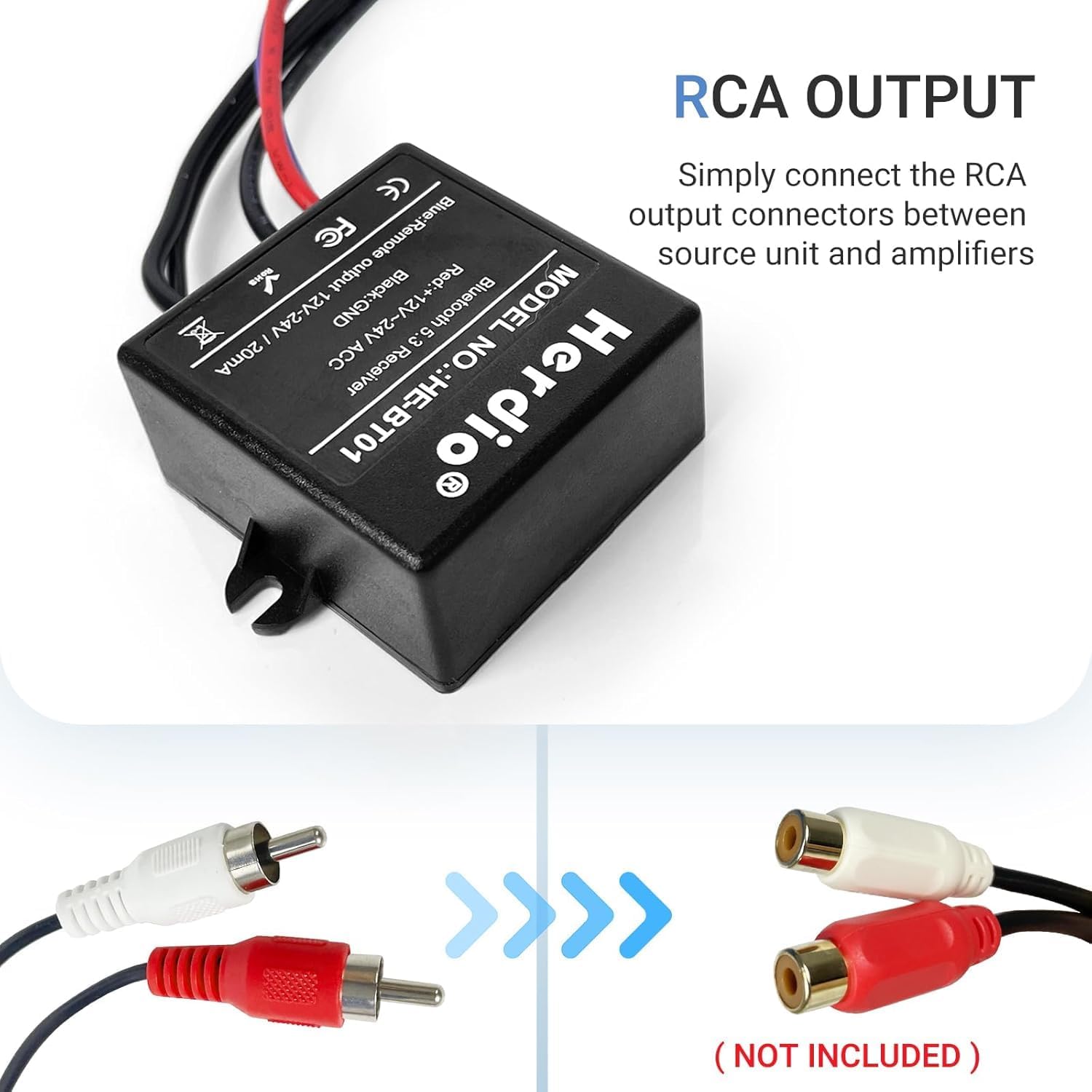
A alaye view of the Herdio Bluetooth Receiver's RCA output, illustrating how to connect it to an amplifier tabi agbara agbohunsoke.
Awọn ilana Iṣiṣẹ
Asopọ Bluetooth
- Ensure the Herdio Marine Bluetooth Receiver is properly installed and powered on.
- Lórí ẹ̀rọ alágbèéká rẹ (fóònù alágbèéká, tábìlẹ́ẹ̀tì, àti bẹ́ẹ̀ bẹ́ẹ̀ lọ), lọ sí àwọn ètò Bluetooth.
- Wa fun available Bluetooth devices. The receiver should appear as 'Herdio BT01' or a similar identifier.
- Select the receiver to pair. Once paired, your device will confirm the connection.
- You can now stream audio wirelessly from your device to the connected amplifier / agbohunsoke.
Sti Audioanwọle Audio
Once paired, simply play your desired audio content from your mobile device. The audio will be transmitted wirelessly to the Herdio receiver and output through your connected sound system. Adjust volume directly from your mobile device or through your amplifier ká idari.
An official video demonstrating the features and benefits of the Herdio Marine Bluetooth Receiver, including its IP67 waterproof design and Bluetooth 5.3 connectivity.
Itoju
The Herdio Marine Bluetooth Receiver is designed with an IP67 waterproof rating, making it resistant to water and dust ingress. To ensure longevity and optimal performance:
- Regularly inspect all connections for corrosion or damage, especially in marine environments.
- Wẹ ode pẹlu asọ, damp asọ. Yẹra fun awọn kẹmika lile tabi awọn olutọpa abrasive.
- Ensure all caps and covers (if any) are securely fastened to maintain the waterproof seal.
- Avoid exposing the device to extreme temperatures beyond its operating range.
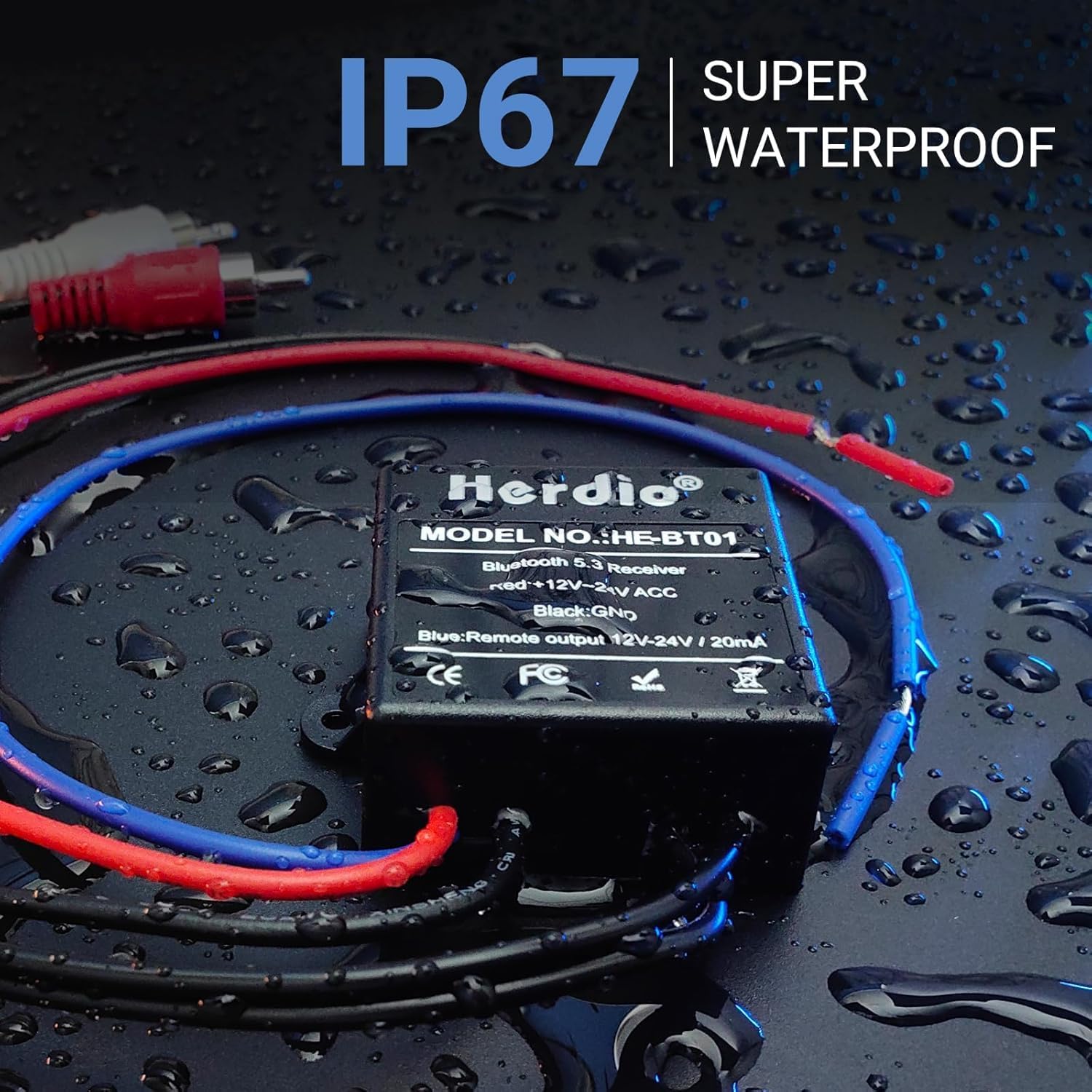
The Herdio Bluetooth Receiver, designed with IP67 waterproofing, is shown with water droplets, highlighting its durability in marine and outdoor environments.
Laasigbotitusita
| Isoro | Owun to le Fa | Ojutu |
|---|---|---|
| Ko si Agbara | Wáyà tí kò tọ́; Fúúsì tí a fẹ́; Ìsopọ̀ tí kò dáa. | Check power, ground, and remote connections. Ensure fuse is intact. Verify all wires are securely connected. |
| Ko si Bluetooth Asopọ | Olùgbà kò sí ní ipò ìsopọ̀; Ẹ̀rọ náà ti jìnnà jù; Ìdádúró. | Ensure receiver is powered on. Bring device closer to the receiver. Re-attempt pairing. Check for other active Bluetooth devices causing interference. |
| Poor Sound Quality / No Sound | Ti ko tọ amplifier mode; Loose RCA connections; Signal loss. | Ti o ba nlo ohun amplifier with Bluetooth, switch it to AUX mode. Ensure RCA cables are securely connected. While bass-heavy music may experience slight signal loss, actual sound quality depends on the amplifier ati agbohunsoke. |
| Remote Trigger Not Working | Incorrect remote wire connection. | Verify the blue remote wire is correctly connected to the ampìfàsẹ́yìn jíjìnnà lifier. |
Awọn pato
| Ẹya ara ẹrọ | Sipesifikesonu |
|---|---|
| Nọmba awoṣe | HE-BT01-US1 |
| Ẹya Bluetooth | 5.3 |
| Ibiti nṣiṣẹ | 10 mita (33 ẹsẹ) |
| Mabomire Rating | IP67 |
| Awọn ikanni ti njade | 2-ikanni RCA |
| Iṣẹjade Nfa Latọna jijin | Bẹẹni |
| Agbara Input | + 12V ~ 24V DC |
| Package Mefa | 4.69 x 3.43 x 1.06 inches |
| Iwọn Nkan | 3.39 iwon (96 Giramu) |
| Asopọmọra Technology | Bluetooth |
| Awọn ẹrọ ibaramu | Car Stereo System, Home Stereo System, Radio, Smartphone, Speaker |
| Ipo Ijade Ohun | Sitẹrio |
Atilẹyin ọja & Atilẹyin
For any questions or assistance with your Herdio Marine Bluetooth Receiver, please contact Herdio Customer Service. We are committed to helping you within 24 hours. Refer to your purchase documentation for specific warranty details.


