1. Ifihan
The Amazon Echo Studio (2025 Model) is a smart speaker designed to deliver immersive spatial audio and Dolby Atmos sound. It features a compact design, a built-in smart home hub, and is powered by the AZ3 Pro chip for advanced performance. This device also includes early access to Alexa+, offering a smarter and more proactive AI assistant experience.

Image 1.1: The Amazon Echo Studio (2025 Model) in Glacier White, showcasing its compact, spherical design with control buttons on top.
2. Ohun ti o wa ninu Apoti
Before you begin, ensure all items are present in the packaging:
- Echo Studio (2025 release)
- Adaparọ agbara (50W)
- Itọsọna ibere ni kiakia
3. Eto
3.1 Ibẹrẹ Agbara Lori
- Connect the provided power adapter to the Echo Studio and then to a wall outlet.
- The light ring on your Echo Studio will turn blue, then orange, indicating it is ready for setup.
3.2 Alexa App Installation and Connection
- Download the Alexa app on your mobile device (compatible with Fire OS, Android, and iOS).
- Open the Alexa app and sign in with your Amazon account.
- Follow the on-screen instructions to add a new device. Select "Amazon Echo" then "Echo Studio".
3.3 Wi-Fi Oṣo
The Alexa app will guide you through connecting your Echo Studio to your Wi-Fi network. The device supports 1x1 Wi-Fi 6E (11a/b/g/n/ac/ax). Amazon Wi-Fi simple setup is available to streamline this process.
3.4 Room Adaptation
After initial setup, Echo Studio analyzes the acoustics of your room to fine-tune playback for optimal sound. This process occurs automatically.
3.5 Pairing for Enhanced Audio
- Orin-Yara pupọ: Play music across multiple Echo devices by grouping them in the Alexa app.
- Ile Itage Ile: Pair your Echo Studio with compatible Fire TV devices for an immersive home theater experience. This can be done through the Fire TV settings.
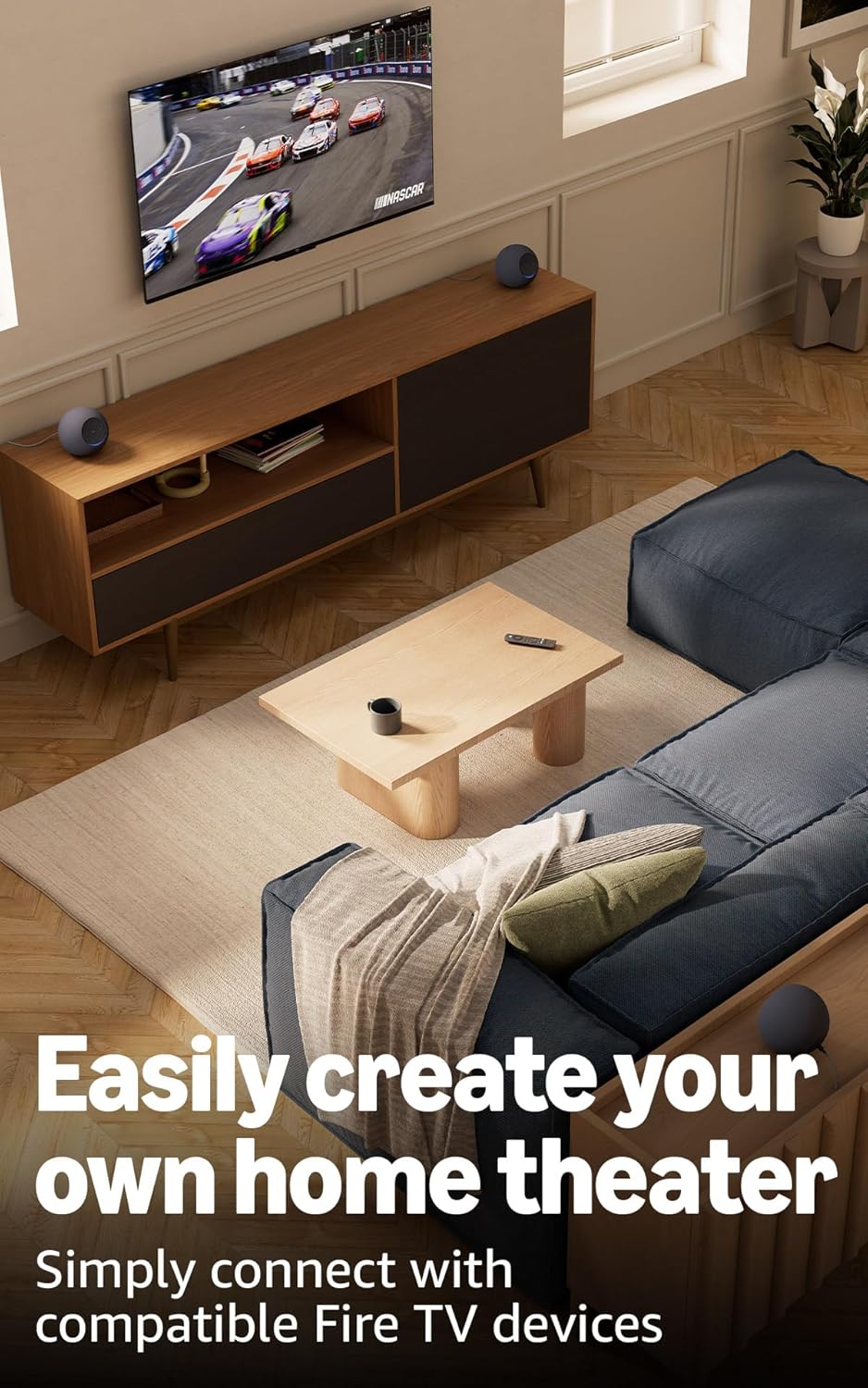
Image 3.1: Two Echo Studio devices positioned to create a home theater setup with a television, demonstrating multi-speaker audio.
4. Operating Your Echo Studio
4.1 Iṣakoso ohun pẹlu Alexa
Your Echo Studio is primarily controlled by voice commands using the wake word "Alexa". Speak clearly and directly to the device.

Image 4.1: A graphic introducing the updated Alexa+ assistant, highlighting its smarter and more proactive capabilities.
4.2 Alexa+ Early Access
This device provides early access to Alexa+. Upon setup, you can upgrade to this enhanced AI assistant for a more natural and conversational experience, capable of handling a wider range of tasks.
4.3 Smart Home Iṣakoso
The Echo Studio includes a built-in smart home hub supporting Zigbee, Matter, and Thread Border Router protocols. This allows you to connect and control compatible smart lights, locks, and other devices directly without a separate hub.
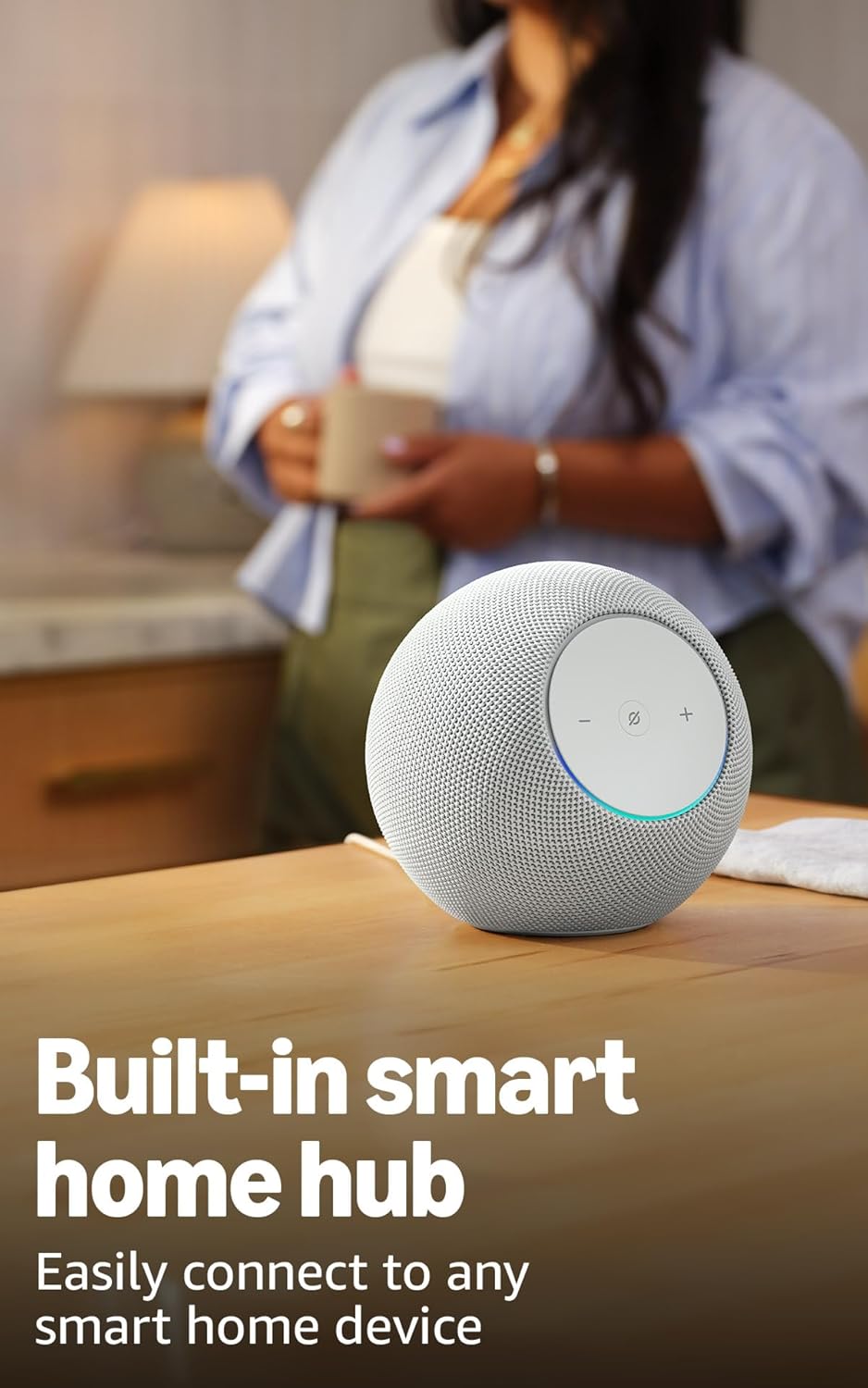
Image 4.2: The Echo Studio on a table, emphasizing its function as a built-in smart home hub for easy device connectivity.
4.4 Bluetooth Asopọmọra
Echo Studio supports Bluetooth wireless technology/Bluetooth Low Energy 5.3. You can stream audio from your mobile device to Echo Studio (A2DP) or from Echo Studio to a Bluetooth speaker (A2DP). AVRCP is supported for voice control of connected mobile devices. Bluetooth speakers requiring PIN codes are not supported.
4.5 Omnisense Technology
Omnisense technology enables proactive and personalized experiences through features like presence detection, ambient temperature sensing, and accelerometer-based tap gestures. For example, you can activate routines based on temperature changes or detected presence.
4.6 eero Built-in
If you have a compatible eero router, your Echo Studio can extend Wi-Fi coverage. Link your eero and Amazon accounts and manage this feature through the eero mobile application. This feature supports up to 1,000 sq. ft. of additional coverage, speeds up to 100 Mbps, and 10 or fewer connected devices in the 5GHz band.
5. Itọju
To ensure the longevity and optimal performance of your Echo Studio:
- Keep the device dry and away from direct sunlight or heat sources.
- Clean the exterior with a soft, dry, lint-free cloth. Do not use abrasive cleaners or solvents.
- Rí i dájú pé a gbé ẹ̀rọ náà sí orí ibi tí ó dúró ṣinṣin láti dènà ìṣubú láìròtẹ́lẹ̀.
6. Laasigbotitusita
If you encounter issues with your Echo Studio, consider the following steps:
- Ko si Agbara: Rí i dájú pé ohun tí a fi ń so agbára pọ̀ mọ́ ẹ̀rọ náà àti ibi tí ó ń ṣiṣẹ́ lórí ògiri.
- Ko si Wi-Fi Asopọmọra: Check your router and internet connection. Verify that your Echo Studio is within range of your Wi-Fi network. Re-attempt Wi-Fi setup through the Alexa app.
- Alexa Ko Dahun: Ensure the microphone is not muted (the light ring will be red if muted). Try saying the wake word more clearly or adjusting your proximity to the device.
- Awọn ọran Didara Olohun: Confirm the device is placed optimally for room adaptation. Check audio settings in the Alexa app.
- Awọn ọrọ gbogbogbo: Try restarting your Echo Studio by unplugging it from the power outlet for a few seconds and then plugging it back in.
For further assistance, refer to the help section within the Alexa app or visit the Amazon support webojula.
7. Awọn pato
| Ẹya ara ẹrọ | Ẹ̀kúnrẹ́rẹ́ |
|---|---|
| Iwọn | 6.1”W x 5.6”D x 5.8”H (155mm W x 142.2mm D x 147.3mm H) |
| Iwọn | 57.56 oz (1632 grams) 3.6 lbs |
| Bandiwidi Audio | 30 Hz - 18 kHz (iwọn didun 6) |
| Àwọn Awakọ̀ Agbọrọsọ | 1x 3.75” high excursion woofer, 3x 2.25” full-range drivers |
| Awọn ikanni Sisisẹsẹhin | 3.1.1 (left, center, right, height, subwoofer) |
| Ṣiṣẹ ohun afetigbọ | Distortion reduction, Lossless High Definition, Automatic Room Adaptation, Amazon Spatial Audio, Dolby Atmos |
| Wi-Fi Asopọmọra | 1x1 Wi-Fi 6E 11a/b/g/n/ac/ax |
| Bluetooth Asopọmọra | Bluetooth wireless technology/Bluetooth Low Energy 5.3 (A2DP, AVRCP) |
| Smart Home Ipele | Zigbee + Ohun pàtàkì + Olùdarí Ààlà Ìlà Okùn |
| isise | AZ3 Pro with AI Accelerator |
| Awọn sensọ | Iwọn otutu ayika, ina ayika, Wiwa wiwa, ẹrọ iyara fun awọn ifarahan titẹ |
| Ìmọ̀-ẹ̀rọ Omnisense | Custom technology for ambient AI, enabling proactive and personalized experiences |
| eero Itumọ | Extends Wi-Fi coverage with compatible eero routers (up to 1,000 sq. ft. additional coverage) |
| Ede | Alexa sọ English ati Spanish |
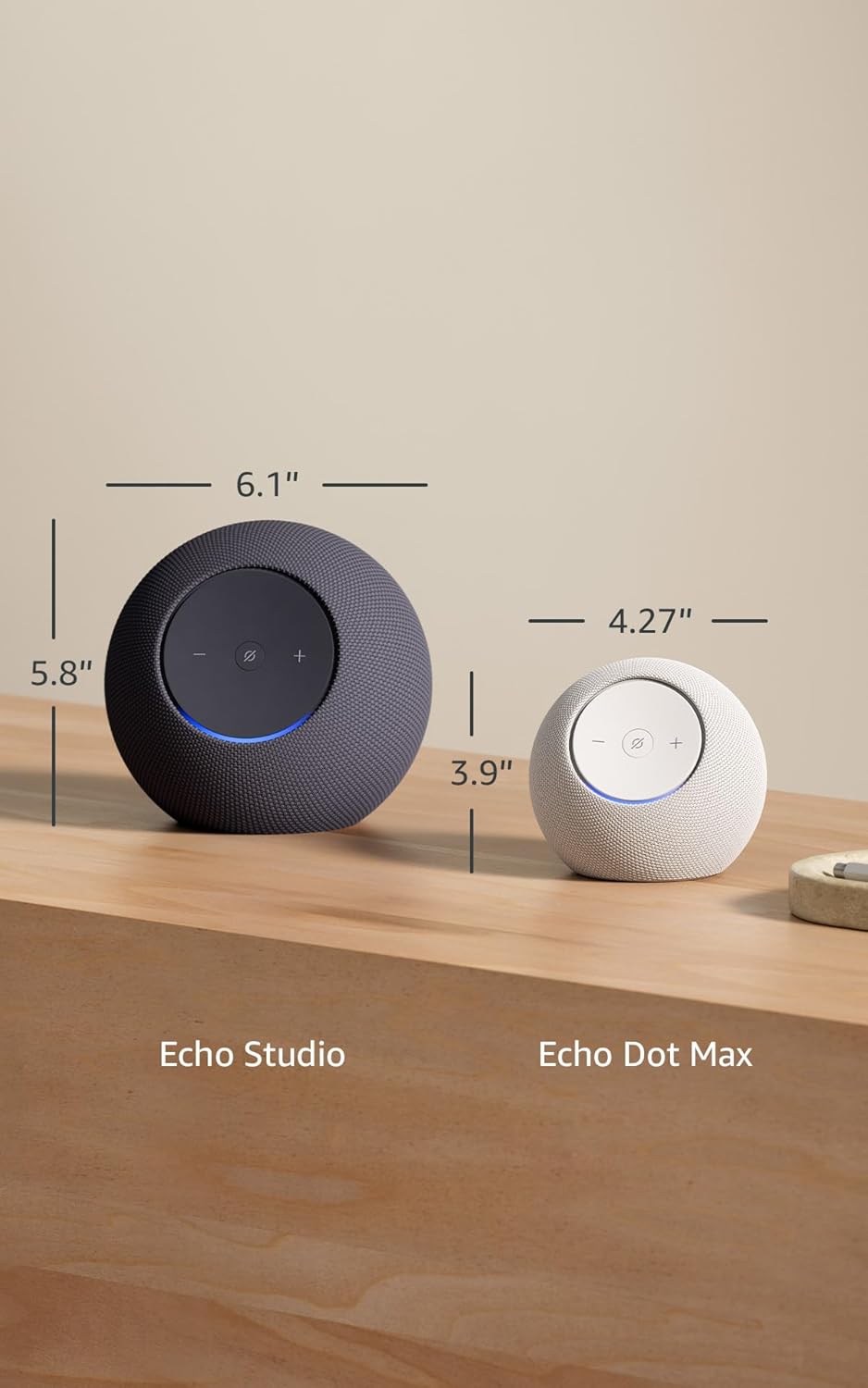
Image 7.1: A visual comparison showing the dimensions of the Echo Studio next to an Echo Dot Max.
8. Aabo ati Ibamu
8.1 Asiri Awọn ẹya ara ẹrọ
The Echo Studio is designed with multiple layers of privacy controls:
- Microphones Enable/Disable Button: A physical button allows you to electronically disconnect the microphones. When disabled, the light ring will turn red.
- Imọ-ẹrọ Ọrọ Ji: Ẹrọ naa bẹrẹ gbigbasilẹ nikan ati fifiranṣẹ ohun si awọsanma lẹhin wiwa ọrọ ji (fun apẹẹrẹ, "Alexa").
- Isakoso Gbigbasilẹ ohun: O ni agbara lati view ati paarẹ awọn gbigbasilẹ ohun rẹ nipasẹ ohun elo Alexa.

Aworan 8.1: A sunmọ-soke view of the Echo Studio's control panel, highlighting the microphone enable/disable button for privacy control.
8.2 Wiwọle Awọn ẹya ara ẹrọ
Alexa offers various accessibility features to personalize your experience. These can be enabled in the Alexa App under Settings → Accessibility:
- Gbigbọ Imudaramu: Pese akoko diẹ sii lati pari sisọ ṣaaju idahun Alexa.
- Oṣuwọn Ọrọ ti o fẹ: Ṣakoso bi o ṣe yara tabi o lọra Alexa n sọrọ (fun apẹẹrẹ, “Alexa, sọ laiyara”).
- Beere Ohun: Plays an audible tone when you speak to Alexa.
- Kindu Ka soke: Jẹ ki Alexa ka awọn iwe Kindu rẹ ni ariwo.
- Fi leti Nigbati Nitosi: Ó máa ń mú àwọn ìfitónilétí jáde nígbà tí wọ́n bá rí ọ nítòsí ẹ̀rọ Echo rẹ.
9. Atilẹyin ọja ati Support
Your Echo Studio comes with a 1-year limited warranty and service. Optional 1-year, 2-year, and 3-year extended warranties are available for U.S. customers, sold separately. For detailed warranty terms and conditions, please refer to the documentation provided with your device or visit the Amazon support webojula.
For customer support, visit the Amazon Help & Customer Service pages or contact Amazon customer service directly.


