1. Ifihan ati Loriview
The Acer Aspire 16 AI Copilot+ PC is designed for enhanced productivity and intuitive AI capabilities. Featuring a 16-inch WUXGA 120Hz 100% sRGB display and powered by the Snapdragon X processor with a 45 TOPS NPU, this laptop delivers efficient performance for various tasks. This manual provides essential information for setting up, operating, and maintaining your device.

Image: Acer Aspire 16 AI Copilot+ PC highlighting key features like Windows 11, Copilot+PC, Snapdragon X, WUXGA display, and Wi-Fi 7.
2. Ohun ti o wa ninu Apoti
Your Acer Aspire 16 AI Copilot+ PC package includes the following items:
- Kọǹpútà alágbèéká
- USB Iru-C Power Adapter
- Okun agbara

Image: Included accessories for the Acer Aspire 16 AI Copilot+ PC, showing the power adapter, power cord, and setup guides.
3. Eto Itọsọna
Follow these steps for the initial setup of your Acer Aspire 16 AI Copilot+ PC:
- Unboxing: Fi iṣọra yọ kọǹpútà alágbèéká ati gbogbo awọn ẹya ẹrọ kuro ninu apoti.
- So agbara: Plug the USB Type-C power adapter into the laptop's USB4 port and connect it to a power outlet.
- Bata Ibẹrẹ: Open the laptop lid. The system may power on automatically or require you to press the power button.
- Eto Windows: Tẹ̀lé àwọn ìtọ́ni tó wà lójú ìbòjú láti parí ètò Windows 11 Home, títí bí èdè, agbègbè, ìsopọ̀ nẹ́tíwọ́ọ̀kì, àti ṣíṣẹ̀dá àkọọ́lẹ̀ olùlò.
- Awọn imudojuiwọn: Allow the system to download and install any necessary updates to ensure optimal performance and security.
Video: Official Acer America Corporation video titled "Copilot+PC A New Era of AI", providing an overview of the new AI capabilities and the NPU.
4. Awọn ẹya ara ẹrọ Ọja ati Loriview
4.1. Awọn ibudo ati awọn isopọ
The Acer Aspire 16 AI offers a comprehensive selection of ports for connectivity:
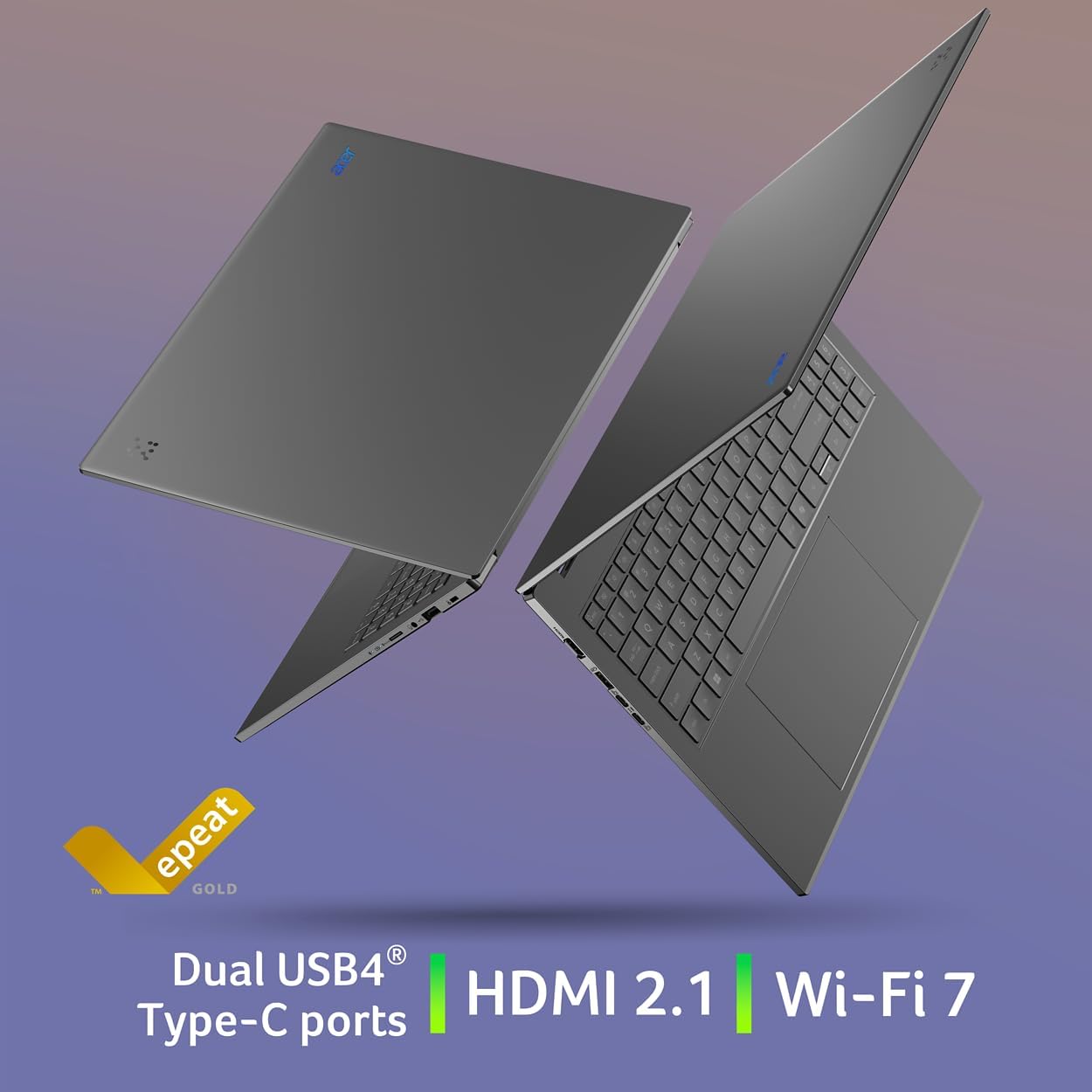
- Apa osi: 2 x USB Type-C (USB4, up to 40Gbps, USB Charging & Power Delivery up to 65W), 1 x USB 3.2 Gen 1 (with power-off charging), 1 x HDMI 2.1 with HDCP Support.
- Apa otun: 1 x USB 3.2 Gen 1, 1 x Headphone/Speaker/Line-out Jack, 1 x MicroSD Card Slot, 1 x Kensington Lock Slot.

Image: Left side of the laptop showing HDMI, USB 3.2, and two USB Type-C (USB4) ports.
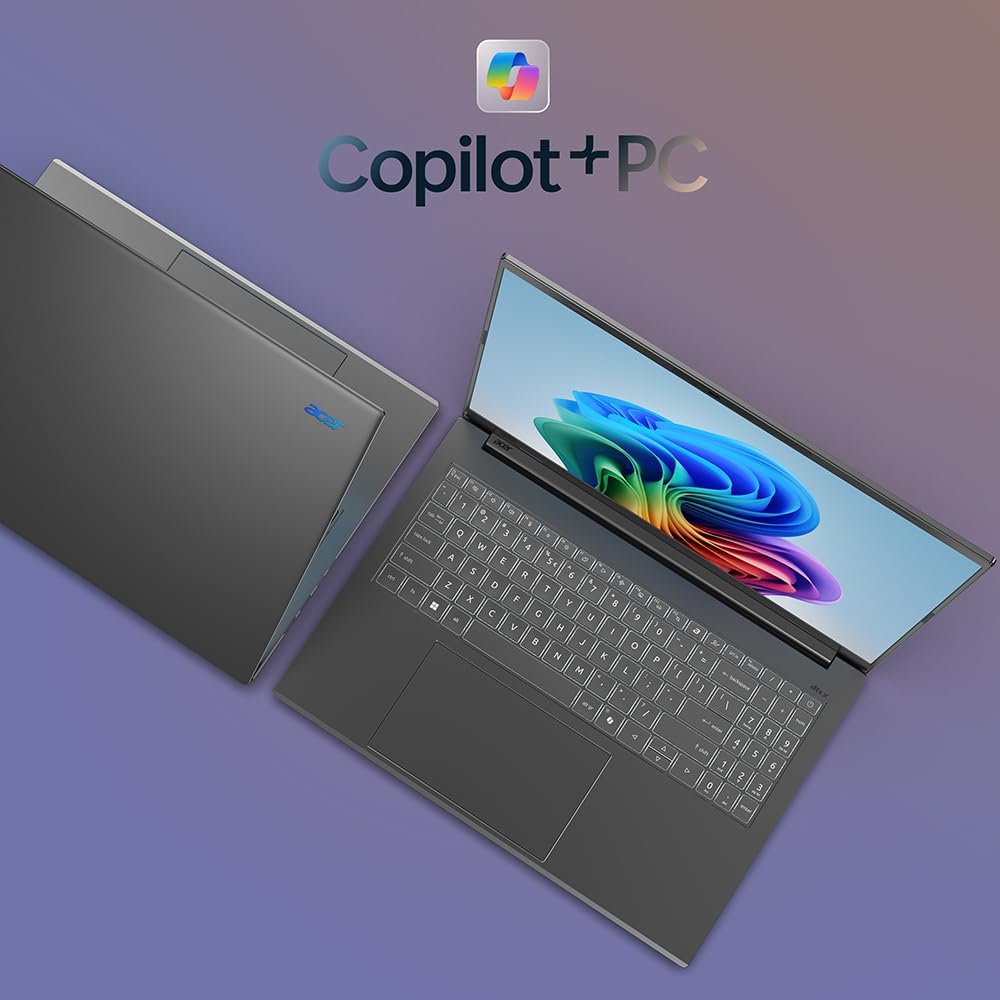
Image: Right side of the laptop showing MicroSD card slot, headphone jack, USB 3.2, and Kensington lock slot.
4.2. Ifihan
Experience stunning visuals on the 16-inch WUXGA (1920x1200) display with a 120Hz refresh rate and 100% sRGB color coverage. The anti-glare screen ensures comfortable viewing ni orisirisi awọn ipo ina.

Image: The laptop's display showcasing its 120Hz refresh rate, WUXGA resolution, and 100% sRGB color coverage.
4.3. Keyboard ati Touchpad
The full-size keyboard features a numeric keypad and backlighting for comfortable typing in any environment. The large, responsive touchpad supports multi-touch gestures for intuitive navigation.
Aworan: Oke-isalẹ view of the Acer Aspire 16 AI, highlighting the full-size backlit keyboard and large touchpad.
4.4. AI Features (Copilot+ PC)
The Acer Aspire 16 AI is a Copilot+ PC, integrating advanced AI capabilities directly into Windows 11 Home:
- Recall (Preview): Helps you remember and find content you've seen on your PC.
- Click to Do (Preview): Offers quick actions over images or text for enhanced productivity.
- Improved Windows Search: Efficiently locate documents and images in seconds.
- Super Resolution in Photos: Enhances image quality, turning fuzzy photos into crisp, high-definition memories.
- AcerSense: A versatile tool for managing device settings, optimizing video presence, and accessing AI features.
- Acer wẹView 2.0 & PurifiedVoice 2.0: Enhances video calls with 1440p QHD webcam, automatic framing, background blur, gaze correction, and AI noise cancellation.

Aworan: Pariview of Copilot+PC AI features such as Recall, Click to Do, Improved Windows Search, and Super Resolution in Photos.

Image: The AcerSense interface, showing options for streamlining settings and optimizing video presence.
Video: Official Acer America Corporation video demonstrating Copilot+PC Recall (preview) features for timeline and search.
5. Awọn ilana Iṣiṣẹ
Your Acer Aspire 16 AI runs on Windows 11 Home, offering a familiar and intuitive user experience. Utilize the Snapdragon X processor for efficient multitasking and AI-accelerated applications. The long battery life (up to 27 hours for video playback, 18 hours for web browsing) ensures extended usage without frequent charging.
The 180-degree lie-flat hinge allows for versatile positioning, making it suitable for various work or viewing awọn oju iṣẹlẹ.

Image: The Acer Aspire 16 AI showcasing its durable aluminum chassis and 180-degree lie-flat hinge for versatile use.
6. Itọju
To ensure the longevity and optimal performance of your laptop:
- Ninu: Use a soft, lint-free cloth to clean the screen and chassis. Avoid harsh chemicals.
- Awọn imudojuiwọn sọfitiwia: Regularly check for and install Windows updates and Acer driver updates.
- Itọju Batiri: Avoid fully discharging the battery frequently. For prolonged storage, charge the battery to around 50-60%.
- Afẹfẹ: Ensure proper airflow around the laptop to prevent overheating.
7. Laasigbotitusita
If you encounter issues with your laptop, consider the following:
- Awọn oran agbara: Ensure the power adapter is securely connected and the outlet is functional. Try a different outlet if necessary.
- Awọn iṣoro Ifihan: Tí ìbòjú náà bá ṣófo, gbìyànjú láti so mọ́tò ìta láti ṣàyẹ̀wò bóyá ìṣòro náà wà pẹ̀lú ìbòjú kọ̀ǹpútà alágbèéká náà.
- Ilọkuro Iṣe: Ti awọn ohun elo ti ko wulo pa, ṣayẹwo fun awọn ilana abẹlẹ, ki o si rii daju pe o to aaye ibi ipamọ ọfẹ.
- Awọn abawọn sọfitiwia: Restart the laptop. If the problem persists, check for system updates or consider restoring to a previous system point.
Fun awọn iṣoro ti o nira sii, wo atilẹyin Acer webojula tabi olubasọrọ onibara iṣẹ.
8. Awọn pato
| Ẹya ara ẹrọ | Ẹ̀kúnrẹ́rẹ́ |
|---|---|
| Nọmba awoṣe | A16-11M-X0LW |
| Eto isesise | Windows 11 Ile |
| isise | Qualcomm Snapdragon X X1-26-100 (8-Core, 3.0GHz Qualcomm Oryon CPU, 45 TOPS Qualcomm Hexagon NPU, up to 1.7 TFLOPs Qualcomm Adreno GPU) |
| Ifihan | 16-inch WUXGA (1920x1200) 120Hz, 100% sRGB |
| Àgbo | 16GB LPDDR5X Onboard Memory |
| Ibi ipamọ | 512GB PCIe Gen 4 SSD |
| Alailowaya Asopọmọra | Wi-Fi 7 (802.11.be), Bluetooth 5.3 |
| Awọn ibudo | 2x USB4 Type-C, 2x USB 3.2 Gen 1 (1 with power-off charging), 1x HDMI 2.1, 1x Headphone/Speaker/Line-out, 1x MicroSD Card Slot, 1x Kensington Lock Slot |
| Webkamẹra | 1440p QHD with Acer PurifiedView 2.0 |
| Igbesi aye batiri | Up to 27 hours (video playback), Up to 18 hours (web lilọ kiri ayelujara) |
| Awọn iwọn | 14"W x 9.85" D x 0.63" H |
| Iwọn | 3.42 iwon |
9. Atilẹyin ọja ati Support
Your Acer Aspire 16 AI Copilot+ PC comes with standard manufacturer warranty. For detailed warranty information, please refer to the documentation included in your product packaging or visit the official Acer support webojula.
Awọn ero aabo iyan wa fun agbegbe ti o gbooro sii:
- 4-odun Idaabobo Eto
- 2-odun Idaabobo Eto
- Idabobo pipe: ero kan ni wiwa gbogbo ẹtọ ti o kọja ati awọn rira iwaju
Fun iranlọwọ imọ-ẹrọ, awọn igbasilẹ awakọ, tabi awọn ibeere iṣẹ, jọwọ ṣabẹwo si Atilẹyin Acer Webojula.


