1. Ifihan
Thank you for choosing the Monster Persona 6th ANC Wireless Headphones. These headphones are designed to provide a superior audio experience with Active Noise Cancellation, long battery life, and comfortable wear. This manual will guide you through the setup, operation, and maintenance of your new headphones to ensure optimal performance.

Image: Monster Persona 6th ANC Wireless Headphones, showcasing the sleek black design with subtle gold accents.
2. Ohun ti o wa ninu Apoti
Jọwọ ṣayẹwo awọn akoonu package lati rii daju pe gbogbo awọn ohun kan wa:
- Monster Persona 6th ANC Headphones × 1
- Iru-C Ngba agbara Cable × 1
- Aux Cable × 1
- Afowoyi Olumulo × 1

Image: A visual representation of all items included in the Monster Persona 6th ANC headphone package.
3. Ọja Ipariview
Familiarize yourself with the various parts and controls of your Monster Persona 6th ANC headphones.

Image: Detailed diagram illustrating the location and function of each button and port on the headphones for easy operation.
- Bọtini ANC: Activates/deactivates Active Noise Cancellation and switches between sound modes.
- Volume - / Previous Song: Press to decrease volume; long press to go to the previous song.
- On/Off / Play/Pause / Answer/Hang Up: Long press for 3 seconds to power on/off; press once to play/pause music or answer/hang up calls. Long press for 2 seconds to reject calls. Long press for 2 seconds to activate voice assistant.
- Volume + / Next Song: Press to increase volume; long press to go to the next song.
- Ibudo Ngba agbara Iru-C: Fun gbigba agbara awọn agbekọri.
- Jack Audio 3.5mm: For wired connection using the Aux Cable.
4. Eto
4.1 Ngba agbara si awọn Agbekọri
Ṣaaju lilo akọkọ, gba agbara si awọn agbekọri rẹ ni kikun. Gbigba agbara ni kikun gba to awọn wakati 2.
- So okùn gbigba agbara Iru-C pọ mọ ibudo gbigba agbara lori agbekọri naa.
- So opin okun miiran pọ si ohun ti nmu badọgba agbara USB (kii ṣe pẹlu) tabi ibudo USB ti kọnputa kan.
- The indicator light will show charging status (refer to the specific light behavior in your included manual for details).
- Once fully charged, the indicator light will change (e.g., turn off or change color).
A 10-minute charge provides approximately 5 hours of playback. A full charge offers up to 60 hours of playtime (ANC off) or 40 hours (ANC on).

Image: The headphones highlighting their extended battery life and rapid charging feature.
4.2 Agbara Tan / Pa
- Lati Fi agbara: Long press the On/Off button for 3 seconds. The indicator light will flash, and you will hear a power-on prompt.
- Lati Paarẹ: Long press the On/Off button for 3 seconds. The indicator light will turn off, and you will hear a power-off prompt.
4.3 Sisopọ Bluetooth
The Monster Persona 6th ANC headphones utilize Bluetooth 6.0 for stable and efficient wireless connection.
- Rii daju pe awọn agbekọri ti wa ni pipa.
- Long press the On/Off button for 3 seconds until the indicator light flashes rapidly (usually blue and red alternately), indicating pairing mode.
- Lori ẹrọ rẹ (foonuiyara, tabulẹti, kọmputa), mu Bluetooth ṣiṣẹ ki o wa awọn ẹrọ to wa.
- Select "Monster Persona 6th ANC" from the list of devices.
- Once connected, the indicator light will stop flashing rapidly and may show a steady blue light, and you will hear a connection prompt.
The headphones support dual device connection, allowing you to seamlessly switch between two paired devices.
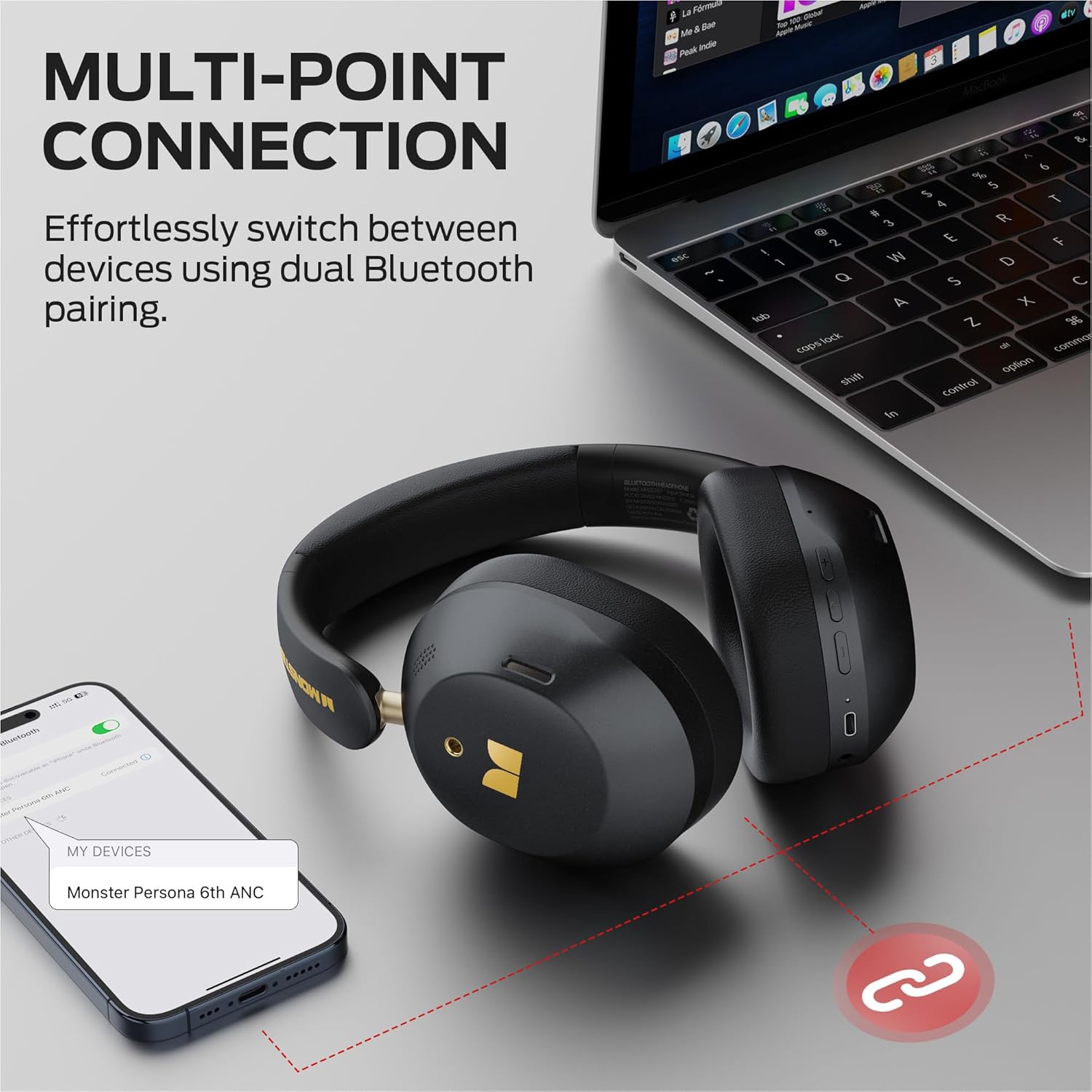
Image: Illustration of the multi-point connection feature, showing the headphones paired with both a phone and a laptop.
5. Ṣiṣẹ awọn Agbekọri
5.1 Ipilẹ idari
| Išẹ | Iṣe |
|---|---|
| Titan / Paa | Long press On/Off button (3s) |
| Mu ṣiṣẹ/Danu Orin duro | Press On/Off button (1x) |
| Iwọn didun soke | Press Vol+ button (1x) |
| Iwọn didun isalẹ | Press Vol- button (1x) |
| Orin t'okan | Long press Vol+ button (2s) |
| Orin ti tẹlẹ | Long press Vol- button (2s) |
| Dahun/Fi ipe duro | Press On/Off button (1x) |
| Kọ Ipe | Long press On/Off button (2s) |
| Mu Oluranlọwọ Ohun ṣiṣẹ | Long press On/Off button (2s) |
5.2 Sound Modes (ANC, Transparency, Standard)
The headphones offer three distinct sound modes to adapt to your environment:
- Ipo Ifagile Ariwo Nṣiṣẹ (ANC): Reduces ambient noise, providing an immersive listening experience. Ideal for travel or noisy environments.
- Ipo akoyawo: Allows you to hear your surroundings while still enjoying your audio. Useful for commutes or when you need to be aware of your environment.
- Ipo Standard: Provides a balanced audio experience without active noise cancellation or transparency features.
Lati Yi Awọn ipo pada: Press the ANC button once to cycle through the modes (ANC > Transparency > Standard).
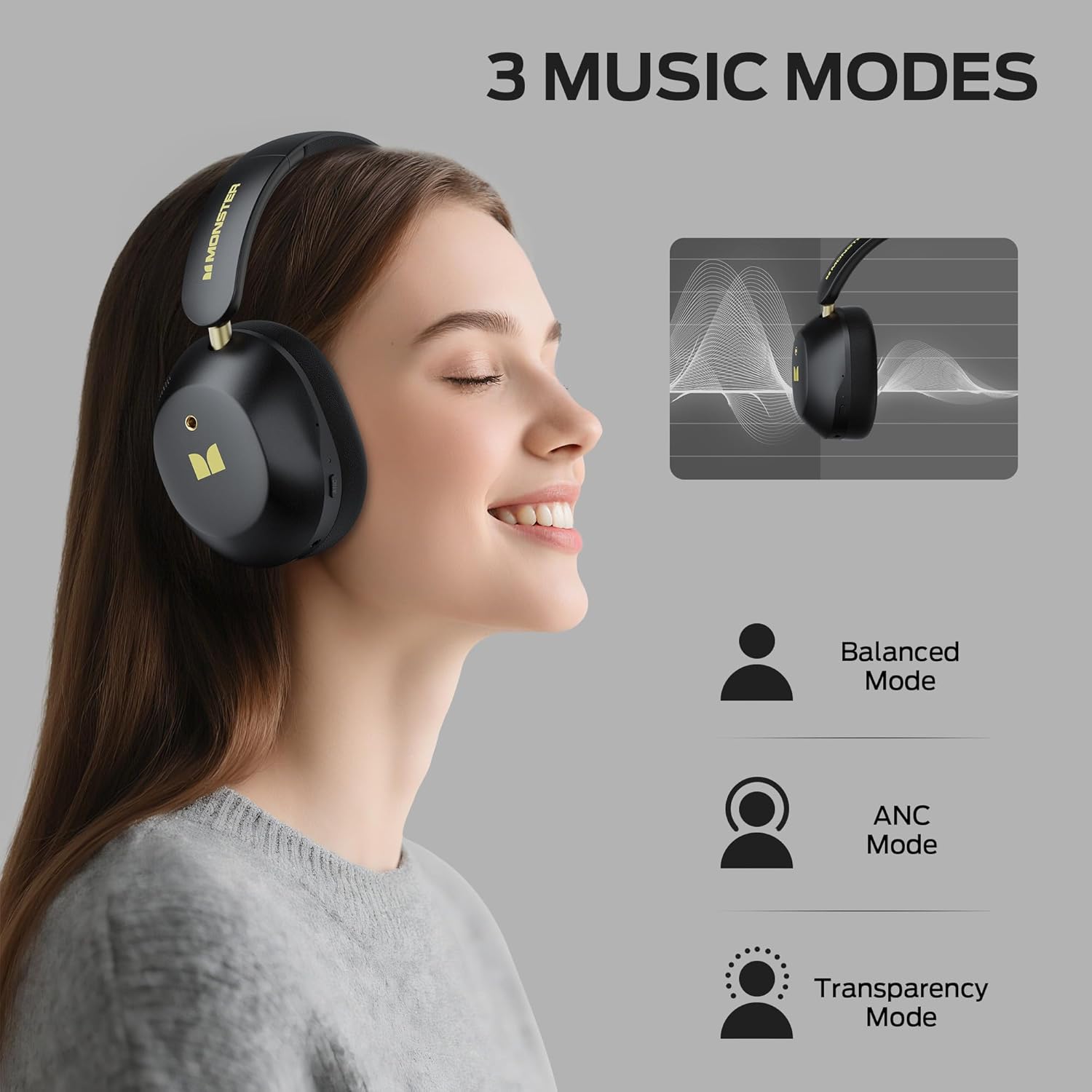
Image: Visual explanation of the three available sound modes and their respective icons.
5.3 Asopọ Onirin
You can use the included 3.5mm Aux Cable for a wired connection, which is useful when the battery is depleted or for devices without Bluetooth connectivity.
- Plug one end of the 3.5mm Aux Cable into the audio jack on the headphones.
- So opin keji mọ inu ohun ti o njade lati inu ẹrọ rẹ pẹlu 3.5mm.
- The headphones will operate in passive mode, and Bluetooth functions will be disabled.

Image: Demonstrating both wired (3.5mm) and wireless (Bluetooth) connection options for the headphones.
6. Itọju
To ensure the longevity and optimal performance of your Monster Persona 6th ANC headphones, follow these maintenance guidelines:
- Ninu: Use a soft, dry cloth to clean the headphones. Do not use abrasive cleaners, solvents, or harsh chemicals.
- Ibi ipamọ: When not in use, store the headphones in a cool, dry place, away from direct sunlight and extreme temperatures. The headphones feature a practical folding design for effortless portability and storage.
- Yago fun Omi: These headphones are not waterproof. Avoid exposure to water, moisture, or rain.
- Mu pẹlu Itọju: Má ṣe ju sílẹ̀, tú u ká, tàbí gbìyànjú láti tún àwọn agbekọri náà ṣe fúnra rẹ. Èyí lè sọ àtìlẹ́yìn náà di òfo kí ó sì fa ìbàjẹ́.
- Gbigba agbara: Gba agbara si awọn agbekọri nigbagbogbo, paapaa ti ko ba lo nigbagbogbo, lati ṣetọju ilera batiri.
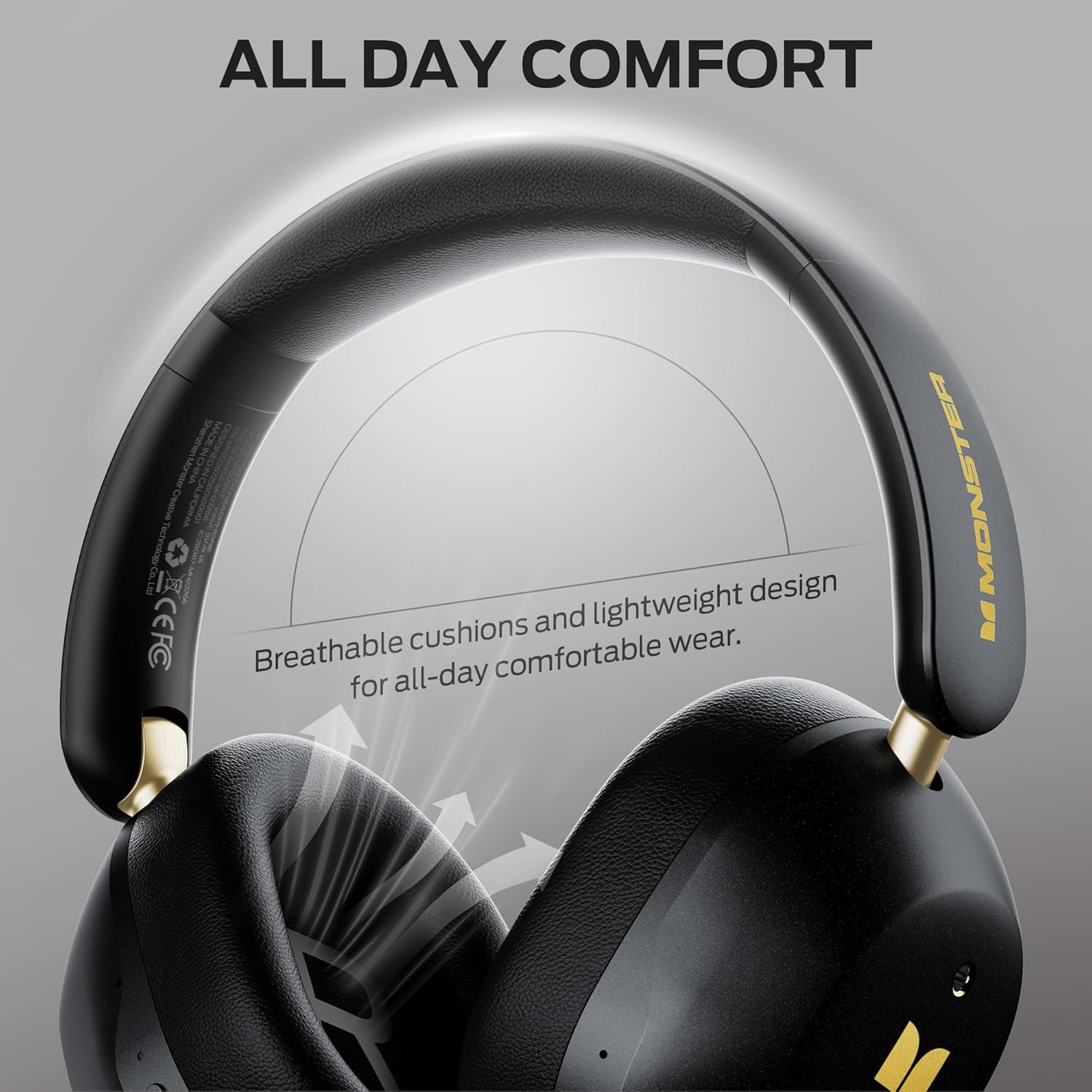
Image: Highlighting the comfortable design elements, such as breathable cushions and an adjustable headband, which also contribute to ease of maintenance.
7. Laasigbotitusita
Ti o ba pade awọn ọran eyikeyi pẹlu awọn agbekọri rẹ, tọka si awọn iṣoro ati awọn solusan ti o wọpọ wọnyi:
| Isoro | Owun to le Solusan |
|---|---|
| Awọn agbekọri ko ṣiṣẹ | Rii daju pe awọn agbekọri ti gba agbara. Sopọ si orisun agbara ati gbiyanju lẹẹkansi. |
| Ko le so pọ nipasẹ Bluetooth | Ensure headphones are in pairing mode (flashing indicator light). Turn off and on Bluetooth on your device. Move closer to the device (within 33 feet). Forget the device in your phone's Bluetooth settings and re-pair. |
| Ko si ohun tabi iwọn didun kekere | Check volume levels on both headphones and connected device. Ensure headphones are properly paired. If using wired connection, ensure cable is fully inserted. |
| ANC ko ṣiṣẹ daradara | Ensure ANC mode is activated (press the ANC button). Adjust headphone fit to ensure a good seal around your ears. |
| Asopọmọra igba diẹ | Move closer to your device. Avoid obstacles between headphones and device. Disconnect from other Bluetooth devices if using multi-point connection. |
8. Awọn pato
| Ẹya ara ẹrọ | Ẹ̀kúnrẹ́rẹ́ |
|---|---|
| Orukọ awoṣe | Monster Persona 6th ANC |
| Asopọmọra Technology | Wireless (Bluetooth), Wired (3.5mm Aux) |
| Ẹya Bluetooth | 6.0 |
| Bluetooth Ibiti | Ẹsẹ 33 (mita 10) |
| Ariwo Iṣakoso | Ti nṣiṣe lọwọ Noise Ifagile |
| Audio Driver Iwon | 40 millimeters |
| Igbesi aye batiri | Títí dé wákàtí 60 (ANC ti dínkù) |
| Akoko gbigba agbara | O fẹrẹ to awọn wakati 2 |
| Gbigba agbara yara | 10 iseju gba agbara fun 5 wakati šišẹsẹhin |
| Iṣakoso Iru | Iṣakoso bọtini |
| Gbigbe Eti | Lori Eti |
| Ohun elo | Ṣiṣu |
| Iwọn Nkan | 13.7 iwon |
| Awọn ẹrọ ibaramu | Bluetooth-enabled devices (smartphones, tablets, computers, MP3 players, TVs, laptops) |
9. Atilẹyin ọja ati Support
Monster products are built with quality and reliability in mind. For specific warranty information, please refer to the warranty card included in your product packaging or visit the official Monster webojula. Tọju iwe-ẹri rira rẹ bi ẹri rira.
For technical support, troubleshooting assistance, or service inquiries, please contact Monster customer support through their official channels. You can often find contact information on the manufacturer's webaaye tabi ninu iwe ti a pese pẹlu ọja rẹ.
Awọn orisun Ayelujara: Fun afikun alaye, awọn ibeere ti a beere nigbagbogbo, ati atilẹyin, jọwọ ṣabẹwo si Awọn oju opo wẹẹbu Itaja aderubaniyan on Amazon.


