Ọrọ Iṣaaju
O ṣeun fun riraasing the Fisher Portable Bluetooth Speaker SBT294. This manual provides important information regarding the setup, operation, and maintenance of your speaker. Please read it thoroughly before use and retain it for future reference.
The Fisher SBT294 is a compact, IPX5 waterproof and dustproof portable speaker featuring Bluetooth 5.3 connectivity, 10W peak power, and an integrated FM radio. It is designed for versatile use, both indoors and outdoors.
Ohun ti o wa ninu Apoti
Jẹrisi pe gbogbo awọn ohun kan wa ninu package:
- Fisher Portable Bluetooth Speaker SBT294
- USB-C Ngba agbara Cable
- Afowoyi Olumulo (iwe-ipamọ yii)
- Kaadi atilẹyin ọja

Image: Contents of the product packaging.
Ọja Pariview
Mọ ararẹ pẹlu awọn paati ati awọn idari ti agbọrọsọ.
Agbọrọsọ irinše
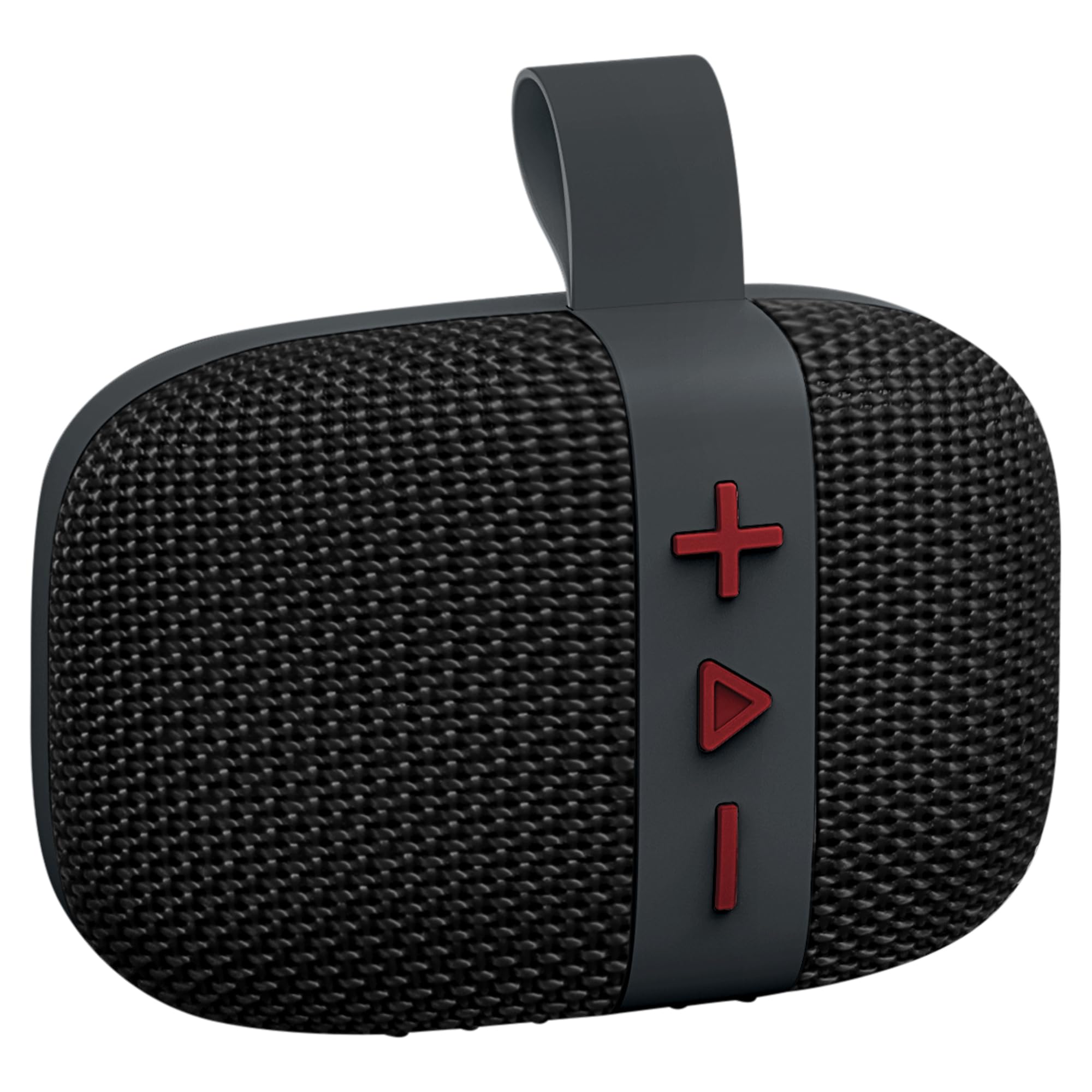
Aworan: Iwaju view of the Fisher SBT294 speaker.
- Agbọrọsọ Grille: Protects the internal speaker driver.
- Awọn bọtini Iṣakoso: For power, volume, track control, and mode selection.
- Okùn gbigbe: Fun irọrun gbigbe ati asomọ.
- Ibudo USB-C: Fun gbigba agbara si agbọrọsọ.
Awọn bọtini Iṣakoso

Aworan: Alaye view àwọn bọ́tìnì ìṣàkóso agbọrọsọ náà.
- '+' Bọtini: Tẹ kukuru fun orin atẹle, tẹ gun lati mu iwọn didun pọ si.
- 'Play/Pause' Button: Short press to play/pause, long press for power on/off. Short press to answer/end calls. Double press to switch modes (Bluetooth/FM).
- '-' Bọtini: Tẹ kukuru fun orin iṣaaju, tẹ gun lati dinku iwọn didun.
Ṣeto
1. Gbigba agbara Agbọrọsọ
Kí o tó lo ó fún ìgbà àkọ́kọ́, gba agbára sí agbọ́hùnsọ̀ náà pátápátá. Agbára gbígbóná náà gba tó wákàtí 2.
- So okun gbigba agbara USB-C ti a pese si ibudo USB-C ti agbọrọsọ.
- So opin okun miiran pọ si ohun ti nmu badọgba agbara USB (kii ṣe pẹlu) tabi ibudo USB ti kọnputa kan.
- Ina Atọka gbigba agbara yoo tan imọlẹ lakoko gbigba agbara ati pipa nigbati o ba gba agbara ni kikun.

Image: Speaker connected to a USB-C charging cable.
2. Agbara Tan / Paa
- Lati Fi agbara: Long press the 'Play/Pause' button until you hear a power-on tone.
- Lati Paarẹ: Long press the 'Play/Pause' button until you hear a power-off tone.
3. Sisopọ Bluetooth
Pair your speaker with a Bluetooth-enabled device.
- Ensure the speaker is powered on and in Bluetooth pairing mode (indicated by a flashing LED). If not, double press the 'Play/Pause' button to switch modes.
- Lori ẹrọ rẹ (foonuiyara, tabulẹti, kọǹpútà alágbèéká), mu Bluetooth ṣiṣẹ ki o wa awọn ẹrọ to wa.
- Select "SBT294" from the list of devices.
- Nígbà tí a bá so wọ́n pọ̀, agbọ́hùnsọ̀ náà yóò fi ohùn ìjẹ́rìí hàn, LED náà yóò sì dáwọ́ dúró.

Image: Bluetooth pairing with a smartphone.
4. Sitẹrio Alailowaya otitọ (TWS) Sisopọ
For an enhanced stereo experience, you can pair two SBT294 speakers together.
- Ensure both SBT294 speakers are powered on and not connected to any other Bluetooth device.
- On one speaker (this will be the primary speaker), long press the 'Play/Pause' button until you hear a TWS pairing tone. The speaker will search for another SBT294.
- Awọn agbohunsoke meji yoo sopọ laifọwọyi si ara wọn. Ohun orin ìmúdájú yoo dun ni kete ti a ti sopọ.
- Bayi, so ẹrọ rẹ pọ si agbọrọsọ akọkọ nipasẹ Bluetooth gẹgẹbi a ti ṣe apejuwe ni igbese 3. Awọn agbohunsoke mejeeji yoo mu ohun ṣiṣẹ ni sitẹrio.

Image: Two speakers paired for True Wireless Stereo with a laptop.
Awọn ilana Iṣiṣẹ
Sisisẹsẹhin Orin
- Ṣiṣẹ/Daduro: Short press the 'Play/Pause' button.
- Orin t’okan: Kukuru tẹ bọtini '+'.
- Tẹlẹ Orin: Kukuru tẹ bọtini '-'.
- Iwọn didun Up: Tẹ bọtini '+' gun.
- Iwọn didun isalẹ: Tẹ bọtini '-' gun.
Ipo Redio FM
Lati yipada si ipo redio FM:
- Double press the 'Play/Pause' button to cycle through modes until you hear the FM radio prompt.
- In FM mode, short press the 'Play/Pause' button to auto-scan and save available stations.
- Lo awọn bọtini '+' ati '-' lati lọ kiri laarin awọn ibudo ti a fipamọ.
Ọwọ-Free Ipe
Nígbà tí a bá so mọ́ fóònù alágbéka nípasẹ̀ Bluetooth:
- Idahun Ipe: Short press the 'Play/Pause' button when an incoming call rings.
- Ipe Ipari: Short press the 'Play/Pause' button during a call.
- Kọ Ipe: Long press the 'Play/Pause' button when an incoming call rings.
Itoju
- Ninu: Nu agbọrọsọ nu pẹlu asọ, damp asọ. Ma ṣe lo abrasive ose tabi epo.
- Omi Resistance: The speaker is IPX5 waterproof, meaning it can resist a sustained, low-pressure water jet spray. Do not submerge the speaker in water. Ensure the charging port cover is securely closed before exposure to water.
- Ibi ipamọ: Tọju agbohunsoke ni itura, ibi gbigbẹ kuro lati awọn iwọn otutu ti o pọju ati imọlẹ orun taara.
- Itọju Batiri: To prolong battery life, charge the speaker regularly, even if not in use for extended periods. Avoid fully discharging the battery frequently.

Image: Speaker in an outdoor, poolside environment, highlighting its waterproof design.
Laasigbotitusita
| Isoro | Owun to le Solusan |
|---|---|
| Agbọrọsọ ko ni agbara lori. | Rii daju pe a ti gba agbara si agbọrọsọ. Sopọ mọ orisun agbara nipa lilo okun USB-C. |
| Ko le so pọ nipasẹ Bluetooth. |
|
| Ko si ohun tabi iwọn kekere. |
|
| Gbigba redio FM ko dara. |
|
| TWS sisopọ kuna. |
|
Awọn pato
| Ẹya ara ẹrọ | Ẹ̀kúnrẹ́rẹ́ |
|---|---|
| Nọmba awoṣe | SBT294 |
| Brand | Fisher |
| Asopọmọra Technology | Bluetooth 5.3, USB |
| Agbọrọsọ o wu Power | 5W RMS, 10W tente oke |
| Audio Driver Iwon | 45 mm |
| Idahun Igbohunsafẹfẹ | 13 kHz |
| Mabomire Rating | IPX5 |
| Agbara Batiri | 1200 mAh |
| Igbesi aye batiri | Up to 5-6 hours (at 50% volume) |
| Akoko gbigba agbara | O fẹrẹ to awọn wakati 2 |
| Bluetooth Ibiti | Titi de 33 ẹsẹ (10 mita) |
| Awọn iwọn (W x H x D) | 4.44" x 3.04" x 1.76" |
| Iwọn | 0.55 lbs |
| Afikun Awọn ẹya ara ẹrọ | FM Radio, True Wireless Stereo (TWS) Pairing |
Alaye Aabo
- Má ṣe fi agbọ́rọ̀sọ náà sí ojú otútù tó le koko, oòrùn tààrà tàbí iná tó ṣí sílẹ̀.
- Ma ṣe gbiyanju lati ṣajọpọ tabi yi agbọrọsọ naa pada. Eyi yoo sọ atilẹyin ọja di ofo ati pe o le fa ibajẹ.
- Jeki agbọrọsọ kuro ni awọn aaye oofa ti o lagbara.
- Lo okun USB-C ti a pese nikan fun gbigba agbara.
- Yago fun gbigbọ ni iwọn giga fun awọn akoko gigun lati dena ibajẹ igbọran.
- Jọ́ agbọ́hùnsọ̀ àti bátìrì rẹ̀ kúrò ní ìbámu pẹ̀lú òfin àdúgbò.
Atilẹyin ọja ati Support
This product comes with a limited warranty. Please refer to the included Warranty Card for details regarding coverage and terms.
For technical support or customer service, please contact the manufacturer, Migear Intl, LLC, or refer to the contact information provided on your warranty card or the official Fisher webojula.
Olupese: Migear Intl, LLC
Iru atilẹyin ọja: Lopin