1. Ifihan
This manual provides comprehensive instructions for the setup, operation, and maintenance of your ANSTEN ADH300 Wireless TV Headphones. Please read this manual thoroughly before using the product to ensure proper function and longevity.
2. Package Awọn akoonu
Daju pe gbogbo awọn nkan ti a ṣe akojọ rẹ si isalẹ wa ninu package rẹ:
- ANSTEN ADH300 Wireless Headphones
- Wireless Transmitter/Charging Dock
- Audio Connection Cables (RCA, 3.5mm)
- Adapter agbara
- Rechargeable AAA Ni-MH Batteries (2x)
- Itọsọna olumulo
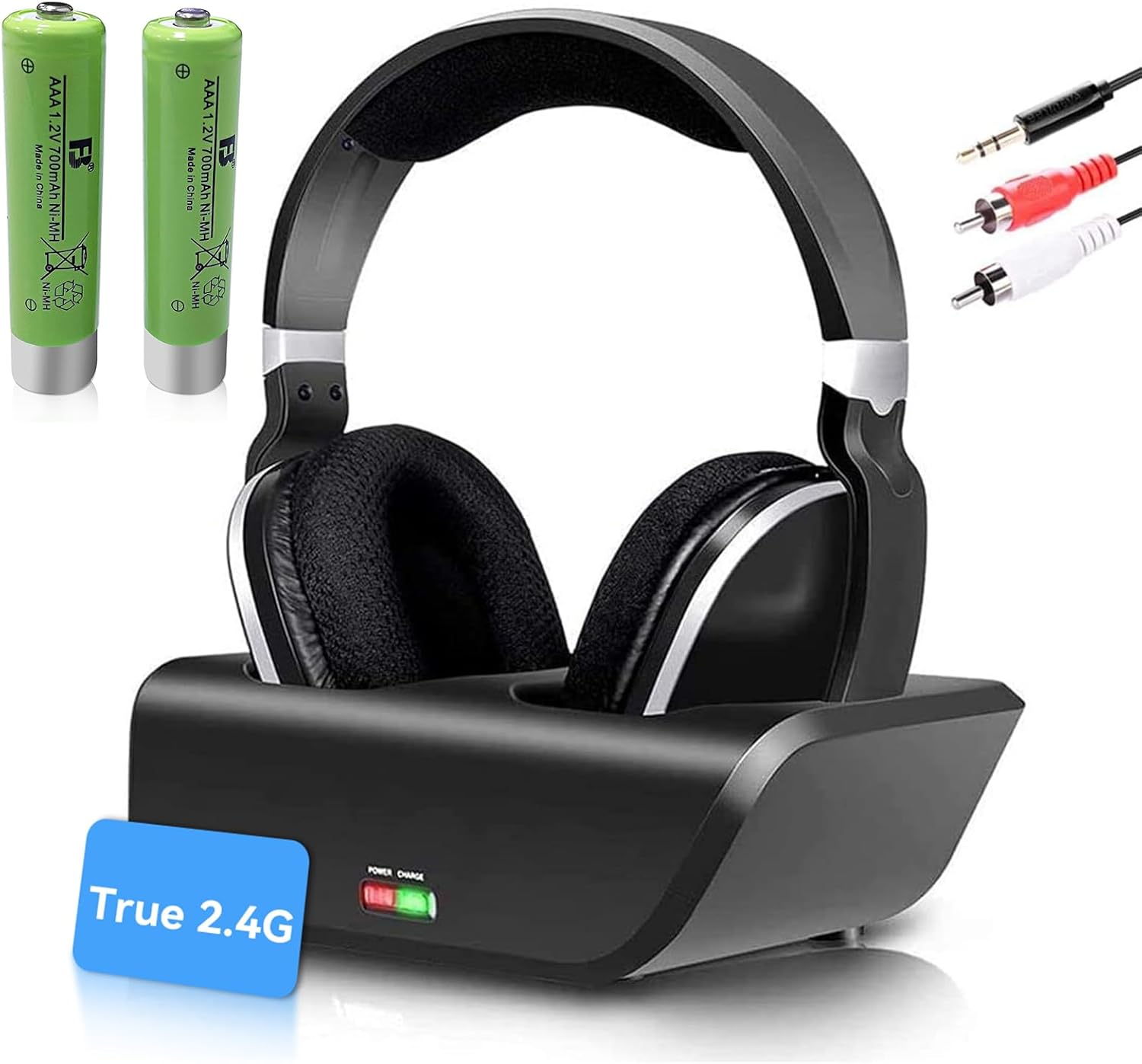
Image: The ANSTEN ADH300 Wireless TV Headphones, including the headset, transmitter/charging dock, audio cables, and two AAA rechargeable batteries.
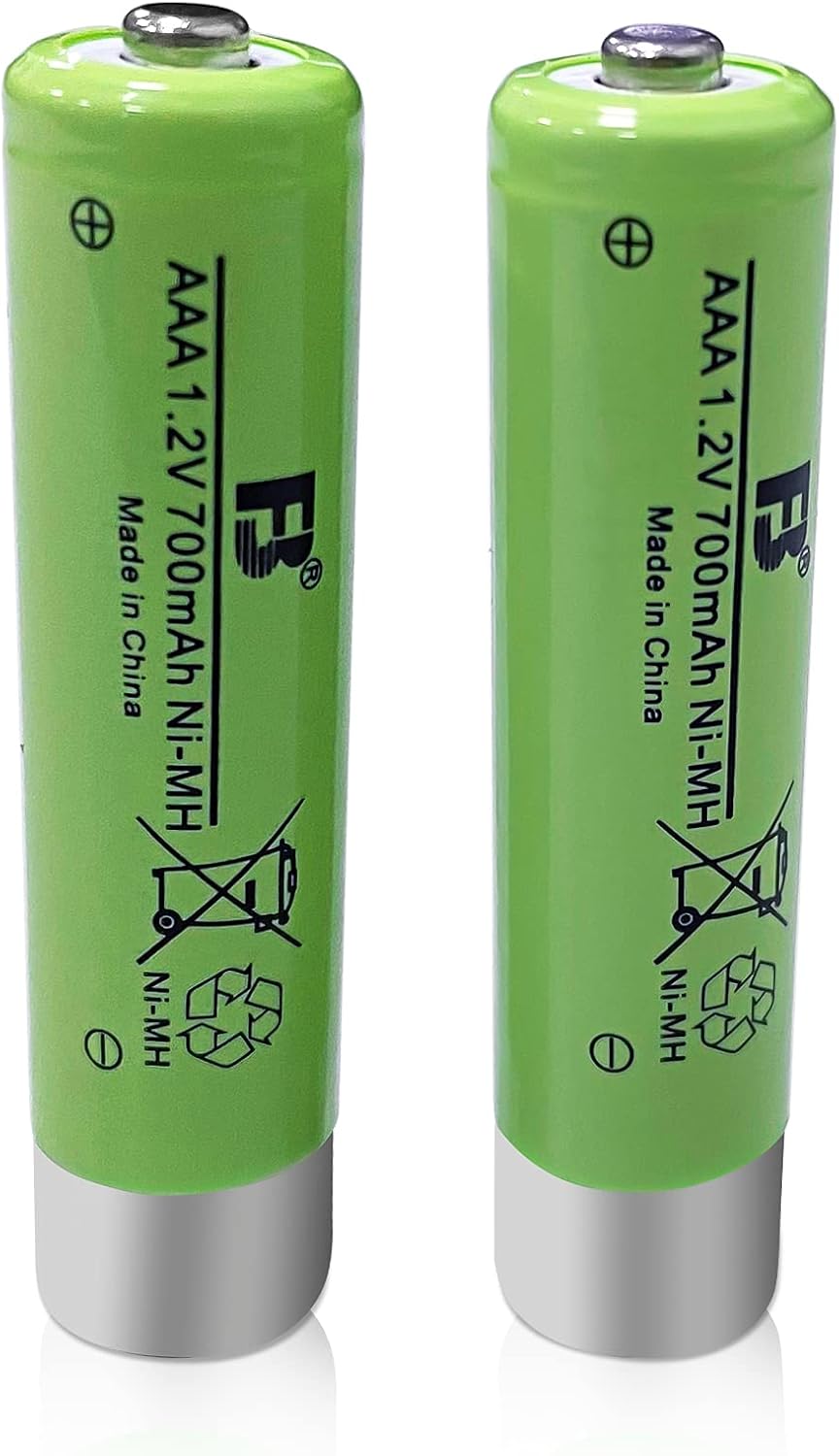
Image: Two green AAA 1.2V 700mAh Ni-MH rechargeable batteries, included for the headphones.
3. Awọn ilana iṣeto
3.1. Ngba agbara si awọn Agbekọri
- Insert the two provided AAA Ni-MH rechargeable batteries into the headphone battery compartment, observing polarity.
- Place the headphones onto the transmitter/charging dock. Ensure the charging contacts align.
- Connect the power adapter to the transmitter and plug it into a power outlet.
- The LED indicator on the transmitter will show charging status. A full charge typically takes several hours.
3.2. Connecting the Transmitter to Your Audio Source
The ANSTEN ADH300 transmitter supports RCA and 3.5mm audio outputs. It is not compatible with devices that only have OPTICAL/HD audio output directly.
- For RCA Audio Output (Red/White ports):
- Connect the RCA audio cable from the transmitter's audio input to the RCA audio output ports on your TV, stereo system, or other audio device. Match the red and white connectors.
- For 3.5mm Audio Output (Headphone Jack):
- Connect the 3.5mm audio cable from the transmitter's audio input to the 3.5mm headphone jack on your TV, PC, MP3 player, or smartphone.
- Plug the transmitter's power adapter into a wall outlet.
- Turn on your audio source (TV, PC, etc.) and ensure audio is playing.
Akiyesi: The system is designed for plug-and-play operation and does not require a manual pairing process.
4. Awọn ilana Iṣiṣẹ
4.1. Agbara lori / Paa
- To power on the headphones, press and hold the Power button located on the earcup until the indicator light illuminates.
- Lati pa agbara, tẹ mọlẹ Bọtini Agbara lẹẹkansii titi ti ina Atọka yoo fi wa ni pipa.
4.2. Siṣàtúnṣe iwọn didun
Use the volume control dial or buttons on the headphones to adjust the listening volume to your preference.
4.3. Wireless Range and Performance
The ANSTEN ADH300 utilizes 2.4 GHz RF band transmission, providing a wireless range of up to 100 ft (30 m) through walls and ceilings. This technology minimizes interference and ensures clear audio.

Image: Illustration demonstrating the strong penetrability of the 2.4GHz wireless signal, allowing audio transmission through obstacles like walls, unlike other transmitters that may experience signal loss.

Image: The ANSTEN ADH300 headphones in a home environment, illustrating their long-range capability of up to 100 feet (30 meters), allowing clear sound even in distant rooms.
4.4. Multi-Link Functionality
The system supports adding a second pair of ANSTEN wireless headphones (ADH300, MS890, D1) to share audio simultaneously. Ensure the second headset also supports receiving the RF signal for no lip-sync delay.
5. Itọju
5.1. Ninu
- Fi aṣọ rírọrùn àti gbígbẹ nu agbekọri ati ẹ̀rọ gbigbe naa.
- Ma ṣe lo abrasive ose tabi epo.
5.2. Itọju batiri
The included Ni-MH batteries do not suffer from a 'memory effect' and can be recharged without capacity loss. For optimal battery life:
- Always use the provided charging dock for recharging.
- If storing the headphones for an extended period, fully charge the batteries and then remove them from the headphones.
- Replace batteries when their performance significantly degrades. Compatible replacement batteries include ANSTEN ADH300, MS890, D1 replacement kits.
6. Laasigbotitusita
| Isoro | Owun to le Fa | Ojutu |
|---|---|---|
| Ko si ohun lati olokun |
|
|
| Static or intermittent sound |
|
|
| Awọn agbekọri ko gba agbara |
|
|
7. Awọn pato
- Awoṣe: ANSTEN ADH300
- Imọ-ẹrọ Alailowaya: 2.4 GHz RF
- Iwọn Alailowaya: Titi de 100ft (30 m)
- Awọn igbewọle Audio: RCA, 3.5mm
- Iru Batiri: AAA 1.2V 700mAh Ni-MH rechargeable (included)
- Ibamu: ANSTEN ADH300, MS890, D1 (for multi-link)
- ASIN: B0FF4JNNZS
- Ọjọ Akọkọ Wa: Oṣu Kẹsan Ọjọ 6, Ọdun 2021
8. Alaye Aabo
- Ma ṣe fi ọja han si awọn iwọn otutu to gaju, ọriniinitutu, tabi oorun taara.
- Yago fun jisilẹ tabi tẹriba ọja si awọn ipa to lagbara.
- Má ṣe gbìyànjú láti tú tàbí ṣe àtúnṣe ọjà náà. Èyí yóò sọ àtìlẹ́yìn náà di òfo.
- Jeki kuro ni arọwọto awọn ọmọde.
- Sọ awọn batiri sọnu ni ibamu si awọn ilana agbegbe.
- Gbigbọ gigun ni iwọn giga le fa ibajẹ igbọran. Ṣatunṣe iwọn didun si ipele ailewu.
9. Atilẹyin ọja ati Support
ANSTEN products are designed for reliability and performance. For warranty information or technical support, please refer to the contact details provided with your purchase or visit the official ANSTEN webojula.
Olutaja: AnstenDirect USA
Ilana Pada: 30-day refund/replacement policy (refer to purchase details for specifics).


