1. Ọja Ipariview
The UPERFECT 24.5" Portable Monitor (Model MT03) is designed to enhance your visual experience, whether for work, gaming, or entertainment. Featuring a 24.5-inch IPS matte screen with 1080P Full HD resolution and 100% sRGB color gamut, it offers a broad and vivid display. With a 240Hz refresh rate, FreeSync technology, and a 0.1ms response time, it delivers smooth and tear-free visuals, particularly beneficial for fast-paced gaming. Its portable design includes a built-in 180° adjustable stand and VESA compatibility, providing flexible placement options. Connectivity is simplified with two USB Type-C ports and one Mini HDMI port, ensuring wide compatibility with various devices.
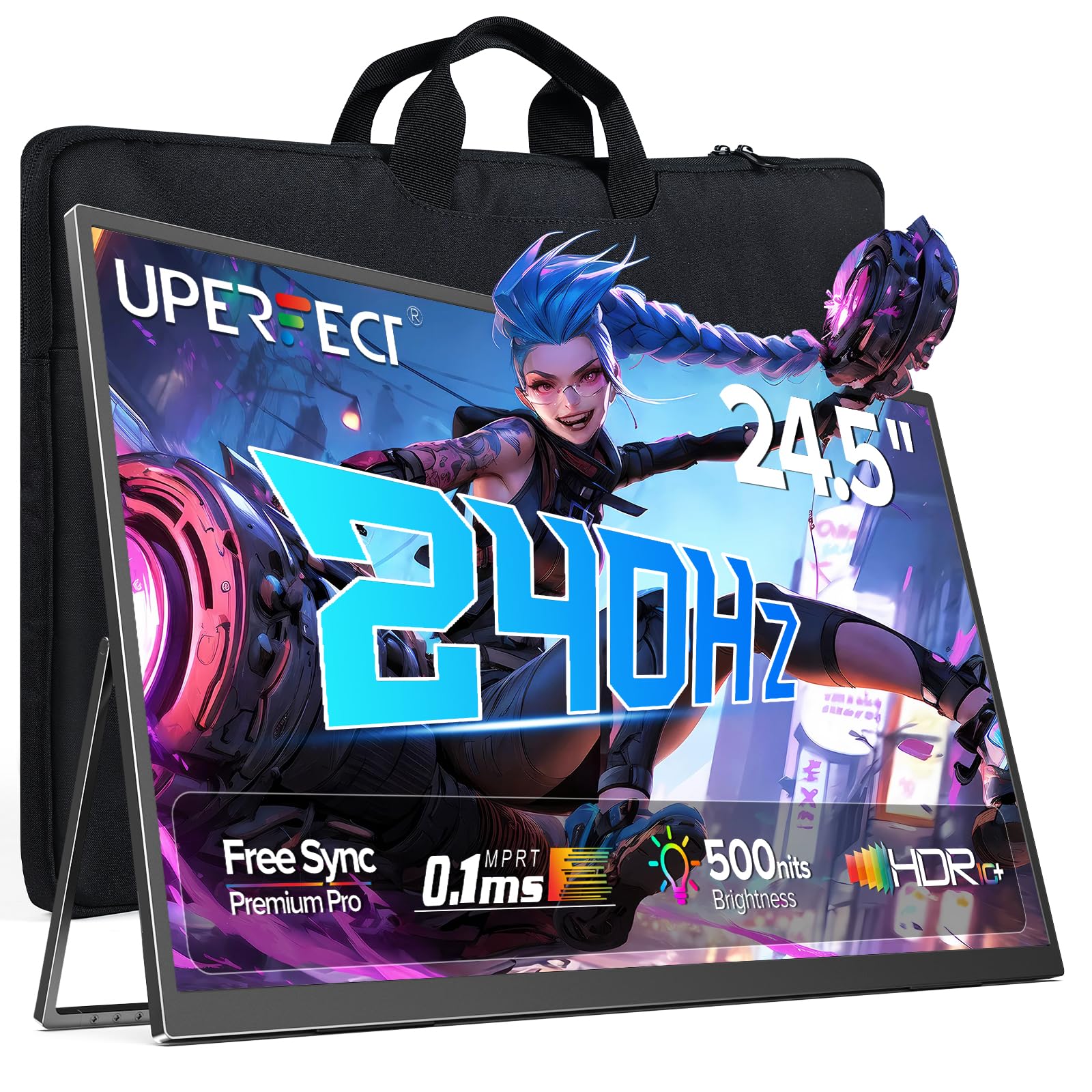
Figure 1: UPERFECT 24.5" Portable Monitor (Model MT03)
2. Package Awọn akoonu
Jọwọ rii daju pe gbogbo awọn ohun kan wa ninu package ṣaaju ki o to tẹsiwaju pẹlu eto naa.
- UPERFECT 24.5" Portable Monitor (Model MT03)
- USB Type-C to Type-C Cable (for power and video signal)
- Mini HDMI to HDMI Cable (for video signal)
- Adapter agbara
- Apo ipamọ
- Afowoyi Olumulo (iwe-ipamọ yii)
Video 1: Unboxing and initial setup of the UPERFECT Portable Monitor, showing included accessories.
3. Awọn ilana iṣeto
3.1. Ti ara Oṣo
- Yọ Atẹle naa kuro: Farabalẹ yọ atẹle ati gbogbo awọn ẹya ẹrọ kuro ninu apoti.
- Ṣe atunṣe Iduro: The monitor features a built-in 180° adjustable stand. Gently pull out the stand from the back of the monitor and adjust it to your desired viewigun igun.

Figure 2: Adjusting the built-in 180° kickstand for optimal viewing.
- Fifi sori ẹrọ VESA (Aṣayan): For alternative mounting solutions, the monitor supports VESA standard wall mounting (75x75 mm, M4x5 mm screws). Ensure the stand is folded back before mounting.

Figure 3: UPERFECT monitor mounted on a VESA-compatible arm.
3.2. Nsopọ si awọn ẹrọ
The monitor offers versatile connectivity options. Always ensure the monitor is powered via the provided adapter for optimal performance, especially when connecting to devices that do not supply sufficient power.

Olusin 4: Pariview ti awọn ibudo titẹ sii/o wu ti atẹle naa.
- Isopọ Iru-C USB: Use the included USB Type-C to Type-C cable to connect to compatible laptops, smartphones, or game consoles (e.g., Nintendo Switch). This single cable can transmit both power and video signal if your device supports it. If your device does not provide enough power, connect the monitor to the power adapter.
- Mini HDMI Connection: Use the included Mini HDMI to HDMI cable to connect to devices such as PCs, Xbox, PlayStation 4/5, or other HDMI-enabled devices. An additional USB Type-C cable connected to the power adapter will be required for power.
- Ijade ohun: Connect headphones or external speakers to the 3.5mm audio jack for private listening or enhanced sound.

Olusin 5: Examples of widely compatible devices and their connection methods.
4. Ṣiṣẹ Atẹle
4.1. Awọn iṣakoso ipilẹ
The monitor's controls are typically located on the side or back panel.
- Bọtini agbara: Press and hold to turn the monitor On or Off. A short press may activate/deactivate the OSD menu or confirm selections.
- Akojọ aṣyn/Bọtini Jẹrisi: Accesses the On-Screen Display (OSD) menu. Also used to confirm selections within the menu.
- Iwọn didun +/-: Ṣe atunṣe iwọn didun iṣelọpọ ohun.
- Imọlẹ +/-: Ṣe atunṣe imọlẹ iboju.
- Return/Signal Source: Used to go back in the OSD menu or to switch between input sources (USB-C 1, USB-C 2, Mini HDMI).
4.2. On-iboju Ifihan (OSD) Akojọ aṣyn
Akojọ OSD gba ọ laaye lati ṣe akanṣe awọn eto ifihan pupọ.
- Tẹ awọn Akojọ aṣyn/jẹrisi bọtini lati ṣii akojọ aṣayan OSD.
- Lo awọn Iwọn didun +/- or Imọlẹ +/- awọn bọtini lati lọ kiri nipasẹ awọn aṣayan akojọ aṣayan.
- Tẹ awọn Akojọ aṣyn/jẹrisi bọ́tìnì láti yan àṣàyàn kan tàbí tẹ àkójọ-à ...
- Lo awọn bọtini lilọ kiri lati ṣatunṣe awọn eto.
- Tẹ awọn Return/Signal Source button to exit a sub-menu or the main OSD menu.
Àwọn Ètò OSD pàtàkì:
- Eto aworan: Ṣàtúnṣe ìmọ́lẹ̀, ìyàtọ̀, mímú, àti ìgbóná àwọ̀.
- Eto awọ: Fine-tune color balance, gamma, and saturation.
- Orisun igbewọle: Manually select between USB-C 1, USB-C 2, and Mini HDMI inputs.
- Eto ohun: Ṣatunṣe iwọn didun ati dakẹ.
- Eto Eto: Èdè, àkókò ìdádúró OSD, àtúntò sí àwọn àìṣedéédé ilé-iṣẹ́.
- FreeSync: Enable or disable FreeSync for adaptive synchronization with compatible graphics cards.

Figure 6: FreeSync technology ensures a seamless gaming experience by eliminating screen tearing and stuttering.
5. Itọju
5.1. Ninu Atẹle
- Pa agbara nigbagbogbo ati yọọ atẹwo ṣaaju ki o to di mimọ.
- Lo asọ rirọ, ti ko ni lint ni sere dampened pẹlu omi tabi a ti kii-abrasive iboju regede.
- Maṣe fun sokiri regede taara sori iboju.
- Avoid using alcohol, ammonia, or abrasive cleaners, as these can damage the screen surface.
5.2. Ibi ipamọ ati mimu
- When not in use, store the monitor in its provided storage bag to protect it from dust and scratches.
- Yago fun gbigbe awọn nkan ti o wuwo sori ẹrọ atẹle.
- Ma ṣe fi atẹle naa han si awọn iwọn otutu to gaju tabi ọriniinitutu.
- Handle the monitor by its edges to avoid touching the screen directly.

Figure 7: The monitor is designed for easy portability and comes with a storage bag for protection.
6. Laasigbotitusita
If you encounter issues with your UPERFECT portable monitor, refer to the following common problems and solutions.
| Isoro | Owun to le Fa | Ojutu |
|---|---|---|
| Kò sí ìfihàn/Kò sí ìfihàn |
|
|
| Yiyi iboju tabi aworan riru |
|
|
| Ko si ohun |
|
|
| Atẹle ko ni agbara lori |
|
|
7. Awọn pato
Detailed technical specifications for the UPERFECT 24.5" Portable Monitor (Model MT03).
| Ẹya ara ẹrọ | Ẹ̀kúnrẹ́rẹ́ |
|---|---|
| Nọmba awoṣe | MT03 |
| Iwon iboju | 24.5 inches |
| Panel Iru | IPS |
| Ipinnu | Awọn piksẹli 1920 x 1080 (FHD 1080p) |
| Oṣuwọn sọtun | 240Hz |
| Akoko Idahun | 0.1ms |
| Ipin Itansan | 2000:1 |
| Awọ Gamut | 100% sRGB |
| Iboju Iboju | Matte |
| Apakan Ipin | 16:9 |
| Asopọmọra | 2 x USB Type-C, 1 x Mini HDMI, 1 x 3.5mm Audio Jack |
| Ọja Mefa | 21.65 x 11.81 x 0.31 inches |
| Iwọn Nkan | 5.4 iwon |
| VESA ibamu | 75x75 mm |
8. Atilẹyin ọja ati Support
UPERFECT is committed to providing quality products and customer satisfaction.
- Atilẹyin ọja ti o gbooro sii: Information regarding extended warranty options and screen break replacement can be found on the warranty card included with your product.
- Points Program: Participate in the UPERFECT Points Program to earn rewards. Details are available on the warranty card or UPERFECT's official webojula.
- Earth-Care Plan: UPERFECT supports environmental sustainability through its Earth-Care Plan, encouraging reduction, reuse, and recycling.
- Atilẹyin Onibara: For any inquiries, technical assistance, or warranty claims, please refer to the contact information provided on your warranty card or visit the official UPERFECT website for 24/7 support.


