Ọrọ Iṣaaju
Thank you for choosing the LIKARVA Mini Coin-Operated Safe Box. This manual provides essential instructions for the proper setup, operation, and maintenance of your new security safe. Please read this manual thoroughly before using the product to ensure safe and efficient operation.
This safe box features a high-security mechanical key lock, a convenient drop slot, and a compact, wall-mountable design, making it ideal for securing small valuables in homes or offices.
Package Awọn akoonu
Ṣaaju ki o to tẹsiwaju pẹlu eto, jọwọ rii daju pe gbogbo awọn paati wa ninu package naa:
- 1 x LIKARVA Mini Safe Box
- 3 x Mechanical Keys
- Ohun elo iṣagbesori (awọn skru, awọn ìdákọró ogiri)
- Protective Mat (for interior)
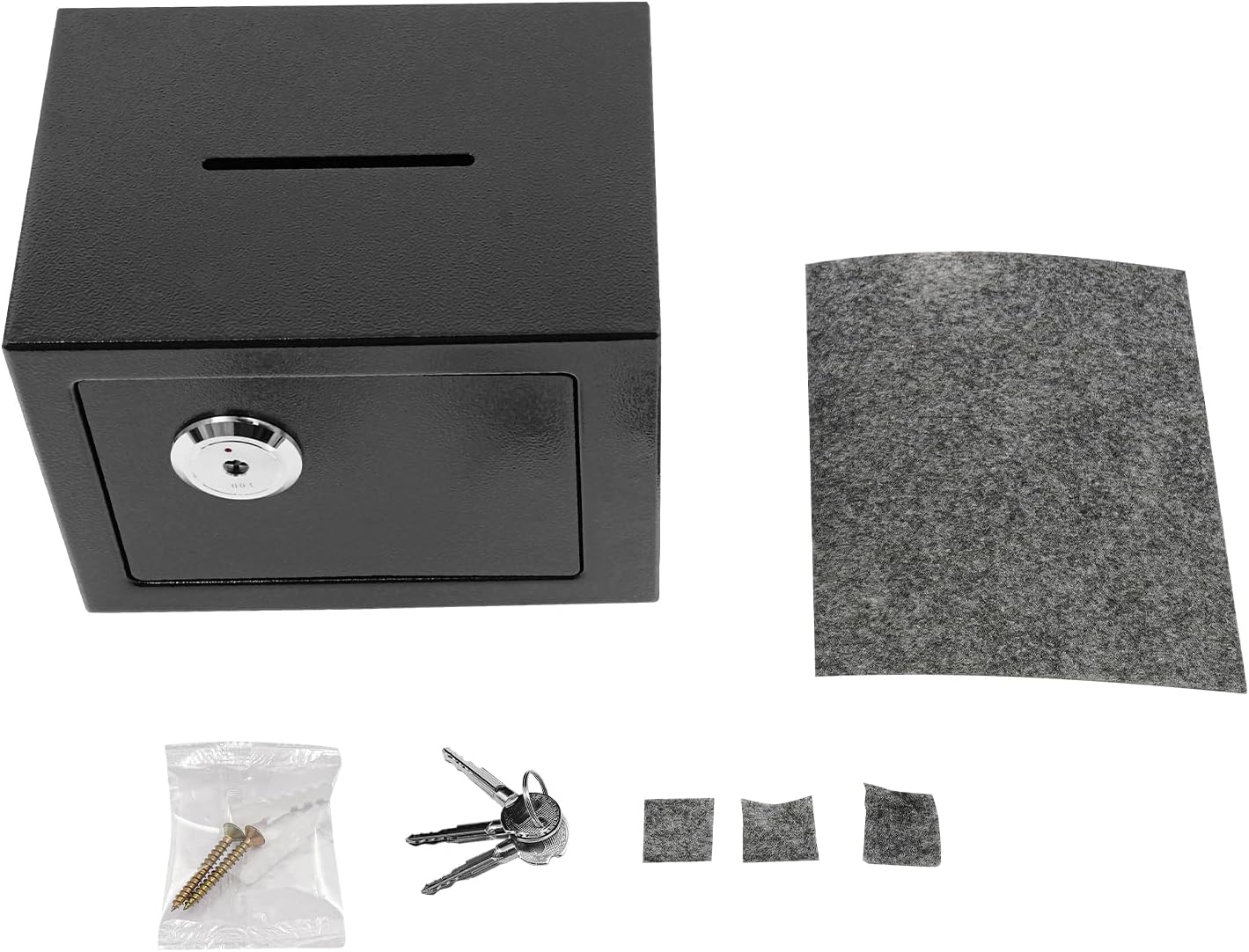
Image: The LIKARVA Mini Safe Box displayed with its included accessories, including three mechanical keys, mounting hardware, and a protective mat.
Awọn ilana iṣeto
1. Unpacking ati Ibẹrẹ Ayewo
- Carefully remove the safe box and all components from the packaging.
- Inspect the safe for any signs of damage. If damage is found, contact customer support immediately.
- Pataki: Locate the three mechanical keys. Store at least one key in a secure location away from the safe. Never store keys inside the safe.
2. Placement Aw
The LIKARVA Mini Safe Box can be used as a free-standing unit or securely mounted to a wall.
- Free-Standing: Place the safe on a flat, stable surface. Ensure it is not easily accessible or visible to unauthorized individuals.
- Ògiri-Mountable: For enhanced security and to save space, the safe can be mounted to a wall.

Image: The LIKARVA Mini Safe Box positioned on a desk next to a window, demonstrating its compact size for free-standing use.
3. Iṣagbesori odi (aṣayan)
To wall-mount the safe, follow these steps:
- Choose a suitable location on a sturdy wall, preferably a wall stud or solid masonry.
- Open the safe door using one of the mechanical keys.
- Inside the back panel of the safe, locate the pre-drilled mounting holes.
- Hold the safe against the wall at the desired mounting height and mark the positions of the mounting holes.
- Drill pilot holes at the marked locations using an appropriate drill bit for your wall type.
- Insert wall anchors (if necessary for drywall) into the pilot holes.
- Align the safe's mounting holes with the drilled holes/anchors and secure the safe to the wall using the provided screws. Tighten securely.
- Ensure the safe is firmly attached to the wall before placing any items inside.

Aworan: inu inu view of the LIKARVA Mini Safe Box, highlighting the pre-drilled mounting holes on the back panel for wall installation.
Awọn ilana Iṣiṣẹ
1. Ṣíṣí Ààbò náà
- Insert one of the mechanical keys into the keyhole on the safe door.
- Turn the key clockwise until the locking mechanism disengages.
- Pull the door open. The door opening angle is approximately 110°, allowing for easy access.

Aworan: A sunmọ-soke view of the LIKARVA Mini Safe Box with its door open and a key inserted into the lock, demonstrating the opening mechanism.
2. Títì àti Títì Ààbò
- Ensure no obstructions prevent the door from closing completely.
- Titari ilẹkun ṣinṣin.
- Turn the key counter-clockwise to engage the locking mechanism.
- Yọ kọ́kọ́rọ́ náà kúrò kí o sì tọ́jú rẹ̀ sí ibi tí ó ní ààbò, tí ó yàtọ̀.

Image: The LIKARVA Mini Safe Box open on a desk, revealing its interior with gold coins, alongside notebooks and glasses.
3. Using the Drop Slot
The safe is equipped with a drop slot on the top for depositing coins or small items without opening the main door.
- Wa ihò náà lórí ojú òkè ibi ìpamọ́ náà.
- Insert coins or small, flat items into the slot. They will drop into the safe's interior.
- Retrieve deposited items by opening the safe door as described above.

Image: A hand dropping a coin into the top slot of the LIKARVA Mini Safe Box, illustrating the coin-operated feature.
Itoju
- Ninu: Mu ese ita ti ailewu pẹlu asọ, damp asọ. Yago fun abrasive ose tabi olomi ti o le ba awọn ipari.
- Abojuto bọtini: Keep keys clean and dry. Do not force a key if it feels stiff; apply a small amount of graphite lubricant if necessary.
- Ayewo: Periodically check the safe door and locking mechanism for any signs of wear or damage.
Laasigbotitusita
| Isoro | Owun to le Fa | Ojutu |
|---|---|---|
| Kọ́kọ́rọ́ náà kò yí padà tàbí ó le koko. | Dust or debris in the lock, or key is bent. | Try cleaning the key and keyhole. Apply a small amount of graphite lubricant to the keyhole. Do not force the key. If the key is bent, use a spare. |
| Ilẹ̀kùn ààbò kì í ti déédé. | Obstruction in the door frame or locking bolts. | Check for any items blocking the door or the locking bolts. Ensure the safe is on a level surface if free-standing. |
| All keys are lost. | Keys misplaced or lost. | Contact LIKARVA customer support for assistance. Provide proof of purchase and product details. |
Awọn pato
- Brand: LIKARVA
- Awoṣe: LIKARVA
- Awọn iwọn ọja: 9"D x 6.7"W x 6.7"H (23 x 17 x 17 cm)
- Titiipa Iru: Mechanical Key Titii
- Àwọ̀: Dúdú (fún irú yìí)
- Agbara: 4.6 liters (1.01 galonu)
- Ohun elo: Irin Q235
- Ẹya Pataki: Anti-Theft, Drop Slot
- Iru fifi sori: Wall Mountable, Free Standing
- Awọn eroja to wa: 1 Safe Box, 3 Mechanical Keys, Mounting Hardware
- GTIN/UPC: 756383372264
Onibara Support
For any questions, concerns, or assistance with your LIKARVA Mini Coin-Operated Safe Box, please contact LIKARVA customer support. Refer to your purchase documentation for specific contact information or visit the official LIKARVA webojula.
Please have your model number (LIKARVA) and proof of purchase ready when contacting support.