1. Ifihan
This manual provides essential information for the safe and efficient use of your new Lenovo Idea Tab ZAFR tablet. Please read this guide thoroughly before operating the device to ensure optimal performance and longevity. Keep this manual for future reference.
2. Ọja Ipariview
The Lenovo Idea Tab ZAFR (Model: ZAFR0405SE) is an 11-inch Android 15 tablet designed for versatile use. It features a high-resolution display, powerful processor, and multiple connectivity options.
2.1 Device irinše
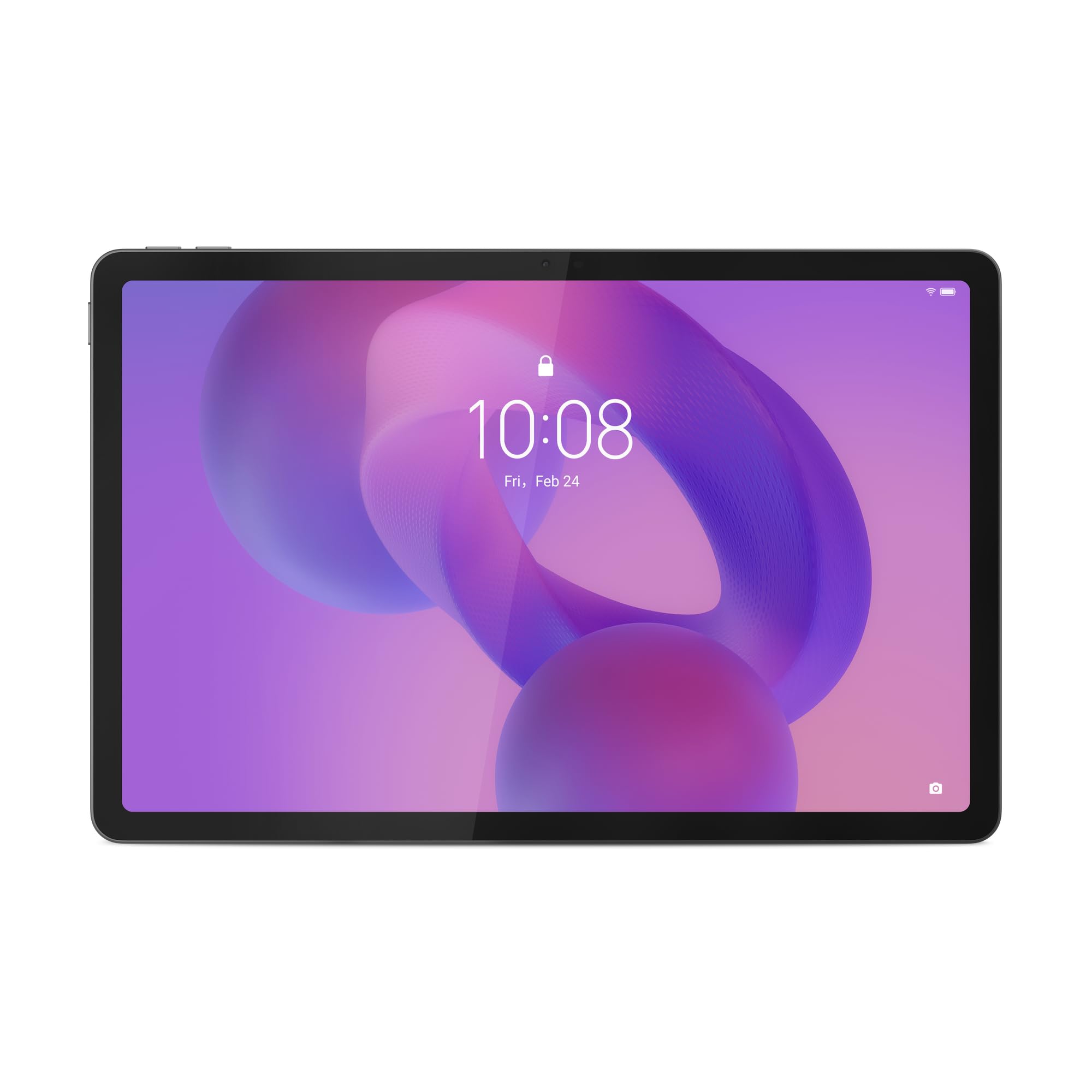
Nọmba 1: Iwaju view of the Lenovo Idea Tab ZAFR tablet. This image shows the device's sleek design and the large 11-inch display, ideal for media consumption and productivity.
- Ifihan: 11-inch WQXGA (2560 x 1600 pixels) IPS LED screen with a 90 Hz refresh rate and 500 cd/m² brightness.
- Kamẹra iwaju: 5 MP resolution, located on the bezel for video calls and selfies.
- Kamẹra Tẹhin: 8 MP resolution, positioned on the back for capturing photos and videos.
- Ibudo Iru-C USB: One USB 2.0 Type-C port for charging, data transfer, and connecting accessories.
- Awọn agbọrọsọ: Four built-in speakers for enhanced audio experience.
- Iho kaadi MicroSD: Supports MicroSD (TransFlash) memory cards for expandable storage.
- Awọn sensọ: Includes accelerometer, ambient light sensor, GPS, and Hall sensor for various functionalities.
3. Eto
3.1 Gbigba agbara si tabulẹti
- Connect the USB Type-C cable to the tablet's USB-C port.
- Connect the other end of the cable to a compatible USB power adapter (not included) and plug it into a power outlet.
- The battery indicator on the screen will show the charging status. Allow the tablet to fully charge before first use.
Akiyesi: The tablet does not include an AC power adapter. Use a certified USB Type-C charger for optimal charging performance.
3.2 Titan / Pa a
- Lati Fi agbara: Press and hold the Power button until the Lenovo logo appears on the screen.
- Lati Paarẹ: Tẹ mọlẹ bọtini agbara titi ti akojọ aṣayan agbara yoo han, lẹhinna yan "Agbara kuro".
- Lati Tun bẹrẹ: Tẹ bọtini agbara ki o si dimu titi akojọ aṣayan agbara yoo fi han, lẹhinna yan "Tun bẹrẹ".
3.3 Initial Setup (Android 15)
Upon first power-on, the tablet will guide you through the initial setup process for Android 15. This includes:
- Yiyan ede ati agbegbe rẹ.
- Connecting to a Wi-Fi network (Wi-Fi 5 (802.11ac) supported).
- Wiwọle pẹlu akọọlẹ Google rẹ tabi ṣiṣẹda tuntun kan.
- Ṣíṣeto titiipa iboju (PIN, ilana, tabi ọrọ igbaniwọle).
- Reviewing ati gbigba awọn ofin ati ipo.
4. Awọn ilana Iṣiṣẹ
4.1 Ipilẹ Lilọ kiri
The Lenovo Idea Tab ZAFR uses a touch-sensitive screen for navigation. Common gestures include:
- Fọwọ ba: Lati yan ohun kan tabi ṣii ohun elo kan.
- Ra: Lati yi lọ nipasẹ awọn oju-iwe tabi awọn atokọ.
- Fun pọ-si- Sun-un: To zoom in or out on images and web awọn oju-iwe.
- Long Tẹ: Lati wọle si awọn akojọ aṣayan ọrọ-ọrọ tabi gbe awọn aami.
4.2 Nsopọ si Wi-Fi
- Lọ si Eto > Nẹtiwọọki & Intanẹẹti > Wi-Fi.
- Yipada Wi-Fi On.
- Yan nẹtiwọki ti o fẹ lati inu akojọ.
- Tẹ ọrọ igbaniwọle sii ti o ba ṣetan, lẹhinna tẹ ni kia kia Sopọ.
4.3 Sisopọ Bluetooth
The tablet supports Bluetooth 5.2 for connecting wireless accessories.
- Lọ si Eto > Awọn ẹrọ ti a ti sopọ > Bluetooth.
- Yi Bluetooth pada On.
- Rii daju pe ẹrọ Bluetooth rẹ wa ni ipo sisopọ.
- Select your device from the list of available devices and follow any on-screen prompts.
4.4 Ṣíṣàkóso Ìpamọ́
The tablet comes with 128 GB of internal UFS storage. You can expand this using a MicroSD card.
- Inserting a MicroSD Card: Locate the card slot on the side of the tablet. Gently insert the MicroSD card with the gold contacts facing down until it clicks into place.
- Removing a MicroSD Card: Push the card gently until it pops out, then pull it out completely.
5. Itọju
5.1 Ninu tabulẹti
- Lo asọ ti ko ni lint lati nu iboju ati ara tabulẹti naa.
- Fun agidi smudges, die-die dampen awọn asọ pẹlu omi tabi a iboju regede pataki apẹrẹ fun Electronics.
- Yẹra fún lílo àwọn kẹ́míkà líle, àwọn ohun ìfọmọ́ra, tàbí àwọn ohun ìfọ́nrán aerosol tààrà lórí tábìlẹ́ẹ̀tì náà.
5.2 Software imudojuiwọn
Regular software updates provide security enhancements, new features, and performance improvements. Ensure your tablet is connected to Wi-Fi and has sufficient battery charge before performing an update.
- Lọ si Eto > Eto > Imudojuiwọn eto.
- Fọwọ ba Ṣayẹwo fun imudojuiwọn ki o si tẹle awọn ilana loju iboju.
6. Laasigbotitusita
This section addresses common issues you might encounter with your Lenovo Idea Tab ZAFR tablet.
Táblẹ́ẹ̀tì 6.1 Kò ní ṣiṣẹ́
- Ensure the battery is charged. Connect the tablet to a power source and allow it to charge for at least 30 minutes before attempting to power it on again.
- Try performing a force restart by holding the Power button for approximately 10-15 seconds.
6.2 Wi-Fi Asopọ oran
- Daju pe Wi-Fi ti ṣiṣẹ ni Eto.
- Tun olulana Wi-Fi rẹ bẹrẹ ati tabulẹti.
- Gbagbe nẹtiwọki ni awọn eto tabulẹti ki o tun sopọ.
- Rii daju pe o wa laarin ifihan Wi-Fi.
6.3 Apps jamba tabi didi
- Pa ati tun app naa ṣii.
- Ko kaṣe app ati data sinu Eto > Awọn ohun elo > [Orukọ App] > Ibi ipamọ & kaṣe.
- Rii daju pe ohun elo naa ti ni imudojuiwọn si ẹya tuntun rẹ lati Ile itaja Google Play.
- Tun tabulẹti bẹrẹ.
7. Awọn pato
Below are the detailed technical specifications for the Lenovo Idea Tab ZAFR (Model: ZAFR0405SE).
| Ẹya ara ẹrọ | Ẹ̀kúnrẹ́rẹ́ |
|---|---|
| Orukọ awoṣe | ZAFR0405SE |
| Eto isesise | Android 15 |
| Iwọn Ifihan | 11 inches (27.9 cm) |
| Ipinnu Ifihan | 2560 x 1600 pixels (WQXGA) |
| Panel Iru | IPS |
| Oṣuwọn isọdọtun ti o pọju | 90 Hz |
| Imọlẹ | 500 cd/m² |
| isise | MediaTek Dimensity 6300 (awọn ohun kohun 8) |
| Kaadi eya aworan | ARM Mali-G57 MC2 |
| Ti abẹnu Memory | 8 GB LPDDR4x-SDRAM |
| Agbara ipamọ | 128 GB UFS (expandable via MicroSD) |
| Kamẹra ẹhin | 8 MP |
| Kamẹra iwaju | 5 MP |
| Alailowaya Asopọmọra | Wi-Fi 5 (802.11ac), Bluetooth 5.2 |
| Awọn ibudo | 1x USB 2.0 Type-C, Combined headphone/microphone connector |
| Agbara Batiri | 7040 mAh litiumu-Iwọn |
| Awọn iwọn (WxDxH) | 254.6 mm x 166.2 mm x 6.99 mm (10.02 x 6.54 x 0.28 inches) |
| Iwọn | 480 g (1.06 lbs) |
| Àwọ̀ | Luna Grey |
| Awọn sensọ | Accelerometer, Ambient Light Sensor, GPS, Hall Sensor |
8. Atilẹyin ọja ati Support
Your Lenovo Idea Tab ZAFR tablet comes with a 2-odun lopin atilẹyin ọja lati ọjọ ti o ra. Atilẹyin ọja yi ni wiwa awọn abawọn iṣelọpọ ati iṣẹ ṣiṣe labẹ lilo deede.
For detailed warranty terms, technical support, or service inquiries, please visit the official Lenovo support webojula tabi kan si wọn onibara iṣẹ. Jeki ẹri rira rẹ fun awọn iṣeduro atilẹyin ọja.
Akiyesi: Warranty terms may vary by region. Please refer to the warranty card included with your product or the Lenovo webojú-òpó wẹ́ẹ̀bù fún àwọn àlàyé pàtó kan tó bá ipò rẹ mu.


