1. Ifihan
Thank you for choosing the Philips TAT1269 Bluetooth Truly Wireless Earbuds. This manual provides essential information for setting up, operating, maintaining, and troubleshooting your earbuds to ensure optimal performance and a satisfying audio experience. These earbuds feature 13mm drivers for immersive sound, up to 40 hours of playtime with the charging case, IPX5 water and sweat resistance, fast charging capabilities, intuitive touch controls, and voice assistant support.
2. Ohun ti o wa ninu Apoti
Daju pe gbogbo awọn nkan wa ninu apo rẹ:
- 1 x Earphone set (Left and Right earbuds)
- 3 x Pairs of Eartips (Sizes: S, M, L)
- 1 x Apo Ngba agbara Alailowaya
- 1 x Okun Ngba agbara USB-C
- 1 x Itọsọna olumulo
- 1 x Iwe-ẹri atilẹyin ọja
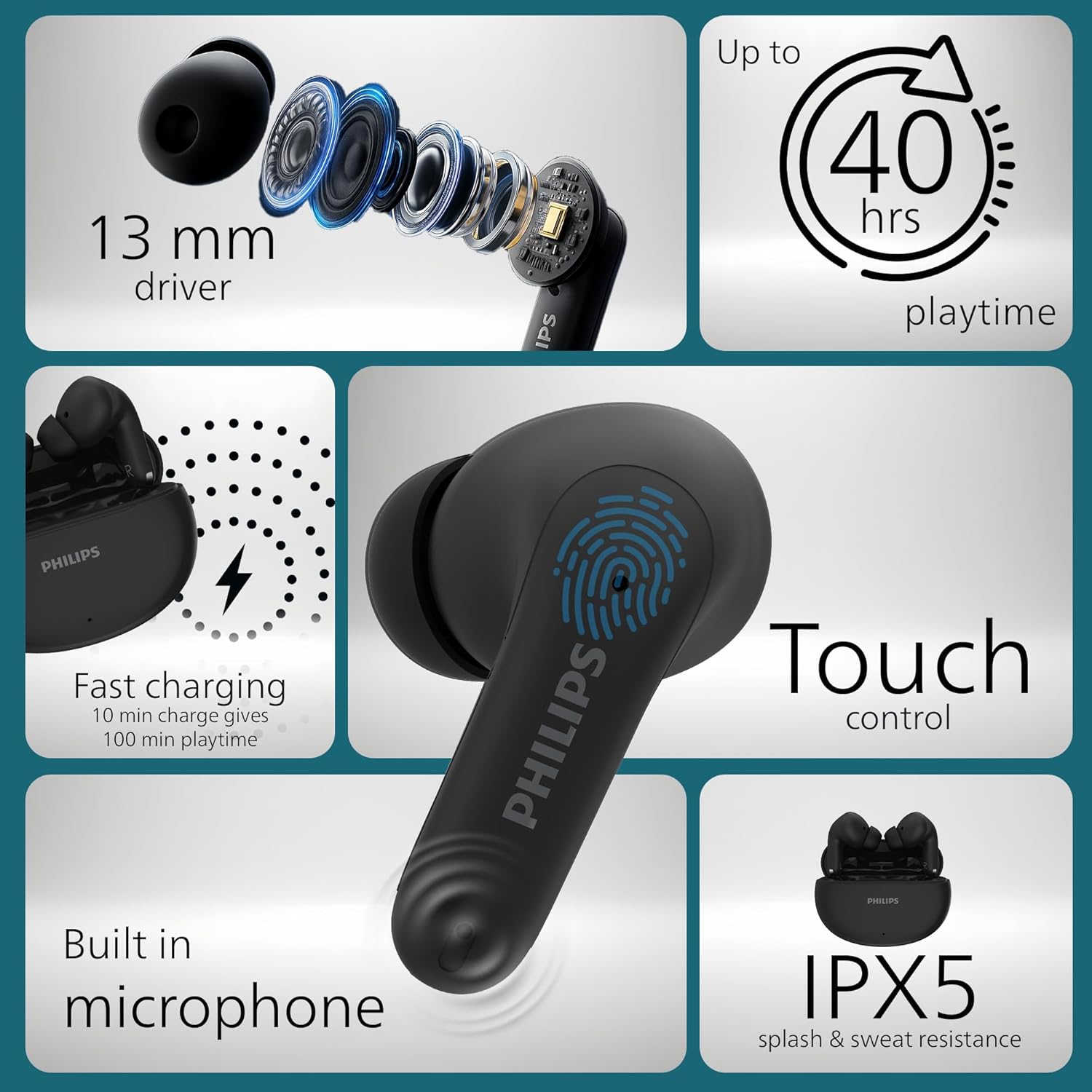
Aworan: Alaye view of Philips TAT1269 earbuds highlighting 13mm drivers, 40-hour playtime, fast charging, touch control, built-in microphone, and IPX5 rating.
3. Eto
3.1 Ngba agbara si Earbuds ati Ọran
Before first use, fully charge the earbuds and the charging case. The charging case provides additional power for your earbuds, extending their playtime.
- Gbe awọn agbekọri sinu apoti gbigba agbara. Rii daju pe wọn joko ni deede ni awọn iho wọn.
- Connect the USB-C charging cable to the charging port on the case and then to a power source.
- The LED indicator on the charging case will show the charging status. A full charge typically takes approximately 2 hours.
Gbigba agbara yiyara: A quick 10-minute charge of the case can provide up to 100 minutes of additional playtime for your earbuds.

Image: Philips TAT1269 earbuds in their charging case, illustrating the fast charging feature.
3.2 Sisopọ pọ pẹlu Ẹrọ Bluetooth kan
The earbuds will automatically enter pairing mode when taken out of the charging case for the first time.
- Ensure the earbuds are charged and removed from the charging case. They will automatically power on.
- On your Bluetooth device (smartphone, tablet, laptop), enable Bluetooth.
- Wa fun available devices and select "Philips TAT1269" from the list.
- Once connected, the earbuds will indicate successful pairing, and the LED indicators will change status (e.g., turn off or flash slowly).
For subsequent use, the earbuds will automatically connect to the last paired device when removed from the case, if Bluetooth is enabled on the device.
4. Ṣiṣẹ awọn Earbuds
4.1 Wọ awọn Earbuds
Insert the earbuds gently into your ears, ensuring a snug and comfortable fit. Rotate them slightly to find the best seal for optimal sound quality and stability. Experiment with the different eartip sizes (S, M, L) to find the most suitable fit for your ears.
4.2 Fọwọkan Iṣakoso
The Philips TAT1269 earbuds feature intuitive touch controls on each earbud for managing audio playback, calls, and voice assistant activation.
- Ṣiṣẹ/Daduro: Fọwọ ba ẹyọkan lori boya agbekọri.
- Orin t’okan: Fọwọ ba lẹẹmeji lori agbekọri ọtun.
- Tẹlẹ Orin: Fọwọ ba lẹẹmeji lori agbekọri osi.
- Idahun/Ipe Ipari: Fọwọ ba ẹyọkan lori boya agbekọri.
- Kọ Ipe: Tẹ mọlẹ boya agbekọri fun iṣẹju 2.
- Mu Oluranlọwọ Ohun ṣiṣẹ: Fọwọ ba meteta lori boya agbekọri.

Image: A user interacting with the touch control area on a Philips TAT1269 earbud.
4.3 Mono Mode
You can use either the left or right earbud independently in mono mode. Simply take one earbud out of the charging case, and it will automatically connect to your device. The other earbud can remain in the case or be used later.
4.4 Iranlọwọ ohun
The earbuds support voice assistant functionality. Triple tap either earbud to activate your device's default voice assistant (e.g., Google Assistant, Siri).
5. Itọju
5.1 Ninu
- Mọ awọn afikọti nigbagbogbo ati apoti gbigba agbara pẹlu asọ ti o gbẹ, asọ ti ko ni lint.
- Yọ awọn eartips kuro ki o si sọ wọn di mimọ pẹlu ọṣẹ kekere ati omi, lẹhinna gbẹ daradara ṣaaju ki o to tun ṣe.
- Maṣe lo awọn afọmọ abrasive, ọti-lile, tabi awọn nkan ti kemikali.
5.2 Water and Sweat Resistance (IPX5)
The earbuds are rated IPX5, meaning they are resistant to splashes and sweat. This makes them suitable for workouts and outdoor activities. However, they are not designed for submersion in water. Avoid exposing them to strong jets of water or swimming.

Image: A woman engaged in physical activity, demonstrating the IPX5 splash and sweat resistance of the Philips TAT1269 earbuds.
5.3 Ibi ipamọ
Nigbati ko ba si ni lilo, tọju awọn afikọti sinu apoti gbigba agbara wọn lati daabobo wọn lati eruku ati ibajẹ. Tọju ọran naa ni itura, aye gbigbẹ kuro lati orun taara ati awọn iwọn otutu to gaju.
6. Laasigbotitusita
If you encounter issues with your Philips TAT1269 earbuds, refer to the following common solutions:
- Awọn agbekọri ti ko so pọ:
- Rii daju pe awọn agbekọri mejeeji ti gba agbara ni kikun.
- Place both earbuds back into the charging case, close the lid, wait a few seconds, then open the lid and remove them again to re-enter pairing mode.
- On your device, forget or delete "Philips TAT1269" from the Bluetooth list and attempt to pair again.
- Gbiyanju lati so pọ pẹlu ẹrọ ti o yatọ lati ṣe akoso awọn oran-ẹrọ kan pato.
- Ko si ohun tabi iwọn kekere:
- Ṣayẹwo ipele iwọn didun lori awọn agbekọri rẹ mejeeji ati ẹrọ ti o sopọ.
- Rí i dájú pé àwọn agbekọri náà so mọ́ ẹ̀rọ rẹ dáadáa nípasẹ̀ Bluetooth.
- Clean any debris from the earbud nozzles and ensure eartips are correctly attached.
- Awọn iṣoro gbigba agbara:
- Verify that the USB-C cable is securely connected to both the charging case and the power source.
- Gbiyanju lilo okun USB-C ti o yatọ tabi ohun ti nmu badọgba agbara.
- Rii daju pe awọn olubasọrọ gbigba agbara lori awọn agbekọri ati inu ọran naa jẹ mimọ ati laisi idilọwọ.
- Oluranlọwọ ohun ko dahun:
- Rii daju pe oluranlọwọ ohun ẹrọ rẹ ṣiṣẹ ati tunto ni deede.
- Confirm the earbuds are properly connected to your device.
7. Awọn pato
| Orukọ awoṣe | TAT1269BK/94 |
| Asopọmọra Technology | Ailokun (Bluetooth) |
| Ẹya Bluetooth | 5.4 |
| Audio Driver Type | Awakọ Yiyipo (13mm) |
| Igbesi aye batiri | Titi di Awọn wakati 40 (pẹlu ọran gbigba agbara) |
| Gbigba agbara yara | 10 iṣẹju gba agbara fun 100 iṣẹju playtime |
| Omi Resistance Ipele | IPX5 (Atako omi) |
| Iṣakoso Iru | Iṣakoso ifọwọkan |
| Iwọn Nkan | 38.5 giramu |
| Ọja Mefa | 6.7 x 2.5 x 5.1 cm |
| Awọn ẹrọ ibaramu | Foonu alagbeka, Awọn tabili kọmputa, Awọn kọǹpútà alágbèéká, Awọn tabulẹti |
| Awọn irinše to wa | Earphone set, Eartips (S/M/L), USB-C cable, User Manual, Warranty Certificate, Wireless Charging Case |
8. Atilẹyin ọja ati Support
8.1 atilẹyin ọja Alaye
Your Philips TAT1269 earbuds come with a warranty. Please refer to the included Warranty Certificate for detailed information regarding warranty terms, conditions, and duration. Keep your proof of purchase for warranty claims.
8.2 Onibara Support
For further assistance, technical support, or service inquiries, please visit the official Philips support webojula tabi kan si wọn onibara iṣẹ Eka. Awọn alaye olubasọrọ le wa ni deede lori Philips webaaye tabi ni iwe atilẹyin ọja.


