1. Ifihan
This manual provides essential information for the safe and efficient use of your OUKITEL C2 smartphone. Please read it carefully before using the device.

OUKITEL C2 Smartphone in purple, showcasing awọn oniwe-aso oniru ati ki o tobi àpapọ.
The OUKITEL C2 is a lightweight and colorful smartphone designed for comfortable daily use. It features a 6.52-inch HD display, a powerful 5000mAh battery, and runs on Android 14. With 16GB RAM and 128GB ROM, expandable up to 1TB, it offers ample storage and smooth performance for multitasking and various applications.
2. Ohun ti o wa ninu Apoti
Daju pe gbogbo awọn ohun kan wa ninu apoti ọja rẹ:
- 1 Foonuiyara
- 1 Afowoyi olumulo
- 1 Data USB
- 1 Ṣaja
- 1 Phone Case

Contents of the OUKITEL C2 retail box, including the smartphone, charger, cable, and manual.
3. Device Ìfilélẹ
Familiarize yourself with the physical components of your OUKITEL C2 smartphone.
- Bọtini agbara: Located on the right side, used to power on/off or wake/sleep the device.
- Awọn bọtini iwọn didun: Ti o wa loke bọtini agbara, ti a lo lati ṣatunṣe media ati iwọn didun ipe.
- Ibudo Iru-C USB: Ti o wa ni isalẹ, fun gbigba agbara ati gbigbe data.
- Jack agbekọri 3.5mm: Ti o wa ni oke, fun asopọ awọn agbekọri onirin.
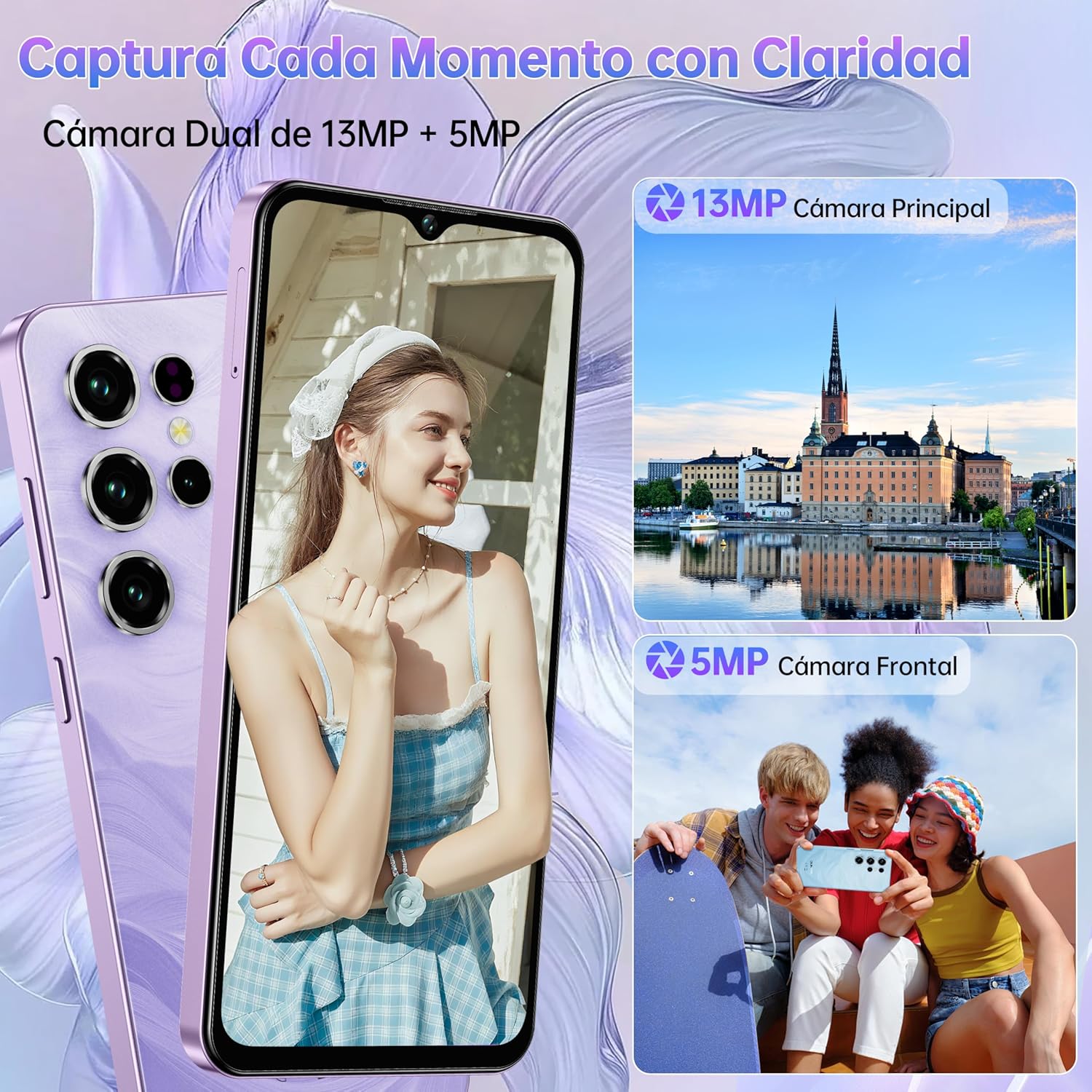
- Modulu kamẹra: Rear-mounted 13MP main camera and front-mounted 5MP camera.
- Atẹ kaadi SIM: Located on the left side, for inserting SIM and TF cards.

Apa view of the OUKITEL C2 smartphone, showing volume and power buttons.

Ẹyìn view of the OUKITEL C2, highlighting the camera module.
4. Eto
4.1 Fifi sori Kaadi SIM/TF
- Wa atẹ kaadi SIM ni apa osi ti ẹrọ naa.
- Fi ohun elo SIM ejector sii sinu iho kekere ti o tẹle atẹ ki o tẹ ṣinṣin titi ti atẹ naa yoo jade.
- Place your Nano SIM card(s) and/or TF card into the designated slots on the tray. Ensure the gold contacts face downwards.
- Fi iṣọra tẹ atẹ naa pada sinu ẹrọ naa titi ti o fi tẹ sinu aaye.

Illustration of the SIM card tray for Dual Nano SIM or SIM + TF card configuration.
4.2 Ibẹrẹ Agbara Lori
Press and hold the Power button on the right side of the device until the OUKITEL logo appears. Follow the on-screen instructions to complete the initial setup, including language selection, Wi-Fi connection, and Google account setup.
4.3 Gbigba agbara
Connect the provided USB Type-C cable to the phone's charging port and the other end to the charger. Plug the charger into a power outlet. The phone supports 10W charging. A full charge ensures optimal battery performance.

OUKITEL C2 smartphone connected to its charger, indicating battery charging.
5. Ṣiṣẹ ẹrọ rẹ
5.1 Ipilẹ Lilọ kiri
Your OUKITEL C2 runs on Android 14, offering an intuitive user experience. Use gestures or navigation buttons (configurable in settings) to move between apps, return to the home screen, and access recent applications.
OUKITEL C2 display showing the Android 14 user interface.
5.2 kamẹra Lilo
The OUKITEL C2 features a 13MP main camera and a 5MP front camera. Open the Camera app to access various modes such as Portrait, Beauty, HDR, Panorama, and Pro mode. Tap the shutter button to capture photos or record videos.

OUKITEL C2 camera interface, demonstrating various shooting modes.
5.3 Asopọmọra
- SIM Meji 4G: Supports two Nano SIM cards for flexible network usage.
- Bluetooth 5.0: Connect to wireless headphones, speakers, and other Bluetooth devices.
- OTG (Lórí Ọ̀nà): Connect USB devices like flash drives or external keyboards, or use your phone to charge other devices.
- GPS: Integrated with GPS, GLONASS, Beidou, and Galileo for accurate navigation.

OUKITEL C2 demonstrating OTG functionality, charging another device.
5.4 Security (Face ID)
Unlock your device quickly and securely using Face ID. Go to Eto > Aabo > Ṣii silẹ oju to set up your facial recognition data.

OUKITEL C2 showcasing Face ID for secure unlocking.
5.5 Ifihan Awọn ẹya ara ẹrọ
The 6.52-inch HD display offers clear visuals with up to 450 nits brightness for outdoor visibility. Utilize the Visual Comfort Mode (found in Display settings) to reduce blue light and optimize screen warmth, minimizing eye strain during prolonged use.

OUKITEL C2 display highlighting its 6.52-inch HD screen and visual comfort features.
6. Itọju
6.1 batiri Itọju
Láti mú kí ìgbà ayé batiri 5000mAh rẹ pẹ́ sí i:
- Yago fun awọn iwọn otutu to gaju.
- Lo ṣaja ati okun waya ti a pese nikan.
- Ma ṣe jẹ ki batiri naa ṣan patapata nigbagbogbo.
- Yọ agbara gbigba agbara kuro ni kete ti batiri ba ti kun.
6.2 Software imudojuiwọn
Máa ṣàyẹ̀wò fún àwọn àtúnṣe sọ́fítíwètì déédéé láti rí i dájú pé ẹ̀rọ rẹ ní àwọn ẹ̀yà tuntun, àwọn àtúnṣe ààbò, àti àwọn àtúnṣe iṣẹ́. Eto> Eto> Imudojuiwọn eto lati ṣayẹwo fun awọn imudojuiwọn to wa.
6.3 Ninu
Use a soft, lint-free cloth to clean your device. Avoid using harsh chemicals or abrasive materials that could damage the screen or casing.
7. Laasigbotitusita
If you encounter issues with your OUKITEL C2, try the following:
- Ẹrọ ti ko dahun: Tẹ mọlẹ bọtini Agbara fun bii iṣẹju 10-15 lati fi ipa mu atunbẹrẹ bẹrẹ.
- App jamba: Ko kaṣe app ati data sinu Eto> Awọn ohun elo> [Orukọ Ohun elo]> Ibi ipamọ. Ti ọrọ naa ba tẹsiwaju, yọ kuro ki o tun fi ohun elo naa sori ẹrọ.
- Igbesi aye batiri ti ko dara: Ṣayẹwo isale app lilo ni Eto > Batiri. Reduce screen brightness and disable unnecessary features like GPS or Bluetooth when not in use.
- Awọn oran nẹtiwọki: Ensure your SIM card is correctly inserted. Try restarting the device or resetting network settings in Eto > Eto > Awọn aṣayan Tunto > Tun Wi-Fi to, alagbeka & Bluetooth.
- Idapada si Bose wa tele: As a last resort, you can perform a factory reset. This will erase all data on your device. Go to Eto> Eto> Awọn aṣayan atunto> Pa gbogbo data rẹ (atunto ile-iṣẹ). Back up important data before proceeding.
8. Awọn pato
| Brand | OUKITEL |
| Awoṣe | OUKITEL C2 |
| Eto isesise | Android 14 |
| Àgbo | 16 GB (4+12) |
| Ibi ipamọ inu (ROM) | 128 GB |
| Expandable Ibi ipamọ | Títí dé 1 TB (Káàdì TF) |
| Iwọn Ifihan | 6.52 inches |
| Ipinnu Ifihan | 540 x 1200 awọn piksẹli |
| Agbara Batiri | 5000 mAh |
| Gbigba agbara Iyara | 10W |
| Kamẹra ẹhin | 13 MP |
| Kamẹra iwaju | 5 MP |
| Isise Iru | Quad-Core (2 GHz) |
| Asopọmọra | 4G Dual SIM, Bluetooth 5.0, USB Type-C, 3.5mm Jack |
| Lilọ kiri | GPS, GLONASS, Beidou, Galileo |
| Aabo Awọn ẹya ara ẹrọ | ID oju |
| Awọn iwọn | 16.36 x 7.59 x 0.93 cm |
| Iwọn | 190 g |
9. Atilẹyin ọja ati Support
Your OUKITEL C2 smartphone comes with an official OUKITEL warranty. For specific warranty terms and conditions, please refer to the warranty certificate included in your product packaging or visit the official OUKITEL webojula.
OUKITEL provides professional customer service and support. If you encounter any issues or have questions not covered in this manual, please contact OUKITEL customer support through their official channels.
- Ẹri ọjọ 30: Free returns and refunds within 30 days of purchase.
- 24/7 Iṣẹ Onibara: Online support available.
- Original Factory Quality: High-quality components ensure reliable performance.

OUKITEL customer service information, highlighting 30-day guarantee and 24/7 support.