1. Ifihan ati Loriview
This manual provides detailed instructions for the oneisall FC08 4-in-1 Pet Grooming Kit. This versatile kit is designed to assist pet owners with various grooming needs, offering multiple attachments for different tasks. The main unit is a cordless, USB rechargeable device, ensuring convenience and flexibility during grooming sessions.

Figure 1: The oneisall FC08 4-in-1 Pet Grooming Kit, featuring the main trimmer and a curved blade attachment.
2. Awọn ẹya Ọja
- 4-ni-1 Iwapọ: Includes multiple interchangeable heads for various grooming tasks.
- Ailokun ati gbigba agbara: Offers freedom of movement and can be charged via USB.
- Isẹ idakẹjẹ: Designed to minimize noise, reducing stress for pets during grooming.
- Apẹrẹ Blade Ailewu: Features rounded blade teeth to prevent snagging and skin irritation.
- Apẹrẹ ti ko ni omi: Allows for easy cleaning and use in wet conditions.
- Ifihan LED: Provides information on battery level and speed settings.
3. Irinše ati Kini ninu Apoti
The oneisall FC08 4-in-1 Pet Grooming Kit typically includes the following items:
- Main Grooming Unit (rechargeable)
- Curved Blade Attachment (for body grooming)
- Detailing Blade Attachment (for sensitive areas like face, paws, ears)
- Àlàfo grinder Asomọ
- Multiple Comb Guides (various sizes for different hair lengths)
- Okun Ngba agbara USB
- Fifọ Fẹlẹ
- Epo ti npa
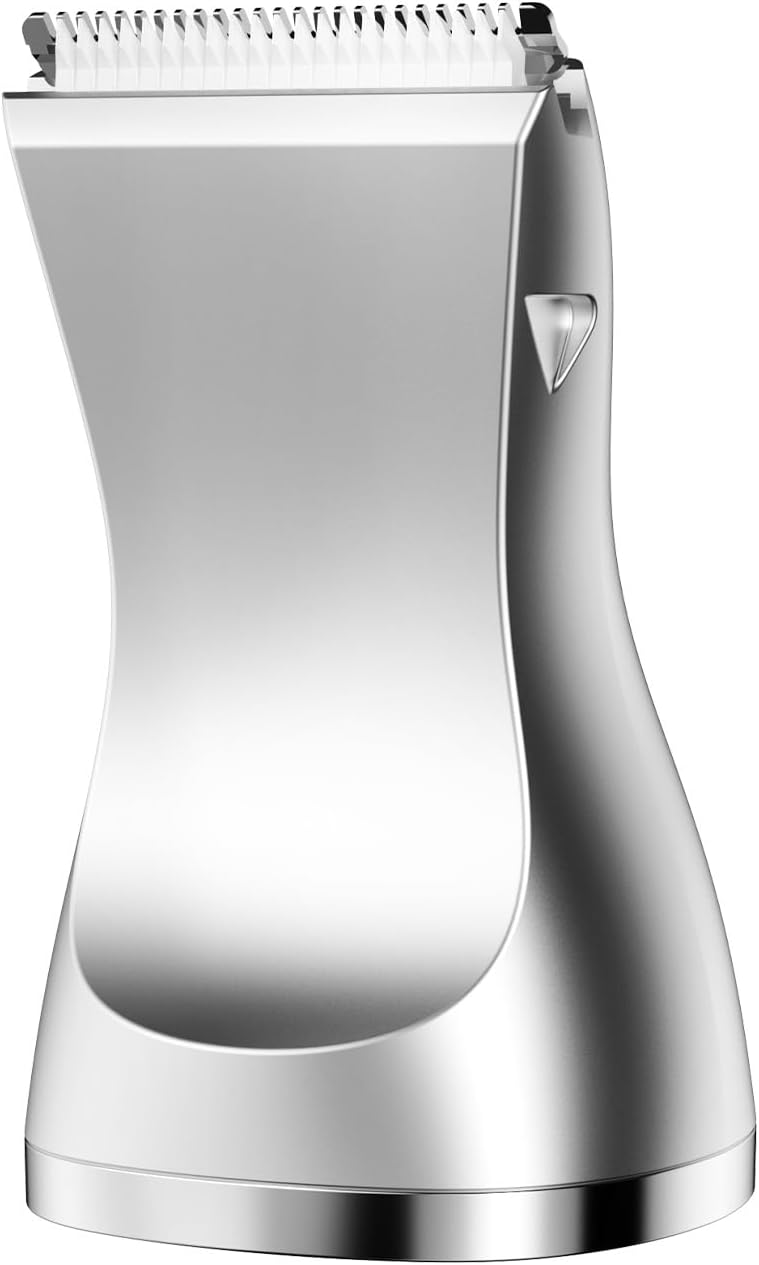
Figure 2: The curved replacement blade, suitable for general body grooming.
4. Eto
4.1 Ngba agbara si Ẹrọ
- Connect the USB charging cable to the charging port at the bottom of the main grooming unit.
- Pulọọgi opin okun USB miiran sinu ohun ti nmu badọgba agbara USB ibaramu (kii ṣe pẹlu) tabi ibudo USB kọnputa kan.
- The LED display will indicate the charging status. Ensure the device is fully charged before first use for optimal performance.
4.2 Attaching and Detaching Blades
To change the grooming head:
- Rii daju pe ẹrọ ti wa ni pipa.
- To remove a blade, gently push the blade head upwards or to the side (depending on the specific attachment design) until it detaches from the main unit.
- To attach a new blade, align the new head with the main unit and push it down or into place until it clicks securely.

Figure 3: Visual guide for removing and installing the grooming blade attachments.
5. Awọn ilana Iṣiṣẹ
5.1 General Grooming Tips
- Before grooming, ensure your pet's fur is clean, dry, and free of tangles. Brush thoroughly to remove loose hair.
- Start with a low speed setting to acclimate your pet to the sound and sensation.
- Always groom in the direction of hair growth to prevent irritation.
- Take breaks as needed to keep your pet comfortable and calm.
5.2 Using the Trimmer Attachments
- Select the appropriate blade (curved for body, detailing for face/paws) and comb guide for the desired hair length.
- Press the power button to turn on the device. Use the up/down buttons to adjust the speed as needed.
- Gently glide the trimmer over your pet's fur, maintaining even pressure.
5.3 Using the Nail Grinder Attachment
- Attach the nail grinder head to the main unit.
- Gently hold your pet's paw and isolate one nail.
- Turn on the grinder and lightly touch the spinning head to the tip of the nail. Grind for a few seconds, then check progress.
- Avoid grinding too much at once to prevent overheating the nail or reaching the quick.
Video 1: Demonstration of the oneisall grooming clipper, showcasing its waterproof feature, blade changing, and use on a pet.
6. Itọju
6.1 Ninu awọn Blades
- After each use, turn off the device and detach the blade.
- Use the provided cleaning brush to remove any trapped hair from the blade and the main unit.
- Since the device is waterproof, you can rinse the blade under running water. Ensure it is completely dry before reattaching or storing.
6.2 Oiling awọn Blades
Regular oiling helps maintain blade sharpness and extends the life of your trimmer.
- After cleaning and drying the blade, apply 1-2 drops of the provided lubricating oil to the teeth of the blade.
- Tan trimmer fun iṣẹju diẹ lati pin kaakiri epo ni deede.
7. Awọn pato
- Brand: ọkanisall
- Awoṣe: FC08
- Orisun Agbara: Agbara Batiri (USB A le gba agbara)
- Ìwọ̀n Nkan: 1.28 iwon
- Àwọ̀: Fadaka
- Awọn Lilo Niyanju Fun Ọja: Ear, Face, Body, Nails (with appropriate attachments)
- Awọn iwọn idii: 3.15 x 2.36 x 1.57 inches
8. Laasigbotitusita
- Ẹrọ ti ko tan: Rii daju pe ẹrọ naa ti gba agbara ni kikun. Ti batiri ba lọ silẹ, so pọ mọ ṣaja.
- Àwọn abẹ́ tí ń fa irun: This often indicates dull blades or insufficient lubrication. Clean the blades thoroughly and apply lubricating oil. If the issue persists, consider replacing the blade.
- Iṣẹ ṣiṣe ti o dinku: Check for tangled hair in the blade mechanism. Clean and oil the blades. Ensure the battery is adequately charged.
9. Atilẹyin ọja ati Support
For warranty information, product support, or to purchase replacement parts, please refer to the official oneisall webojula tabi kan si wọn onibara iṣẹ taara. Jeki ẹri rira rẹ fun awọn iṣeduro atilẹyin ọja.


