1. Ifihan
This manual provides detailed instructions for the setup, operation, and maintenance of your ATTACK SHARK X8 Ultra Wireless Gaming Mouse. Designed for high-performance gaming, the X8 Ultra features a lightweight design, multiple connectivity options, and advanced sensor technology.

Aworan 1.1: Oke view of the ATTACK SHARK X8 Ultra Wireless Gaming Mouse.
2. Package Awọn akoonu
Daju pe gbogbo awọn nkan wa ninu apo rẹ:
- Asin ere alailowaya Shark X8 Ultra
- Olùgbà USB-C 8K
- USB-A to USB-C Charging Cable (Paracord)
- Àwọn Skates Ẹsẹ̀ Asin Rọpò
- Mu teepu
- Afowoyi Olumulo (iwe-ipamọ yii)
3. Mouse Layout and Features
Familiarize yourself with the key components and features of your X8 Ultra mouse.

Aworan 3.1: Pariview of the X8 Ultra's internal components and external features.
- Osi/Ọtun Tẹ Awọn bọtini: Equipped with Omron micro switches for tactile feedback and durability.
- Yi lọ Kẹkẹ: Provides smooth scrolling with subtle tactile bumps.
- Awọn bọtini ẹgbẹ: Programmable buttons located on the left side for additional functions.
- Bọtini DPI: Located on the underside of the mouse, allows cycling through preset DPI levels.
- Connectivity Switch: Located on the underside, allows switching between 2.4GHz wireless, Bluetooth, and wired modes.
- PAW3950MAX Sensor: High-precision optical sensor for accurate tracking.
- Nordic 52840 MCU: Advanced microcontroller for efficient performance and low latency.
- Nano-Ice Coating: Surface treatment designed to keep grip cool during extended use.
4. Eto Itọsọna
4.1 Gbigba agbara si Asin
- So opin USB-C ti okun gbigba agbara si Asin.
- So opin USB-A ti okun gbigba agbara si ibudo USB ti o wa lori kọnputa rẹ tabi ohun ti nmu badọgba ogiri USB kan.
- The mouse LED indicator will show charging status. A full charge provides up to 300 hours of intermittent use.
4.2 Nsopọ Asin
The X8 Ultra supports three connection modes: 2.4GHz Wireless, Bluetooth, and Wired USB.
Ipo Alailowaya 2.4GHz:
- Locate the 8K USB-C receiver.
- Pulọọgi olugba sinu ibudo USB ti o wa lori kọnputa rẹ.
- Set the connectivity switch on the underside of the mouse to the "2.4G" position.
- Asin yẹ ki o sopọ laifọwọyi.

Image 4.1: The 8K USB-C receiver for 2.4GHz wireless connection.
Ipo Bluetooth:
- Set the connectivity switch on the underside of the mouse to the "BT" position.
- Lori kọmputa rẹ, ṣii awọn eto Bluetooth ki o wa awọn ẹrọ titun.
- Yan "ATTACK SHARK X8 Ultra" lati inu akojọ awọn ẹrọ ti o wa lati so pọ.
Ipo USB ti a firanṣẹ:
- So opin USB-C ti okun gbigba agbara si Asin.
- So opin USB-A ti okun gbigba agbara si ibudo USB ti o wa lori kọnputa rẹ.
- Set the connectivity switch on the underside of the mouse to the "Wired" position.
- Asin naa yoo ṣiṣẹ bi ẹrọ onirin ati gba agbara ni akoko kanna.
5. Awọn ilana Iṣiṣẹ
5.1 DPI Atunṣe
The X8 Ultra features a PixArt PAW3950MAX sensor with adjustable DPI from 50 to 42,000. To change DPI settings:
- Press the DPI button on the underside of the mouse to cycle through preset DPI levels.
- The LED indicator on the mouse will change color to indicate the current DPI setting.
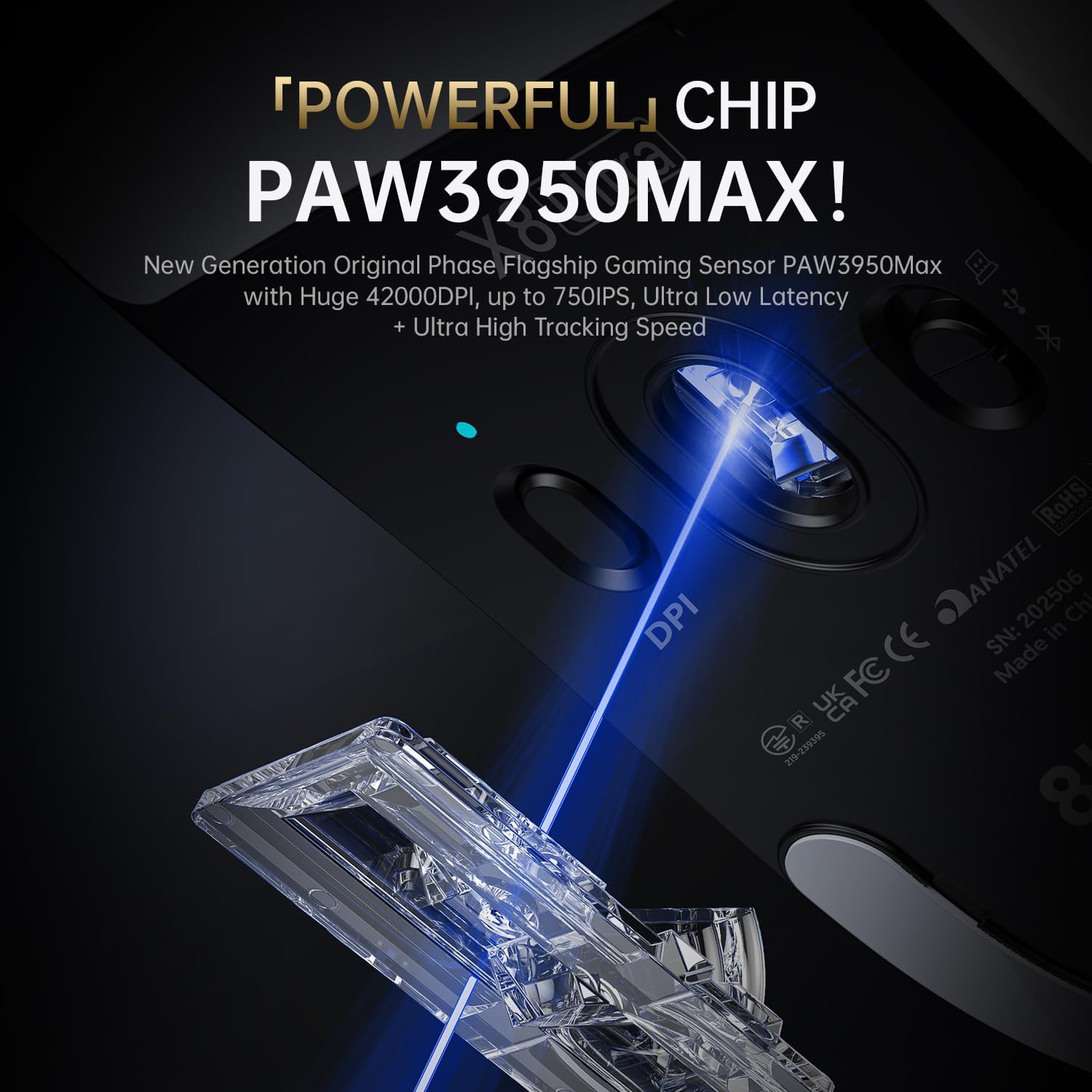
Image 5.1: The PixArt PAW3950MAX sensor for precise tracking.
5.2 Cloud Driver Software
For advanced customization, including DPI adjustment, polling rate, button remapping, macro recording, and competitive mode settings, use the web-based Cloud Driver software.
- Ensure your mouse is connected to your computer (preferably via 2.4GHz wireless or wired mode for full functionality).
- Ṣii rẹ web browser and navigate to the official ATTACK SHARK webaaye (fun apẹẹrẹ, www.attackshark.pro).
- Locate the Cloud Driver section for the X8 Ultra model.
- Follow the on-screen instructions to customize your mouse settings. Settings are saved directly to the mouse's memory.

Image 5.2: The Cloud Driver interface for advanced mouse configuration.
5.3 Idibo Oṣuwọn
The X8 Ultra supports an 8KHz wireless polling rate for ultra-low latency and faster response. In wired mode, it operates at 1KHz. The polling rate can be adjusted via the Cloud Driver software.

Image 5.3: Explanation of 8K Polling Rate technology.
6. Itọju
6.1 Ninu
- Lo asọ ti o rọ, ti o gbẹ lati nu dada ti Asin naa.
- Fun idoti alagidi, die-die dampen awọn asọ pẹlu omi tabi kan ìwọnba ninu ojutu.
- Avoid using harsh chemicals or abrasive materials that could damage the mouse's finish or sensor.
- Regularly clean the optical sensor area on the underside of the mouse with a cotton swab to ensure optimal tracking performance.
6.2 batiri Itọju
- Láti mú kí batiri pẹ́ sí i, má ṣe jẹ́ kí asin máa tú gbogbo agbára rẹ̀ jáde nígbàkúgbà.
- Tọju Asin ni itura, aye gbigbẹ nigbati o ko ba lo fun awọn akoko ti o gbooro sii.
- If the mouse will not be used for a long time, charge it to about 50% before storage.
6.3 Replacing Mouse Feet Skates
The package includes replacement PTFE mouse feet skates for maintaining smooth glide. When the existing skates show significant wear:
- Carefully peel off the old mouse feet using a thin tool.
- Clean the surface where the skates were attached to remove any adhesive residue.
- Peel the backing from the new skates and carefully apply them to the corresponding areas on the mouse's underside.
- Tẹ ṣinṣin lati rii daju ifaramọ to dara.

Image 6.1: PTFE anti-slip footpads for smooth mouse movement.
7. Laasigbotitusita
| Isoro | Owun to le Solusan |
|---|---|
| Asin ko dahun ni ipo alailowaya. |
|
| Ìsopọ̀ tí kò dáa tàbí tí kò dáa. |
|
| Inaccurate tracking. |
|
| Cloud Driver software not detecting mouse. |
|
8. Awọn pato
Key technical specifications for the ATTACK SHARK X8 Ultra Wireless Gaming Mouse:

Image 8.1: Detailed technical specifications for the X8 Ultra and other X8 series models.
| Ẹya ara ẹrọ | Ẹ̀kúnrẹ́rẹ́ |
|---|---|
| Awoṣe | X8 Ultra |
| Sensọ | PixArt PAW3950MAX |
| Iwọn DPI | 50 - 42,000 DPI |
| Iyara gbigbe | Ọdun 750 IPS |
| Isare | 60G |
| Bọtini Igbesi aye | 100 Milionu jinna |
| Micro Yipada | Omron Yipada |
| Idibo Oṣuwọn | Wireless 8000Hz / Wired 1000Hz |
| MCU | Nordic 52840 |
| Asopọmọra | Wired / 2.4GHz Wireless / Bluetooth |
| Iwọn | 55g |
| Agbara Batiri | 500 mAh |
| Awọn iwọn | Isunmọ 125.5 x 63 x 40 mm (4.96 x 2.5 x 1.6 inches) |
9. Atilẹyin ọja ati Support
ATTACK SHARK products are designed for reliability and performance. For warranty information, technical support, or service inquiries, please refer to the official ATTACK SHARK webojula tabi kan si wọn onibara iṣẹ taara.
Osise Webojula: www.attackshark.pro
Ile Itaja Brand: ATTACK SHARK Amazon Store
Jọwọ ṣe idaduro ẹri rira rẹ fun awọn iṣeduro atilẹyin ọja.


