Ọrọ Iṣaaju
The Volkano Galena Series Wireless Keyboard is a compact, versatile input device designed for efficiency and portability. It offers multi-device connectivity and seamless switching, making it suitable for various operating systems including Windows, Android, and MacOS. This manual provides essential information for setting up, operating, maintaining, and troubleshooting your keyboard.
Package Awọn akoonu
- Volkano Galena Series Wireless Keyboard
- 2 x AAA batiri
- Ilana itọnisọna
Ṣeto
1. Fifi sori batiri
The Volkano Galena Series Wireless Keyboard operates on two AAA batteries. These are included in the package.
- Wa ideri kompaktimenti batiri ni apa isalẹ ti keyboard.
- Gbe ideri naa ṣii.
- Insert the two AAA batteries, ensuring correct polarity (+ and - terminals).
- Pa ideri batiri naa ni aabo.
2. Agbara lori / Paa
Locate the power switch on the keyboard. Slide it to the 'ON' position to power on the keyboard. Slide it to the 'OFF' position when not in use to conserve battery life. The keyboard features an auto-power saving mode to further extend battery life during periods of inactivity.
3. Sisopọ Bluetooth
The keyboard supports Bluetooth 5.0 for a stable wireless connection. It can be paired with up to two devices simultaneously.

Image: The Volkano Galena Series keyboard, illustrating its compact design and key features such as Bluetooth 5.0 + BT 3.0 connectivity, multi-device switching, anti-slip rubber feet, and compatibility with Windows and Android operating systems.
- Rii daju pe keyboard ti wa ni titan.
- On your device (Laptop, PC, Smart TV, Tablet), enable Bluetooth and search for available devices.
- Tẹ mọlẹ fn+1 key combination for the first device, or fn+2 for the second device, until the corresponding indicator light (usually above the '1' or '2' key) starts blinking, indicating pairing mode.
- Select "Volkano Galena" or a similar name from the list of available Bluetooth devices on your screen.
- Follow any on-screen prompts to complete the pairing process. The indicator light will stop blinking once successfully paired.
Awọn ilana Iṣiṣẹ
1. Olona-Device Yipada
The keyboard allows for quick switching between two paired devices.

Aworan: A alaye view of the Volkano Galena Series keyboard, showcasing its compact form factor and features like Bluetooth device switching, non-slip feet, a dedicated Copilot shortcut key, scissor-structure keycaps, and auto-power saving mode.
- To switch to the first paired device, press fn+1.
- To switch to the second paired device, press fn+2.
2. Àwọn Kọ́kọ́rọ́ Iṣẹ́ (Fn)
The keyboard includes multimedia and special function keys accessible by pressing the Fn bọtini ni apapo pẹlu awọn bọtini F ti o baamu tabi awọn bọtini miiran ti a yan.
- Fn+F1-F12: Access various multimedia controls and system functions (e.g., volume, playback, screen brightness). Refer to the icons on the F-keys for specific functions.
- Fn + Q/W/E: Switch between operating system layouts (e.g., Android, Windows, iOS/MacOS).
- Copilot Shortcut Key: A dedicated key for quick access to AI assistant features on compatible operating systems.
3. Titẹ Iriri
The keyboard features quiet keys with a scissor structure, providing a comfortable and responsive typing experience suitable for focused environments.
Itoju
1. Ninu
- Rii daju pe keyboard ti wa ni pipa ṣaaju ṣiṣe mimọ.
- Lo aṣọ rirọ, gbigbẹ, ti ko ni awọ lati nu oju bọtini itẹwe naa.
- Fun idoti agidi, fẹẹrẹ dampen asọ pẹlu omi tabi a ìwọnba, ti kii-abrasive regede. Yago fun ọrinrin pupọ.
- Maṣe fun sokiri awọn ojutu mimọ taara sori keyboard.
- Lo afẹ́fẹ́ tí a fi ìfúnpọ̀ mú láti yọ àwọn ìdọ̀tí kúrò láàárín àwọn kọ́kọ́rọ́ náà.
2. Ibi ipamọ
- Tọju keyboard ni itura, aye gbigbẹ kuro lati orun taara ati awọn iwọn otutu to gaju.
- Tí o bá ń tọ́jú rẹ̀ fún ìgbà pípẹ́, yọ àwọn bátìrì AAA kúrò kí o má baà lè jò.
Laasigbotitusita
- Keyboard ko ṣiṣẹ lori: Check if the batteries are correctly inserted and fully charged. Replace batteries if necessary. Ensure the power switch is in the 'ON' position.
- Keyboard ko sopọ nipasẹ Bluetooth:
- Rii daju pe Bluetooth ti ṣiṣẹ lori ẹrọ rẹ.
- Make sure the keyboard is in pairing mode (indicator light blinking).
- Delete previous pairings on your device and attempt to re-pair.
- Ensure the keyboard is within the 8-10 meter Bluetooth range of your device.
- Gbiyanju lati tun bẹrẹ mejeeji keyboard ati ẹrọ rẹ.
- Awọn bọtini ko dahun: Check battery level. Ensure the keyboard is properly connected to your device. Clean any debris from around the keys.
- Àìlègbé tàbí ìfàsẹ́yìn tí ó pẹ́: Ensure there are no strong interferences (e.g., other wireless devices) nearby. Check battery level.
Awọn pato
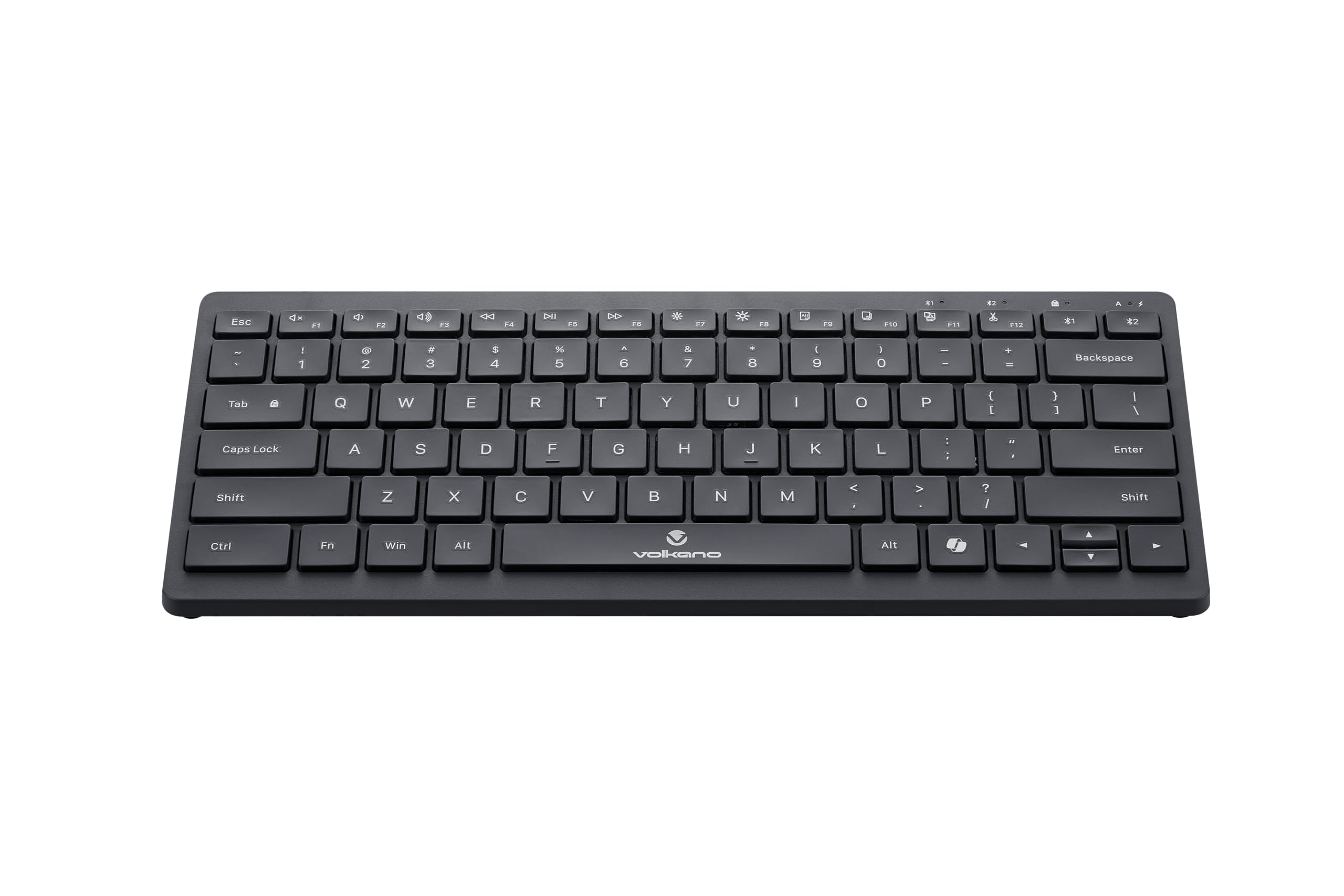
Image: A clear, angled view of the Volkano Galena Series Wireless Keyboard, highlighting its sleek black design and full key layout.
| Ẹya ara ẹrọ | Ẹ̀kúnrẹ́rẹ́ |
|---|---|
| Nọmba awoṣe | VK-20247-BK |
| Asopọmọra | Imọ-ẹrọ Alailowaya Bluetooth |
| Ẹya Bluetooth | Bluetooth 5.0 + Bluetooth 5.0 (Dual Channel) |
| Alailowaya Ibiti | 8-10 mita |
| Orisun agbara | 2 x Awọn batiri Alkaline AAA (pẹlu) |
| Iru bọtini | Scissor Structure Keycaps |
| Pataki Awọn ẹya ara ẹrọ | Quiet keys, Multi-device pairing, Instant switching, Anti-slip rubber base, Auto-power saving mode, Lightweight, Portable, Copilot Shortcut Key |
| Awọn ẹrọ ibaramu | Laptop, PC, Smart TV, Tablet (Windows, Android, MacOS) |
| Awọn iwọn (L x W x H) | 29.5L x 12.8W x 2.2H sẹntimita |
| Ohun elo | Ṣiṣu |
| Àwọ̀ | Dudu |
Atilẹyin ọja ati Support
1. Atilẹyin ọja to lopin
This Volkano product is covered by a 12-Month Limited Coverage from the date of purchase. You can extend this coverage by an additional 12 months, for a total of 24 months, by registering your product with Volkano.
2. Onibara Support
For any questions, assistance, or support regarding your Volkano Galena Series Wireless Keyboard, please contact Volkano customer service through their official channels. Refer to the Volkano webaaye tabi apoti ọja fun awọn alaye olubasọrọ.


