Ọrọ Iṣaaju
This manual provides detailed instructions for the setup, operation, maintenance, and troubleshooting of your realme GT 7T Smartphone. Please read this guide thoroughly to ensure proper use and to maximize the device's capabilities.
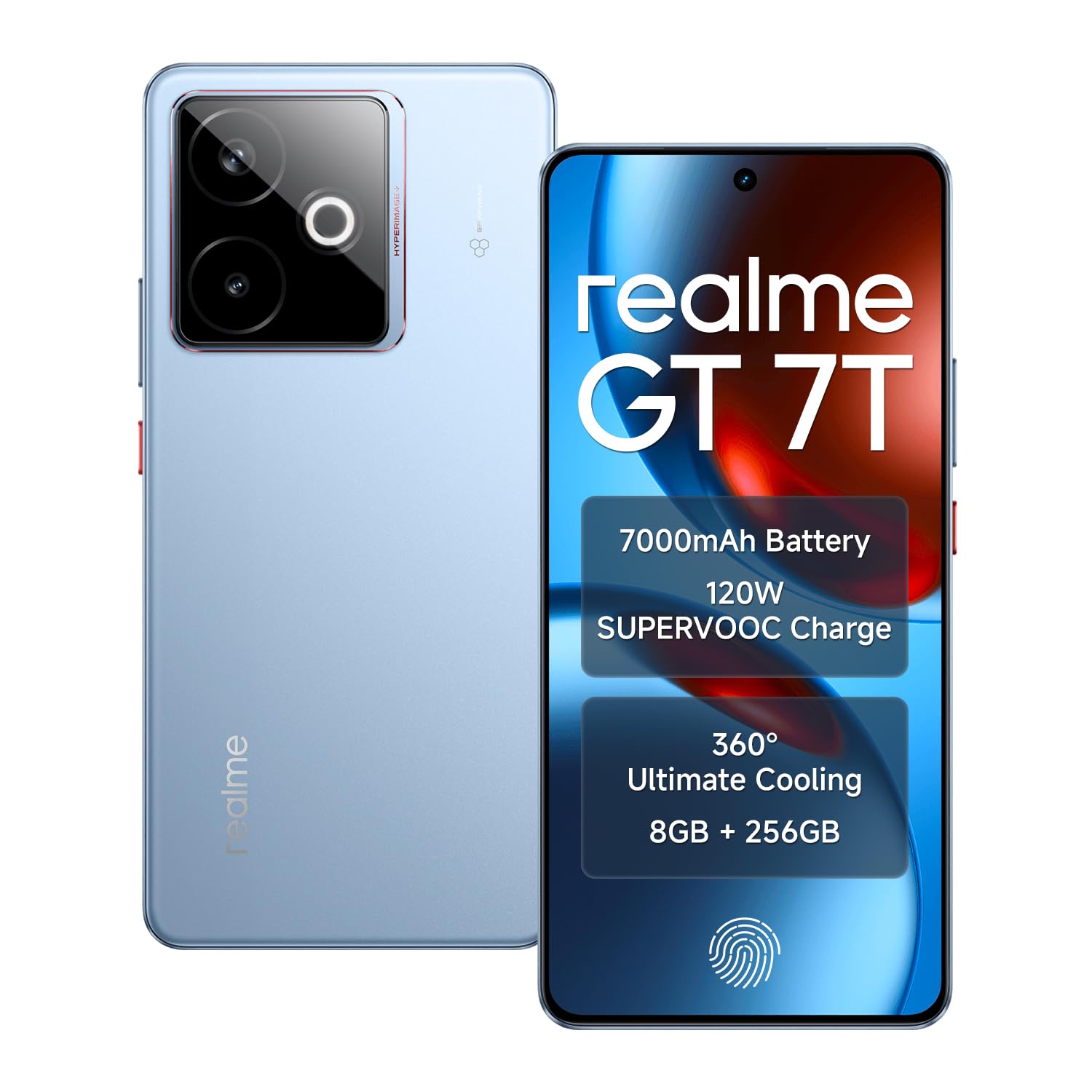
Image: The realme GT 7T Smartphone, showcasing its design and color.
The realme GT 7T features a 6.8-inch 120Hz display, MediaTek Dimensity 8400-MAX processor, 7000mAh battery with 120W UltraDART charging, a 50MP AI Triple Camera system, and IP69 durability. It operates on Android 15.
Ohun ti o wa ninu Apoti
Daju pe gbogbo awọn nkan wa ninu apoti:
- realme GT 7T Smartphone
- USB data USB
- Charger (120W UltraDART)
- Quick Bẹrẹ Itọsọna
Ṣeto
1. Fi kaadi SIM sii
- Wa atẹ kaadi SIM ni ẹgbẹ ti ẹrọ naa.
- Lo ohun elo ejector SIM ti a pese lati ṣii atẹ.
- Place your Nano-SIM cards (supports Dual 5G SIM) into the tray with the gold contacts facing down.
- Fi iṣọra tun fi atẹ sii sinu foonu naa.
2. Gbigba agbara akọkọ
Before first use, it is recommended to fully charge your realme GT 7T.
- Connect the USB data cable to the phone's charging port and the 120W UltraDART charger.
- Pulọọgi ṣaja sinu iṣan agbara kan.
- The device supports 120W fast charging, allowing for rapid power-up.
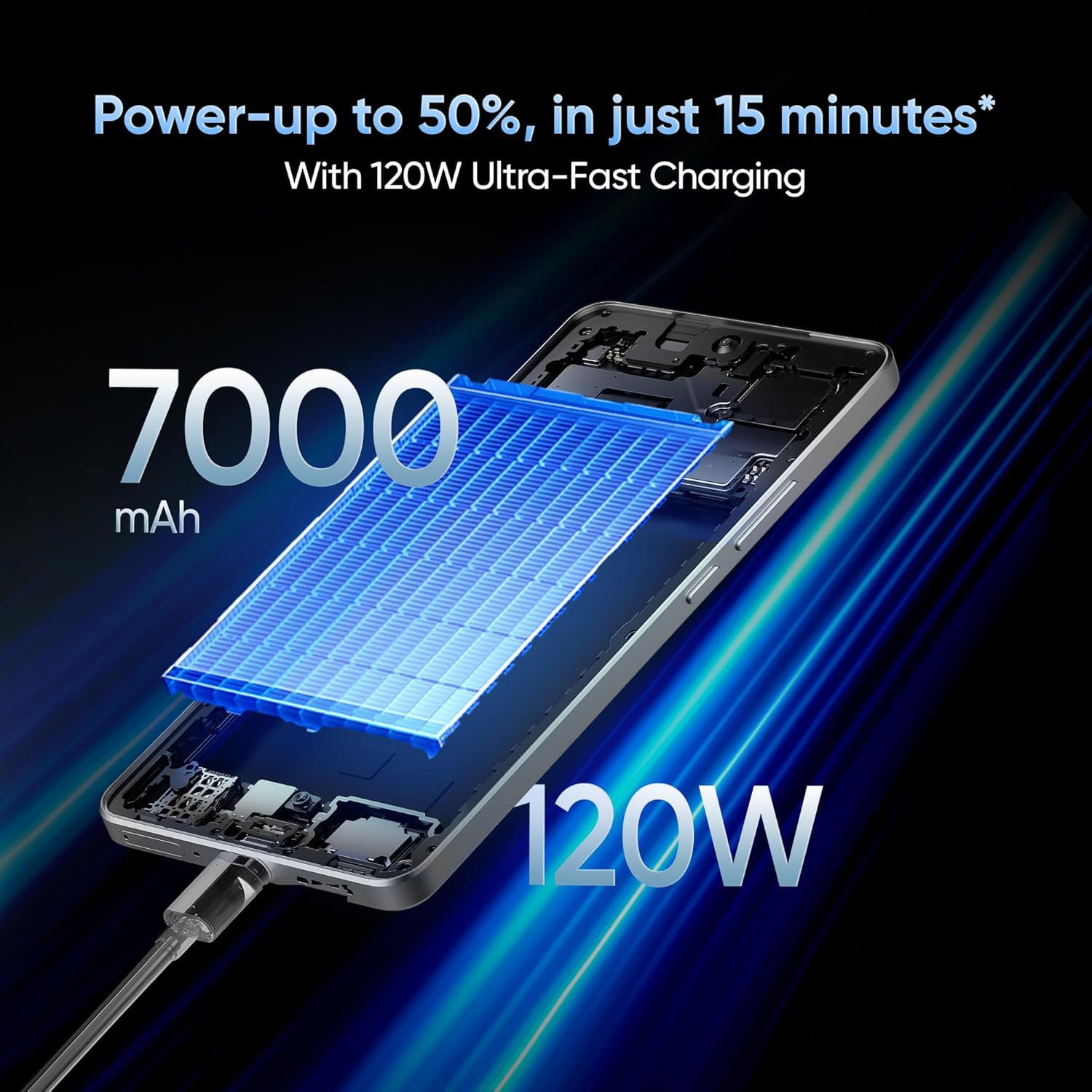
Image: The realme GT 7T connected to its 120W Ultra-Fast Charger, illustrating the rapid charging capability.
3. Agbára àti Ìṣètò Àkọ́kọ́
- Tẹ bọtini agbara ki o si dimu titi aami realme yoo fi han.
- Tẹ̀lé àwọn ìtọ́ni tó wà lójú ìbòjú láti parí ìṣètò àkọ́kọ́, títí bí àṣàyàn èdè, ìsopọ̀ Wi-Fi, wíwọlé àkọọ́lẹ̀ Google, àti àwọn ètò ààbò.
Awọn ilana Iṣiṣẹ
Ifihan ati Lilọ kiri
The realme GT 7T features a 6.8-inch display with a 120Hz refresh rate for smooth visuals and a 2160Hz high-frequency PWM dimming to reduce eye strain.

Image: The realme GT 7T's 6.8-inch display showcasing its vibrant colors and smooth 120Hz refresh rate.
Iṣẹ ṣiṣe
Powered by the MediaTek Dimensity 8400-MAX 4nm chipset and 8GB RAM, the device offers high performance for multitasking and demanding applications.

Aworan: A alaye view of the MediaTek Dimensity 8400-MAX Flagship Chipset, highlighting its advanced architecture.
Lilo kamẹra
The AI Camera system includes a 50MP OIS main camera. Utilize features like AI Landscape Mode for enhanced scenery, AI Swift Capture for fast-moving subjects, and AI Reflection Elimination for clear shots through glass or water.
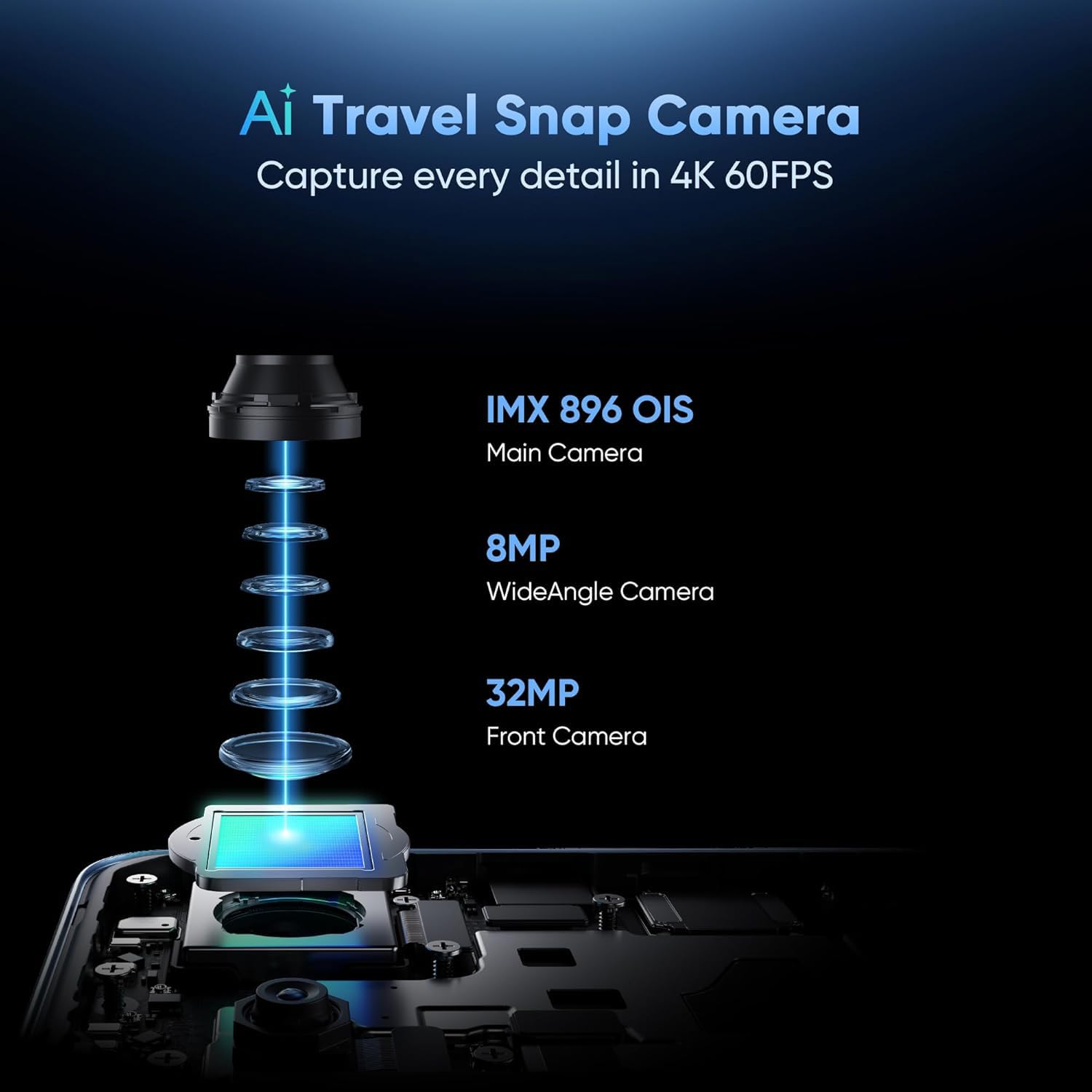
Aworan: Exploded view of the AI Travel Snap Camera system, detailing its IMX 896 OIS Main Camera, Wide Angle Camera, and Front Camera.
Asopọmọra
The device supports various connectivity options including Bluetooth, NFC, USB, Wi-Fi, and Dual 5G SIM for high-speed internet access.
Itoju
Ninu Ẹrọ Rẹ
- Lo asọ, asọ ti ko ni lint lati nu iboju ati ara.
- Yago fun lilo awọn kẹmika lile tabi awọn ohun elo abrasive.
- The device has an IP69 rating for dust and water resistance, but avoid intentional submersion.

Image: The realme GT 7T highlighting its IP69 rating and ArmorShell™ Glass for enhanced durability.
Awọn imudojuiwọn Software
Regularly check for and install software updates to ensure optimal performance, security, and access to new features. Updates are typically found in the device's Settings menu under "System" or "About Phone."
Itutu System
The IceSense graphene cooling system helps dissipate heat. Ensure the device's vents (if any) are not obstructed during heavy use.

Image: Two realme GT 7T phones illustrating the Graphene Cover IceSense Design for 360° Ultimate Cooling.
Laasigbotitusita
Wọpọ Oran ati Solusan
- Ẹrọ ti ko ni agbara: Rii daju pe batiri ti gba agbara. Tẹ mọlẹ bọtini Agbara fun o kere ju iṣẹju 10.
- Iboju Ko dahun: Restart the device. If the issue persists, perform a force restart (refer to Quick Start Guide for specific key combinations).
- Sisun Batiri Ni kiakia: Close background applications, reduce screen brightness, disable unnecessary connectivity features (Bluetooth, GPS, Wi-Fi) when not in use. Check battery usage in Settings to identify power-hungry apps.
- Gbigbona pupọ nigba lilo: Avoid using the device in direct sunlight or poorly ventilated areas. Close demanding applications. The IceSense cooling system is designed to manage heat, but prolonged heavy use can still generate warmth.
- Awọn ọran Asopọmọra Nẹtiwọọki: Check if Airplane Mode is off. Restart the device. Verify SIM card insertion. Contact your network provider if problems persist.
Fun awọn ọran ti o ni idiwọn diẹ sii, ronu ṣiṣe atunto ile-iṣẹ kan (Àkíyèsí: Èyí yóò pa gbogbo ìwífún lórí ẹ̀rọ rẹ rẹ́. Ṣe àtìlẹ́yìn fún àwọn ìwífún pàtàkì kí o tó tẹ̀síwájú.) or contact realme customer support.
Awọn pato
| Ẹya ara ẹrọ | Ẹ̀kúnrẹ́rẹ́ |
|---|---|
| Nọmba awoṣe | realme GT 7T |
| Eto isesise | Android 15 |
| isise | MediaTek Dimensity 8400-MAX 4nm |
| Àgbo | 8 GB |
| Ifihan | 6.8-inch, 120Hz Refresh Rate, 2160Hz PWM Dimming, 2560 x 1080 Resolution |
| Kamẹra akọkọ | 50MP OIS AI Camera |
| Agbara Batiri | 7000mAh |
| Gbigba agbara | 120W UltraDART Fast Charging |
| Asopọmọra | Bluetooth, NFC, USB, Wi-Fi, Dual 5G SIM |
| Iduroṣinṣin | IP69 Water and Dust Resistance, ArmorShell™ Glass |
| Awọn iwọn | 16.24 x 7.6 x 0.82 cm |
| Iwọn | 202 g |
Atilẹyin ọja ati Support
Alaye atilẹyin ọja
Your realme GT 7T Smartphone comes with a standard manufacturer's warranty. Please refer to the warranty card included in your product packaging for specific terms, conditions, and duration. Keep your proof of purchase for warranty claims.
Onibara Support
Fun iranlọwọ siwaju sii, atilẹyin imọ-ẹrọ, tabi awọn ibeere iṣẹ, jọwọ ṣabẹwo si atilẹyin realme osise webojula tabi kan si wọn onibara iṣẹ gboona.
Official realme Webojula: realme Support (Eksample ọna asopọ, ọna asopọ gangan le yatọ nipasẹ agbegbe)


