Ọrọ Iṣaaju
This manual provides essential instructions for the setup, operation, maintenance, and troubleshooting of your Swann 4 Channel 1080p HD Security System. This system is designed to provide 24/7 surveillance with crystal-clear 1080p Full HD video, audio recording, and advanced detection features for comprehensive property protection.
Ohun ti o wa ninu Apoti
Carefully unpack the contents and ensure all items listed below are present:
- 1 x 4 Channel DVR with 64GB Micro SD Card
- 4 x 1080p Audio/Video Bullet Cameras (PRO-1080MQB)
- 4 x Extension Cables (60ft/18m)
- 1 x Okun Ethernet
- 1 x HDMI Okun
- 1 x Power Adapter & Splitter
- 1 x Asin
- Iṣagbesori skru & Plugs
- Quick Bẹrẹ Itọsọna
- Sitika Ìdènà Olè

Image: All components included in the Swann 4 Channel 1080p HD Security System package.
Awọn ilana iṣeto
- Ṣii silẹ ati Ṣayẹwo: Remove all components from the packaging and inspect for any damage.
- So awọn kamẹra pọ mọ DVR: Use the provided extension cables to connect each camera to the corresponding video input ports on the back of the DVR. Ensure connections are secure.
- So DVR pọ mọ Atẹle: Connect the DVR to a monitor using the supplied HDMI cable.
- So Asin: So asin USB pọ mọ ibudo USB lori DVR naa.
- Sopọ si Nẹtiwọọki (Aṣayan): Fun latọna jijin viewing, connect the DVR to your router using the Ethernet cable.
- Agbara Tan: Connect the power adapter to the DVR and then to a power outlet. The system will power on automatically.
- Oluṣeto Iṣeto akọkọ: Follow the on-screen instructions to complete the initial setup, including setting up a password and configuring basic settings.
- Swann Security App Setup: Download the free Swann Security app on your iOS or Android device. Follow the in-app instructions to pair your DVR for remote access and control.
Awọn ilana Iṣiṣẹ
Viewing Live Footage
Ni kete ti awọn eto ti wa ni ṣeto soke, o le view live camera feeds directly on your connected monitor or remotely via the Swann Security app. Use the mouse to navigate the DVR interface for various viewawọn aṣayan ing.
Išipopada erin ati titaniji
The system utilizes Swann's True Detect™ PIR Heat-Sensing Detection technology to accurately detect heat and motion, minimizing false alarms. When motion is detected, the system can trigger recording and send push notifications or email alerts to your connected devices via the Swann Security app.

Image: Illustration of True Detect™ / PIR Heat-Sensing Detection in action, highlighting detected movement.
Àwọn Agbára Ìran Alẹ́
The cameras feature advanced night vision, providing clear surveillance in low-light conditions. They offer infrared night vision up to 100ft (30m) in black and white, and color night vision up to 32ft (10m) in suitable ambient light conditions.
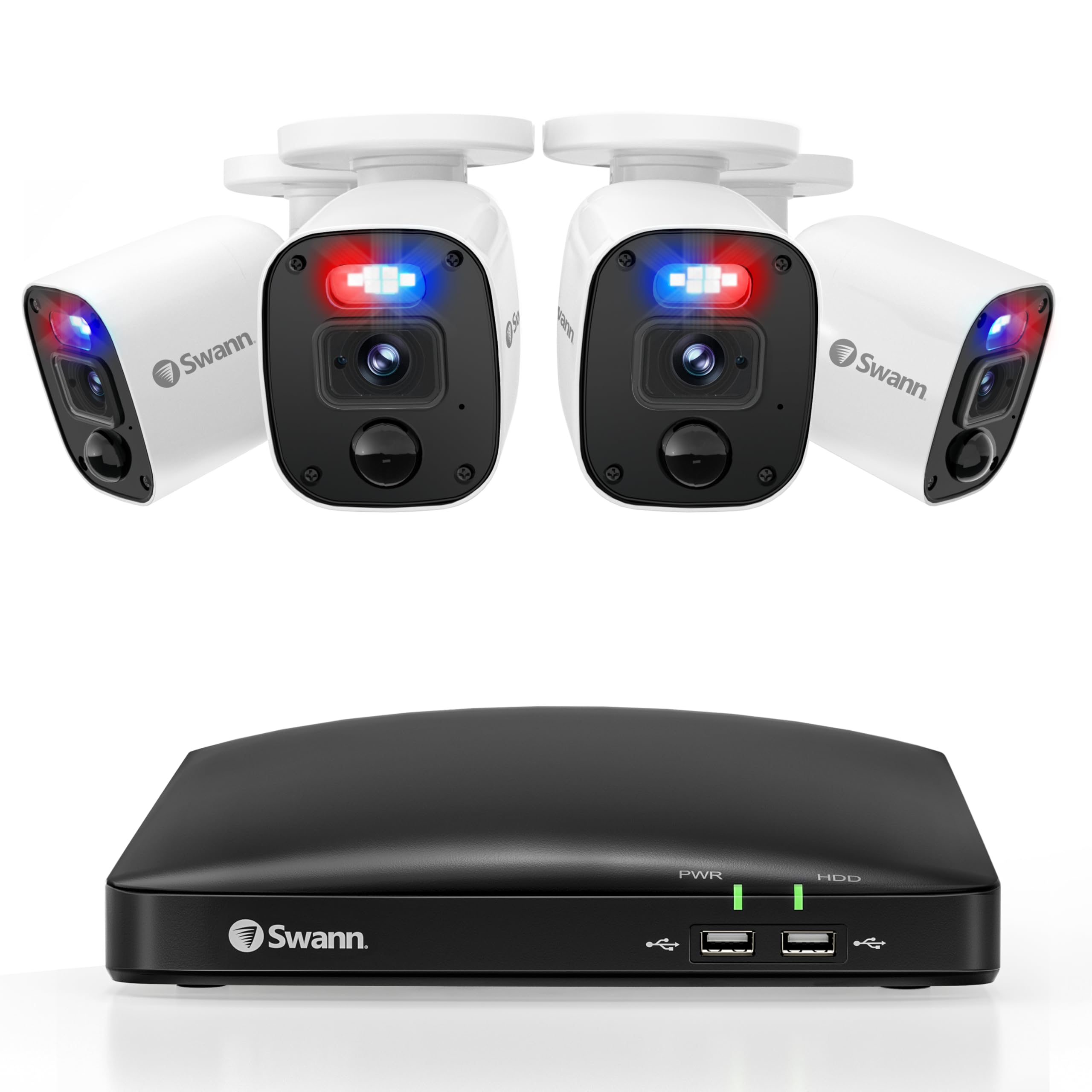
Image: Demonstration of Color Night Vision versus standard Night Vision capabilities.
Deterrent Features
The cameras are equipped with controllable sensor spotlights and deterrent red & blue flashing lights, which can be activated upon detection to deter potential intruders.

Image: Visual representation of the camera's red and blue flashing lights acting as a deterrent.
Gbigbasilẹ ati Ibi ipamọ
The DVR includes a pre-installed 64GB Micro SD Card for recording. Storage can be expanded up to 8TB for extended recording periods. Manage recording settings and review footage through the DVR interface or the Swann Security app.
Itoju
Itọju deede ṣe idaniloju iṣẹ ṣiṣe to dara julọ ati gigun ti eto aabo rẹ:
- Kamẹra Ninu: Awọn lẹnsi kamẹra nu lẹẹkọọkan pẹlu asọ, damp asọ lati yọ eruku ati idoti ti o le obstruct awọn view. Yago fun abrasive ose.
- Ṣayẹwo Awọn isopọ: Ensure all cables (power, video, network) are securely connected to prevent signal loss.
- Awọn imudojuiwọn famuwia: Check the Swann Security app or Swann website for available firmware updates for your DVR and cameras. Keeping firmware updated ensures the latest features and security patches.
- Idaabobo oju ojo: The cameras are IP66 weatherproof, designed to withstand various weather conditions. However, ensure they are mounted securely to prevent damage from strong winds or impacts.
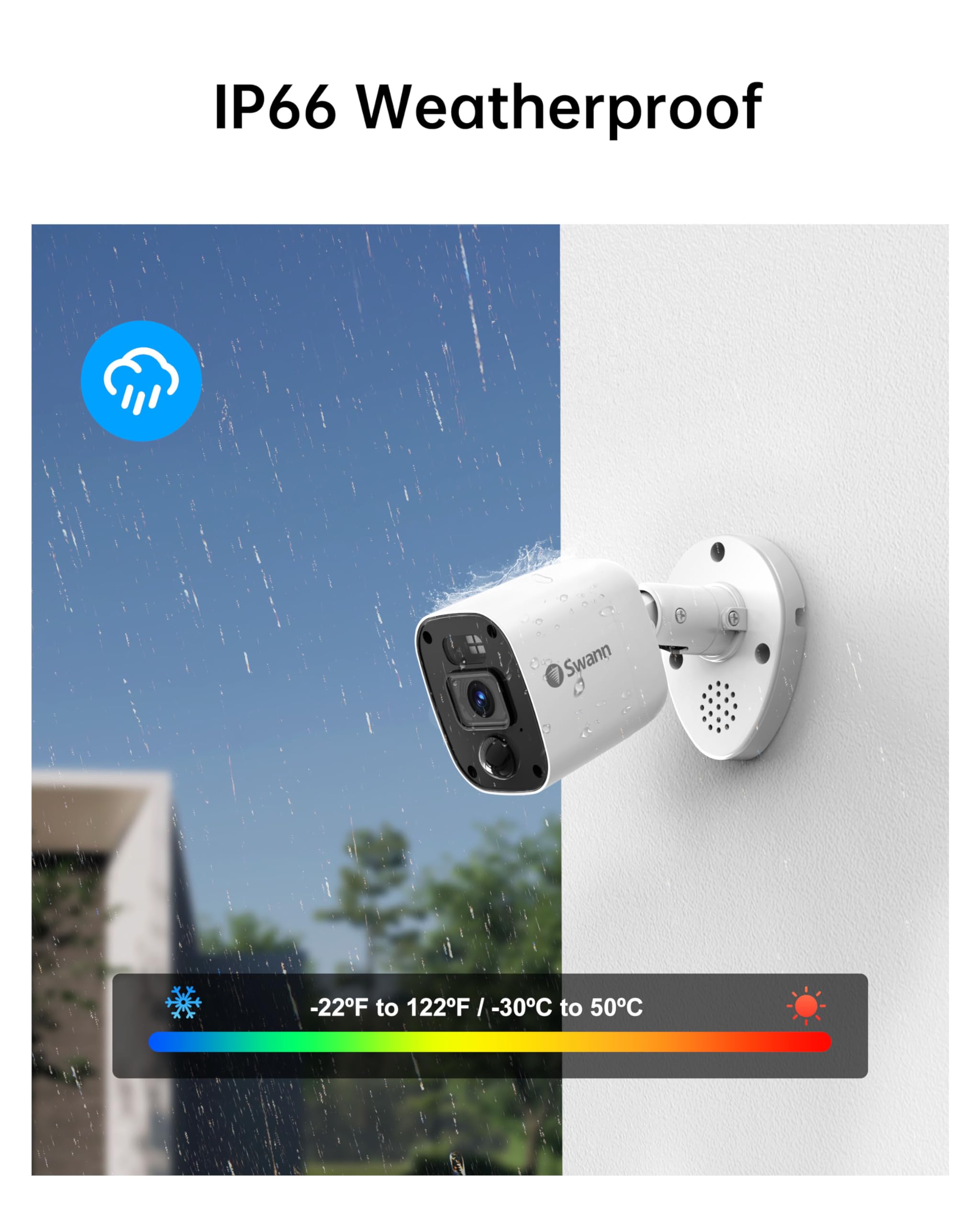
Image: Swann camera demonstrating its IP66 weatherproof design in rainy conditions.
Laasigbotitusita
If you encounter issues with your Swann security system, refer to the following common solutions:
- Ko si Ifihan fidio:
Ṣayẹwo: Ensure the DVR is powered on and connected to the monitor via HDMI. Verify the monitor input source is correct. - Ko si Gbigbasilẹ:
Ṣayẹwo: Confirm the 64GB Micro SD Card is properly inserted. Verify recording schedules and motion detection settings in the DVR menu or app. - Iwari išipopada Ko Nfa:
Ṣayẹwo: Adjust motion detection sensitivity settings. Ensure the camera's view ó ṣe kedere, kò sì dí i lọ́wọ́. - Awọn oran Wiwọle Latọna jijin:
Ṣayẹwo: Ensure the DVR is connected to the internet via Ethernet. Verify your mobile device has a stable internet connection. Re-pair the DVR with the Swann Security app if necessary. - Iran Alẹ Ko dara:
Ṣayẹwo: Ensure the camera lens is clean. Remove any obstructions near the camera that might reflect infrared light.
Awọn pato
| Ẹya ara ẹrọ | Ẹ̀kúnrẹ́rẹ́ |
|---|---|
| Brand | Swann |
| Nọmba awoṣe | SWDVK-446854MQB |
| Asopọmọra Technology | Ti firanṣẹ |
| Ipinnu Yaworan fidio | 1080p ni kikun HD |
| Pataki Awọn ẹya ara ẹrọ | Night Vision, Weatherproof, Heat & Motion Detection, Flashing Warning Lights |
| Nọmba ti awọn ikanni | 4 |
| Agbara Ibi ipamọ Iranti | 64 GB (Micro SD Card, expandable up to 8TB) |
| Àwọ̀ | Funfun/dudu |
| Orisun agbara | Okun Itanna |
| Awọn Iwọn Nkan (L x W x H) | 7.68 x 14.76 x 11.61 inches |
| Ibamu System isẹ | iOS, Android, Windows |
| Niyanju Lilo | Ninu ile, ita gbangba |
| Ibiti Iran Night | 100 Ẹsẹ (B&W), 32 Ẹsẹ (Àwọ̀) |
| Viewigun igun | Awọn iwọn 85 |
| UPC | 840236142682 |
Atilẹyin ọja ati Support
Your Swann 4 Channel 1080p HD Security System is backed by Swann's manufacturer warranty. For detailed warranty information, product support, and additional resources, please visit the official Swann website or contact Swann customer service.
Atilẹyin Ayelujara: www.swann.com/us/support
Iforukọsilẹ Ọja: Forukọsilẹ ọja rẹ lori ayelujara lati gba awọn imudojuiwọn ati atilẹyin.


