1. Ifihan
This manual provides essential information for the safe and efficient use of your FOSSIBOT F109 5G Rugged Smartphone. Please read it thoroughly before operating the device.
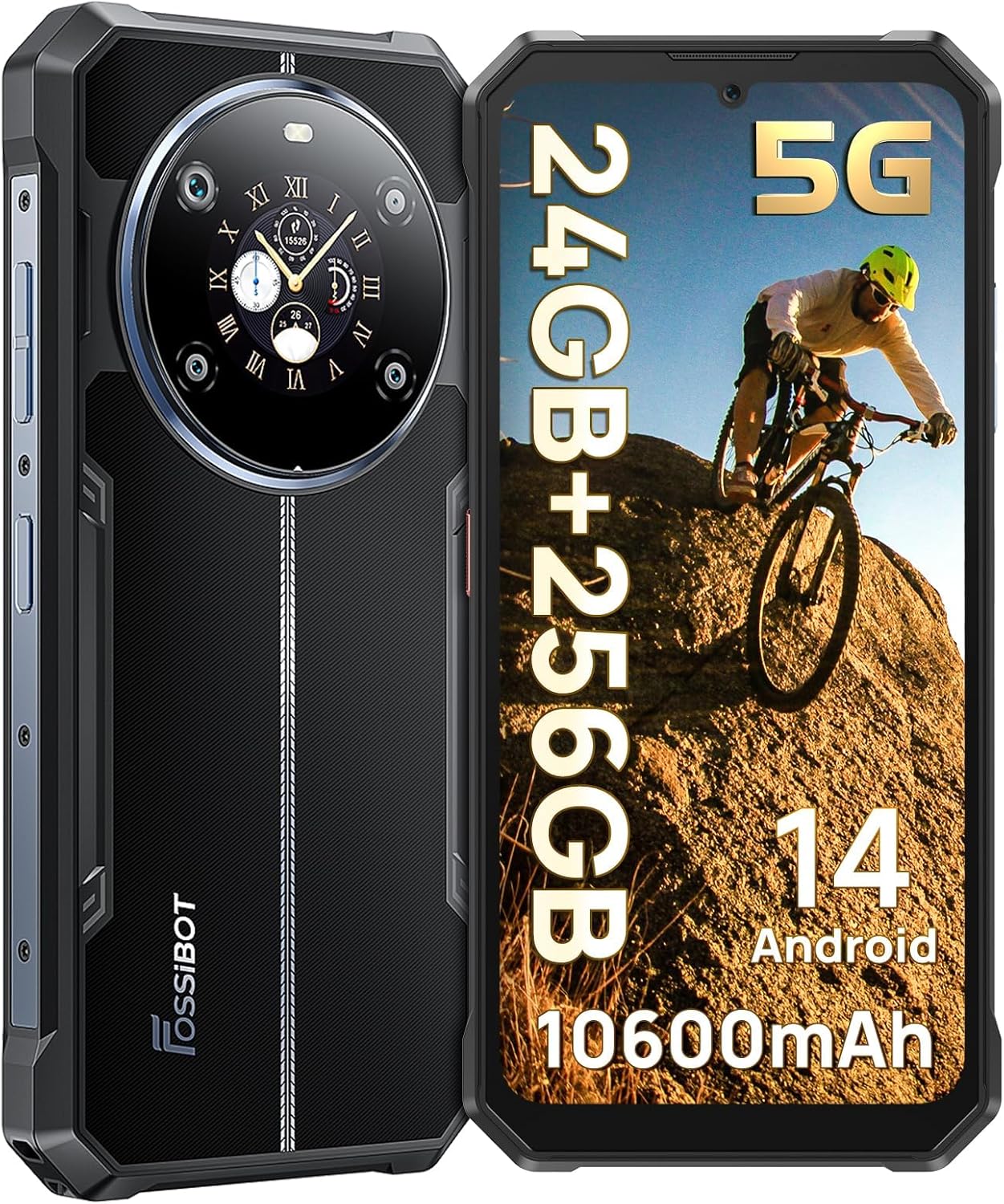
Aworan 1.1: Iwaju ati ẹhin view of the FOSSIBOT F109 5G Rugged Smartphone.
2. Package Awọn akoonu
Jẹrisi pe gbogbo awọn ohun kan wa ninu package:
- FOSSIBOT F109 Rugged Smartphone
- Iru-C Okun USB
- Ṣaja 18W
- Olumulo Afowoyi / Kaadi atilẹyin ọja
- PIN kaadi SIM

Image 2.1: Contents of the FOSSIBOT F109 retail package.
Video 2.1: An unboxing video demonstrating the FOSSIBOT F109 package contents and initial device overview.
3. Eto
3.1 Kaadi SIM ati TF Kaadi fifi sori
- Wa atẹ kaadi SIM ni ẹgbẹ ti ẹrọ naa.
- Insert the provided SIM card pin into the small hole next to the tray to eject it.
- Place your Nano-SIM card(s) and/or TF card (up to 2TB, sold separately) into the tray according to the diagram.
- Fi iṣọra tun fi atẹ sii sinu foonu naa.
3.2 Agbara akọkọ Lori ati gbigba agbara
- Press and hold the Power button until the FOSSIBOT logo appears.
- For initial use, it is recommended to fully charge the device using the provided 18W fast charger and Type-C USB cable.

Image 3.1: Illustration of dual SIM and TF card installation.

Image 3.2: The FOSSIBOT F109 connected to its 18W fast charger.
4. Ṣiṣẹ ẹrọ naa
4.1 Ifihan Awọn ẹya ara ẹrọ
The FOSSIBOT F109 features a 6.745-inch HD+ display with a resolution of 720x1600 pixels, offering clear visuals for various applications.

Image 4.1: The FOSSIBOT F109's 6.745-inch HD+ display in use.
4.2 Rear Screen Functions
The innovative 1.32-inch rear IPS screen provides quick access to notifications, time, music controls, and can function as a selfie viewfinder. It is customizable with various watch faces.
- Iṣakoso Orin: Play, pause, skip tracks directly from the rear screen.
- Olugbasilẹ: Initiate audio recordings without unlocking the main screen.
- Aago: Set and manage timers conveniently.
- Kamẹra: Use the rear screen as a viewfinder for the main camera, ideal for high-resolution selfies.
- Kompasi: Access directional information.
- Ifihan Alaye: View ogorun batiritage, time, date, and pedometer data.

Image 4.2: The 1.32-inch versatile rear display showcasing its functions and customization options.
Video 4.1: Demonstration of the FOSSIBOT F109's rear screen functions, including music control, recorder, timer, camera, compass, and watch face selection.
4.3 kamẹra Lilo
The F109 is equipped with a triple camera system:
- 50MP AI akọkọ kamẹra: For high-resolution photos.
- Lẹ́ǹsì Macro 5MP: Fun alaye isunmọ-soke Asokagba.
- 16MP Kamẹra iwaju: Fun selfies ati awọn ipe fidio.
Multiple modes such as Night, Portrait, and HDR are available to enhance your photography. The rear screen can be used as a viewfinder for the main camera for high-quality selfies.

Aworan 4.3: Pariview of the FOSSIBOT F109's 50MP AI Main Camera.

Image 4.4: The FOSSIBOT F109's 16MP Front Camera in use for selfies.

Image 4.5: Various camera modes available on the FOSSIBOT F109.
5. Àwọn Ẹ̀yà Ara Tí Ó Lè Dípẹ́
The FOSSIBOT F109 is engineered to withstand harsh environments, meeting military-grade standards for ruggedness.
- IP68/IP69K ti a ṣe ìdíyelé: Provides protection against dust and water immersion (up to 1.5m for 30 minutes).
- Ti a fọwọsi nipasẹ MIL-STD-810H: Ensures resistance to drops (up to 1.5 meters), shocks, and extreme temperatures (-20°C to 55°C).
- DragonTrail Glass: The display is protected by DragonTrail Glass, designed to withstand scratches and bumps.
Image 5.1: The FOSSIBOT F109 undergoing tests for water, dust, and drop resistance.
Video 5.1: A demonstration of the FOSSIBOT F109's rugged features, including IP68/IP69K waterproofing, MIL-STD-810H drop resistance, and DragonTrail Glass durability against scratches and bumps.
6. Iṣẹ ṣiṣe
The FOSSIBOT F109 is powered by a MediaTek Dimensity 6300+ octa-core processor, built on a 6nm process, providing efficient 5G performance for gaming and multitasking. It features 24GB RAM (8GB physical + 16GB virtual) and 256GB internal storage, expandable up to 2TB with a TF card.

Image 6.1: The MediaTek Dimensity 6300+ 5G chipset powering the FOSSIBOT F109.

Image 6.2: Memory and storage configuration of the FOSSIBOT F109.
7. Batiri
The FOSSIBOT F109 is equipped with a large 10600mAh battery, providing extended usage times. It supports 18W fast charging for quick power replenishment.
- Agbara Batiri: 10600mAh
- Gbigba agbara: 18W Yara Ngba agbara
- Akoko Iduro: Titi di ọjọ mẹwa 25

Image 7.1: The FOSSIBOT F109's 10600mAh battery capacity.
8. Asopọmọra ati Lilọ kiri
The F109 supports global 5G networks and various navigation systems, ensuring connectivity and accurate positioning wherever you are.
- Imọ-ẹrọ Alagbeka: 5G (Dual SIM support)
- Lilọ kiri: GPS, GLONASS, Galileo, Beidou, QZSS
- Omiiran: NFC for mobile payments (Google Pay compatible), Dual-band Wi-Fi.

Image 8.1: Key features including NFC, biometric security, custom button, and GPS capabilities.
9. Software
The FOSSIBOT F109 runs on the latest Android 14 operating system, offering enhanced privacy protection and a user-friendly experience.
- Eto isesise: Android 14
- Asiri: New privacy information center for data control.

Image 9.1: The FOSSIBOT F109 displaying the Android 14 user interface.
10. Awọn pato
| Ẹya ara ẹrọ | Ẹ̀kúnrẹ́rẹ́ |
|---|---|
| Orukọ awoṣe | F109 |
| Eto isesise | Android 14 |
| Iwon iboju | 6.75 inches |
| Ipinnu | 720 x 1600 |
| Oṣuwọn sọtun | 60 Hz |
| Ramu Memory sori iwọn | 24 GB (8GB + 16GB Virtual) |
| Agbara Ibi ipamọ Iranti | 256 GB (Expandable to 2TB) |
| Agbara Batiri | 10600 mAh |
| Batiri Power Rating | Awọn wakati 47.2 Watt |
| Awọn ọna ẹrọ Asopọmọra | 5G |
| GPS | GPS+GLONASS+Galileo+Beidou+Qzss |
| Pataki Awọn ẹya ara ẹrọ | Dual SIM, Fast Charging Support, Rugged Body, Water Resistant, NFC |
| Iwọn Nkan | 1.54 iwon |
| Package Mefa | 8.07 x 7.09 x 1.97 inches |
| Àwọ̀ | Dudu |
11. Laasigbotitusita
This section provides general guidance for common issues. For specific technical support, please refer to the warranty and support section.
- Ẹrọ ko ṣiṣẹ lori: Ensure the battery is charged. Connect the device to the charger and wait a few minutes before attempting to power on again.
- Ifihan nẹtiwọki ti ko dara: Check if your SIM card is correctly inserted. Ensure you are within network coverage. The F109 features a reinforced signal design for outdoor use.
- Awọn ohun elo kọlu tabi didi: Ti awọn ohun elo abẹlẹ pa. Pa cache ti ohun elo iṣoro naa kuro. Ti iṣoro naa ba tẹsiwaju, tun ẹrọ naa bẹrẹ.
- Iṣẹ ṣiṣe ti o lọra: Gba aaye ibi-itọju laaye nipasẹ piparẹ ti ko wulo files or apps. Restart the device.
12. Atilẹyin ọja ati Support
FOSSIBOT offers comprehensive support for your F109 smartphone:
- Atilẹyin ọja: 2-odun atilẹyin ọja.
- Ilana Pada: 30-ọjọ free pada imulo.
- Iṣẹ onibara: 24/7 customer service is available for any issues or inquiries.
For further assistance, please refer to the contact information provided in your warranty card or visit the official FOSSIBOT webojula.


