Tecno Spark GO 5G Smartphone User Manual
Awoṣe: KM8
1. Bibẹrẹ
1.1. Ohun ti o wa ninu Apoti
Upon unboxing your Tecno Spark GO 5G, ensure all components are present:
- Tecno Spark GO 5G Smartphone
- Apo Foonu Aabo
- Adapter agbara
- Okun USB
- SIM Atẹ ejector

The retail package includes the Tecno Spark GO 5G smartphone, a protective phone case, a power adapter for charging, a USB cable, and a SIM tray ejector tool.
1.2. Ẹrọ Loriview
Familiarize yourself with the physical layout of your Tecno Spark GO 5G.

This image shows the Tecno Spark GO 5G smartphone in Ink Black, highlighting its sleek design and dual camera setup on the rear.
1.3. Fi kaadi SIM sii ati agbara Tan
- Wa atẹ kaadi SIM ni ẹgbẹ ti ẹrọ naa.
- Fi SIM atẹ ejector ọpa sinu kekere iho tókàn si awọn atẹ ki o si Titari rọra titi ti atẹ yoo jade.
- Gbe awọn kaadi Nano-SIM rẹ ati/tabi kaadi microSD sinu atẹ pẹlu awọn olubasọrọ goolu ti nkọju si isalẹ.
- Fi iṣọra tun fi atẹ sii sinu foonu naa.
- Tẹ bọtini agbara naa ki o si mu (nigbagbogbo ni apa ọtun) titi ti aami Tecno yoo fi han.
- Follow the on-screen instructions to complete the initial setup, including language selection and Wi-Fi connection.
1.4. Ngba agbara si Batiri naa
Before first use, it is recommended to fully charge the device. Connect the USB cable to the power adapter and then to your phone's charging port. Plug the adapter into a power outlet. The battery indicator on the screen will show charging progress.
The image prominently displays the 6000mAh battery capacity of the Tecno Spark GO 5G, indicating long-lasting power.
2. Ṣiṣẹ ẹrọ rẹ
2.1. Ipilẹ Lilọ kiri
Your Tecno Spark GO 5G features a responsive touchscreen for interaction. Use gestures such as tapping, swiping, pinching, and spreading to navigate the interface.

A close-up of the Tecno Spark GO 5G's display, illustrating the vibrant user interface and screen layout.
2.2. Asopọmọra
- Wi-Fi: Lọ si Eto> Nẹtiwọọki & intanẹẹti> Wi-Fi lati sopọ si awọn nẹtiwọọki to wa.
- Bluetooth: Lọ sí Ètò > Àwọn ẹ̀rọ tí a sopọ̀ mọ́ > Bluetooth láti sopọ̀ mọ́ àwọn ẹ̀rọ Bluetooth mìíràn.
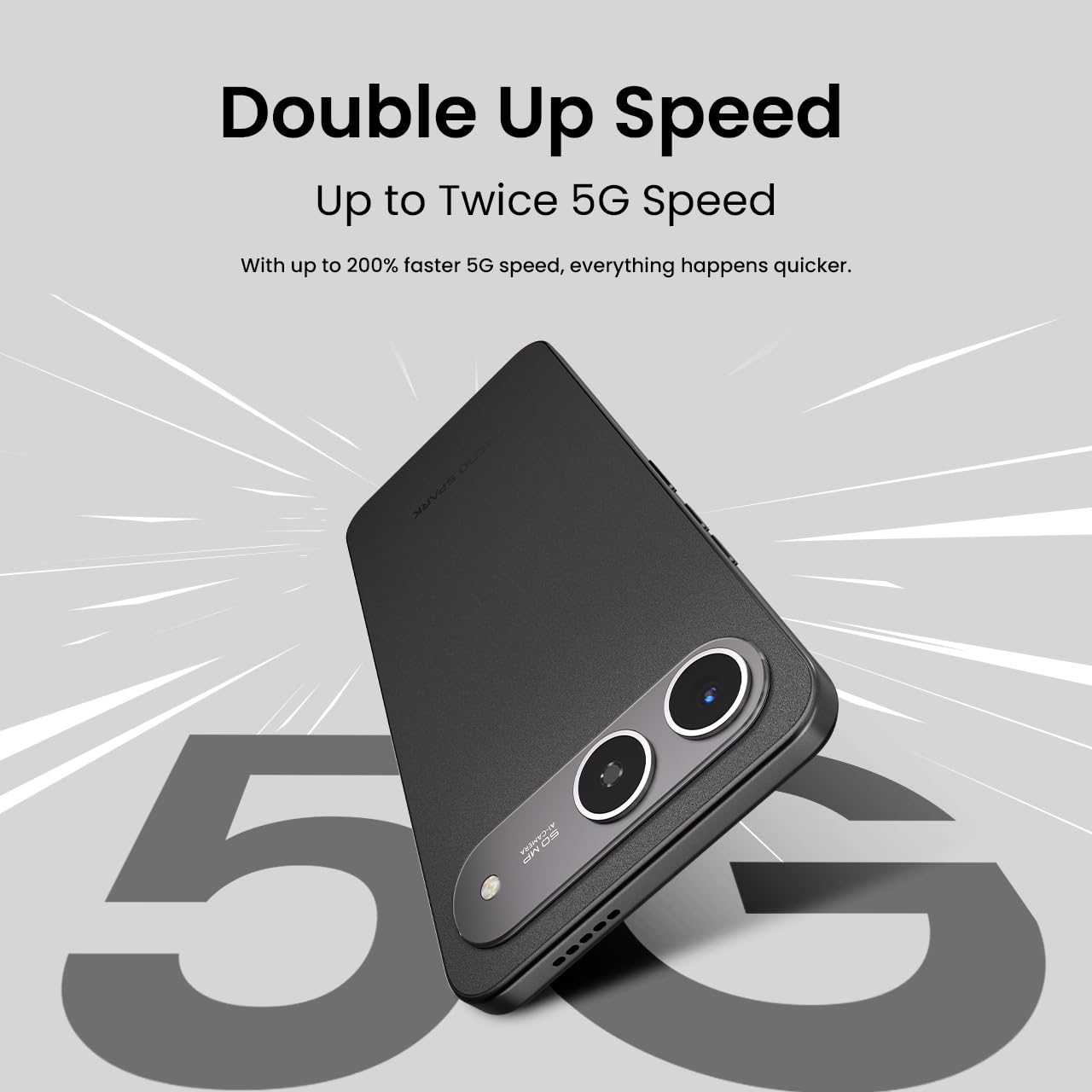
- Nẹtiwọọki 5G: The device supports 5G Carrier Aggregation for enhanced speed and signal strength.

This image emphasizes the smartphone's capability for up to double 5G speed, indicating enhanced network performance.

The image illustrates the 4x4 MIMO technology integrated into the Tecno Spark GO 5G, which uses four antennas for faster and stronger network connectivity.
2.3. Awọn iṣẹ kamẹra
The Tecno Spark GO 5G is equipped with a 50MP AI Camera. Open the Camera app from your home screen or app drawer. Select different modes like Photo, Video, Portrait, or Night mode. Tap the shutter button to capture images or start/stop video recording.

A alaye view of the Tecno Spark GO 5G's 50MP AI Camera, designed for capturing high-resolution images.
2.4. Ella AI Features
Your device includes Ella AI with support for Indian languages, enhancing daily tasks and interactions.
- Atilẹyin ohun: Use voice commands in supported Indian languages for various tasks.
- Circle lati Wa: Draw a circle around any object or text on your screen to initiate a search.
- AI Writing Assistant: Utilize AI to help draft messages, emails, or other text content.
A visual representation of the Ella AI interface on the Tecno Spark GO 5G, showcasing its support for various Indian languages.

This image demonstrates Ella AI's productivity tools, such as 'Circle to Search' for quick information retrieval and an 'AI Writing Assistant' for drafting content.
3. Itọju ati Itọju
3.1. Ninu Rẹ Device
Lo asọ rirọ, ti ko ni lint lati nu iboju ati ara foonu rẹ mọ. Yago fun lilo awọn kẹmika lile tabi awọn ohun elo abrasive ti o le ba ipari jẹ.
3.2. Itọju batiri
To prolong battery life, avoid exposing your phone to extreme temperatures. It is generally recommended to keep the battery charge between 20% and 80% for optimal longevity. The 6000mAh battery is designed for extended use.
3.3. Software imudojuiwọn
Máa ṣàyẹ̀wò kí o sì fi àwọn àtúnṣe sọ́fítíwètì sí i déédéé láti rí i dájú pé ẹ̀rọ rẹ ní àwọn ẹ̀yà tuntun, àwọn àtúnṣe ààbò, àti àwọn àtúnṣe iṣẹ́. Lọ sí Ètò > Ètò > Àtúnṣe sọ́fíètì.
3.4. Agbára láti dènà eruku àti omi
The Tecno Spark GO 5G has an IP64 rating, meaning it is resistant to dust ingress and splashes of water. While it can withstand splashes, it is not designed for submersion in water. Avoid intentional exposure to water or dust.

This image visually represents the IP64 rating of the Tecno Spark GO 5G, signifying its resistance to dust and water splashes.
4. Laasigbotitusita
Ti o ba pade awọn ọran pẹlu ẹrọ rẹ, gbiyanju awọn igbesẹ laasigbotitusita ti o wọpọ wọnyi:
- Ẹrọ ti ko ni agbara: Rí i dájú pé batiri náà ti gba agbára. So foonu náà mọ́ ẹ̀rọ amúṣẹ́yá rẹ̀ kí o sì dúró díẹ̀ kí o tó gbìyànjú láti tún un ṣe.
- Awọn ohun elo gbigbi tabi didi: Close the problematic app and reopen it. If the issue persists, restart your phone. You can also clear the app's cache or data via Settings > Apps > [App Name] > Storage.
- Awọn ọran Asopọmọra Nẹtiwọọki: Check if Airplane Mode is off. Restart your phone. Verify your SIM card is properly inserted. If using Wi-Fi, restart your router.
- Iṣẹ ṣiṣe ti o lọra: Ti awọn ohun elo ti a ko lo. Pa awọn ibi ipamọ ati igba diẹ kuro. files. Consider uninstalling apps you no longer use.
- Idapada si Bose wa tele: As a last resort, if software issues persist, you may perform a factory reset. This will erase all data on your phone, so back up important information first. Go to Settings > System > Reset options > Erase all data (factory reset).
5. Awọn pato
Key technical specifications for the Tecno Spark GO 5G (Model: KM8):
| Ẹya ara ẹrọ | Sipesifikesonu |
|---|---|
| Eto isesise | Android 15 |
| Nọmba Awoṣe Nkan | KM8 |
| Ọja Mefa | 16.8 x 7.8 x 0.8 cm |
| Iwọn Nkan | 194 g |
| Batiri Power Rating | 6000 mAh |
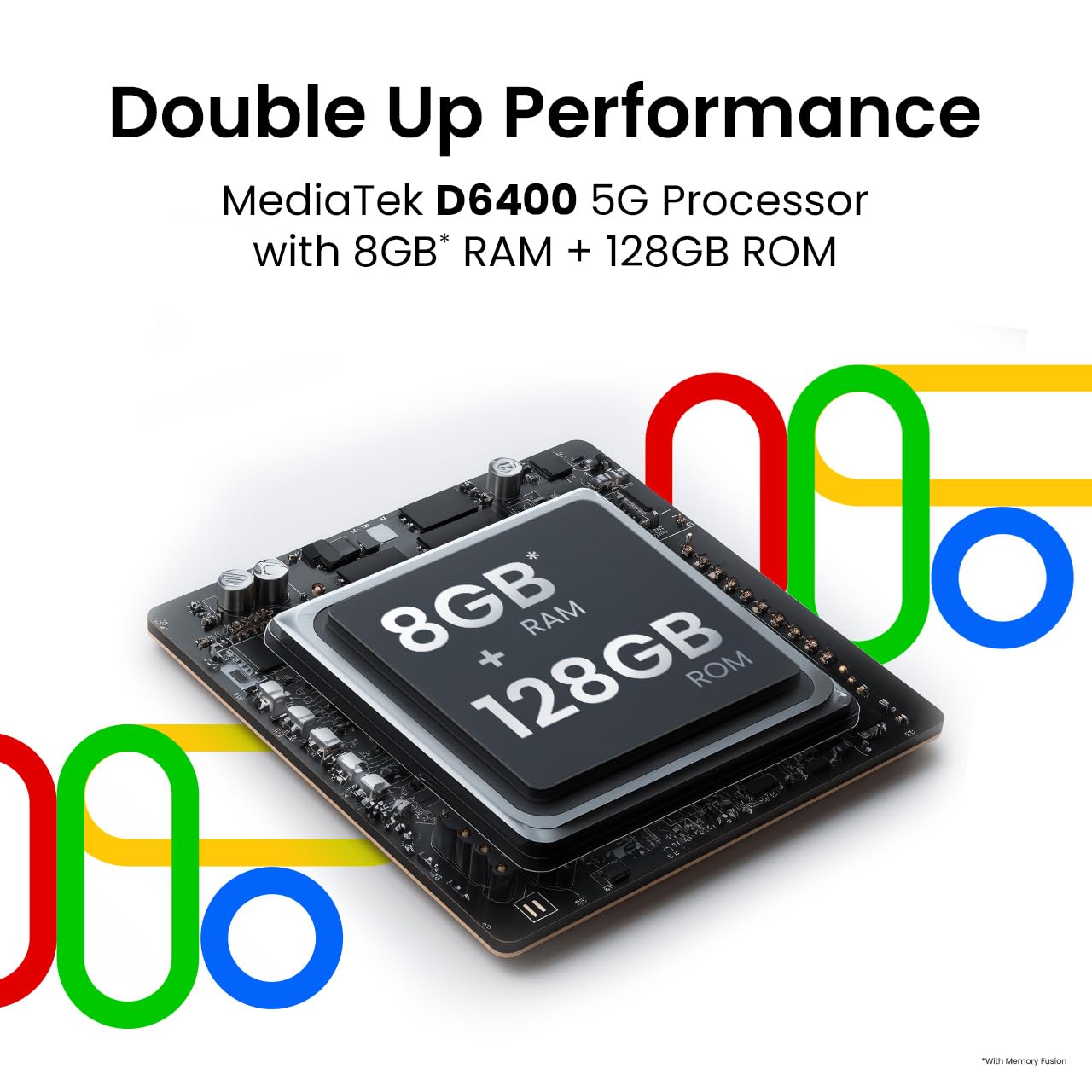
| Ramu Memory sori iwọn | 4 GB (up to 8GB with Memory Fusion) |
| Ibi ipamọ inu | 128 GB ROM |
| Sipiyu Awoṣe | MediaTek D6400 5G Processor |
| Sipiyu Iyara | 3.4 GHz |
| Awọn ọna ẹrọ Asopọmọra | Bluetooth, Infrared, USB, Wi-Fi |
| Miiran Ifihan Awọn ẹya ara ẹrọ | Ailokun |
| Ìbánisọ̀rọ̀ Ẹ̀rọ - Àkọ́kọ́ | Afi ika te |
| Jack ohun | Ko si jaketi agbekọri |
| Fọọmù ifosiwewe | Fọwọkan |
| Àwọ̀ | Yinki Black |
| Olupese | G Mobiles India |
| Ilu isenbale | India |

This image highlights the MediaTek D6400 5G Processor, 8GB RAM (with Memory Fusion), and 128GB ROM of the Tecno Spark GO 5G.

This image highlights the Tecno Spark GO 5G's slim 7.99mm body and light 194g weight, emphasizing its ergonomic design.
6. Atilẹyin ọja ati Support
6.1. atilẹyin ọja Information
Your Tecno Spark GO 5G smartphone comes with a manufacturer's warranty. Please refer to the warranty card included in your product packaging or visit the official Tecno webAaye fun alaye awọn ofin ati ipo nipa atilẹyin ọja, iye akoko, ati ilana iṣẹ. Jeki ẹri rira rẹ fun awọn iṣeduro atilẹyin ọja.
6.2. Onibara Support
For further assistance, technical support, or service inquiries, please contact Tecno customer support. You can find contact details, FAQs, and service center locations on the official Tecno webojula: Tecno Mobile India.


