1. Ifihan
This manual provides instructions for the Inateck BCST-72 2D Barcode Scanner. The BCST-72 is a high-performance scanning device designed for efficient and accurate recognition of various 1D and 2D barcodes. It features advanced scanning technology, comprehensive barcode support, and multiple connection options, making it suitable for diverse environments such as retail, warehousing, and libraries.
The scanner is built with durability in mind, featuring a reinforced TPU protective case and a long-lasting battery for extended operation.
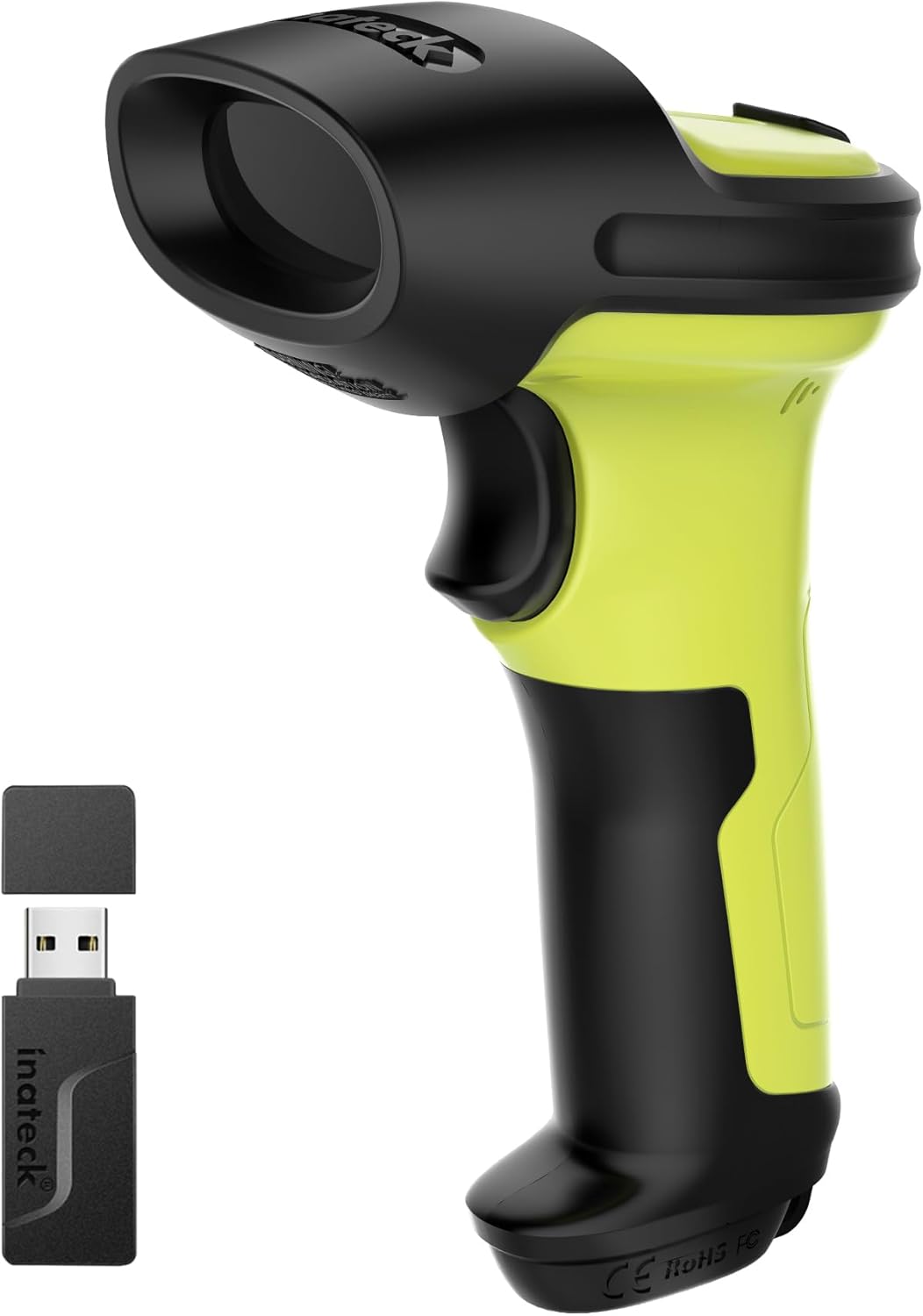
Image 1.1: The Inateck BCST-72 2D Barcode Scanner, shown with its accompanying USB wireless dongle. The scanner features a green and black ergonomic design.
2. Eto
2.1 Package Awọn akoonu
Rí i dájú pé àwọn nǹkan wọ̀nyí wà nínú àpò rẹ:
- Inateck BCST-72 2D Barcode Scanner
- USB Alailowaya Dongle
- Ngba agbara USB/Okun data
- Adjustable Stand (optional, if purchased with stand)
- Quick Bẹrẹ Itọsọna
2.2 Gbigba agbara sikanu naa
Before first use, fully charge the scanner. Connect the USB charging cable to the scanner's charging port and the other end to a USB power adapter (not included) or a computer's USB port. The charging indicator light will show the charging status.
2.3 Awọn ọna asopọ
The BCST-72 scanner supports three connection modes:
- Ipo Alailowaya 2.4G: Insert the USB wireless dongle into an available USB port on your computer. The scanner will automatically pair with the dongle.
- Ipo Bluetooth: Turn on the scanner and activate Bluetooth on your host device (computer, tablet, smartphone). Wa fun available Bluetooth devices and select 'Inateck BCST-72' to pair.
- Ipo Ti Asopọ USB: Connect the scanner directly to your computer using the provided USB cable. The scanner will function as a plug-and-play device.

Image 2.1: Visual representation of the three connection methods for the Inateck BCST-72 scanner: 2.4G Wireless via USB dongle, Bluetooth pairing with a mobile device, and USB wired connection to a laptop.
2.4 Stand Assembly (if applicable)
If your package includes an adjustable stand, follow these steps for tool-free installation:
- Place the base of the stand on a flat surface.
- Insert the flexible gooseneck arm into the designated slot on the base.
- Secure the arm by tightening the butterfly nut from underneath the base.
- Attach the scanner holder to the top of the gooseneck arm.

Aworan 2.2: A sunmọ-soke view demonstrating the tool-free installation of the scanner stand, showing a hand tightening a butterfly nut to secure the stand components.
3. Ṣiṣẹ
3.1 Ṣíṣàyẹ̀wò Àkọ́kọ́
Lati ọlọjẹ kooduopo kan:
- Ensure the scanner is powered on and connected to your host device.
- Tọ́ka sí fèrèsé ẹ̀rọ ìwádìí náà sí àmì ìdámọ̀ tí o fẹ́ ṣe àyẹ̀wò náà.
- Press the trigger button. A successful scan will typically be indicated by an audible beep and/or a visual indicator (e.g., LED flash).
3.2 Barcode Symbology Support
The Inateck BCST-72 is equipped with a 300,000-pixel 2D scanning module capable of recognizing a wide range of 1D and 2D barcodes, even if they are damaged, wrinkled, or distorted, and in various lighting conditions.
Supported barcode types include, but are not limited to:
- 1D Barcodes: Code 128, EAN-13, UPC-A, Code 39, Code 93, Interleaved 2 of 5, Industrial 2 of 5, Matrix 2 of 5, Code 11, MSI, etc.
- 2D Barcodes: QR Code, PDF-417, Data Matrix, Aztec Code, Maxicode, etc.

Image 3.1: An illustration highlighting the 'Super Decoding Ability' of the Inateck BCST-72, showing various 1D and 2D barcodes successfully scanned, including damaged or partially obscured examples.
3.3 Battery Life and Management
The scanner is powered by a 2600mAh battery, providing extended operational time. With advanced low-power algorithms, it offers up to 180 days of standby time and approximately 180,000 scans on a single charge. The battery status can typically be monitored via the host device or an indicator on the scanner itself.

Àwòrán 3.2: Àkójọpọ̀ kan view of the Inateck BCST-72 scanner, illustrating its internal battery and highlighting its impressive battery life: 144 hours of non-stop scanning, a 2600mAh large-capacity battery, and 180 days of standby time.
4. Itọju
4.1 Ninu
To ensure optimal performance, keep the scanner's scanning window clean. Use a soft, lint-free cloth, slightly dampened with water or a mild, non-abrasive cleaning solution. Avoid using harsh chemicals or abrasive materials that could scratch the window.
4.2 Ibi ipamọ
Store the scanner in a cool, dry place away from direct sunlight and extreme temperatures. When not in use for extended periods, ensure the battery is partially charged (around 50%) to prolong its lifespan.
4.3 Awọn ẹya ara ẹrọ agbara
The Inateck BCST-72 is designed for durability. It features a reinforced TPU protective case and internal triple consolidation treatment, allowing it to withstand repeated drops from 6ft (1.8m). The trigger button is constructed from a metal and plastic combined design, supporting millions of clicks for long-term reliability.

Aworan 4.1: A sunmọ-soke view of the Inateck BCST-72's trigger button, emphasizing its 'Durable Button' feature with a metal and plastic combined design engineered for millions of clicks.
5. Laasigbotitusita
If you encounter issues with your Inateck BCST-72 scanner, refer to the following common problems and solutions:
- Scanner kò sopọ̀ mọ́ra:
- Rí i dájú pé ẹ̀rọ ìṣiṣẹ́ náà ti ṣiṣẹ́, ó sì ti gba agbára rẹ̀ dáadáa.
- For 2.4G wireless, verify the USB dongle is securely plugged in.
- For Bluetooth, ensure Bluetooth is enabled on your host device and the scanner is in pairing mode. Try re-pairing.
- For USB wired, try a different USB port or cable.
- Scanner kò ka àwọn barcode:
- Check if the barcode is damaged or poorly printed.
- Ensure the scanning window is clean and free of obstructions.
- Adjust the distance and angle between the scanner and the barcode.
- Verify that the barcode symbology is enabled in the scanner's settings (refer to the full user manual for programming barcodes).
- Batiri ko dani idiyele:
- Ensure the charging cable and power source are functional.
- Allow sufficient time for charging.
- Ti ọrọ naa ba wa, kan si atilẹyin alabara.
6. Awọn pato
| Ẹya ara ẹrọ | Apejuwe |
|---|---|
| Module Ayẹwo | 300,000-pixel 2D imaging |
| Awọn koodu Barcodes atilẹyin | 1D: Code 128, EAN-13, UPC-A, Code 39, etc. 2D: QR Code, PDF-417, Data Matrix, Aztec Code, etc. |
| Asopọmọra | 2.4G Wireless, Bluetooth, USB Wired |
| Agbara Batiri | 2600mAh |
| Akoko Iduro | Titi di ọjọ mẹwa 180 |
| Scans per Charge | Up to 180,000 scans |
| Ju Resistance | 6ft (1.8m) |
| Ohun elo Ile | Reinforced TPU protective case, industrial-grade plastics |
6.1 Ergonomics and Stand Dimensions
The scanner is engineered for comfort and stability during prolonged use, featuring an ergonomic grip and balanced weight distribution.

Image 6.1: A hand holding the Inateck BCST-72 scanner, illustrating its ergonomic design for ultimate comfort, effortless grip, and unmatched stability with a slip-resistant backstrap.
The adjustable stand provides a stable fixture for the scanner. Key dimensions of the stand are:
- Holder Width: 7.41 cm (2.91 in)
- Holder Depth: 3.28 cm (1.29 in)
- Gooseneck Height (approx): 5.06 cm (1.99 in)

Image 6.2: A diagram showing the dimensions of the adjustable scanner stand, including the width and depth of the scanner holder and the approximate height of the flexible gooseneck arm.
7. Atilẹyin ọja & Atilẹyin
7.1 atilẹyin ọja Alaye
Inateck products are covered by a limited warranty from the date of purchase. Please refer to the warranty card included with your product or visit the official Inateck webAaye fun alaye atilẹyin ọja ofin ati ipo.
7.2 Onibara Support
For technical assistance, troubleshooting, or warranty claims, please contact Inateck customer support through their official website or the contact information provided in your product documentation. When contacting support, please have your product model (BCST-72) and purchase details ready.


