1. Ifihan
Thank you for choosing the HTC TWS12 True Wireless Earbuds. These earbuds are designed to provide a high-quality audio experience with advanced features such as Bluetooth 5.3 connectivity, environmental noise cancellation, and intelligent touch controls. This manual will guide you through the setup, operation, and maintenance of your new earbuds.
Awọn ẹya pataki:
- Bluetooth 5.3: Ensures stable connection and faster pairing.
- Iṣakoso Fọwọkan oye: Manage music, calls, and volume directly from the earbuds.
- Ifagile Ariwo Ayika (ENC): Reduces background noise for clearer calls.
- Ipo Ere Lairi Kekere: 45ms low latency for an optimized gaming experience.
- Akoko Idaraya: Up to 6 hours on a single charge, 26 hours with the charging case.
- Apẹrẹ ti ko ni omi: Ó ń dáàbò bo ara rẹ̀ lọ́wọ́ ìfọ́ àti òógùn.
2. Ohun ti o wa ninu Apoti
Jọwọ ṣayẹwo awọn akoonu inu package rẹ lati rii daju pe gbogbo awọn nkan wa:
- 2 x HTC TWS12 Earbuds
- 1 x Ọran gbigba agbara
- 1 x Okun Ngba agbara USB-C
- 2 Pairs x Rubber Eartips (S/L, M pre-installed)
- 1 x Itọsọna olumulo (iwe yii)

Image: HTC TWS12 True Wireless Earbuds, charging case, and included accessories.
3. Eto
3.1 Ngba agbara si Earbuds ati Ọran
Ṣaaju lilo akọkọ, gba agbara ni kikun awọn agbekọri ati apoti gbigba agbara.
- Connect the USB-C charging cable to the charging port on the case and a power source.
- Ifihan oni-nọmba LED lori apoti gbigba agbara yoo fihan ipin ogorun batiri naatage of the case and individual earbud charging status.
- Gbe awọn agbekọri sinu apoti gbigba agbara. Wọn yoo bẹrẹ gbigba agbara laifọwọyi.

Image: The charging case features an LED display indicating the battery level of the case and the charging status of each earbud (L and R).

Image: Diagram illustrating the battery life: 6.5 hours listening time per earbud (40mAh) and the charging case (400mAh) provides 3 full recharges for a total of 26 hours playtime.
3.2 Sisopọ Bluetooth
The HTC TWS12 earbuds utilize Bluetooth 5.3 for a stable and quick connection.
- Ṣii apoti gbigba agbara. Awọn agbekọri yoo tẹ ipo isọpọ sii laifọwọyi.
- Lori ẹrọ rẹ (foonuiyara, tabulẹti, kọǹpútà alágbèéká), mu Bluetooth ṣiṣẹ.
- Wa fun "HTC TWS12" ninu akojọ awọn ẹrọ Bluetooth to wa.
- Yan "HTC TWS12" lati sopọ. Ni kete ti o ti sopọ, iwọ yoo gbọ ohun orin idaniloju kan.
3.3 Wọ awọn Earbuds
Fun didara ohun to dara julọ ati itunu, yan iwọn eartip to pe ki o rii daju pe o ni aabo.
- The earbuds come with Small (S), Medium (M), and Large (L) eartips. Try different sizes to find the best fit for your ears.
- Fi àwọn ètí ìró náà sínú ihò etí rẹ pẹ̀lú ìrọ̀rùn kí o sì yí wọn díẹ̀ kí ó lè dì wọ́n mú.

Image: Illustration of the ergonomic design of the earbuds and the three available eartip sizes (S, M, L) for a comfortable and secure fit.
4. Awọn ilana Iṣiṣẹ
4.1 Intelligent Touch Controls
The HTC TWS12 earbuds feature intuitive touch controls on each earbud:

Image: Diagram showing the various touch control functions on the earbud, including Volume +/-, Play Previous/Next, Voice Assistant, Play/Pause, Answer Call, End Call, Decline Call, and Game Mode.
- Ṣiṣẹ/Daduro: Fọwọ ba boya agbekọri lẹẹkan.
- Orin to nbọ: Fọwọ ba agbekọri ọtun ni igba mẹta.
- Orin ti tẹlẹ: Fọwọ ba agbekọri osi ni igba mẹta.
- Iwọn didun Up: Fọwọ ba agbekọri osi lemeji.
- Iwọn didun isalẹ: Fọwọ ba agbekọri ọtun lẹẹmeji.
- Idahun Ipe: Fọwọ ba boya agbekọri lẹẹkan.
- Ipe Ipari: Fọwọ ba boya agbekọri lẹẹmeji.
- Ipe Kọ: Tẹ mọlẹ boya agbekọri fun iṣẹju 2.
- Mu Oluranlọwọ Ohun ṣiṣẹ: Tẹ mọlẹ boya agbekọri fun iṣẹju meji 2 (nigbati kii ṣe lori ipe kan).
4.2 Game Mode (Low Latency)
Activate Game Mode for a reduced audio delay, ideal for gaming.
- Activate/Deactivate Game Mode: Tap either earbud three times.
- When Game Mode is active, the earbuds' blue indicator light will remain on.
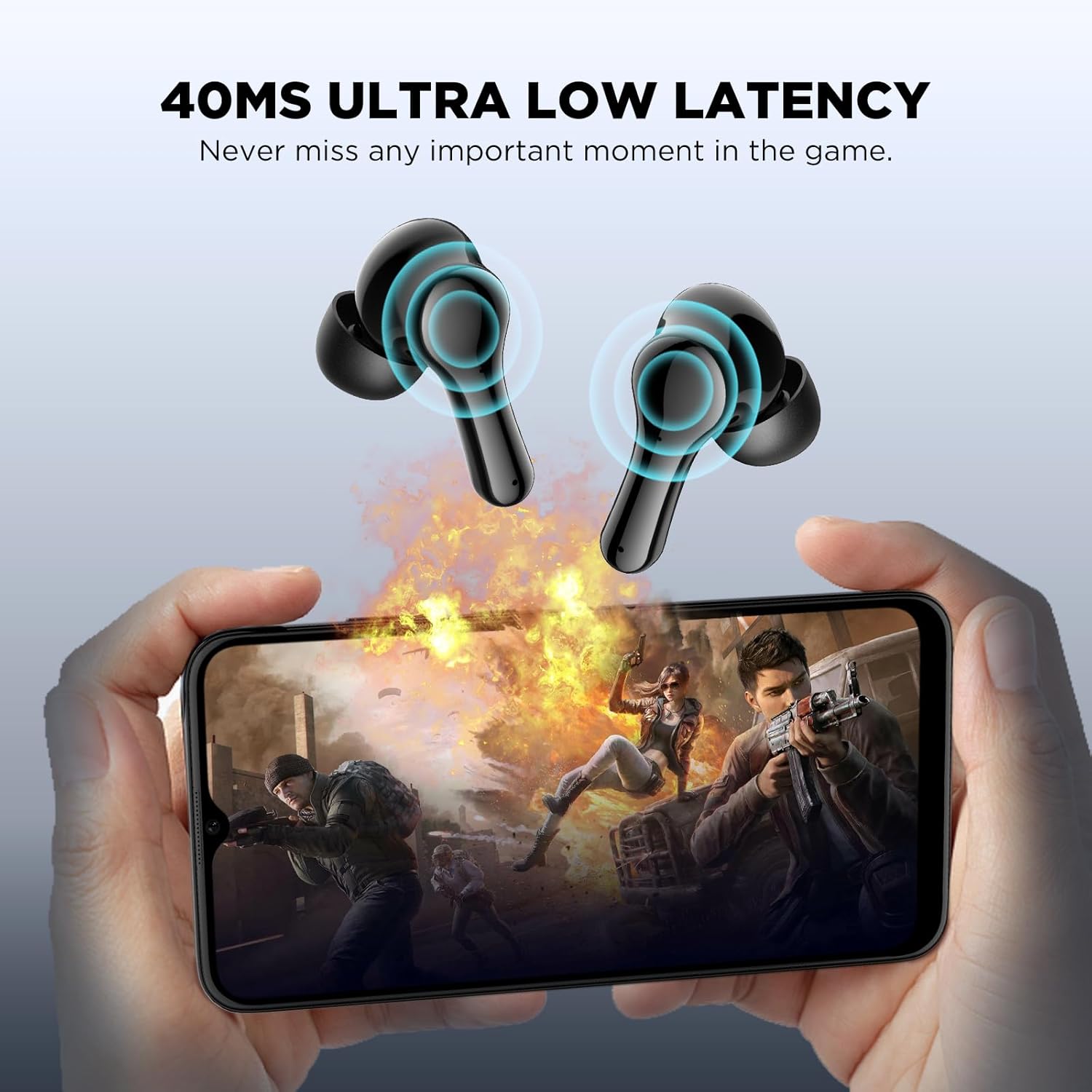
Image: Visual representation of the 45ms ultra-low latency feature, enhancing the gaming experience by minimizing audio delay.
4.3 Fagilé Ariwo Ayika (ENC)
The earbuds feature a single microphone Environmental Noise Cancellation system. This technology collects ambient noise and generates a reverse wave to cancel out background sounds, such as human voices and wind noise, improving call clarity by suppressing up to 90% of environmental noise.
5. Itọju
To ensure the longevity and optimal performance of your HTC TWS12 earbuds, follow these maintenance guidelines:
- Ninu: Mọ awọn afikọti nigbagbogbo ati apoti gbigba agbara pẹlu asọ ti o gbẹ, asọ ti ko ni lint. Yago fun lilo awọn ohun elo abrasive tabi awọn kemikali lile.
- Awọn ohun-ọṣọ: Yọ ati nu awọn eartips lorekore pẹlu omi ati ọṣẹ kekere. Rii daju pe wọn ti gbẹ patapata ṣaaju ki o to tun ṣe.
- Omi Resistance: The earbuds are waterproof. While they can withstand splashes and sweat, avoid submerging them in water for extended periods. Ensure the charging port is dry before charging.
- Ibi ipamọ: Nigbati o ko ba si ni lilo, tọju awọn afikọti sinu apoti gbigba agbara wọn lati daabobo wọn ki o jẹ ki wọn gba agbara.
- Iwọn otutu: Avoid exposing the earbuds to extreme temperatures (hot or cold) or direct sunlight.
Video: This video demonstrates the unboxing, wearing, and water resistance of the HTC TWS12 earbuds, showcasing their durability and fit.
6. Laasigbotitusita
If you encounter any issues with your HTC TWS12 earbuds, please refer to the following common solutions:
- Awọn agbekọri ti ko so pọ: Ensure both earbuds are in the charging case, then open the lid to activate pairing mode. Turn off and on your device's Bluetooth, then try searching again.
- Agbekọri agbekọri kan ṣoṣo ti n ṣiṣẹ: Gbe awọn agbekọri mejeeji pada sinu apoti gbigba agbara, pa ideri naa, duro fun iṣẹju diẹ, lẹhinna ṣi i lẹẹkansi. Eyi nigbagbogbo tun asopọ pada.
- Ko si ohun: Check the volume level on your connected device and on the earbuds. Ensure the earbuds are properly paired and selected as the audio output device.
- Awọn iṣoro gbigba agbara: Rii daju pe okun USB-C ti sopọ ni aabo si ọran mejeeji ati orisun agbara. Rii daju pe awọn olubasọrọ gbigba agbara lori awọn afikọti ati inu ọran naa jẹ mimọ ati laisi idoti.
- Didara ohun ti ko dara: Ensure the eartips provide a good seal in your ear. Try different eartip sizes. Move closer to your connected device to avoid interference.
7. Awọn pato
| Ẹya ara ẹrọ | Sipesifikesonu |
|---|---|
| Orukọ awoṣe | TWS12 |
| Asopọmọra Technology | Ailokun (Bluetooth 5.3) |
| Bluetooth Ibiti | 10 Mita |
| Igbesi aye batiri (Earbuds) | Awọn wakati 6 |
| Lapapọ akoko ere (pẹlu Ọran) | Awọn wakati 26 |
| Ọna Iṣakoso | Fọwọkan |
| Ariwo Iṣakoso | Ifagile Noise ayika (ENC) |
| Low Lairi | 45ms (Ipo Ere) |
| Omi Resistance Ipele | Mabomire |
| Awọn ẹrọ ibaramu | Àwọn fóònù alágbèéká, Tábìlẹ́ẹ̀tì, àti kọ̀ǹpútà alágbèéká |
| Iwọn Nkan | 2.89 iwon |
| UPC | 734257573863 |
8. Atilẹyin ọja ati Support
Your HTC TWS12 True Wireless Earbuds come with a standard warranty. Additionally, you are eligible for a 90-day Warranty Extension. For any product-related inquiries, technical assistance, or warranty claims, please utilize our 7*24 Live Chat Support.
Fun alaye diẹ sii ati atilẹyin, jọwọ ṣabẹwo si osise naa Eshitisii itaja lori Amazon.


