1. Ifihan
Thank you for choosing the Cecotec Cremmaet Cube Automatic Coffee Machine. This compact super-automatic coffee machine is designed to deliver high-quality espresso and coffee with convenience. Featuring 1350W power, 19 bar pressure, a 10g pressing system, pre-infusion, Thermoblock technology, 5 grind levels, and a tactile control panel, it ensures a rich and aromatic coffee experience. Please read this manual carefully before first use to ensure proper operation and maintenance.
2. Awọn ilana aabo
Nigbagbogbo tẹle awọn iṣọra aabo ipilẹ nigba lilo awọn ohun elo itanna lati dinku eewu ina, mọnamọna, ati ipalara.
- Rii daju voltage itọkasi lori ohun elo ni ibamu si rẹ mains voltage ṣaaju ki o to sopọ.
- Maṣe fi ohun elo, okun agbara, tabi pulọọgi sinu omi tabi omi miiran.
- Pa ohun elo naa kuro ni arọwọto awọn ọmọde.
- Ma ṣe ṣiṣẹ ohun elo pẹlu okun tabi plug ti o bajẹ, tabi lẹhin aiṣe ohun elo tabi ti bajẹ ni eyikeyi ọna.
- Yago fun olubasọrọ pẹlu gbona roboto. Lo awọn ọwọ tabi awọn koko.
- Yọọ pulọọgi kuro ni ijade nigbati ko si ni lilo ati ṣaaju ṣiṣe mimọ. Gba laaye lati tutu ṣaaju fifi sii tabi mu awọn ẹya kuro, ati ṣaaju ki o to nu ohun elo naa.
- Lo awọn ẹya ẹrọ ti a ṣe iṣeduro nipasẹ olupese.
3. Ọja Ipariview
The Cecotec Cremmaet Cube is designed for ease of use and compact integration into your kitchen. Familiarize yourself with its main components:
- Omi omi: Located on the side, with a capacity of 1.1 liters.
- Bean Hopper: Top-mounted, holds up to 110g of coffee beans.
- Ibi iwaju alabujuto: Tactile buttons for power, coffee selection, and hot water.
- Kofi Spout: Adjustable height for various cup sizes up to 180mm.
- Drip Atẹ: Ó kó omi tó pọ̀ jù jọ, ó sì lè yọ kúrò fún mímú.
- Apoti Ilẹ Kofi: Collects used coffee pucks, located behind the drip tray.
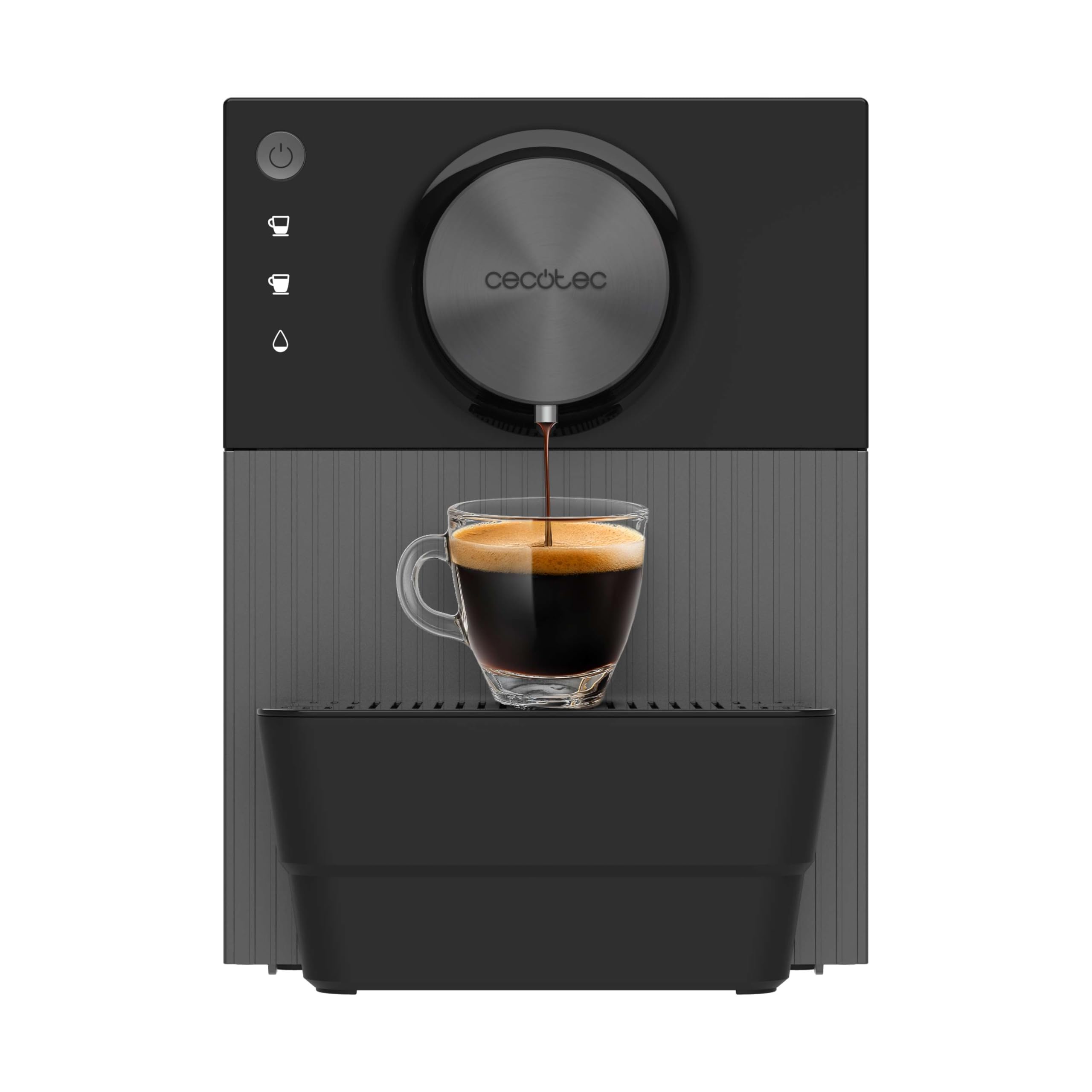
Aworan 3.1: Pariview of the Cecotec Cremmaet Cube coffee machine, showing its compact design and main components.
4. Eto
4.1 Unpacking ati Ni ibẹrẹ Cleaning
- Farabalẹ yọ ẹrọ kọfi kuro ninu apoti rẹ.
- Yọ gbogbo awọn ohun elo apoti ati awọn fiimu aabo kuro.
- Fi omi gbígbóná àti ọṣẹ ìfọṣọ díẹ̀ fọ ojò omi, àwo ìfọṣọ omi, àti àpótí kọfí. Fi omi wẹ̀ ẹ́ dáadáa kí o sì gbẹ ẹ́.
- Mu ese ita ẹrọ naa pẹlu ipolowoamp asọ.
4.2 Kikun Omi Omi
- Yọ ojò omi kuro ni ẹgbẹ ti ẹrọ naa.
- Fill the tank with fresh, cold drinking water up to the 'MAX' level indicator.
- Gbe ojò omi pada sinu ẹrọ, ni idaniloju pe o joko ni aabo.
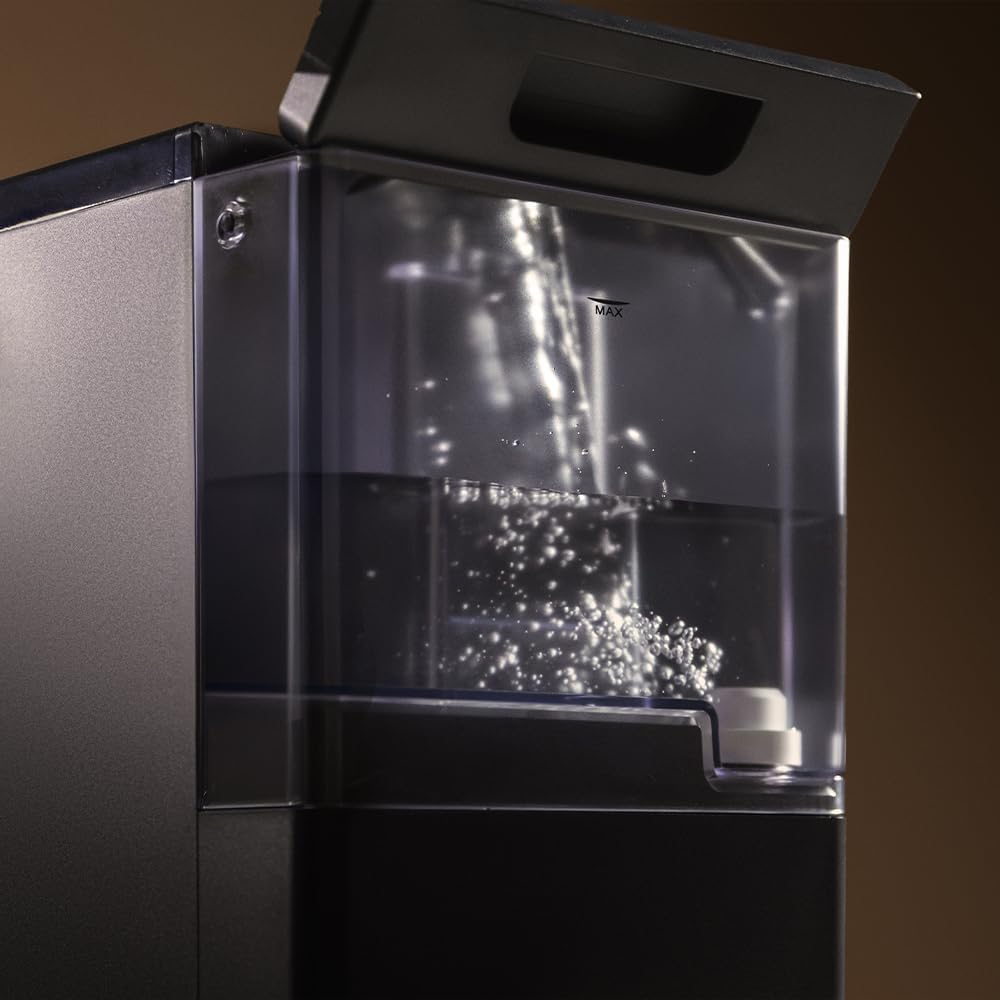
Image 4.1: A hand filling the transparent water tank of the coffee machine with water.
4.3 Àgbáye Bean Hopper
- Ṣii ideri ti hopper ìrísí ti o wa lori oke ẹrọ naa.
- Pour fresh whole coffee beans into the hopper. Do not overfill.
- Close the lid securely to preserve bean freshness.
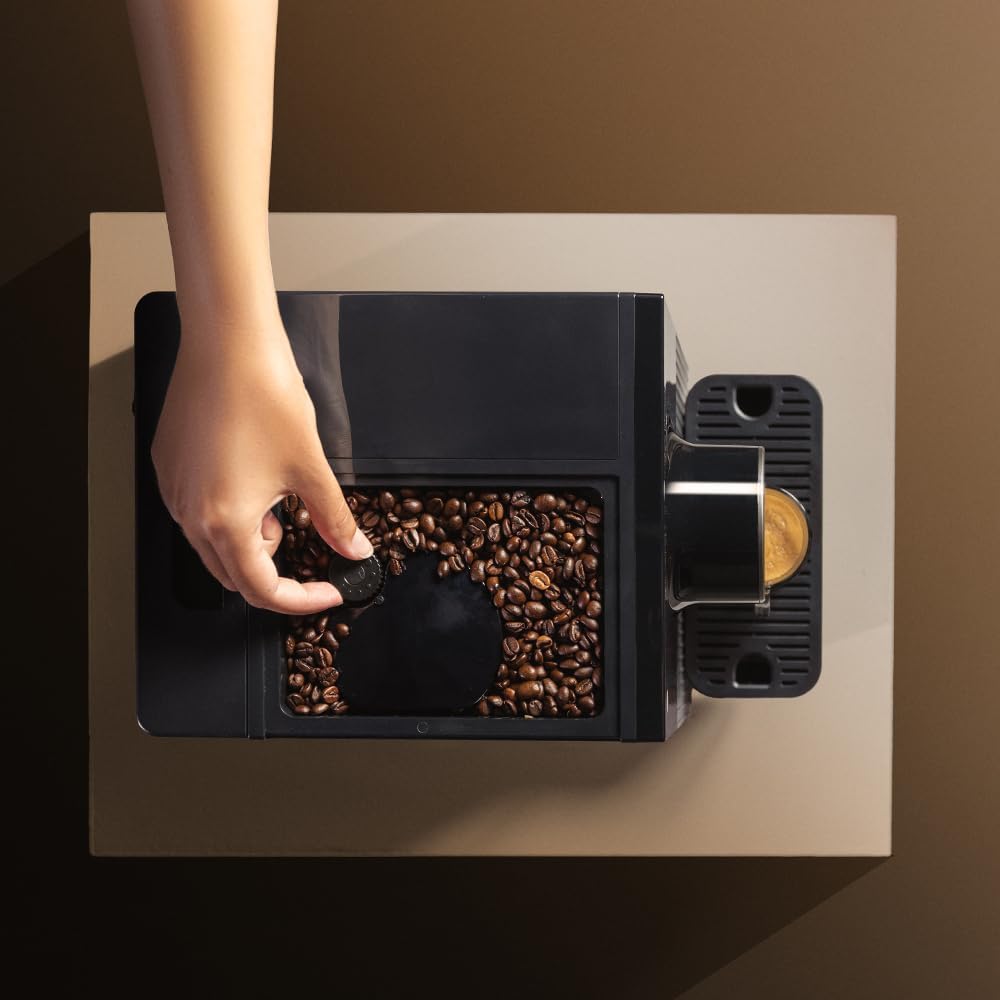
Image 4.2: A hand adding coffee beans into the top-mounted bean hopper of the machine.
4.4 First Lo / Priming
- Pulọọgi ẹrọ naa sinu iṣan agbara ti ilẹ.
- Press the power button to turn on the machine. It will perform an initial rinse cycle.
- Gbe eiyan kan si labẹ kofi spout.
- The machine may prompt you to run a hot water cycle to prime the system. Follow the instructions on the control panel or refer to the specific hot water function in section 5.3.
- Discard the water from the priming cycle. The machine is now ready for use.
5. Ṣiṣẹ ẹrọ Kofi
5.1 Titan / Pa a
- Lati Tan: Tẹ bọtini agbara (O) on the control panel. The machine will heat up and perform an automatic rinse.
- Lati Pa: Tẹ bọtini agbara (O) again. The machine will perform a final rinse before shutting down.

Image 5.1: A finger pressing the power button on the tactile control panel.
5.2 Ṣiṣe Kofi
The machine offers two types of coffee with a single touch.
- Place a cup under the coffee spout. Adjust the spout height if necessary to fit your cup (up to 180mm).
- Press the desired coffee button (e.g., single espresso, double espresso).
- The machine will grind the beans, pre-infuse, and brew your coffee.
- The brewing process will stop automatically.

Image 5.2: Freshly brewed coffee pouring into a glass cup from the machine's spout.

Image 5.3: Two different coffee machines, one with a small espresso cup and another with a larger coffee mug, demonstrating versatility.
5.3 Ṣíṣe àtúnṣe Ìpele Gílọ
The machine features 5 adjustable grind levels to suit your preference. The grind adjustment knob is typically located inside the bean hopper. Turn the knob to select a finer or coarser grind. Adjustments should only be made while the grinder is operating.
5.4 Gbona Omi Išė
For infusions or tea, the machine provides a hot water option.
- Gbe ife kan labẹ kofi spout.
- Press the hot water button on the control panel.
- Hot water will dispense. Press the button again to stop the flow.
5.5 Saving Coffee Settings
The machine allows you to save your preferred coffee volume. To do this:
- Press and hold the desired coffee button until the machine starts brewing.
- Release the button when the coffee reaches your desired volume. The machine will remember this setting for future use.
6. Itọju
Ṣiṣe deedee ati itọju ṣe idaniloju iṣẹ ṣiṣe ti o dara julọ ati igba pipẹ ti ẹrọ kofi rẹ.
6.1 Daily Cleaning
- Apoti Ilẹ-kọfi ati Kofi: Empty and rinse daily. The machine will indicate when the grounds container is full.
- Kofi Spout: Parẹ pẹlu ipolowoamp asọ lati yọ eyikeyi aloku kofi.
6.2 Ìmọ́tótó Ọ̀sọ̀ọ̀sẹ̀/Oṣooṣù
- Omi omi: Clean thoroughly with warm water and mild detergent.
- Ẹyọ Pọnti: The brew unit is removable for cleaning. Consult the machine's internal diagrams for removal instructions. Rinse under running water until clean. Allow to air dry before reinserting.
6.3 Nipasẹ
The machine features an automatic descaling function. The frequency of descaling depends on water hardness and usage. The machine will indicate when descaling is required.
- When the descaling indicator lights up, prepare a descaling solution according to the descaler manufacturer's instructions.
- Tú ojutu naa sinu ojò omi.
- Follow the on-screen prompts or specific button sequence for initiating the descaling cycle.
- After the descaling cycle, rinse the water tank and run several cycles with fresh water to thoroughly flush the system.
7. Laasigbotitusita
Eyi ni diẹ ninu awọn ọran ti o wọpọ ati awọn ojutu wọn:
| Isoro | Owun to le Fa | Ojutu |
|---|---|---|
| Ko si kofi dispenses | Water tank empty; no coffee beans; brew unit clogged. | Kún omi sínú àpò omi; kún inú àpò ìfọṣọ ewa; nu ẹ̀rọ ìfọṣọ mọ́. |
| Kofi jẹ alailagbara pupọ | Grind too coarse; insufficient coffee dose; old beans. | Adjust grind to finer setting; check bean quality; ensure hopper is full. |
| Ẹrọ n jo omi | Water tank not seated correctly; internal seal issue. | Re-seat water tank; contact customer support if problem persists. |
| Àmì ìtúpalẹ̀ lórí | Ẹrọ nbeere descaling. | Perform descaling cycle as per section 6.3. |
If you encounter issues not listed here or if solutions do not resolve the problem, please contact Cecotec customer support.
8. Awọn pato
| Ẹya ara ẹrọ | Ẹ̀kúnrẹ́rẹ́ |
|---|---|
| Brand | Cecotec |
| Awoṣe | Cremmaet Cube (A01_EU01_102811) |
| Agbara | 1350 W |
| Titẹ | 19 Pẹpẹ |
| Omi ojò Agbara | 1.1 liters |
| Kofi Bean Hopper Agbara | 110 g |
| Grind Levels | 5 |
| Iwọn (D x W x H) | 29.5 x 34.2 x 22 cm |
| Iwọn Nkan | 7.17 kg |
| Pataki Awọn ẹya ara ẹrọ | Automatic shut-off, Pre-infusion system, Thermoblock system, Tactile control panel |
9. Atilẹyin ọja ati Support
The Cecotec Cremmaet Cube Automatic Coffee Machine comes with a standard manufacturer's warranty. Please refer to the warranty card included in your product packaging for specific terms and conditions.
For technical assistance, troubleshooting, or warranty claims, please contact Cecotec customer support through their official webaaye tabi alaye olubasọrọ ti a pese pẹlu rira rẹ.
Akiyesi: No official product videos were found in the provided data for embedding.