Ọrọ Iṣaaju
This manual provides detailed instructions for the setup, operation, and maintenance of your Zebronics Juke Bar 4120 200W Soundbar. Please read this manual thoroughly before using the product to ensure proper functionality and to maximize your audio experience. Keep this manual for future reference.

Image: The Zebronics Juke Bar 4120 Soundbar system, including the soundbar unit, subwoofer, wireless microphone, and remote control.
Ohun ti o wa ninu Apoti
Ṣọra awọn akoonu inu rẹ ki o rii daju pe gbogbo awọn nkan wa:
- Pápá Ìró - Ẹyọ kan
- Subwoofer - 1 Unit
- Wireless Mic - 1 Unit
- Remote Control - 1 Unit
- Input Cable - 1 Unit
- Wall Mount Fasteners - 1 Unit
- Ìtọ́sọ́nà Kóòdù QR - Ẹyọ kan
Key Awọn ẹya ara ẹrọ
- Ijade ti o lagbara: Delivers an impressive total output power of 200W RMS, with 120W from the subwoofer and 80W (40W x 2) from the soundbar.

Image: A soundbar and subwoofer setup in a modern living room, illustrating the powerful 200W RMS output with visual sound waves.
- Incredible Audio: The soundbar features two (5 cm x 9 cm) drivers that provide balanced audio across a wide range of frequencies. Complementing this, the subwoofer houses a single 13.33 cm driver, specially designed to deliver deep, powerful bass that enhances the overall sound experience.
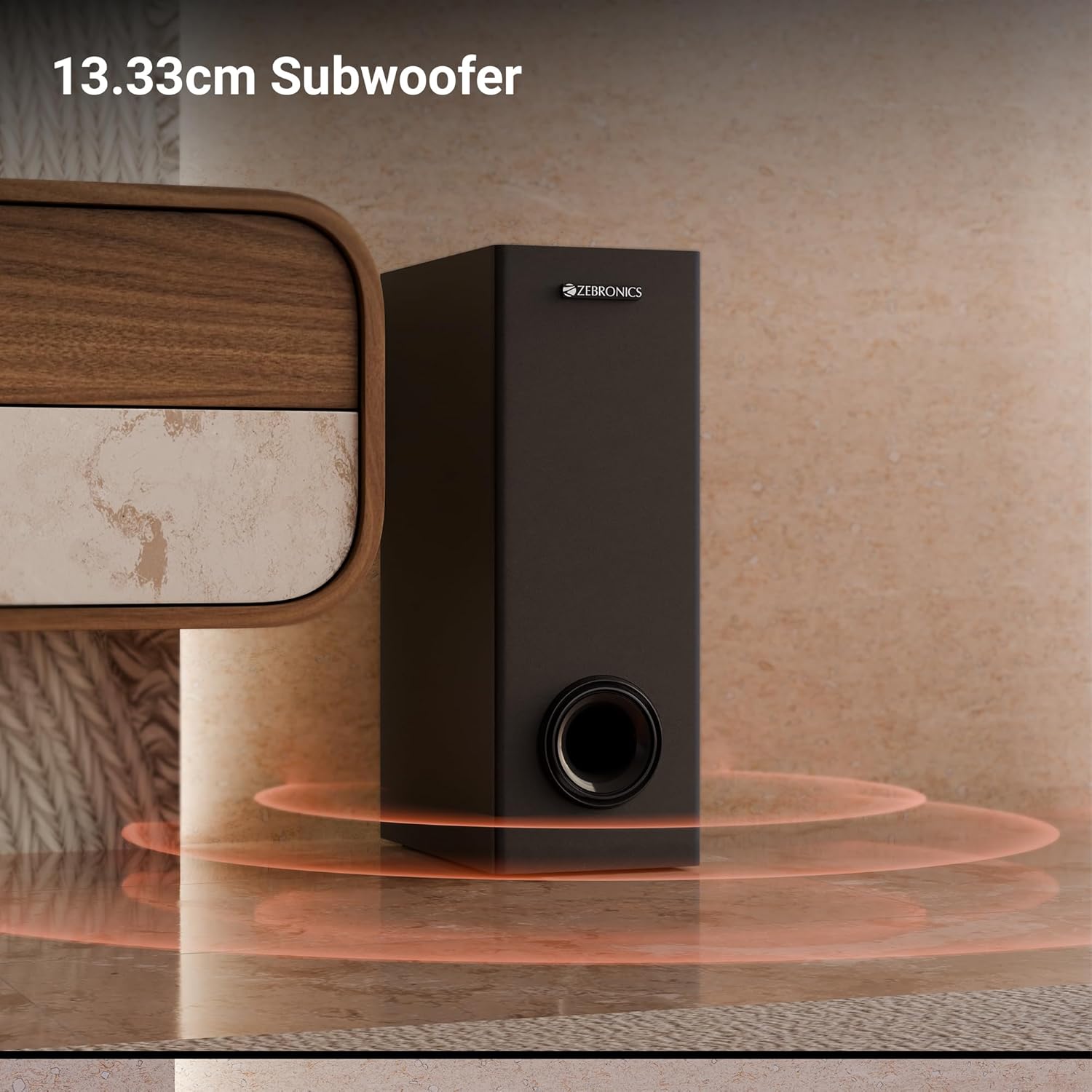
Aworan: A sunmọ-soke view of the 13.33cm subwoofer, highlighting its design and bass output.

Image: The soundbar mounted below a television, with visual cues indicating sound projection from its dual drivers.
- Virtual 5.1 Surround: To elevate your audio experience, this soundbar features virtual 5.1 surround sound, simulating multi-channel audio for immersive, cinematic sound.
- Multi-Connectivity: The soundbar comes with multi-connectivity, such as BT v5.3 support, and options like TV (ARC), USB, and AUX inputs.
- Ògiri-Mountable: Designed for space efficiency, this soundbar is wall-mountable, which allows you to save floor space and maintain a clean, organized look in your living areas.
- Ifihan LED: The LED display shows real-time information such as power status, volume levels, and connectivity modes, offering clarity and convenience.
- Iṣẹ Karaoke: Enjoy fun sing-alongs with the wireless mic and built-in karaoke function, perfect for parties, gatherings, or solo performances.
Ṣeto
1. Ifiweranṣẹ
Position the soundbar centrally below your television for optimal sound projection. The subwoofer can be placed on the floor near the soundbar, ideally in a corner for enhanced bass response.
2. Iṣagbesori Odi
The soundbar can be wall-mounted to save space. Use the provided wall mount fasteners and follow these steps:
- Mark the desired mounting position on the wall, ensuring it is level and centered with your TV.
- Lilu awọn ihò awaoko ni awọn ipo ti o samisi.
- Insert wall anchors (if necessary) and secure the mounting brackets using the screws.
- Carefully attach the soundbar to the mounted brackets.
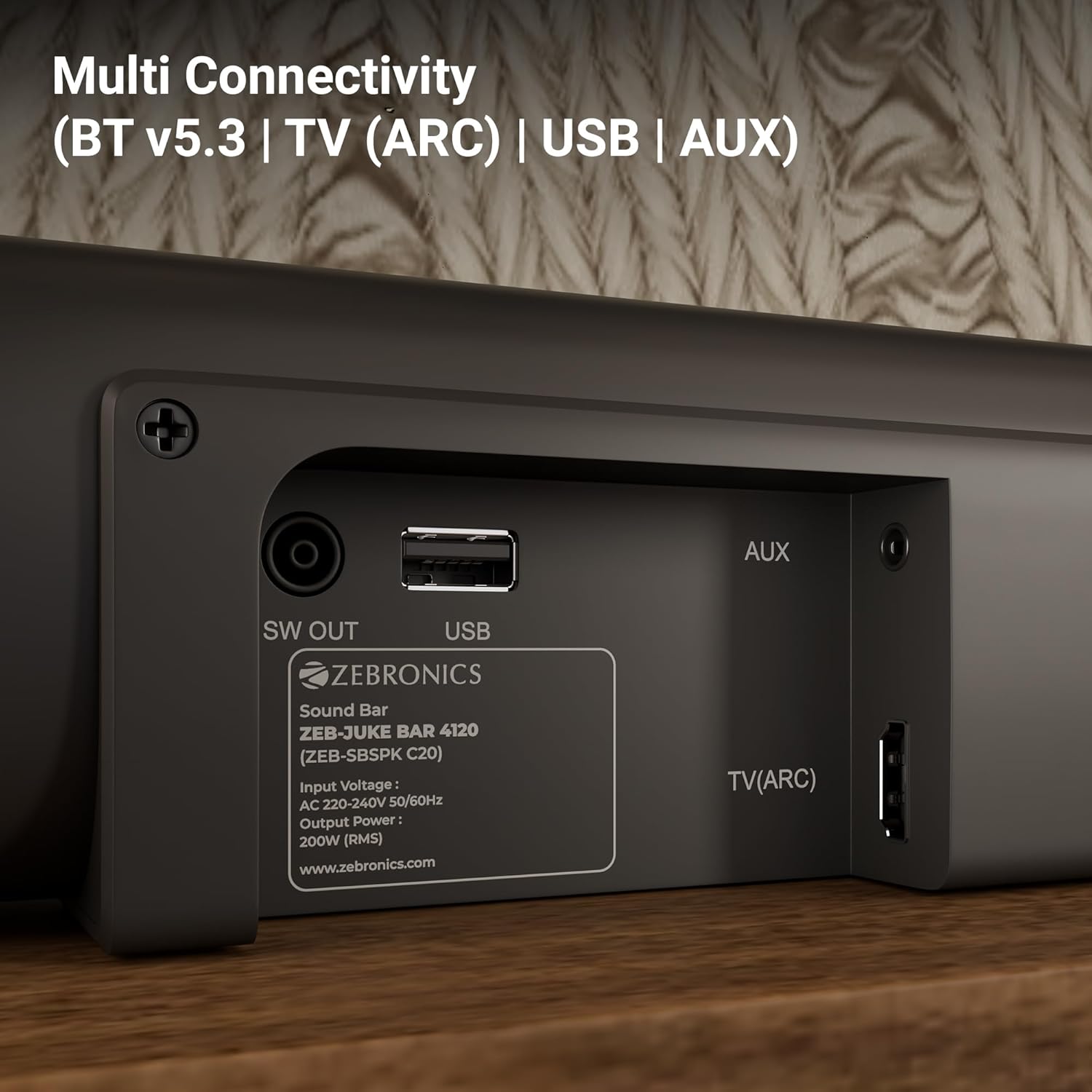
Image: The soundbar is shown securely mounted on a wall beneath a television, demonstrating its space-saving design.
3. Asopọ agbara
Connect the power cable to the soundbar and then plug it into a suitable power outlet. Ensure the subwoofer is also connected to its power source.
Asopọmọra
The Zebronics Juke Bar 4120 offers multiple connectivity options:
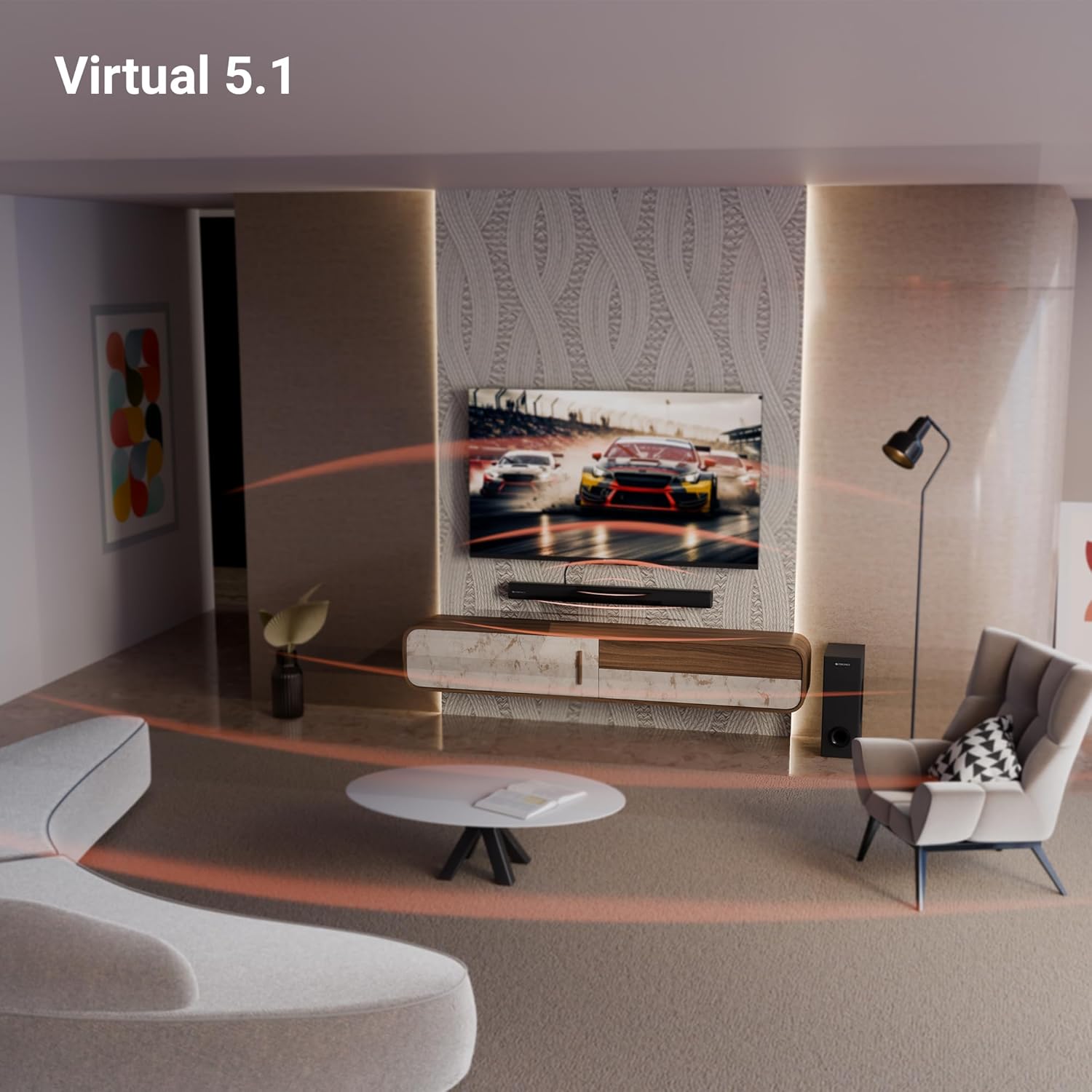
Image: A close-up of the soundbar's rear panel, displaying the SW OUT, USB, AUX, and TV (ARC) input ports for various connections.
1. Bluetooth (BT v5.3)
Lati sopọ nipasẹ Bluetooth:
- Turn on the soundbar and select Bluetooth mode using the remote or unit controls.
- Mu Bluetooth ṣiṣẹ lori ẹrọ rẹ (foonuiyara, tabulẹti, ati bẹbẹ lọ).
- Wa fun "ZEB-JUKE BAR 4120" in your device's Bluetooth list and pair.
- Once paired, the soundbar will indicate a successful connection.
2. TV (ARC)
For optimal audio quality and control, connect your TV using the HDMI ARC port:
- Connect an HDMI cable from the TV (ARC) port on the soundbar to the HDMI ARC port on your television.
- Select the HDMI ARC input on the soundbar.
- Ensure your TV's audio output settings are configured for HDMI ARC.
3. USB
To play media from a USB drive:
- Fi awakọ USB sinu ibudo USB lori ọpa ohun.
- Select USB mode using the remote or unit controls.
- The soundbar will automatically detect and play compatible audio files.
4. OSU
To connect via an auxiliary cable:
- Connect a 3.5mm audio cable from your device's audio output to the AUX input on the soundbar.
- Select AUX mode using the remote or unit controls.
Awọn ilana Iṣiṣẹ
1. Agbara Tan / Paa
Tẹ bọtini agbara lori ọpa ohun tabi iṣakoso latọna jijin lati tan tabi pa ẹrọ naa.
2. Iṣakoso iwọn didun
Use the Volume Up (+) and Volume Down (-) buttons on the soundbar or remote control to adjust the audio level.
3. Aṣayan Input
Press the 'Input' or 'Mode' button on the soundbar or remote control to cycle through available input sources (BT, TV ARC, USB, AUX).
4. Ifihan LED
The integrated LED display provides visual feedback on the current status of the soundbar, including selected input mode, volume level, and other settings.

Aworan: A alaye view of the soundbar's LED display, showing a clear indicator for current status or mode.
5. Iṣẹ́ Karaoke
The soundbar includes a wireless microphone for karaoke. Simply power on the microphone, and it will automatically connect to the soundbar. Use the remote control to adjust microphone volume and echo effects.

Image: The wireless microphone, designed for use with the soundbar's karaoke function.
6. Isakoṣo latọna jijin
The included remote control provides full functionality for the soundbar, allowing you to power on/off, switch inputs, adjust volume, control playback, and manage karaoke settings.

Image: The remote control for the Zebronics soundbar, showing various buttons for function control.
7. Virtual 5.1 Surround Sound
The soundbar's virtual 5.1 surround sound technology creates an immersive audio experience, simulating multi-channel sound without the need for additional speakers. This enhances movie watching and gaming by providing a wider soundstage.

Image: A living room scene with the soundbar and subwoofer, visually representing the expansive sound field created by virtual 5.1 surround sound.
Itoju
Lati rii daju igbesi aye gigun ati iṣẹ to dara julọ ti ọpa ohun rẹ:
- Fi aṣọ gbígbẹ tó rọ, tó sì rọ̀ mọ́ ojú ilẹ̀ náà. Yẹra fún lílo àwọn ohun ìfọṣọ tàbí àwọn ohun èlò ìfọṣọ.
- Keep the soundbar and subwoofer away from direct sunlight, heat sources, and excessive moisture.
- Rii daju pe fentilesonu to dara ni ayika awọn ẹya lati ṣe idiwọ igbona.
Laasigbotitusita
Ti o ba ni awọn iṣoro eyikeyi, tọka si awọn iṣoro ti o wọpọ ati awọn ojutu wọnyi:
| Isoro | Owun to le Solusan |
|---|---|
| Ko si agbara | Check if the power cable is securely connected to both the soundbar/subwoofer and the power outlet. Ensure the power outlet is functional. |
| Ko si ohun | Verify the correct input source is selected. Check volume levels on both the soundbar and the connected device. Ensure all audio cables are properly connected. |
| Bluetooth ko sopọ | Ensure the soundbar is in Bluetooth pairing mode. Turn off and on Bluetooth on your device. Move your device closer to the soundbar. |
| Isakoṣo latọna jijin ko ṣiṣẹ | Check the remote control batteries and replace if necessary. Ensure there are no obstructions between the remote and the soundbar. |
Awọn pato
| Ẹya ara ẹrọ | Ẹ̀kúnrẹ́rẹ́ |
|---|---|
| Orukọ awoṣe | ZEB-JUKE BAR |
| Agbọrọsọ Iru | Pẹpẹ ohun |
| Pataki Ẹya | Ti a ṣe sinu Gbohungbohun |
| Awọn ẹrọ ibaramu | Television, mobile |
| Kakiri Ohun ikanni iṣeto ni | 2.1 (Virtual 5.1) |
| Àwọ̀ | Dudu |
| Ọja Mefa | 7.7D x 86W x 7.7H |
| Iwọn Nkan | 5300 Grams (5 kg 300 g) |
| Ọna Iṣakoso | Latọna jijin |
| Imọ-ẹrọ Ibaraẹnisọrọ Alailowaya | Bluetooth |
| Iwọn Agbọrọsọ | 13.33 Centimetres (Subwoofer) |
| Orisun agbara | Okun Itanna |
| Ifihan Ibuwọlu-si-Noise | 66 dB |
| Iwọn Iwọn Woofer | 13.33 centimeters |
| Audio Driver Type | Yiyi Awakọ |
| Audio Driver Iwon | 5 Centimetres (Soundbar) |
| Ara | Ọpa ZEB-JUKE 4120 |
| Ẹya Bluetooth | 5.3 |
| Agbọrọsọ Amplification Iru | Ti nṣiṣe lọwọ |
| Wattage | 200 Wattis |
| Iṣagbesori Iru | Ògiri Ògiri |
| Asopọmọra Technology | Oluranlọwọ, Bluetooth, HDMI, Optical, USB |
Atilẹyin ọja ati Support
This product comes with a standard brand warranty. For specific warranty details, claims, or technical support, please refer to the warranty card included in the packaging or visit the official Zebronics webojula. O tun le ṣàbẹwò awọn Ile itaja ZEBRONICS lori Amazon fun alaye siwaju sii.


