Ọrọ Iṣaaju
Thank you for choosing the Pointcinco IM01 Hybrid Active Noise Cancelling Headphones. These headphones are designed to provide a superior audio experience with advanced noise cancellation technology, comfortable wear, and versatile connectivity options. Please read this manual carefully to ensure proper use and maintenance of your new headphones.
Ohun ti o wa ninu Apoti
- Active noise cancelling headphones
- USB
- Itọsọna olumulo
Ọja Pariview
The Pointcinco IM01 headphones feature a sleek design with intuitive controls and comfortable earcups. Below are key components and their functions.

olusin 1: Iwaju view of the Pointcinco IM01 headphones.

Figure 2: Close-up of the soft, comfortable earcups designed for extended wear.

olusin 3: Apa view highlighting the control buttons (power, volume) and ports (USB-C charging, 3.5mm AUX).
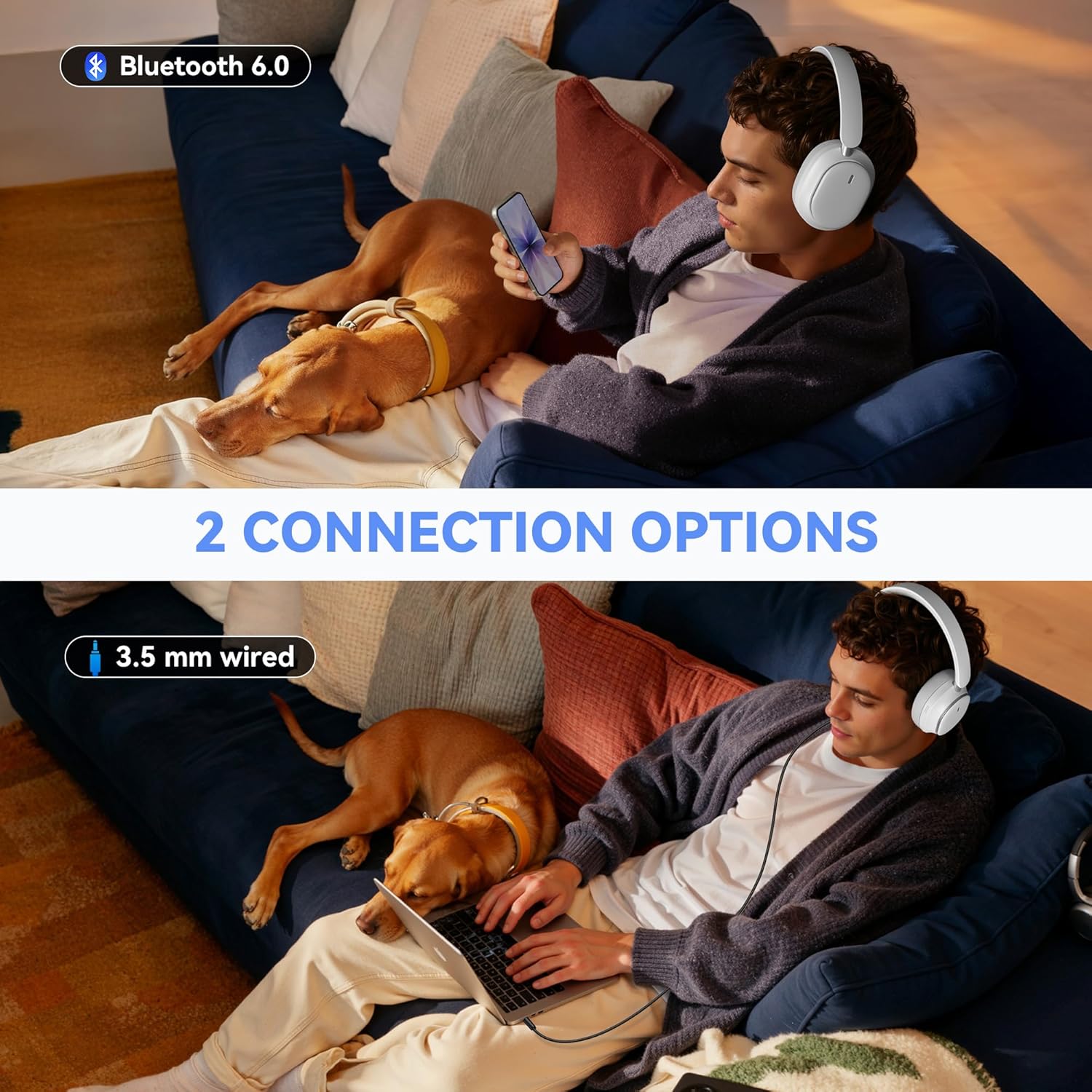
Figure 4: The headphones feature a foldable design for easy storage and portability.
Ṣeto
Ngba agbara si Awọn Agbekọri
Before first use, fully charge your headphones. Connect the provided USB-C charging cable to the charging port on the headphone and the other end to a USB power source. A full charge takes approximately 2.5 hours.
Titan / Pipa agbara
- Agbara Tan: Press and hold the Power button for 3 seconds until the indicator light turns on.
- Agbara Pa: Tẹ mọlẹ bọtini Agbara fun iṣẹju-aaya 3 titi ti ina olufihan yoo wa ni pipa.
Asopọ Bluetooth
- Rii daju pe awọn agbekọri ti wa ni pipa.
- Tẹ bọtini agbara naa ki o si di mu fun awọn aaya marun titi ti ina ifihan yoo fi tàn bulu ati pupa, ti o fihan ipo isopọmọ.
- Lori ẹrọ rẹ (foonuiyara, tabulẹti, kọǹpútà alágbèéká), mu Bluetooth ṣiṣẹ ki o wa awọn ẹrọ to wa.
- Select "IM01" from the list of devices.
- Ni kete ti a ti sopọ, ina Atọka yoo tan buluu to lagbara.
Awọn ilana Iṣiṣẹ
Active Noise Cancelling (ANC) & Transparency Mode
The headphones feature Hybrid Active Noise Cancelling to block ambient noise and a Transparency Mode to hear your surroundings.
- Mu ANC ṣiṣẹ: Press the ANC button (located on the left earcup) once to turn on Active Noise Cancelling.
- Activate Transparency Mode: Press the ANC button a second time to switch to Transparency Mode.
- Turn Off ANC/Transparency: Press the ANC button a third time to turn off both modes.

Figure 5: Enjoy quiet with ANC ON mode, blocking out ambient noise.

Figure 6: Transparency Mode allows you to hear your surroundings while wearing the headphones.
Ipo Ti onirin
To use the headphones in wired mode, connect the provided 3.5mm audio cable to the AUX port on the headphone and to your audio device. This mode is useful when battery is low or for non-Bluetooth devices.
Isakoso Ipe
- Idahun/Ipe Ipari: Tẹ bọtini Multi-function (nigbagbogbo bọtini Power) lẹẹkan.
- Kọ Ipe: Tẹ mọlẹ bọtini iṣẹ-ọpọlọpọ fun iṣẹju-aaya 2.
- Redial Ipe to kẹhin: Tẹ bọtini Olona-iṣẹ lẹẹmeji.
Sisisẹsẹhin Orin
- Ṣiṣẹ/Daduro: Tẹ bọtini Olona-iṣẹ lẹẹkan.
- Iwọn didun Soke/Isalẹ: Use the Volume + and Volume - buttons.
- Orin t’okan: Tẹ ki o si mu bọtini Iwọn didun + naa fun iṣẹju-aaya meji.
- Tẹlẹ Orin: Tẹ bọtini Iwọn didun ki o si dimu fun awọn aaya meji.
Oluranlọwọ ohun
To activate your device's voice assistant (e.g., Siri, Google Assistant), press and hold the Multi-function button until you hear a tone.
Itoju
To ensure the longevity and optimal performance of your headphones, follow these maintenance tips:
- Fi aṣọ rírọ̀ tí ó gbẹ fọ àwọn ago etí àti ìbòrí orí déédéé.
- Yago fun ṣiṣafihan agbekọri si awọn iwọn otutu to gaju, ọriniinitutu, tabi oorun taara.
- Store the headphones in a cool, dry place when not in use. The foldable design helps protect them during storage and travel.
- Ma ṣe lo abrasive ose tabi epo.
Laasigbotitusita
If you encounter any issues with your headphones, refer to the following common solutions:
- Awọn agbekọri ko ṣiṣẹ lori: Rii daju pe awọn agbekọri ti gba agbara ni kikun.
- Ko le so pọ nipasẹ Bluetooth: Make sure the headphones are in pairing mode (flashing blue/red light) and within range of your device. Forget previous pairings on your device and try again.
- Ko si ohun: Check the volume levels on both the headphones and your connected device. Ensure the headphones are properly paired or the audio cable is securely connected.
- ANC ko ṣiṣẹ daradara: Ensure the ANC mode is activated. Adjust the fit of the earcups to ensure a good seal around your ears.
Fun iranlọwọ siwaju, jọwọ kan si atilẹyin alabara.
Awọn pato
| Ẹya ara ẹrọ | Ẹ̀kúnrẹ́rẹ́ |
|---|---|
| Awọn agbekọri Jack | 3.5 mm Jack |
| Orukọ awoṣe | IM01 |
| Asopọmọra Technology | Ti firanṣẹ, Alailowaya |
| Imọ-ẹrọ Ibaraẹnisọrọ Alailowaya | Bluetooth |
| Ibiti ọjọ ori (Apejuwe) | Agbalagba |
| Ohun elo | Ṣiṣu |
| Awọn Lilo Ni pato Fun Ọja | Idanilaraya |
| Akoko gbigba agbara | Awọn wakati 2.5 |
| Awọn ẹrọ ibaramu | Foonu alagbeka, Kọǹpútà alágbèéká, Àwọn Tábìlẹ́ẹ̀tì, Tẹlifíṣọ̀n |
| Iṣakoso Iru | Iṣakoso bọtini |
| Iwọn Nkan | 0.71 Poun (11.4 iwon) |
| Ara | Igbalode |
| Nọmba ti Awọn nkan | 1 |
| Adarí Iru | Bọtini |
| Audio Driver Type | Yiyi Awakọ |
| Ẹya Bluetooth | 6.0 |
| Apẹrẹ Akọti | Lori Eti |
| Ni wiwo Hardware | Bluetooth |
| Àwọn Ẹ̀yà Ìṣàkóso Ariwo | active_noise_cancellation |
| Ṣe atilẹyin Imọ-ẹrọ Bluetooth | Bẹẹni |
| Pataki Ẹya | Ifagile Ariwo |
| Olupese | Pointcinco |
| Package Mefa | 7.28 x 6.34 x 2.24 inches |
| Àwọ̀ | Funfun |
| Gbigbe Eti | Lori Eti |
| Fọọmù ifosiwewe | Lori Eti |
| Ariwo Iṣakoso | Ti nṣiṣe lọwọ Noise Ifagile |
Atilẹyin ọja & Atilẹyin
Your Pointcinco IM01 headphones come with a standard manufacturer's warranty. For specific details regarding warranty coverage and to register your product for any extended warranty offers, please refer to the information provided in your product packaging or visit the official Pointcinco website. For technical support or customer service inquiries, please contact the seller directly or refer to the contact information in your user manual.