Ọrọ Iṣaaju
Welcome to the user manual for your new KERDOM Electric Wheelchair. This manual provides essential information for the safe and efficient operation, maintenance, and care of your wheelchair. Please read this manual thoroughly before initial use and retain it for future reference.
The KERDOM Electric Wheelchair is designed for adults, offering a lightweight, foldable, and portable solution for enhanced mobility. It features dual 250W motors, a 12AH lead-acid battery providing up to 15 miles of travel range, and a responsive 360° joystick control.
Alaye Aabo pataki
Ààbò rẹ ṣe pàtàkì jùlọ. Máa tẹ̀lé àwọn ìlànà wọ̀nyí nígbà gbogbo:
- Always wear the safety belt provided.
- Ensure the electromagnetic brakes are functioning correctly before each use.
- Maṣe kọja agbara iwuwo ti o pọju ti 350 lbs.
- Avoid operating the wheelchair on excessively steep inclines or uneven terrain beyond its capabilities.
- Pa ọwọ ati aṣọ mọ kuro ninu awọn ẹya gbigbe.
- Consult a healthcare professional for guidance on safe usage if you have any medical conditions.
- Regularly inspect the wheelchair for any signs of wear or damage.
Eto ati Apejọ
Follow these steps to set up your KERDOM Electric Wheelchair. For a visual guide, please refer to the installation video below.
1. Unfolding the Wheelchair
- Carefully remove the wheelchair from its packaging.
- Gently pull the handles upwards to unfold the chair.
- Press down on the seat cushion until it lies flat. (Caution: Be careful to avoid pinching your hand when pressing the cushion.)
- Adjust the footrests to the desired position.
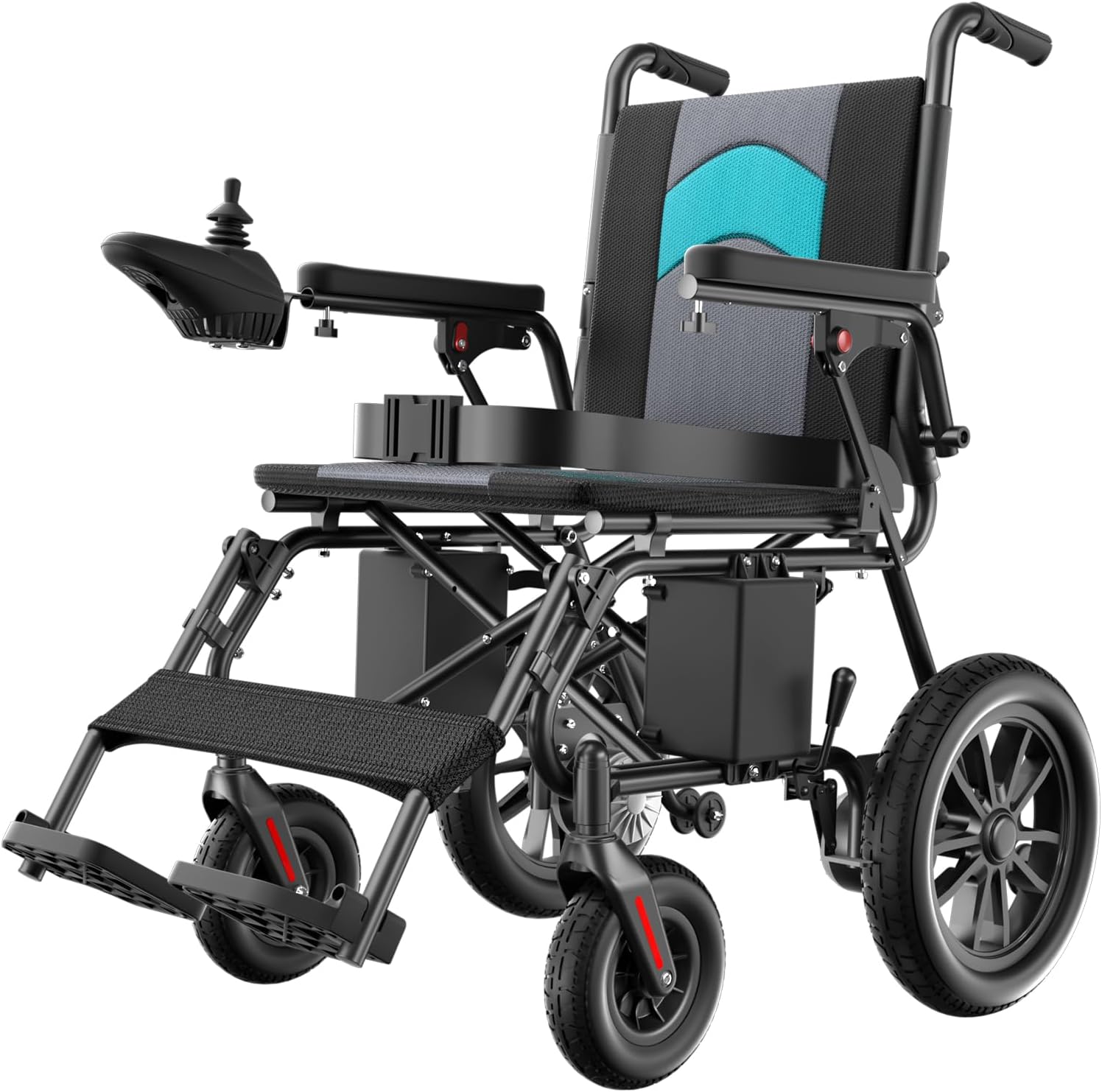
Image: The KERDOM Electric Wheelchair in its fully unfolded state, showcasing awọn oniwe-apẹrẹ ati irinše.
2. Attaching the Joystick Controller
- Locate the joystick controller and the designated attachment point on the armrest.
- Slide the joystick onto the armrest bracket.
- Secure it in place using the provided screw and knob. Ensure it is firmly attached.
3. Installing Anti-Roll Wheels
The anti-roll wheels provide additional stability.
- Slightly elevate the rear of the wheelchair (you may need to place something under the main wheels for support).
- Insert the anti-roll wheel assembly into the designated slots at the rear of the frame.
- Secure them with the pins or clips provided.

Aworan: A alaye view of the powerful dual brushless motors, indicating their 500W combined output.
4. Nsopọ Batiri naa
Ensure the battery is properly connected before operating the wheelchair.
- Locate the battery compartment, typically under the seat.
- Connect the red power cord from the battery to the corresponding red connector on the wheelchair frame.
- Rii daju asopọ to ni aabo.

Image: A visual representation of the wheelchair's 12AH lead-acid battery, highlighting its 6-hour charging time and 15-mile travel range.
Fifi sori Video Itọsọna
Video: A comprehensive guide demonstrating the installation, use, and maintenance procedures for the KERDOM Electric Wheelchair.
Awọn ilana Iṣiṣẹ
Joystick Control Panel
The 360° joystick provides intuitive control over the wheelchair's movement and functions.
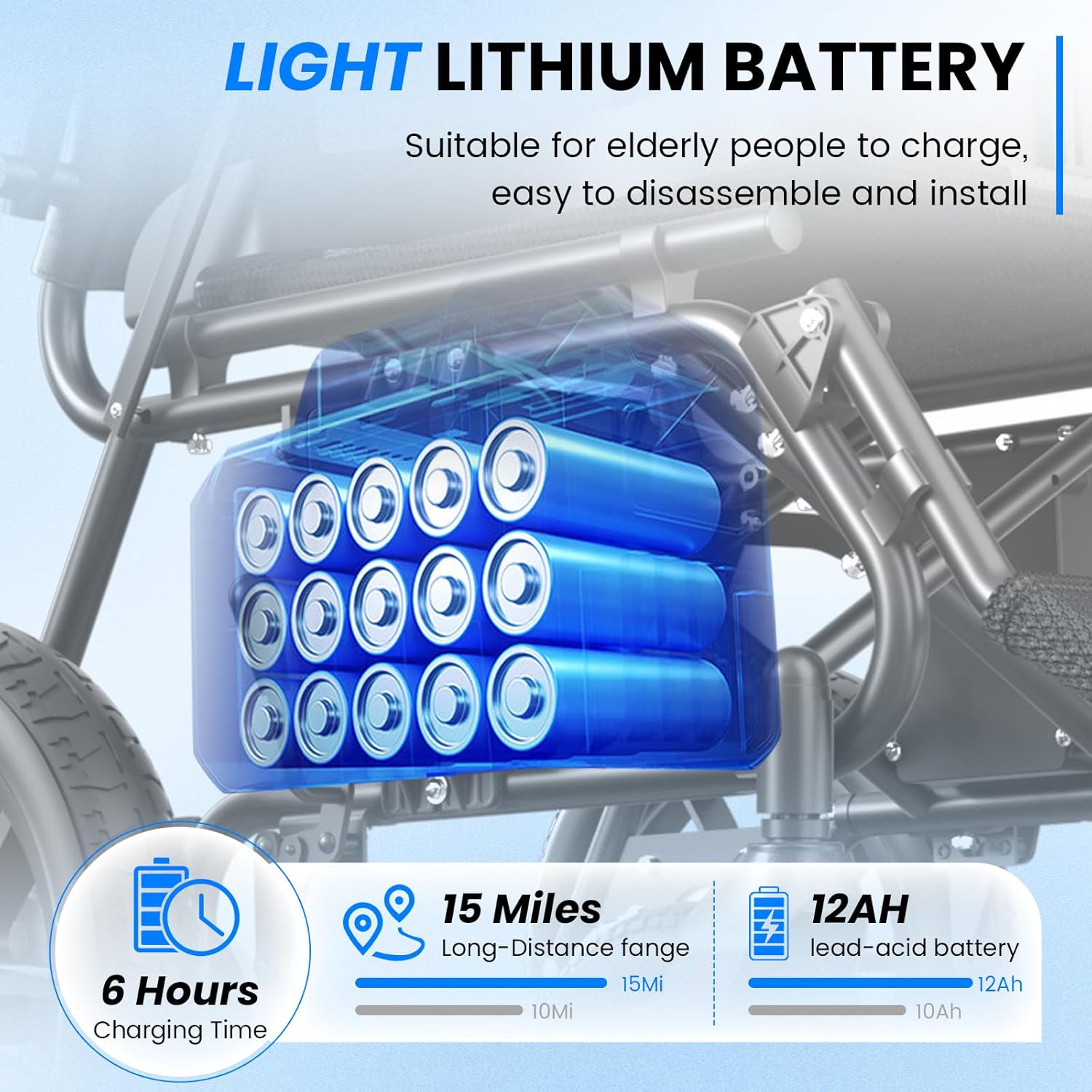
Image: A close-up of the joystick controller, showing the power switch, horn, speed adjustment buttons (+/-), mute switch, SOS button, and battery level display.
- Agbara Yi pada: Press to turn the wheelchair on or off.
- Joysticks: Move forward, backward, left, or right to control direction.
- Atunṣe iyara (+/-): Increase or decrease the wheelchair's speed.
- Ìwo: Tẹ lati dun iwo naa.
- One-touch Mute: Mutes system sounds.
- Bọtini SOS: Activates an emergency alert (functionality may vary by model/region).
- Ifihan Ipele Batiri: Ó fi agbára batiri tó wà lọ́wọ́lọ́wọ́ hàn.
Braking System
The KERDOM Electric Wheelchair is equipped with an electromagnetic braking system for reliable stopping power.
- Braking Aifọwọyi: Tu silẹasing the joystick will automatically engage the electromagnetic brakes, bringing the wheelchair to a stop.
- Manual Brakes: For additional security, manual brakes are located on the rear wheels. Engage them when parking or transferring.
- Àwọn Kẹ̀kẹ́ Àìtọ́-Típì: Rear anti-tip wheels are designed to prevent the wheelchair from tipping backward, especially on inclines.
- Igbanu Aabo: Always fasten the safety belt before operating the wheelchair.

Image: The wheelchair demonstrating its stability on a 12-degree incline, with insets showing the seat belt, rear anti-tip wheels, and manual brakes.
Navigating Various Terrains
Your KERDOM Electric Wheelchair is designed to handle a variety of terrains with ease.
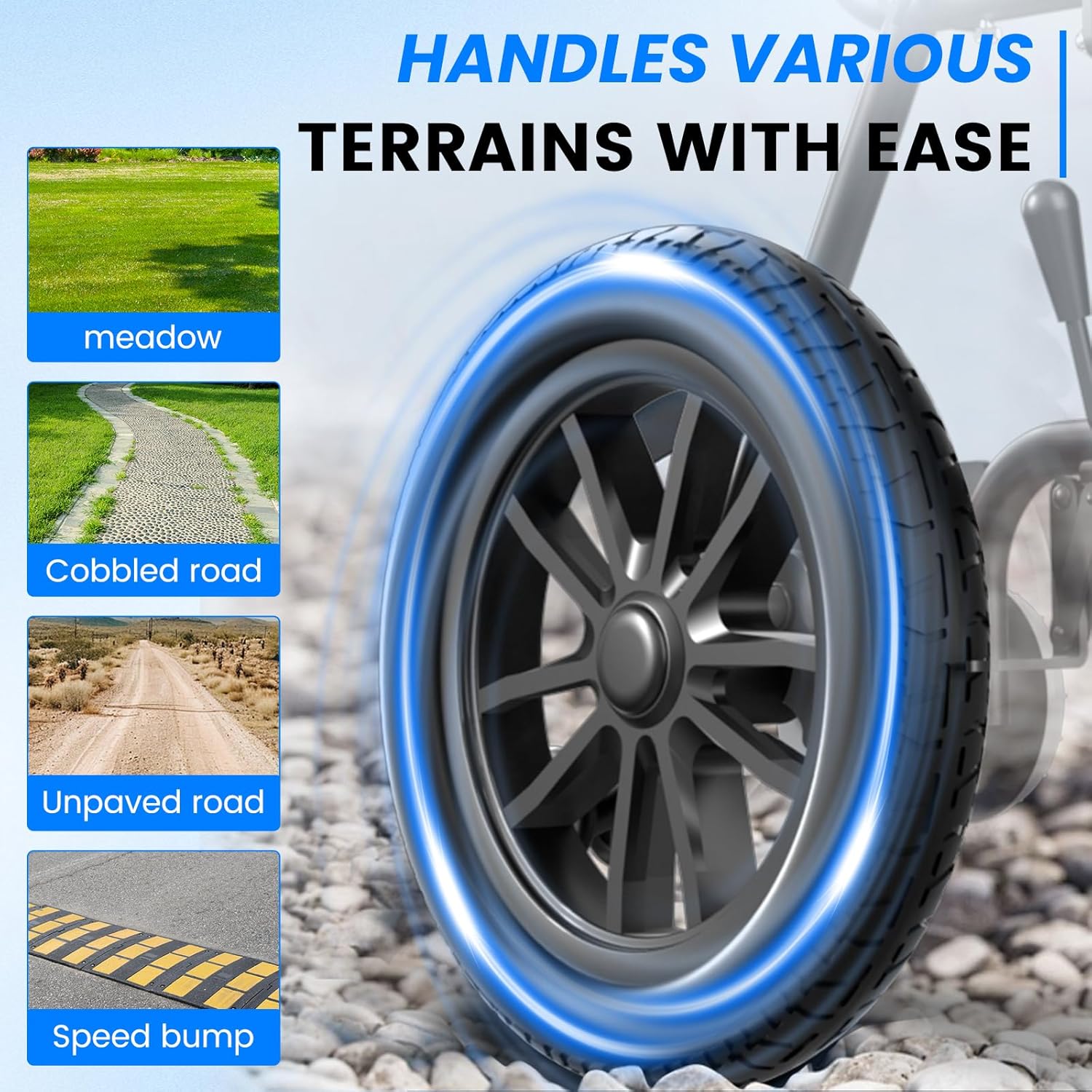
Image: A visual guide illustrating the wheelchair's capability to navigate different surfaces such as meadows, cobbled roads, unpaved roads, and speed bumps.
- Smooth Surfaces: Ideal for indoor use and paved outdoor areas.
- Uneven Terrain: Can traverse meadows, cobbled roads, and unpaved paths. Exercise caution and reduce speed on these surfaces.
- Awọn idiwo: Approach speed bumps and small obstacles slowly and directly.
Itoju
Itọju Batiri ati Gbigba agbara
Proper battery maintenance ensures optimal performance and longevity.
- Gbigba agbara: Charge the 12AH lead-acid battery for approximately 6 hours for a full charge, providing up to 15 miles of travel.
- Ibi ipamọ: If storing the wheelchair for an extended period, ensure the battery is fully charged and disconnect it. Recharge periodically to maintain battery health.
- Rọpo: If the battery's performance significantly degrades, contact customer support for replacement options.
Ninu ati Gbogbogbo Itọju
- Férémù: Pa fireemu naa pẹlu ipolowoamp asọ ati ìwọnba detergent. Yago fun abrasive ose.
- Awọn irọra: The double-layer seat cushion with breathable honeycomb sponge is removable and washable. Follow the care instructions on the cushion label.
- Awọn kẹkẹ: Regularly check wheels for debris and ensure they spin freely.
- Awọn ohun elo itanna: Keep all electrical components dry. Do not spray water directly onto the joystick or motor areas.
Laasigbotitusita
If you encounter any issues with your KERDOM Electric Wheelchair, please refer to the following common problems and solutions.
| Isoro | Owun to le Fa | Ojutu |
|---|---|---|
| Kẹ̀kẹ́ kì í tan iná. | Batiri ko sopọ tabi gba silẹ. | Rii daju pe batiri ti sopọ ni aabo. Gba agbara si batiri ni kikun. |
| Agbá kẹ̀kẹ́ máa ń rìn lọ́ra tàbí láìsí ìdúróṣinṣin. | Low battery charge; joystick malfunction; motor issue. | Charge the battery. Check joystick connections. If problem persists, contact support. |
| Àwọn bírékì kò ṣiṣẹ́ dáadáa. | Brake mechanism obstruction or malfunction. | Inspect for obstructions. If issues continue, contact support immediately. |
| Awọn ariwo ti ko wọpọ lakoko iṣẹ. | Loose components; motor issue; debris in wheels. | Inspect for loose parts and tighten if safe. Clear debris from wheels. Contact support if noise persists. |
For issues not listed here or if solutions do not resolve the problem, please contact KERDOM customer support.
Awọn pato
| Ẹya ara ẹrọ | Ẹ̀kúnrẹ́rẹ́ |
|---|---|
| Awoṣe | B0FQMYV81K |
| Brand | KERDOM |
| Awọn iwọn Ọja (Ṣiṣiṣi) | 36.19"D x 24.8"W x 33.4"H |
| Ohun elo | Irin |
| Agbara mọto | Meji 250W (500W lapapọ) Awọn mọto Brushless |
| Batiri Iru | 12AH Lead-Acid Battery |
| Irin-ajo Ibiti | Titi di awọn maili 15 fun idiyele |
| Akoko gbigba agbara | Isunmọ. wakati meji 6 |
| Agbara iwuwo | Titi di 350 lbs |
| Braking System | Itanna Brakes |
| Àwọ̀ | Blue (This specific variant) |

Image: Detailed dimensions of the KERDOM Electric Wheelchair in both its unfolded and folded configurations, along with its 350 lbs weight capacity.
Atilẹyin ọja ati Support
KERDOM is committed to providing comprehensive after-sales service.
- Atilẹyin ọja: Specific warranty details are typically provided with your purchase documentation. Please refer to those documents for terms and conditions.
- Atilẹyin Onibara: If you encounter any issues with your power wheelchair or require assistance, please contact the seller, HeatiOne, directly through your purchase platform or their official contact channels. They are dedicated to assisting you promptly.


