Ọrọ Iṣaaju
This manual provides detailed instructions for the assembly, operation, and maintenance of your DUMOS 32-inch Home Office Computer Desk. Please read this guide thoroughly before beginning assembly or use to ensure proper setup and safe operation. Keep this manual for future reference.
Alaye Aabo
- Ensure the desk is assembled correctly with all parts securely fastened.
- Use the adjustable non-slip foot pads to stabilize the desk on uneven surfaces.
- Do not exceed the maximum weight recommendation of 250 pounds (113 kg) to maintain stability and prevent tipping.
- Pa awọn ẹya kekere kuro lọdọ awọn ọmọde lakoko apejọ lati ṣe idiwọ awọn eewu gige.
- Yẹra fún gbígbé àwọn ohun gbígbóná sí orí tábìlì láìsí ààbò.
Package Awọn akoonu
Jọ̀wọ́ rí i dájú pé gbogbo àwọn ohun èlò tí a kọ sí ìsàlẹ̀ yìí wà kí o tó bẹ̀rẹ̀ sí í kó wọn jọ. Tí àwọn ohun èlò kan bá sọnù tàbí tí wọ́n bá bàjẹ́, jọ̀wọ́ kan sí olùrànlọ́wọ́ oníbàárà.
- Pẹpẹ Orí Tàbìlì
- Irin fireemu irinše
- Awọn iyaworan aṣọ (awọn ẹya meje)
- Àpò Ìpamọ́ Ẹ̀gbẹ́
- Agbekọri Kio
- Adjustable Foot Pads (4 units)
- Hardware Apejọ (skru, boluti, Allen wrench)
- Ilana itọnisọna
Eto ati Apejọ
Assembly is designed to be straightforward. It is recommended to assemble the desk on a soft, clean surface to prevent scratches. All necessary tools are included.
Awọn Igbesẹ Apejọ:
- Yọ awọn ohun elo kuro: Carefully remove all parts from the packaging and lay them out on a protected surface. Verify against the package contents list.
- Ṣepọ fireemu Irin naa: Connect the metal frame components using the provided screws and Allen wrench. Note: Do not fully tighten bolts until all components are loosely assembled.
- Attach Desk Top: Secure the desk top panel to the assembled metal frame.
- Fi Awọn Aṣọ Aṣọ sori ẹrọ: Insert the two fabric drawers into their designated slots within the frame. Ensure they slide smoothly.
- So apo ipamọ ẹgbẹ mọ: The side storage bag can be attached to either the left or right side of the desk frame, according to your preference.
- Install Headphone Hook: Attach the headphone hook to the desired side of the desk frame.
- Ṣatunṣe awọn paadi ẹsẹ: Screw in the adjustable foot pads to the bottom of the desk legs. Adjust them to level the desk on uneven floors.
- Imuduro ipari: Nígbà tí gbogbo àwọn ohun èlò bá ti wà ní ipò wọn tí wọ́n sì ti ṣe déédé, di gbogbo àwọn skru àti boluti náà mú pátápátá.

Image: Product specifications and dimensions for the DUMOS 32-inch Home Office Computer Desk. This image details the overall length, width, and height, as well as the dimensions of the drawers and side storage bag, aiding in assembly and space planning.
Video: A short demonstration of attaching the side storage bag and tightening bolts during the assembly process. This clip highlights key steps for securing components.
Awọn ilana Iṣiṣẹ
Your DUMOS computer desk is designed for versatile use in various settings. Here’s how to utilize its features:
- Ilẹ iṣẹ: The smooth tabletop provides ample space for a laptop, monitor, and other work essentials.
- Awọn Aṣọ Aṣọ: Use the two fabric drawers for organized storage of documents, stationery, or personal items. They are designed for easy access and to keep your workspace tidy.
- Àpò Ìpamọ́ Ẹ̀gbẹ́: The side bag is ideal for holding magazines, notebooks, files, or other frequently accessed items, keeping them within reach but off the main desk surface.
- Kọkọ agbekọri: Hang your headphones or headset on the dedicated hook to keep them safely stored and prevent clutter on the desk.
- Ẹsẹ ti o le ṣatunṣe: Periodically check and adjust the foot pads to ensure the desk remains stable and level, especially if moved to a new location.

Aworan: Isunmọ view of the DUMOS desk's fabric storage drawers, illustrating their capacity for organizing daily essentials. The image shows items like headphones and books stored neatly within the drawers.

Image: Details of the convenient headphone hook and the dedicated side storage bag on the DUMOS desk. The headphone hook is shown holding a pair of headphones, and the side bag contains documents, demonstrating their practical use for organization.
Video: A okeerẹ loriview of the DUMOS computer desk's features, including the side hook, smooth tabletop, and fabric drawers. The video demonstrates how these elements contribute to an organized and functional workspace.
Itoju
To ensure the longevity and appearance of your DUMOS desk, follow these simple maintenance guidelines:
- Ninu: Pa awọn ipele tabili nu pẹlu ipolowoamp asọ. Yẹra fun awọn kẹmika lile tabi awọn olutọpa abrasive ti o le ba ipari jẹ.
- Idasonu: Clean up spills immediately to prevent staining, especially on the wood top and fabric drawers.
- Hardware: Lorekore ṣayẹwo gbogbo awọn skru ati awọn boluti lati rii daju pe wọn ṣinṣin. Retighten ti o ba wulo lati ṣetọju iduroṣinṣin.
- Pipin iwuwo: Distribute weight evenly across the desk surface and within the drawers to prevent stress on the frame.
Laasigbotitusita
If you encounter any issues with your DUMOS desk, refer to the following common solutions:
| Isoro | Owun to le Fa | Ojutu |
|---|---|---|
| Iduro jẹ riru | Uneven floor; loose screws; improperly adjusted foot pads. | Adjust the foot pads until the desk is stable. Check and tighten all assembly screws. |
| Awọn iyaworan ko rọra laisiyonu | Improper installation; obstruction in the drawer slot. | Ensure drawers are inserted correctly. Remove any obstructions. |
| Awọn ẹya ti o padanu | Aṣiṣe apoti. | Review the package contents list. Contact customer support for replacement parts. |
Awọn pato
| Ẹya ara ẹrọ | Ẹ̀kúnrẹ́rẹ́ |
|---|---|
| Brand | DUMOS |
| Nọmba awoṣe | DUYMHJ3-D2CZ32IN-BK |
| Awọn iwọn Ọja (D x W x H) | 15.75"D x 32"W x 30.59"H (40cm D x 81.3cm W x 77.7cm H) |
| Àwọ̀ | Dudu |
| Ohun elo Iru | Metal, Wood (MDF board) |
| Ohun elo mimọ | Irin |
| Top elo Iru | Igi |
| Nọmba ti Drawers | 2 (Aṣọ) |
| Awọn aṣayan ipamọ | 2 drawers, 1 side storage bag, 1 headphone hook |
| Iṣeduro iwuwo ti o pọju | 250 iwon (113 kg) |
| Apejọ ti a beere | Bẹẹni |
| Pẹlu Gbogbo Awọn Irinṣẹ Apejọ | Bẹẹni |
| Ọja Itoju Awọn ilana | Pari pẹlu Damp Aṣọ |
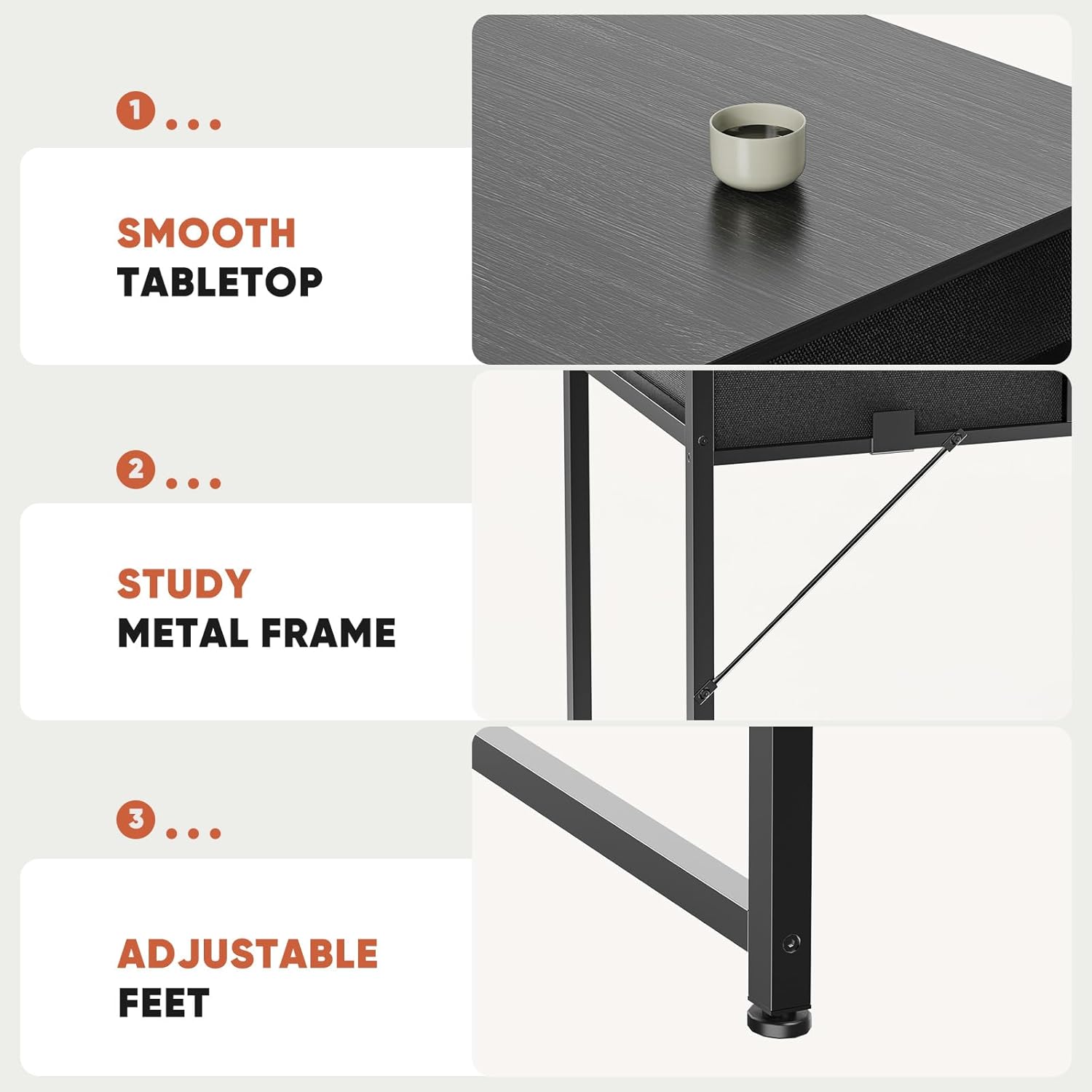
Image: Visual representation of key features including the smooth tabletop, sturdy metal frame, and adjustable feet, highlighting the desk's construction and stability elements.
Atilẹyin ọja ati Support
For warranty information or technical support, please refer to the contact details provided at the point of purchase or visit the official DUMOS website. Please have your model number (DUYMHJ3-D2CZ32IN-BK) and purchase date available when contacting support.


