Ọrọ Iṣaaju
Thank you for choosing the HONOR Choice Earbuds Clip. These open-ear wireless headphones are designed for comfortable listening with advanced features like Bluetooth 5.2 connectivity, AI call noise cancellation, and a long-lasting battery. This manual provides detailed instructions for setup, operation, maintenance, and troubleshooting to ensure optimal performance and user experience.
Package Awọn akoonu
- HONOR Choice Earbuds Clip (Left and Right Earbuds)
- Alailowaya Ngba agbara Case
- Okun Ngba agbara USB
- Itọsọna olumulo
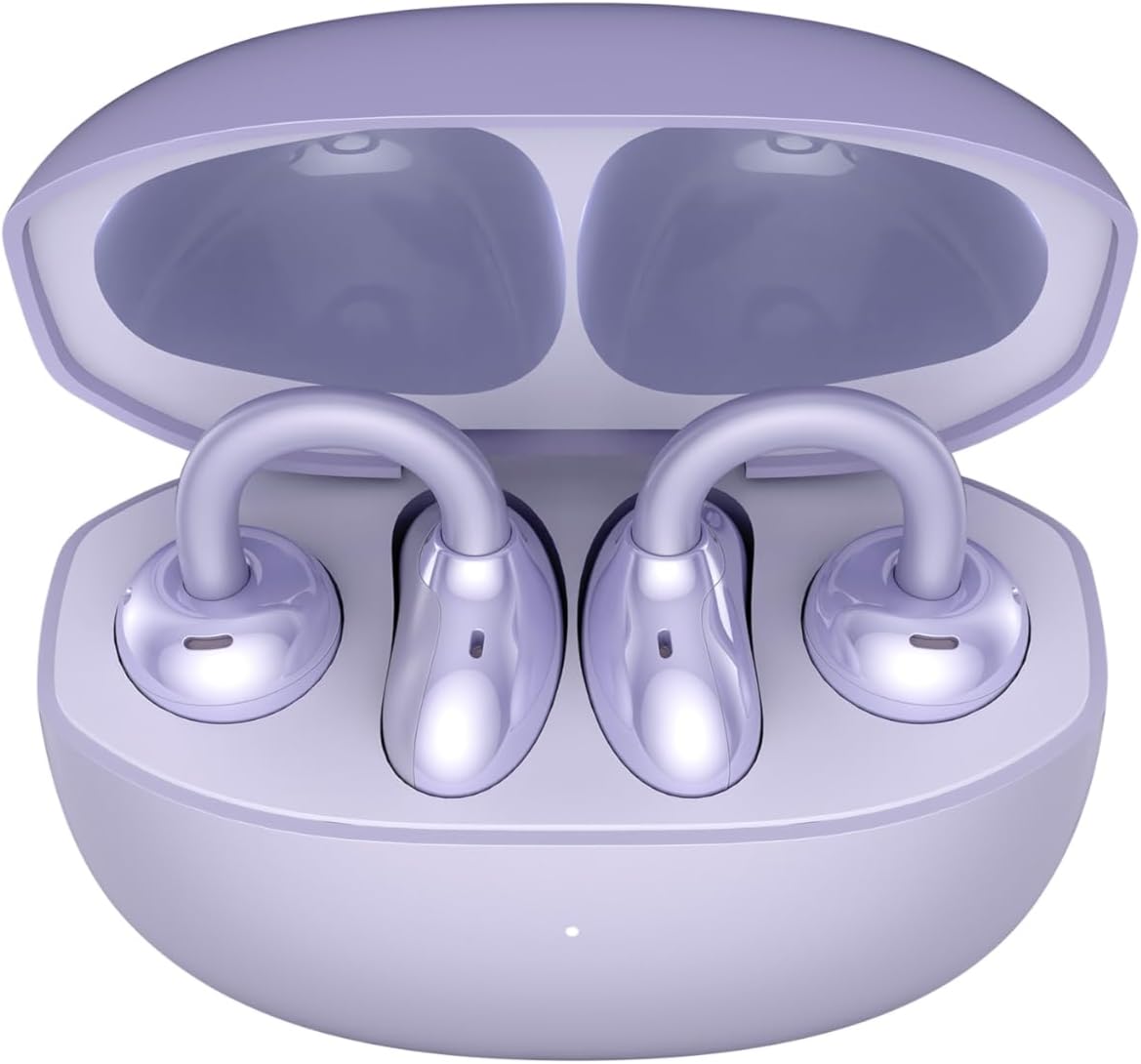
Image: The HONOR Choice Earbuds Clip, showing both earbuds inside their open charging case.
Ọja Pariview
The HONOR Choice Earbuds Clip features an innovative design and advanced technology for a superior audio experience.
Awọn ẹya pataki:
- Titanium Arch Bridge Design: High-performance titanium alloy material covered with scratch and corrosion-resistant PC material for strength and lightweight comfort.
- Asymmetrical Open-Ear Design: Adapts naturally to the ear cup, combined with two rear vents for direct sound waves and reduced sound leakage.
- Dual Magnetic Driver: 10.8 mm driver with PEEK + Pen titanium-coated membrane for stronger bass, lower distortion, and higher sensitivity.
- Igbesi aye batiri ti o gbooro sii: Up to 7 hours of single-song playback, extendable to 36 hours with the charging case.
- AI Call Noise Cancellation (DNN): Dual highly sensitive microphones intelligently filter ambient noise for crystal clear calls.
- Bluetooth 5.2 Asopọmọra: Ṣe idaniloju asopọ alailowaya iduroṣinṣin ati lilo daradara.
- IP54 Idaabobo Omi: Provides protection against dust and splashes.

Image: Diagram highlighting the Titanium Alloy Arch Design of the earbuds, emphasizing comfort and aesthetics.
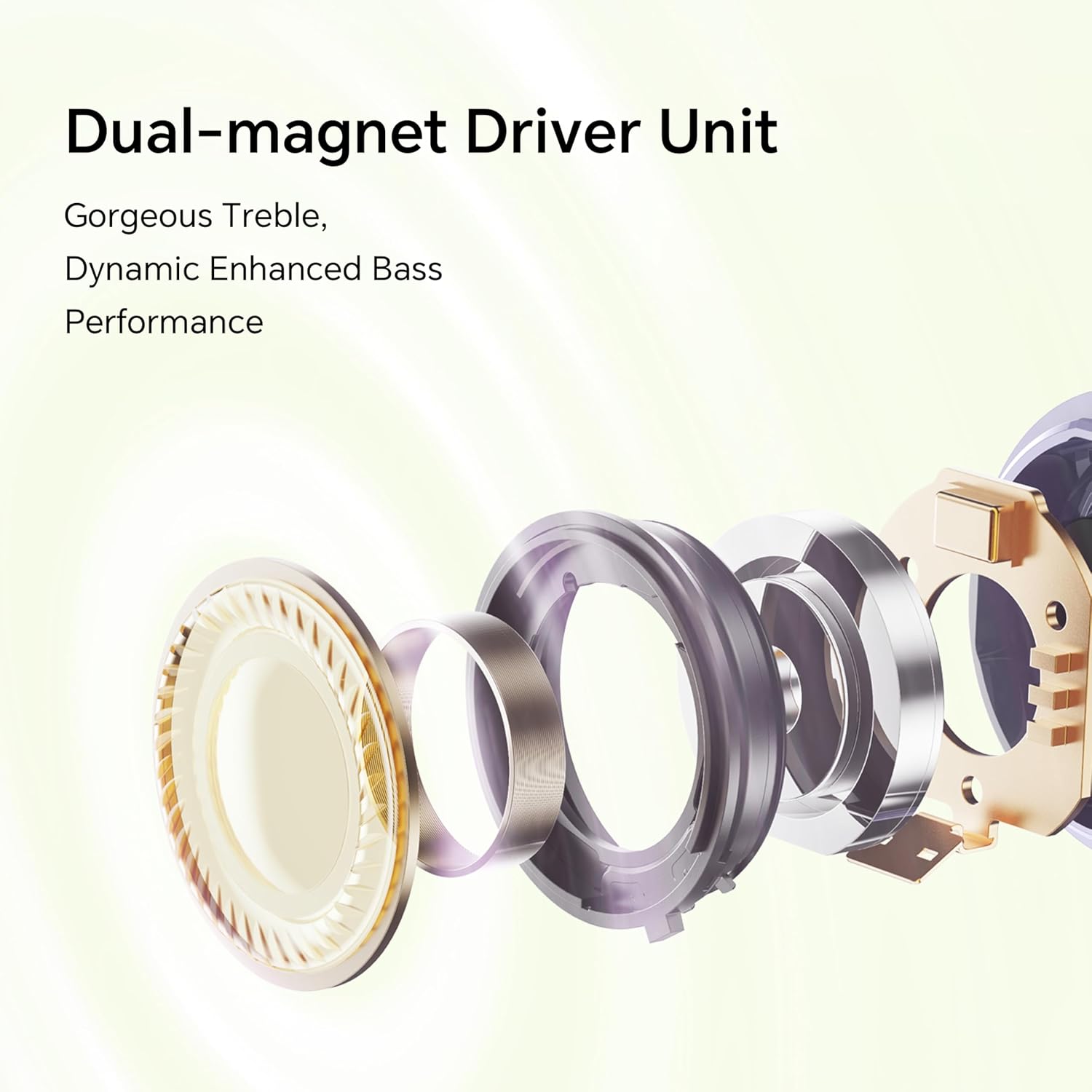
Aworan: Exploded view diagram of the dual-magnet driver unit, illustrating its components for enhanced audio performance.
Ṣeto
1. Ngba agbara si Earbuds ati Ọran
Ṣaaju lilo akọkọ, gba agbara ni kikun awọn agbekọri ati apoti gbigba agbara.
- Gbe awọn afikọti mejeeji sinu ọran gbigba agbara.
- Connect the charging case to a power source using a USB charging cable.
- The indicator light on the charging case will show the charging status. A full charge provides up to 36 hours of total listening time.

Image: Graphic illustrating the 36-hour extended battery life of the earbuds with their charging case.
2. Sisopọ pẹlu Ẹrọ kan
Follow these steps to pair your HONOR Choice Earbuds Clip with your Bluetooth-enabled device.
- Rii daju pe awọn afikọti wa ninu apoti gbigba agbara ati pe ideri ọran wa ni sisi.
- On your device (e.g., smartphone, laptop), go to the Bluetooth settings.
- Wa fun available devices and select "HONOR Choice Earbuds Clip" from the list.
- Ni kete ti o ti sopọ, iwọ yoo gbọ itọsi ohun kan, ati pe awọn agbekọri yoo ṣetan fun lilo.
3. Wọ awọn Earbuds
The open-ear clip design ensures a comfortable and secure fit.
- Gently clip each earbud onto your ear, ensuring the sound outlet is positioned towards your ear canal.
- Adjust for a comfortable and stable fit. The asymmetrical curve is designed to adapt naturally to the ear cup.

Image: A woman demonstrating the proper way to wear the HONOR Choice Earbuds Clip, highlighting its open clip design and natural fit.
Awọn ilana Iṣiṣẹ
Awọn iṣakoso ifọwọkan
The earbuds feature intuitive touch controls for managing audio playback and calls.
- Ṣiṣẹ/Daduro: Fọwọ ba ẹyọkan lori boya agbekọri.
- Orin t’okan: Fọwọ ba lẹẹmeji lori agbekọri ọtun.
- Tẹlẹ Orin: Fọwọ ba lẹẹmeji lori agbekọri osi.
- Idahun/Ipe Ipari: Fọwọ ba ẹyọkan lori boya agbekọri.
- Kọ Ipe: Tẹ ki o si di ọkan ninu awọn eti mejeeji mu fun iṣẹju-aaya meji.
- Mu Oluranlọwọ Ohun ṣiṣẹ: Fọwọ ba meteta lori boya agbekọri.
AI Ipe Noise Ifagile
The earbuds utilize dual microphones and an AI multi-channel call noise cancellation algorithm (DNN) to reduce ambient noise during calls, ensuring your voice is clear to the recipient. This feature is automatically active during phone calls.
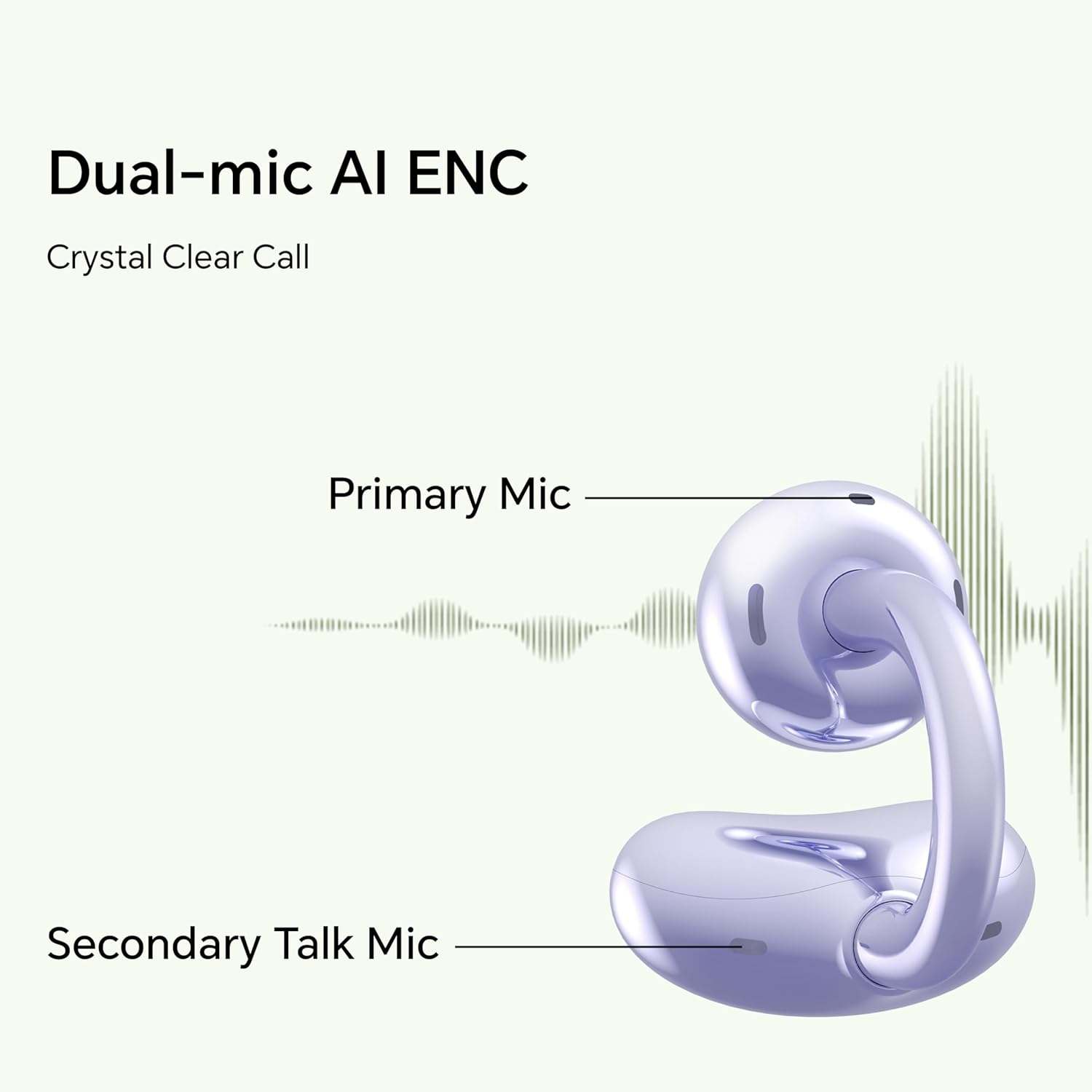
Image: Diagram illustrating the primary and secondary microphones used for AI Enhanced Noise Cancellation (ENC) during calls.
Meji Device Asopọ
The HONOR Choice Earbuds Clip supports simultaneous connection to two devices. This allows for seamless switching between audio sources, such as listening to music on a laptop and answering a call on a smartphone.
- So awọn agbekọri pọ pẹlu ẹrọ akọkọ rẹ.
- Disconnect from the first device (or put earbuds back in case and re-enter pairing mode if needed).
- Pair the earbuds with your second device.
- The earbuds will now remember both devices and automatically switch between them based on active audio or call.
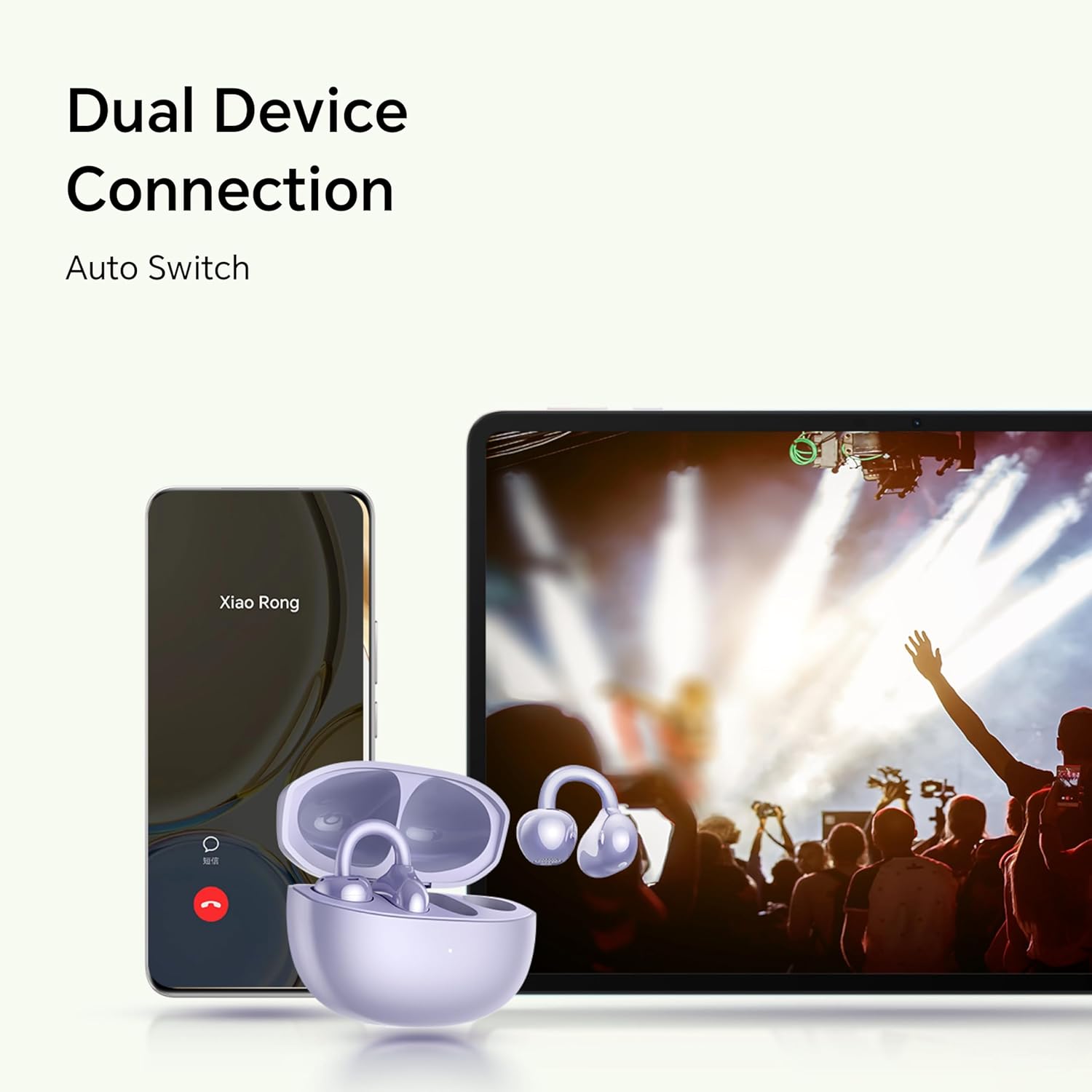
Image: Illustration showing the earbuds connected to both a smartphone and a tablet, demonstrating the dual device connection feature with automatic switching.
Itoju
Itọju to dara ṣe idaniloju igbesi aye gigun ati iṣẹ to dara julọ ti awọn afikọti rẹ.
- Ninu: Use a soft, dry, lint-free cloth to clean the earbuds and charging case. Avoid using abrasive materials or harsh chemicals.
- Omi Resistance: The earbuds are IP54 rated, meaning they are protected against dust ingress and splashing water from any direction. Do not submerge them in water or expose them to heavy rain. Dry them thoroughly if they get wet.
- Ibi ipamọ: Nigbati o ko ba si ni lilo, tọju awọn afikọti sinu apoti gbigba agbara wọn lati daabobo wọn ki o jẹ ki wọn gba agbara. Tọju ni itura, ibi gbigbẹ kuro lati awọn iwọn otutu to gaju.
- Awọn olubasọrọ gbigba agbara: Periodically check and clean the charging contacts on both the earbuds and inside the case to ensure proper charging.
Laasigbotitusita
If you encounter issues with your earbuds, refer to the following common solutions.
| Isoro | Ojutu |
|---|---|
| Earbuds do not turn on or charge. |
|
| Earbuds do not pair with my device. |
|
| Ko si ohun tabi iwọn kekere. |
|
| Didara ipe ko dara. |
|
| Etí ìgbọ́rọ̀ kan kò ṣiṣẹ́. |
|
Awọn pato
Detailed technical specifications for the HONOR Choice Earbuds Clip.
| Orukọ awoṣe | Agekuru Earbuds yiyan Ọlá |
| Nọmba awoṣe | 5504ADMY |
| Brand | Ọlá |
| Asopọmọra Technology | Ailokun (Bluetooth) |
| Ẹya Bluetooth | 5.2 |
| Gbigbe Eti | Ṣii Eti |
| Fọọmù ifosiwewe | Ninu Eti |
| Ariwo Iṣakoso | None (AI Call Noise Cancellation only) |
| Pataki Ẹya | Noise Cancellation (AI Call Noise Cancellation) |
| Audio Driver Type | Yiyi Awakọ |
| Audio Driver Iwon | 10 millimeters |
| Igbesi aye batiri (Earbuds) | Awọn wakati 7 ( idiyele ẹyọkan) |
| Lapapọ Igbesi aye Batiri (pẹlu ọran) | Titi di awọn wakati 36 |
| Iṣakoso Iru | Iṣakoso ifọwọkan |
| Ohun elo | Titanium Alloy, Plastic |
| Iwọn Nkan | 0.12 kilogram (4.2 iwon) |
| Ọja Mefa | 2.36 x 2.36 x 1.18 inches |
| IP Rating | IP54 |
| Awọn irinše to wa | Alailowaya Ngba agbara Case |
Atilẹyin ọja ati Support
For warranty information and customer support, please refer to the official HONOR website or contact your local HONOR service center. Keep your proof of purchase for warranty claims.
- Atilẹyin Ayelujara: Visit the official HONOR support website for FAQs, drivers, and software updates.
- Ibi iwifunni: Tọkasi apoti ọja tabi osise webojula fun onibara iṣẹ awọn alaye olubasọrọ.


