Alaye Aabo pataki
- Ma ṣe fi ẹrọ naa han si awọn iwọn otutu to gaju, imọlẹ orun taara, tabi ọriniinitutu giga.
- Yago fun sisọ silẹ tabi tẹriba ẹrọ si awọn ipa to lagbara.
- Jeki kuro lati omi ati awọn miiran olomi.
- Ma ṣe gbiyanju lati ṣajọ, tunṣe, tabi tunse ẹrọ naa.
- Use only the provided 45W power adapter and Type-C cable.
- Rii daju pe fentilesonu to dara lakoko lilo lati ṣe idiwọ igbona.
- Jeki kuro ni arọwọto awọn ọmọde.
Package Awọn akoonu
Daju pe gbogbo awọn nkan wa ninu apo rẹ:
- Baseus Picogo AF21 3-in-1 Wireless Charging Station
- Oluyipada Agbara 45W
- 3.3ft Type-C to Type-C Cable
- Afowoyi Olumulo (iwe-ipamọ yii)
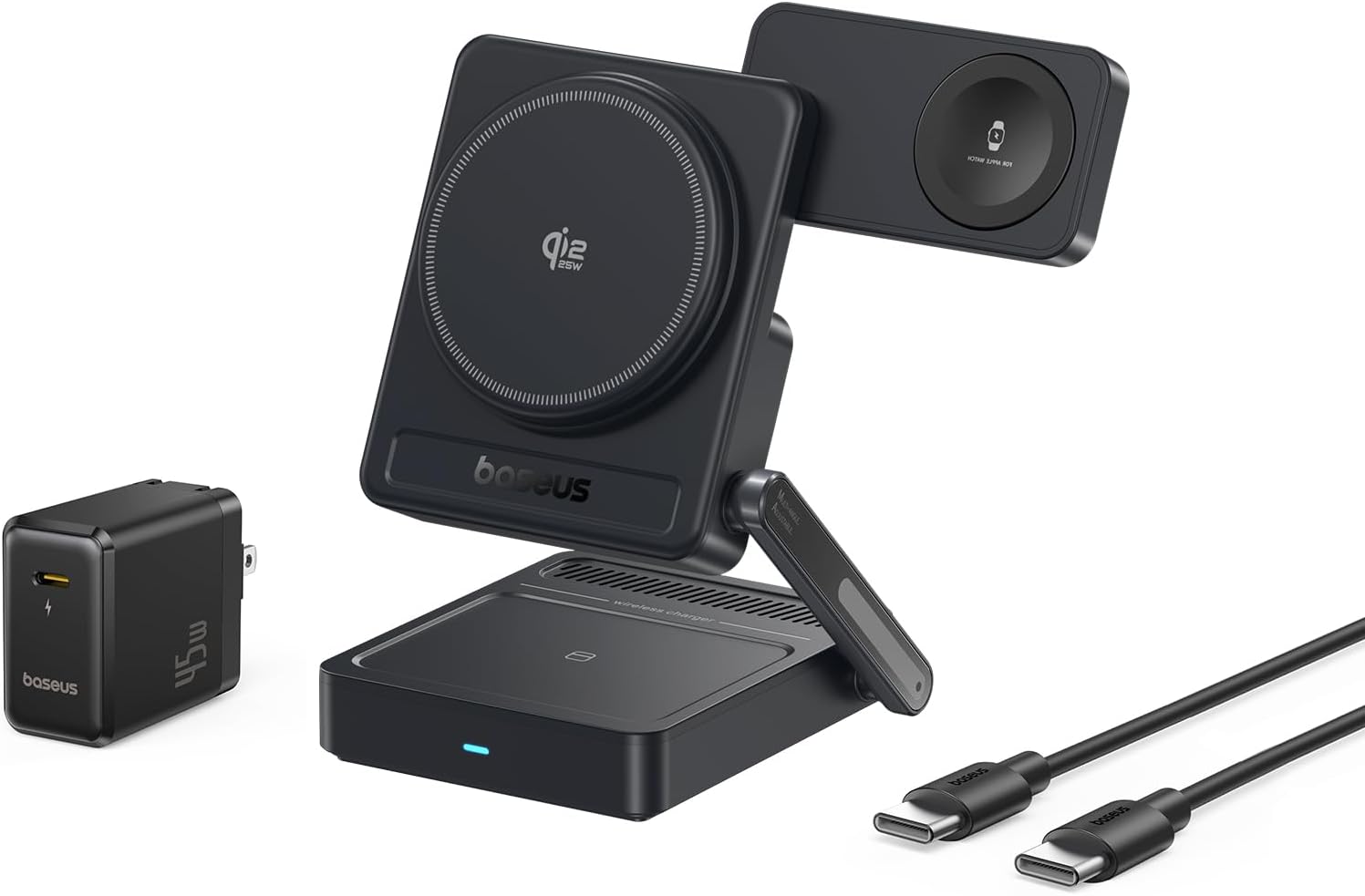
Image: Contents of the Baseus Picogo AF21 package, showing the charging station, power adapter, and cable.
Ọja Pariview
The Baseus Picogo AF21 is a versatile 3-in-1 wireless charging station designed to simultaneously charge your iPhone, Apple Watch, and AirPods. It features Qi2.2 25W fast charging for compatible iPhones, magnetic alignment, and a foldable design for portability.
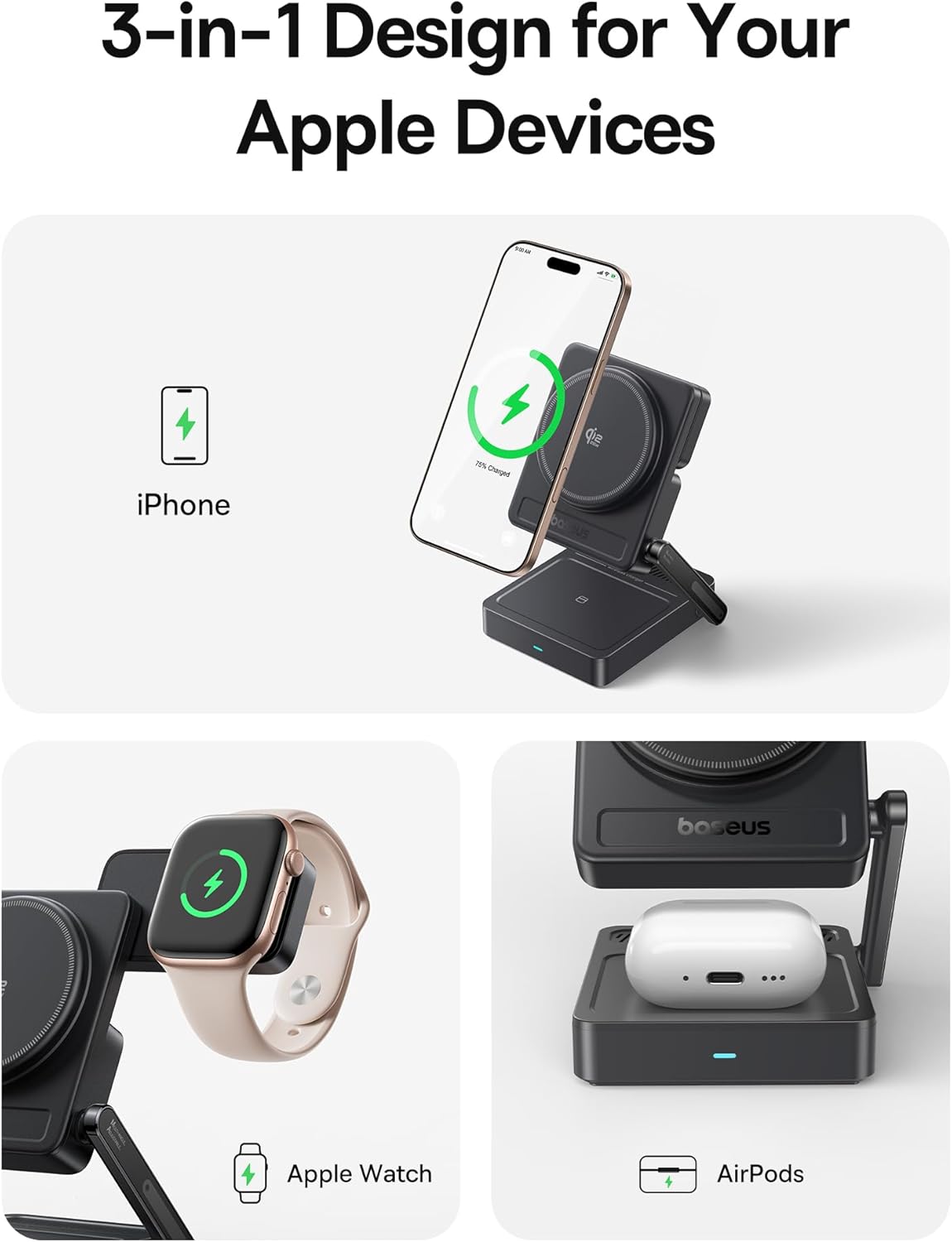
Image: The Baseus Picogo AF21 charging station highlighting its three charging zones for an iPhone, Apple Watch, and AirPods.
Eto Itọsọna
- Ṣii Ibusọ Gbigba agbara: Gently unfold the charging station from its compact travel state. The phone charging panel and watch charging panel can be adjusted to your desired angle.
- So agbara: Insert the provided Type-C to Type-C cable into the charging station's input port and connect the other end to the 45W power adapter.
- Pulọọgi sinu Agbara agbara: Plug the 45W power adapter into a wall outlet. The LED indicator on the base will illuminate, indicating the station is ready for use.

Image: Visual guide demonstrating the adjustable angles of the charging station's base, phone panel, and watch panel.
Awọn ilana Iṣiṣẹ
Charging Your iPhone (Qi2.2 25W)
Place your MagSafe-compatible iPhone (iPhone 12 and newer) onto the main magnetic charging panel. The strong N52M magnets will automatically align your device for optimal charging. For iPhone 17 series, 25W charging is supported. For iPhone 16 series, update to iOS 26 or later for 25W. iPhone 12-15 series support up to 15W Qi2.0 charging.

Image: An iPhone 16 Pro Max charging wirelessly on the station, illustrating the speed of Qi2.2 25W charging.
Charging Your Apple Watch (5W Max)
Place your Apple Watch (all models S1-S10, SE, Ultra) onto the dedicated magnetic watch charging puck. The puck can be rotated 180 degrees for convenient placement.

Image: An Apple Watch charging on the side puck of the Baseus Picogo AF21.
Charging Your AirPods (5W Max)
Place your Qi-enabled AirPods case onto the flat charging pad at the base of the station.
StandBy Mode
When your iPhone is charging horizontally, it will automatically enter Apple's StandBy mode, displaying widgets, clocks, or photo galleries.
Video: Demonstration of the Baseus Picogo AF21 3-in-1 Charging Station in use, showing an iPhone in StandBy mode, Apple Watch, and AirPods charging simultaneously.
Key Awọn ẹya ara ẹrọ
- Qi2.2 25W Wireless Fast Charging: Provides rapid charging for compatible iPhones, significantly faster than previous Qi standards.
- 3-in-1 Gbigba agbara: Simultaneously charges iPhone, Apple Watch, and Qi-enabled AirPods.
- Foldable & Compact Design: Easily folds down to a small size (2.97 × 3.15 × 1.5 inches, 0.56 lbs) for convenient travel and storage.
- Iṣatunṣe Oofa: Features 16 N52M magnets for secure and precise alignment of your iPhone, ensuring efficient charging.
- adijositabulu Viewigun Angle: Base bracket (0–55°), phone panel (0–115°), and watch panel (180° rotation) offer flexible viewing and charging positions.
- 8-Idaabobo Layer: Built-in safeguards against over-temperature, over-current, over-voltage, foreign object detection, under-voltage, no fire risk, static shielding, and short-circuit detection.

Aworan: Ohun exploded view of the charging station highlighting its internal safety features and protection layers.
Ibamu
- iPhone: iPhone 12 series and newer (including iPhone 17, 16, 15, 14, 13, 12 series). Requires iOS 26 or later for full 25W Qi2.2 charging on iPhone 16 series. iPhone 12-15 series support up to 15W Qi2.0.
- Apple Watch: All Apple Watch models (Series 1-10, SE, Ultra).
- Awọn airPods: All Qi-enabled AirPods models (with wireless charging case).
- Other Qi-enabled Devices: Compatible with other Qi-enabled smartphones and earbuds, though charging speeds may vary.
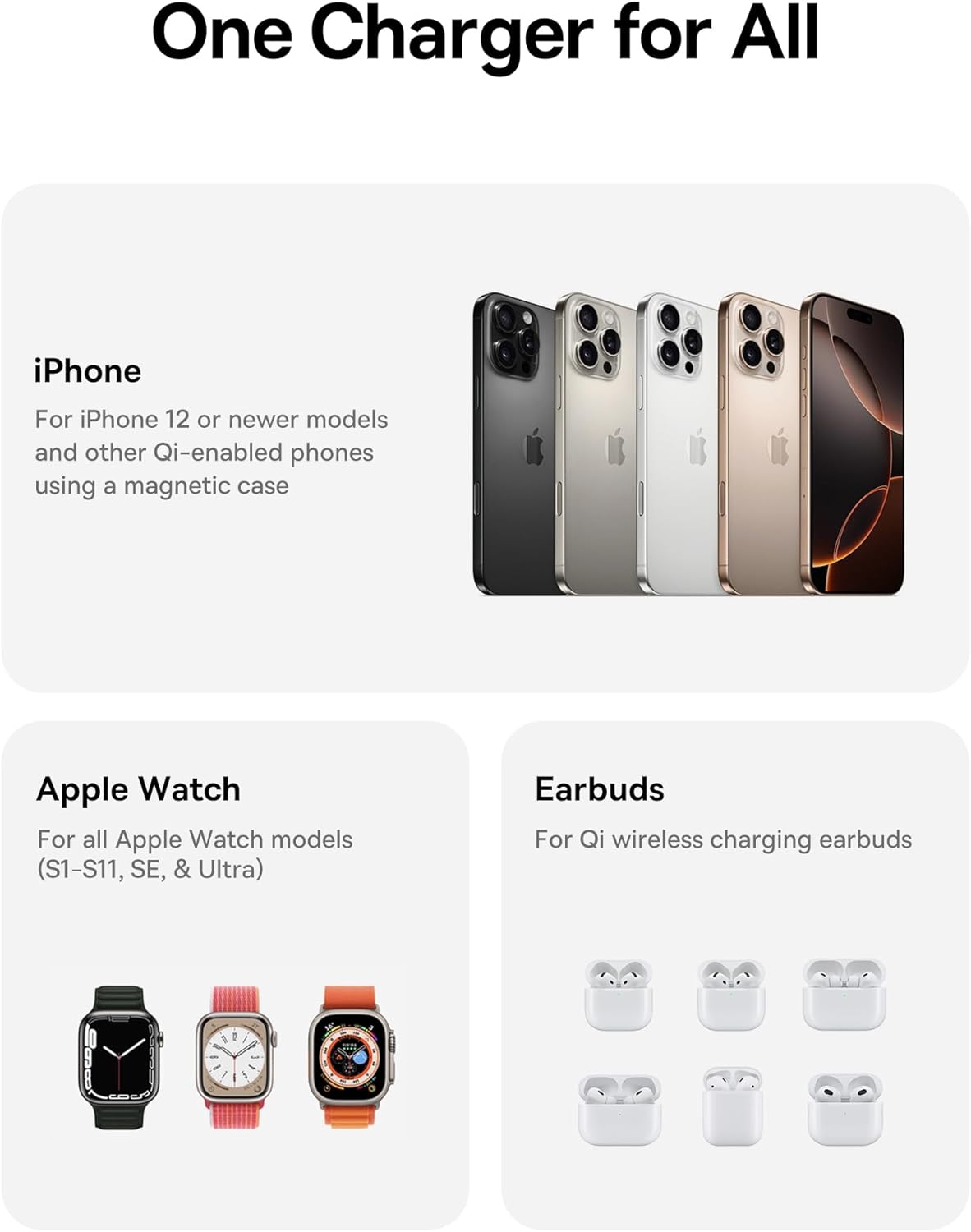
Image: A visual representation of the charging station's compatibility with different Apple devices.
Awọn pato
| Nọmba awoṣe | E02054 |
| Iṣagbewọle Voltage | 240 Volts |
| Ampigba | 3 Amps |
| Wattage | 25 Wattis (O pọju) |
| Asopọmọra Iru | USB Iru C |
| Awọn iwọn Ọja (Ti ṣe pọ) | 3.15 x 2.97 x 1.5 inches |
| Iwọn Nkan | 1.08 iwon |
| Pataki Awọn ẹya ara ẹrọ | Charging Indicator, Magsafe Compatible, Multi Device Charging, Travel, Wireless Charging |
Laasigbotitusita
- Ẹrọ ko gba agbara:
- Ensure the charging station is properly connected to the 45W power adapter and a live power outlet.
- Verify your device is correctly aligned on the charging pad. For iPhones, ensure magnetic connection.
- Remove any thick cases or metallic objects from your device that might interfere with wireless charging.
- Check if your device is Qi-enabled or MagSafe-compatible.
- Gbigba agbara lọra:
- Confirm you are using the provided 45W power adapter and cable. Lower wattage adapters may result in slower charging.
- Ensure your iPhone's software is up to date, especially for 25W Qi2.2 charging on iPhone 16 series (requires iOS 26 or later).
- Yẹra fún lílo ẹ̀rọ rẹ gidigidi nígbà tí o bá ń gba agbára, nítorí èyí lè dín agbára gbigba agbára kù.
- Atọka LED ko tan ina:
- Check the power connection from the wall outlet to the adapter and to the charging station.
- Gbiyanju iṣan agbara ti o yatọ.
Itoju ati Itọju
- Clean the charging surfaces regularly with a soft, dry cloth to remove dust and debris.
- Maṣe lo awọn kemikali lile tabi awọn afọmọ abrasive.
- Store the charging station in a cool, dry place when not in use.
Atilẹyin ọja ati Support
Fun alaye atilẹyin ọja tabi atilẹyin imọ-ẹrọ, jọwọ tọka si Baseus osise webojula tabi kan si wọn onibara iṣẹ. Tọju iwe-ẹri rira rẹ fun awọn ẹtọ atilẹyin ọja.
Olupese: Shenzhen Baseus Technology Co., Ltd.
Ọjọ Akọkọ Wa: Oṣu Kẹsan Ọjọ 18, Ọdun 2025
Ọna asopọ Ọja: Amazon ọja Page


